How to Do the AI Zombie Trend: A 13-Second Zombie Love Story From Two Photos
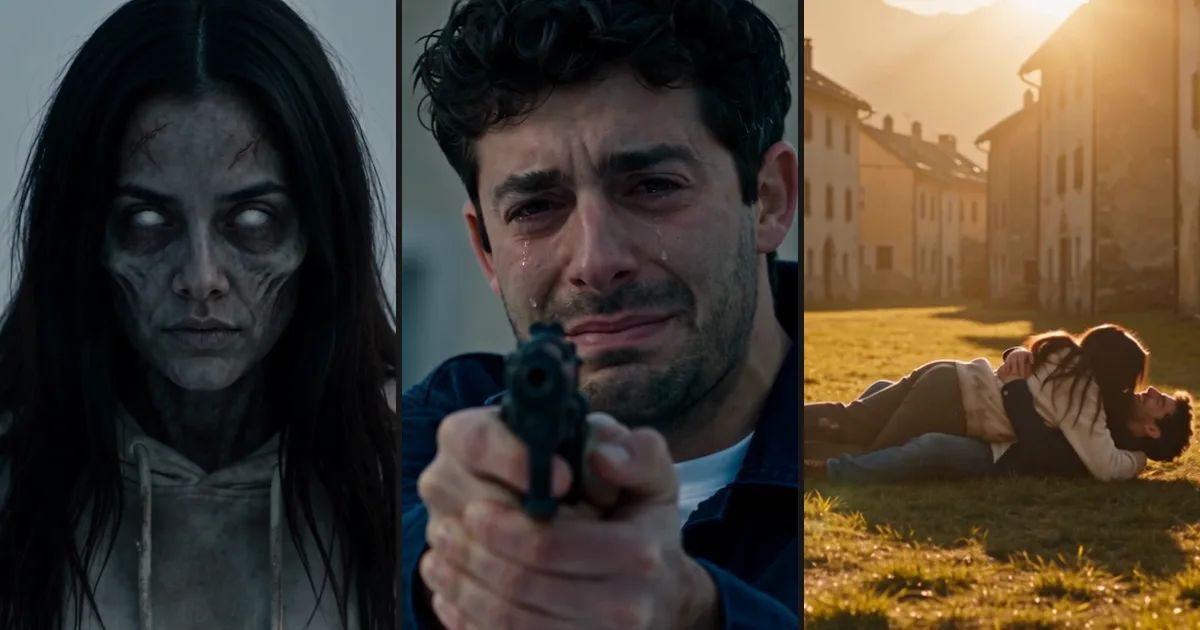
Someone walks out of the fog. Grey skin, eyes glowing white, a dragging step. The woman holding the gun starts crying, because it's her dad. She doesn't fire. A second later he throws his arms open and charges, they collide, and the scene cuts to the same highway at sunset, the two of them on the ground, hugging and laughing.
That's the AI zombie trend, also called the zombie love story. The one who turns can be a partner, a best friend or a parent, and the pet version gets shared the most. This post covers where it came from, what happens in each shot, and how to make your own from two photos.
What the AI zombie trend is
The format barely changes from clip to clip. A grey world after an outbreak. Someone raises a gun at a figure walking toward them, and it's the person they love most, already infected. They can't do it. They lower the gun, get pulled into a hug, and the clip cuts back to a time when both of them were fine.
The first tutorials we found were posted at the end of September, and Google Trends lines up with that. Worldwide, almost nobody searched "ai zombie trend" before September 27. From there it climbed every day and peaked on October 4, while the older movie phrase "zombie love story" doubled over the same week.
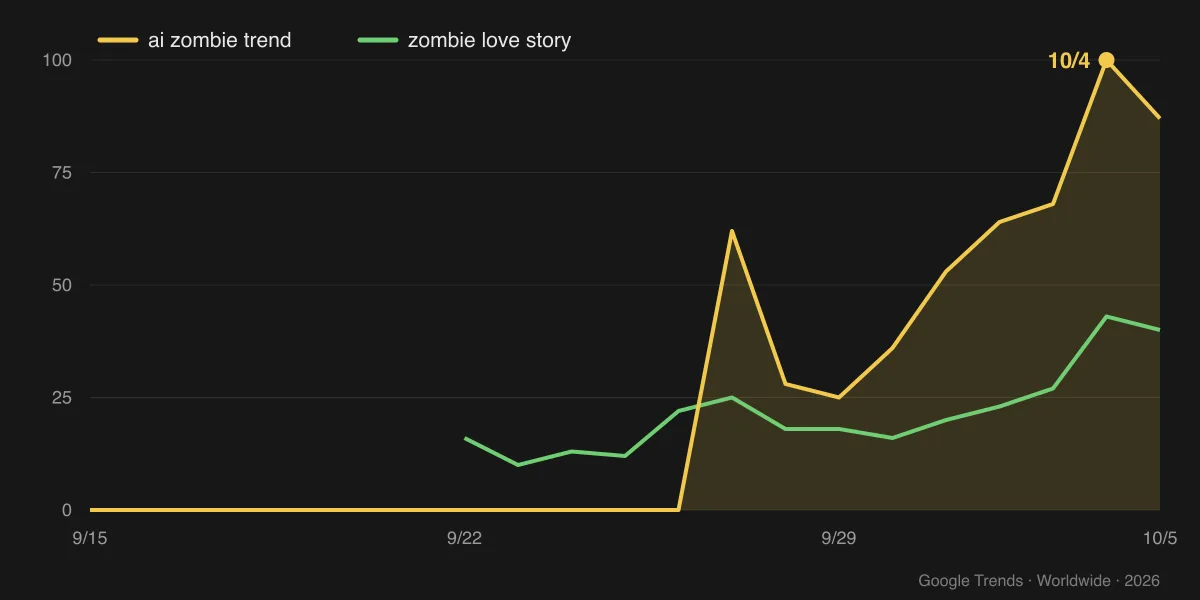
Why did it catch on? The twist is easy to read. Ten seconds of horror movie, three seconds of home video, and it works with anyone in the lead. It also landed in October, right on top of Halloween season.
What happens in the 13 seconds
Our Zombie Love Story template turns the AI zombie trend into a 13-second vertical clip in four shots:
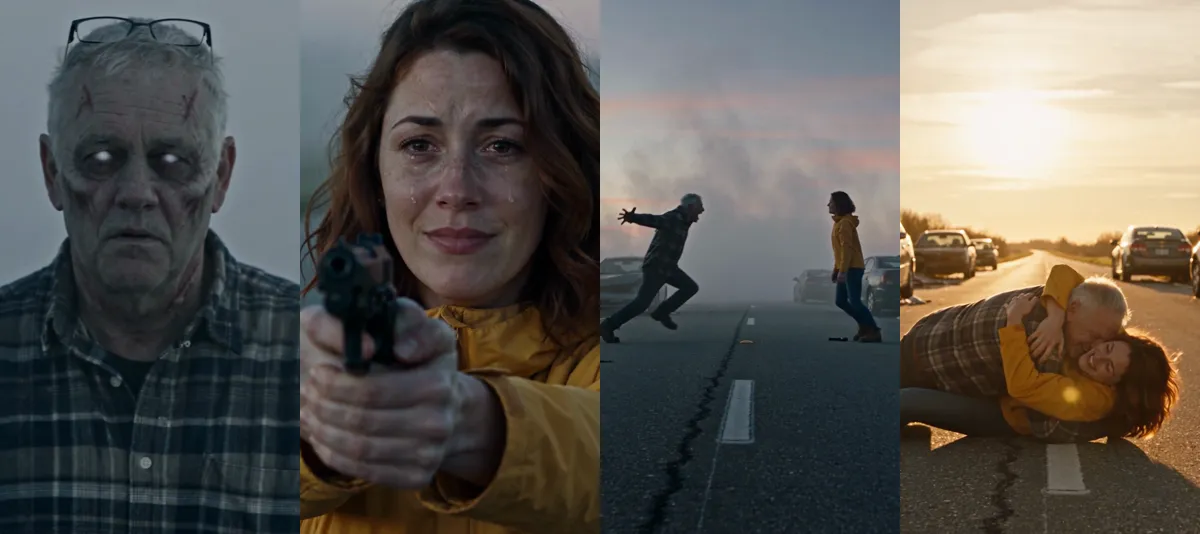
- 0–2s, the close-up. The infected one shuffles out of the fog toward the camera and their face comes into focus. The point is that you recognize them right away.
- 2–6s, the standoff. The survivor aims with shaking hands, tears running, and finally lowers the gun.
- 6–10s, the charge. A wide side shot, the two of them about ten meters apart. The zombie flings its arms open and runs the whole distance.
- 10–13s, the cut. At the moment they collide, the camera stays put and the scene jumps to a sunny day. The same momentum knocks both of them to the ground, laughing.
The charge looks scary, but the gun is never fired, and there's no blood or biting. The model writes the soundtrack along with the picture. We ask for something tense up front and something warm after the cut, but it composes the music itself, so no two clips sound quite the same.
Picking the two photos
This is the one step that needs real thought, because the photos make or break the AI zombie video.
Order decides who turns. Photo 1 is the one who gets infected. Photo 2 is the one holding the gun, usually you. Swap them and you're the zombie.
Use a clear, front-facing photo. The infected look makes a face paler and a little thinner, so a photo that was already blurry gets hard to recognize. Skip sunglasses, masks and backlit night selfies if you can.
Get some clothes in the frame. Clothes and hair are the other half of recognizing someone. In the father and daughter clip, the dad's glasses pushed up on his head and his plaid shirt both carry over into the zombie version, and the daughter's yellow jacket stays on from start to finish.
Use photos of adults or pets only, and only of people who are happy to star in it. Ask before you turn your mom into a zombie.
Make an AI zombie video on ZOOOP in three steps
- Open the template and upload the two photos in order: the one who turns first, then yourself.
- Pick where it happens: a ruined city street, a snowy mountain town, or a highway full of abandoned cars.
- Pick the resolution and hit generate.
There are three resolutions, 720p by default, and higher ones cost more. The template runs on Seedance 2.5, with the shots, the movement and the music already written into it, so all you bring is the photos. Each zombie love story we ran took about four to five minutes.
What went wrong while we built the template
Getting a template for the AI zombie trend right took several rounds. Here are four problems we hit. Some are fixed, and some you might still run into.
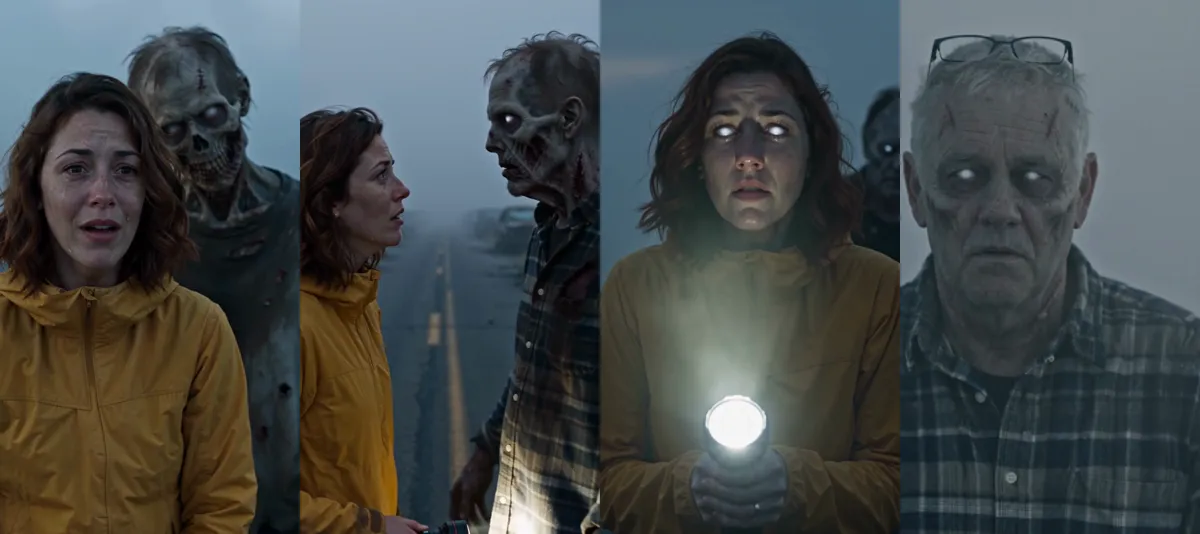
The face rotted until nobody could tell who it was. Our first version simply asked for a zombie, and the model gave us a skull-faced corpse with sunken cheeks and exposed teeth. Scary, sure, but it looked nothing like the dad, and without that the zombie love story falls apart. So we stopped describing rot and described the same person, infected and drained of color: grey skin, white eyes, the same features and clothes. That's the frame on the far right. It still isn't perfect. Two faint scratches tend to show up on the forehead.
The zombie just stood behind them. In early versions the hug only happened in the flashback, while the zombie loomed over the survivor's shoulder. The hug only showed up once we spelled it out: face to face, the zombie pulls them in, the survivor hugs back.
The survivor got infected too. In one test round, the daughter's eyes turned white as well, as if she'd been bitten. We added a rule against it, but it can still slip through now and then. If it does, generate again. Also, in the early versions the survivor held a flashlight. We switched back to the gun from the original trend.
Sometimes the clip gets blocked over the music. The soundtrack is generated along with the picture, and once in a while it gets flagged as possibly copyrighted and the whole clip is blocked. It happened twice in the dozen-plus clips we tested. Your credits come back automatically, and running it again usually works.
Pets, couples, parents: three kinds of zombie love story
All three example clips are on the template page. Here are two of them. The previews are silent, but the real clips have sound.

The pet version is the sweetest. The golden retriever comes back with white eyes, greyed fur and the same red collar, and instead of opening its arms it leaps. After the cut it knocks its owner over on a sunny lawn and licks her face. This one cut to a park instead of staying on the same street, and it doesn't hurt the moment at all.

The couple version looks the most like a movie. In the snowy town, the girlfriend comes running down the street with white eyes, long hair loose and the same cream hoodie from her photo. After the cut it's the same street, the snow is gone, and the two of them are lying in the grass.
The father and daughter version hits hardest, and it has the cleanest cut of the three. It's the one in the four-shot strip above: the same highway, from fog straight to sunset.
Every zombie love story comes out vertical 9:16, 13 seconds long, with sound, ready to post to any short-video app without cropping.
More to make after your AI zombie video
For a different Halloween mood, try the Halloween costume reveal, or make a Halloween pet costume video for your cat or dog. To shoot your own story from scratch, head to the AI video generator. There are more one-click ideas in the template library, and most of them also start from a photo.
Pick your two photos and make your own take on the AI zombie trend with the Zombie Love Story template, while it's still Halloween season.