Doorbell camera footage has a built-in sense of "this really happened." The fisheye lens bends the porch, the picture is a little soft, and the camera never moves. Package thieves, raccoons raiding the trash, delivery drivers dancing on the steps: a whole genre of clips lives on that look. An AI arrest video borrows it for a prank. You, a friend or the family dog stand at the front door, two officers walk up the porch, and the arrest happens right there on camera.
ZOOOP's Doorbell Cam Arrest template makes that AI arrest video from a single photo. We tested it with a photo of a woman and a photo of a beagle. Below is what the finished clip looks like, which photos work, and what to keep in mind before you post one.
What the AI arrest video looks like
The clip runs 8 seconds, vertical 9:16, from one fixed doorbell angle. It opens with the person from your photo on the doormat, right under the camera and close to the lens. The blonde woman in our test even leaned in and peered up at the doorbell, as if she was waiting for someone to answer.
Then two officers in dark navy uniforms come up the front path. Seconds two to five are the heart of the AI arrest video: one officer turns her around and cuffs her hands behind her back while the other holds her arm. In the last three seconds they walk her down the steps and along the path toward the street, smaller and smaller until she is a speck in the frame.
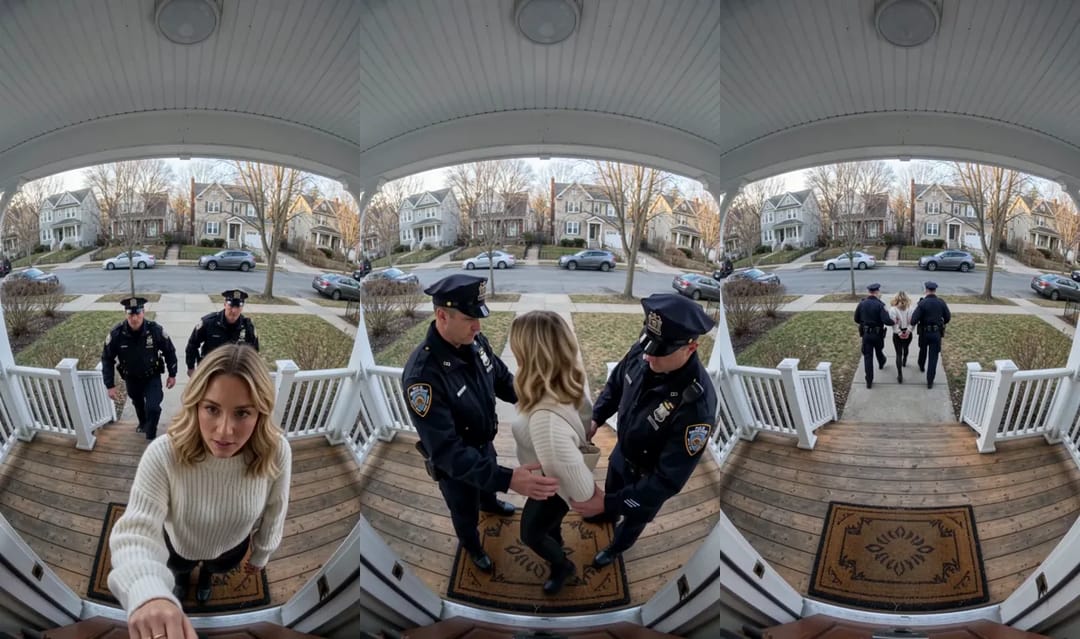
The camera stays put the whole time, and that matters. A real doorbell camera is screwed to the wall; the moment the picture pushes in or follows someone, it starts to look like a movie. The sound follows the same logic: footsteps on the wooden porch, one click of the cuffs and quiet street noise, with no music and no dialogue.
The uniforms show no readable writing, badge numbers or department names, so the clip doesn't point at any real police force.
Pick a photo that works
One person per photo. A group shot leaves the template guessing who gets arrested, so crop it to one face first.
A waist-up photo is plenty. Our test photo stopped at the hips, and the clip still showed her head to toe, with black leggings that matched the outfit in the picture. The coffee cup she was holding didn't make it to the porch.
Ignore the background. Our photo was taken on a city sidewalk, and none of it survived: the clip shows only the porch and a suburban street.
The outfit is the one thing worth choosing. Whatever someone wears in the photo is what they wear when the cuffs come out, and getting arrested in pajamas is a different joke from getting arrested in a suit.
Use photos of adults only, and only people who have agreed to be in it. Your own photo is always fine.
Make it in three steps
Open the template page and upload one photo of one person or one pet, with the face visible.
Pick a resolution. The page offers 480p and 720p, the Generate button shows how many credits it takes, and nothing is charged until you start.
Press Generate and download the video when it's ready. The scene, the officers and the security-camera look are all set already, so there is no prompt to write. If you'd rather build your own surveillance-style scene from scratch, the AI video generator is the place, but for an AI arrest video the template page is all you need.
The pet version: arrested on a leash
Cat and dog photos work too. Pets don't get handcuffs; they get a leash.
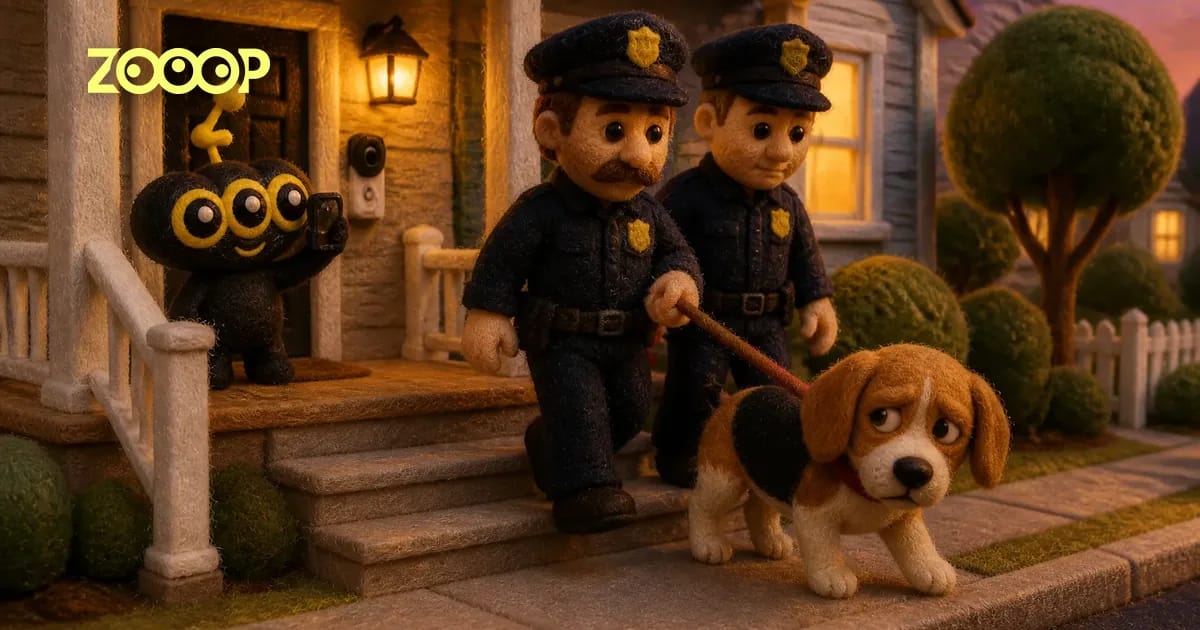
We ran it with a tricolor beagle. It opens with the dog sitting on the doormat, staring up at the lens with its big ears drooping, looking guilty before anyone has even arrived. One officer bends down and clips a leash to its collar, the other stands by, and then they lead it down the steps, the beagle trotting between them as they get smaller.
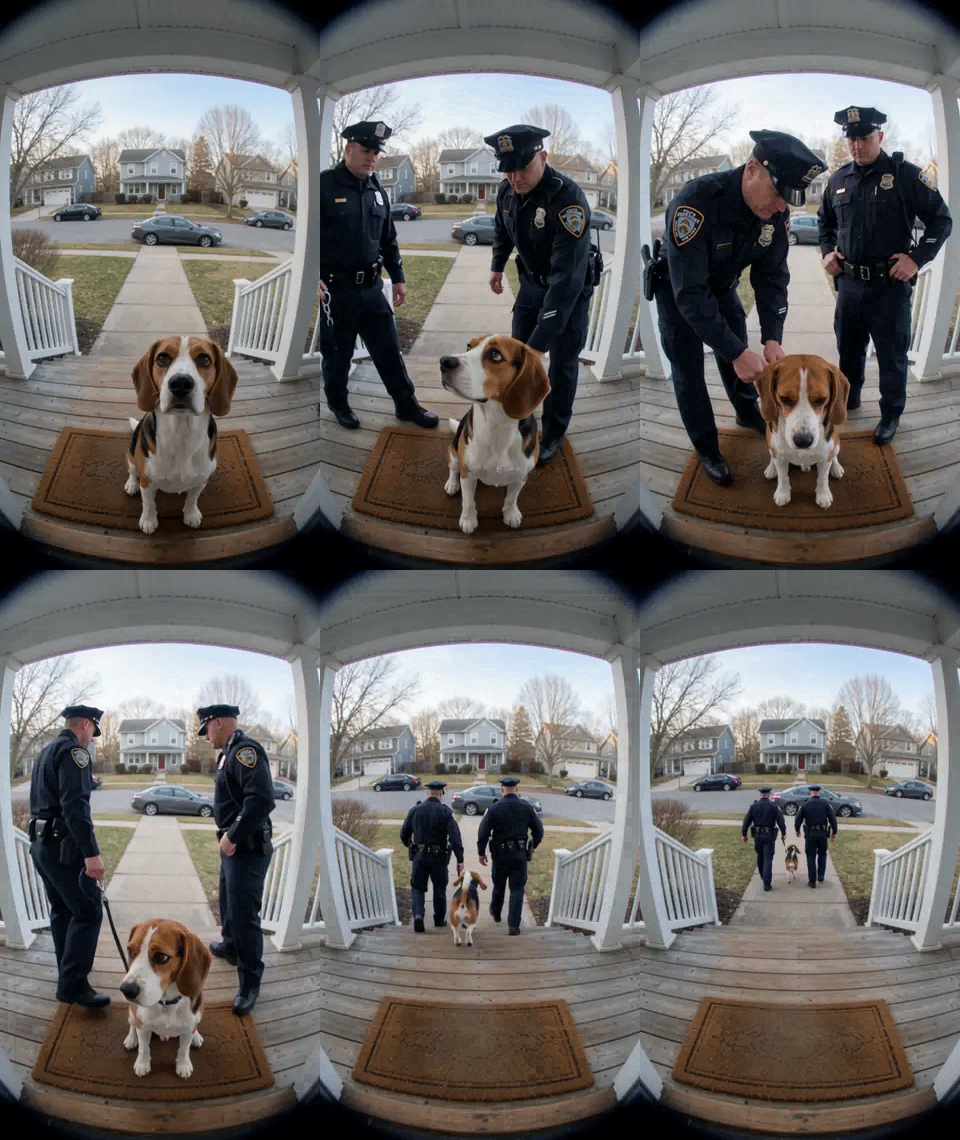
The beagle's markings and ears stayed clear from the first frame until it walked off, and it moved on four legs the whole time, with no human hands and no outfit. A full-body pet photo that shows the coat pattern works best; a head shot is usable, but then the body has to be filled in.
Captions write themselves around the charge: "Suspect in the case of the missing rotisserie chicken," or "Refused bath time for the third time this week. Finally in custody." More pet ideas live under AI pet videos.
Post it as a joke, not as evidence
An AI arrest video is funny because everyone knows it's fake. Passed off as real, the same clip can do real damage to a real person. So before you post, three rules: use only your own photo or a photo of an adult friend who said yes; say in the caption that it's an AI prank; never use it to scare someone, start a rumor or "prove" anything.
If you like being caught on camera, try Caught Dancing at the Window, where a lens across the street catches someone dancing alone at their window. For more pranks, browse AI funny videos.
Frequently asked questions
How many photos does an AI arrest video need?
Just one. Upload a photo of one person or one pet; the officers and the porch come with the template.
How long is the video, and does it have sound?
It's 8 seconds, vertical 9:16, with footsteps, the click of the cuffs or leash and street ambience. There's no music and no dialogue.
Does it work with a cat?
Yes. A cat gets a leash clipped on and is led away just like a dog, keeping its own breed and coat.
Will a real police department's logo show up?
No. The uniforms carry no readable writing, badge numbers or department names.
Can I make one of a friend?
Yes, as long as they agree, they're an adult, and you label the clip as an AI prank when you share it.