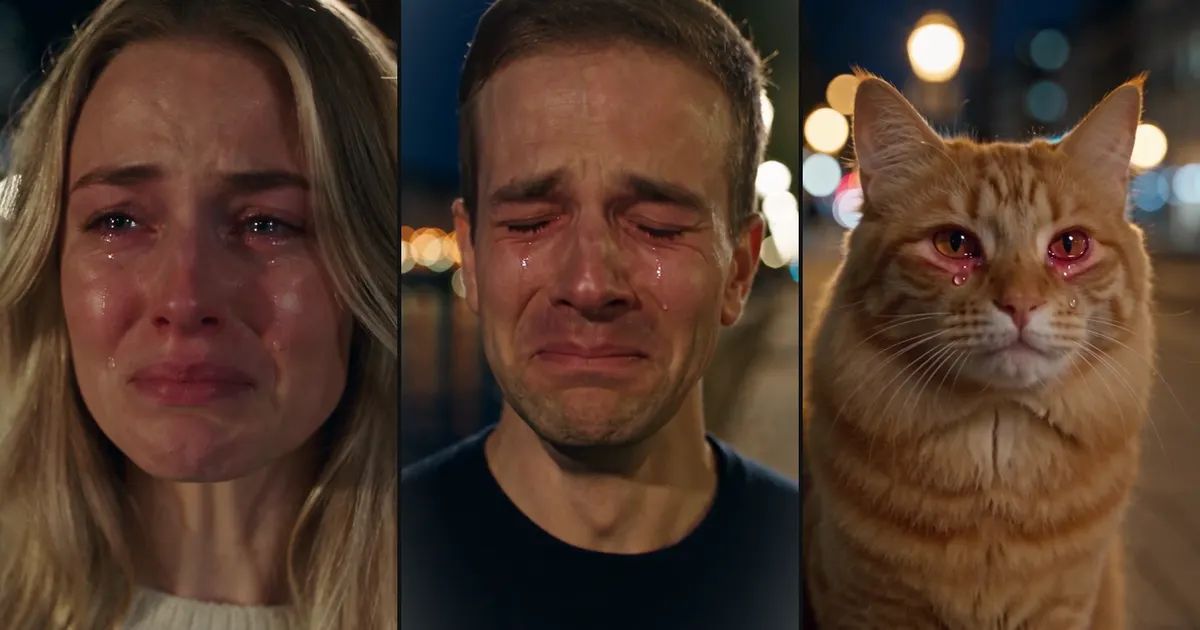
How to Make the AI Crying Video Trend From One Selfie
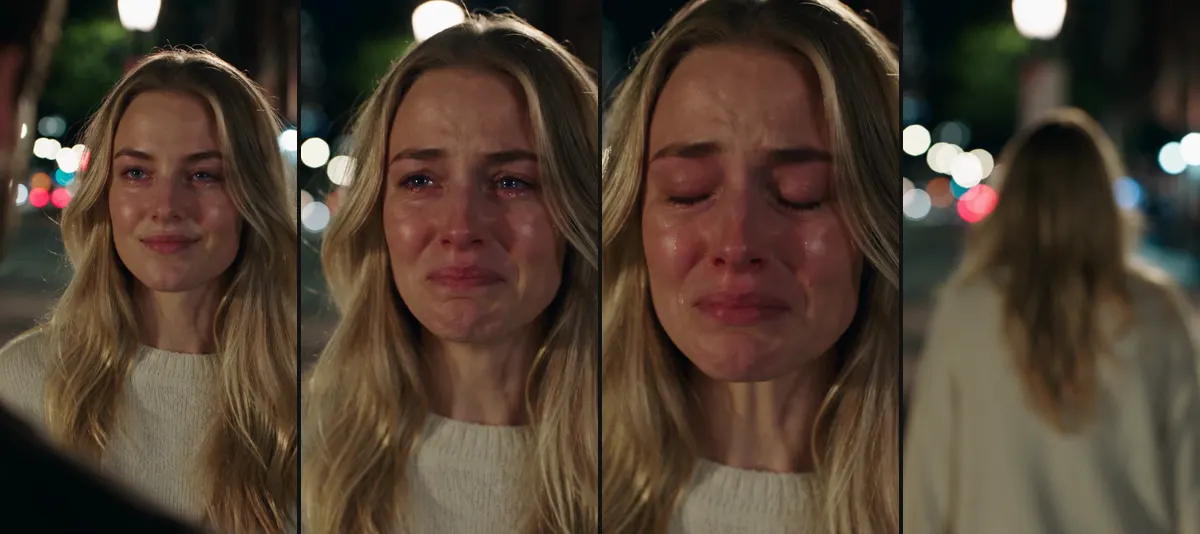
A street at night, the lamps behind her melted into soft circles of light. She looks at someone just off camera and smiles, a little hopeful. The smile doesn't hold. Her chin starts to shake, her eyes go red, and the tears come. She closes her eyes, drops her head, and turns away.
The whole thing lasts ten seconds, and it usually comes with one line of text on top, something like "me checking my bank balance this month". That is the AI crying video everyone has been reposting. This post covers where the trend came from and how to make your own AI crying video from a single selfie.
What is the AI crying trend?
Almost every clip looks the same: night, street lamps, one person going from a smile to tears and then walking away. The only thing that changes is the caption. A breakup, a failed exam, payday money gone in an hour, a friend who forgot your birthday. The clip does the heartbreak and the caption does the joke, and the two together are what people share.
The AI crying trend picked up in the second half of September. In Google Trends' worldwide data, "ai crying video" only shows up now and then before mid-September; from September 19 on, people search for it every day, mostly from Bangladesh, India and Turkey. The volume on social apps is far bigger than in search, which is only starting to catch up.
What happens in those 10 seconds
Our AI Crying template turns the AI crying video into one continuous shot with no cuts:
- A hopeful smile. The camera looks over the blurred shoulder of someone standing in front of you. You look at them, slightly off the lens.
- The smile falls apart. Your lip trembles, your eyes redden and fill, and tears run down your cheeks while the camera slowly pushes in.
- You walk away. Eyes closed, head down, you turn around and head off down the street.
The sound is generated with the picture: a quiet piano and some night ambience, no dialogue. There is no text in the frame either, so the caption is all yours.
How to pick your selfie
An AI crying video only needs one photo, and that photo decides whether the result still looks like you.
Front-facing, eyes open, decent light. An ordinary selfie works. The model has to act out a whole run of expressions from this one picture, and if it can't see your eyes and mouth clearly, it has to guess.
Skip sunglasses, side angles and heavy filters. Those three throw the likeness off more than anything else. A photo with the beauty filter turned all the way up comes back looking more like an influencer than like you.
Your clothes and hair carry over. Whatever you wear in the photo, you wear in the clip. For a more cinematic look, pick a shot where you're dressed plainly.
Use your own photo, or one of an adult who knows about it and is happy to take part. Making a clip of someone else "crying and walking off" without asking is where the joke stops being one.
Three settings, three kinds of caption
The template has three places to choose from: a city street at night, a riverside walkway and a rain-soaked street. The difference is mostly mood.
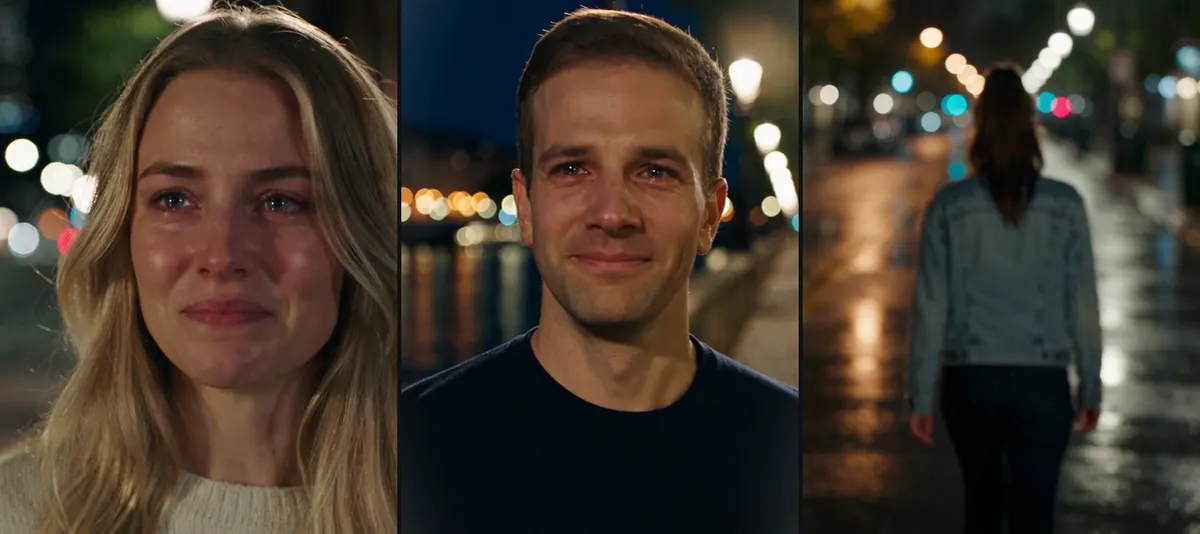
The city street fits any caption. The riverside one has the city lights on the water behind you and suits goodbyes, graduations and long distance. The rainy street is the most miserable: wet pavement, lamps reflected in puddles. It's perfect for turning something tiny into a tragedy, like "my food delivery spilled".
If you want a different emotion, try Zombie Love Story, which turns two photos into an end-of-the-world reunion. For the opposite mood, there's Car Jump: you sit perfectly still while an off-road truck flies over your head.
Make an AI crying video on ZOOOP in three steps
- Open the template and upload one clear, front-facing photo.
- Pick a setting: city street, riverside or rainy street.
- Choose a resolution and hit generate.
There are three resolutions. 720p is the default, and higher resolutions cost more. The template runs on Seedance 2.5, with the camera move, the pacing of the expressions and the music already written in. The AI crying videos we ran each took a few minutes.
Cats and dogs can cry too
Pets can play the part as well. Upload a photo of your cat or dog and it stays a real animal, with no human body: its eyes slowly get wet, a tear runs down its fur, its ears droop, and then it turns and walks off down the street. We tried it with a ginger cat, and it was funnier than we expected.

Here's the rainy-street version, from the tears to the turn. The animations are silent; the real clips have sound.

The rough edges we ran into
The prompt for this template worked almost on the first try, which is more than we can say for most of our templates. Honestly, though, a few things still aren't perfect.
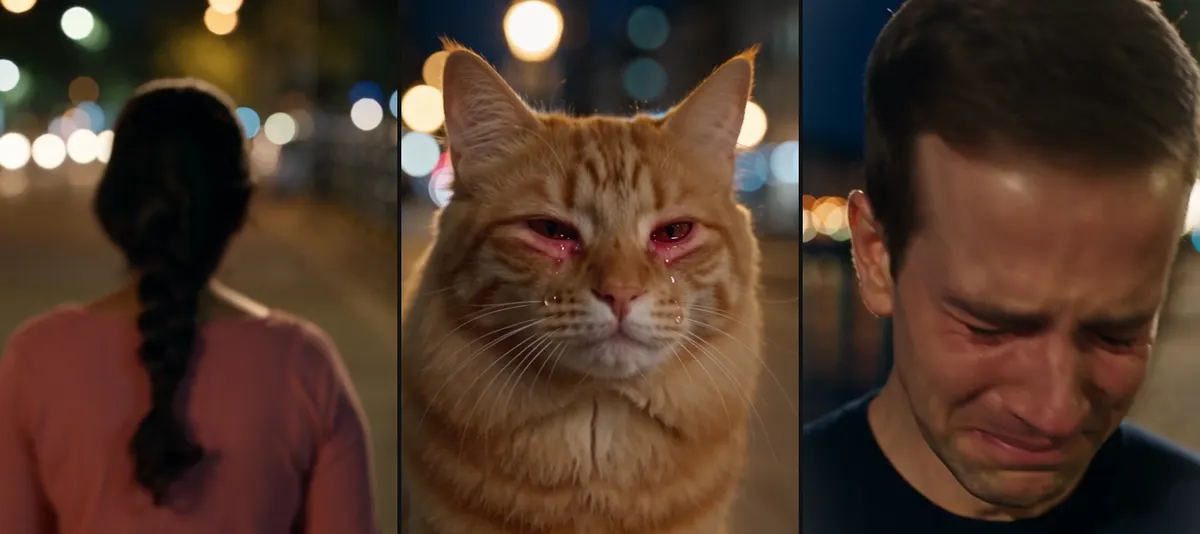
The walk-away sometimes stays too close. We want the person to get smaller and smaller as they leave. In our first test she turned around and stopped right in front of the lens, so all you could see was her braid. Later runs did much better, and the rainy one walks a long way, but this part is still a bit of luck.
The cat's eyes go red. Animals don't have a "red-rimmed eyes" look, so the model tints the area around the eyes. In a few frames it looks more like an allergy than crying.
You can't set how hard someone cries. Some people get quiet tears, some get a full scrunched-up sob. The model decides. The man in our examples cries very hard, which actually makes a funny caption land better.
Now and then a generation fails. The soundtrack is composed by the model, and occasionally it gets flagged as possibly copyrighted and the whole clip is blocked. It happened once in the six we ran. Your credits come back automatically, and running it again usually works.
What else to do with your AI crying video
Make a few from the same selfie with different settings and captions, and post them as a set. If you'd rather write a whole story yourself, head to AI Video Generator. More one-photo ideas are waiting in Templates.
Pick a well-lit selfie and make your own AI crying video with the AI Crying template. The caption is up to you.