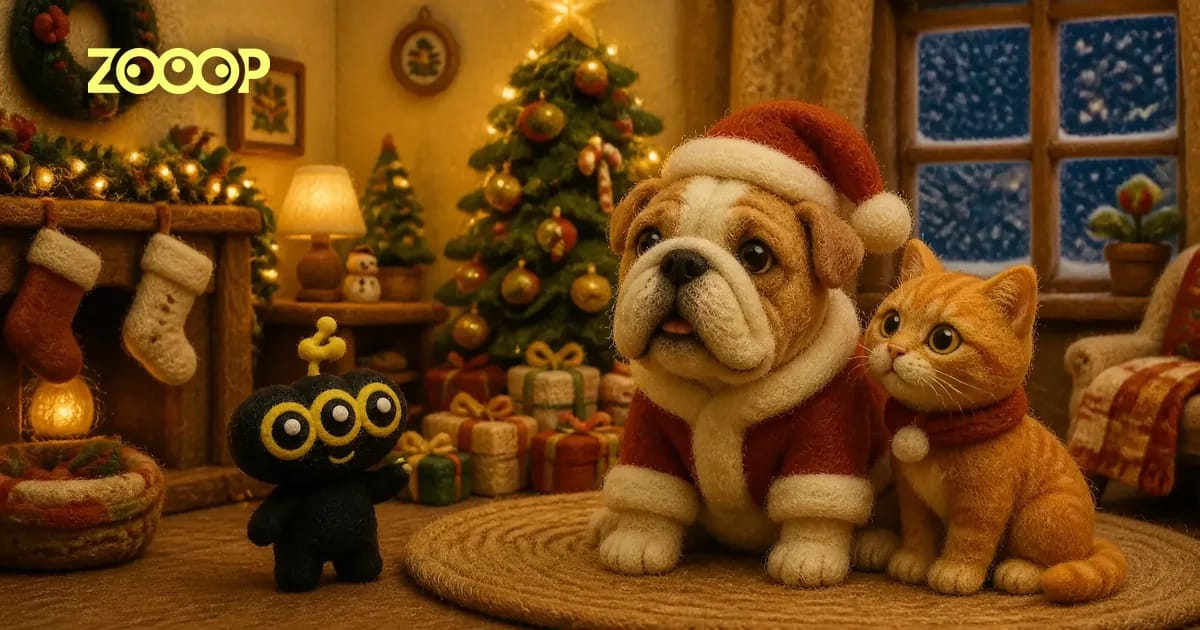
An English bulldog is lying on a living room rug when a red hat drops into view. White cuffs appear, the window turns blue with snow, and a Christmas tree lights up on the right. Then the dog pushes up on its front paws and looks straight at the camera. To make a Christmas pet video with your own dog or cat, open the Christmas Pet Makeover template in ZOOOP and start with one everyday photo.
What the Christmas pet video looks like
The clip runs for about ten seconds in a 9:16 frame. The camera stays low, close to the height of the rug. The hat lands first, then the red coat takes shape with white trim and a belt. Tree lights, wrapped gifts and drifting snow appear around the pet. The final few seconds give you time to see its expression after it sits up.
In the bulldog clip, the white stripe on its forehead and its broad muzzle still stand out after the costume appears. The orange tabby wears the hat at an angle, leaving one pointed ear and the stripes on its cheek in view. The tabby also sits up a little earlier, so its final pose lasts longer. How quickly the pet moves and where the hat lands can vary with the photo and the result.
Leave room for the ears and front paws
Look through your camera roll for one clear photo of a single dog or cat. A front view or a slight turn works well if you can see the eyes, both ears and the muzzle. Details like the bulldog’s white stripe or the tabby’s fine markings near its eyes make the pet easy for family to recognize. Leave a little room above the head for the falling hat.
For the sitting motion, look for a photo of your pet resting naturally with the front paws visible. Soft window light helps. Try a pale background behind a dark coat, or a slightly darker rug or wall behind a pale coat, so the edges of the ears stay visible. Lowering your phone to eye level makes it easier to get the face and paws in the same picture.
Upload a photo and choose a resolution in ZOOOP
- Open Christmas Pet Makeover, sign in and upload one photo of a single dog or cat.
- Choose 480p or 720p. The smaller 480p file is handy for a family chat. Choose 720p for more detail in the fur and tree lights. The Generate button shows the credits for the selected resolution.
- Select Generate, then download the ten-second vertical video with sound.
Your Christmas pet video adds the hat, coat and decorations around your pet. Take the photo wherever your pet is comfortable. If your sharpest picture shows two pets, crop it to the one you want to feature and keep some space around its ears and paws.
Send your Christmas pet video to family
Add a short note with your pet’s name, such as “Bean is in charge of gifts this year.” If you have two pets, give each its own clip and send them one after the other. For a vertical social post, keep captions close to an edge so people can see the hat land and the pet sit up.
Browse Christmas templates for another holiday scene or look through the AI pet video templates for more ways to feature your pet.
Frequently asked questions
How many photos do I need?
You need one photo of one pet per video. A clear view of the eyes, the top of the head and the muzzle is ideal. Visible front paws work well for the movement from lying down to sitting.
Does this work for cats and dogs?
Yes. Use the same template and upload a photo of one cat or dog each time.
Do I have to put a Santa outfit on my pet first?
An everyday photo works. The Santa hat, red coat, tree lights and snow appear in the generated video.
Can I send the clip as a Christmas card in a chat?
Yes. Download the ten-second vertical clip after generating it and send it to family and friends or share it as a holiday post.