Birthday Car AI Trend: Drift In and Blow Out the Candles
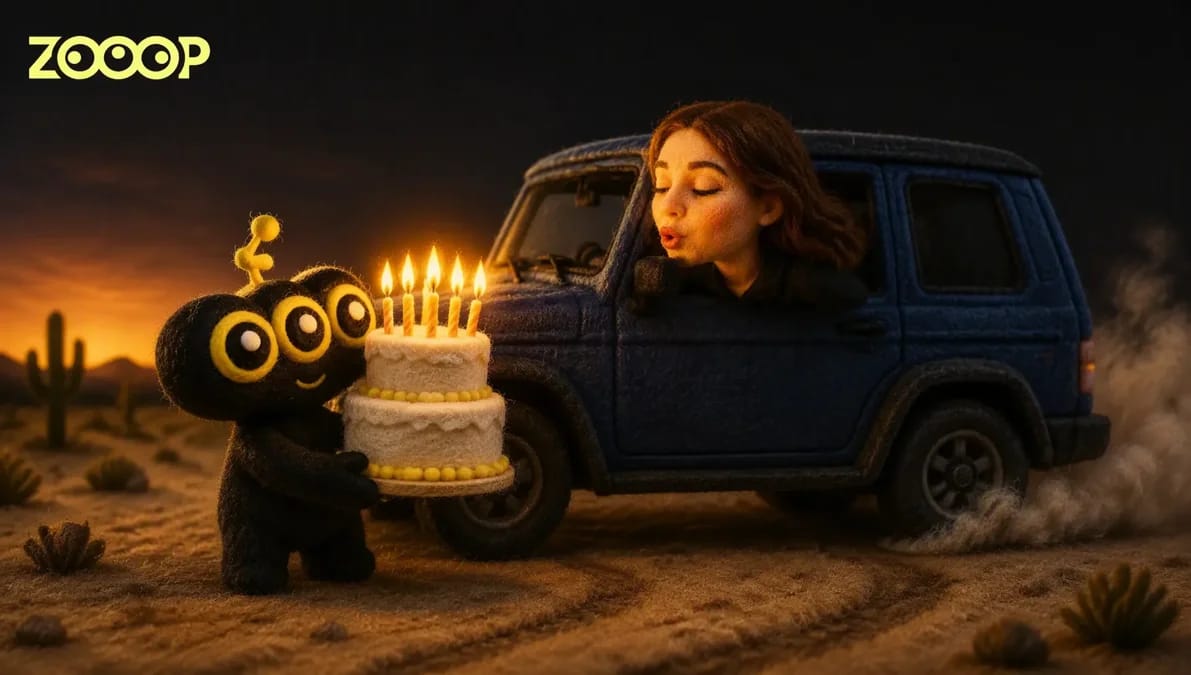
Make an AI birthday video from one portrait: arrive in a blue or black SUV, lean out of the window and blow out the candles. Includes two finished examples.
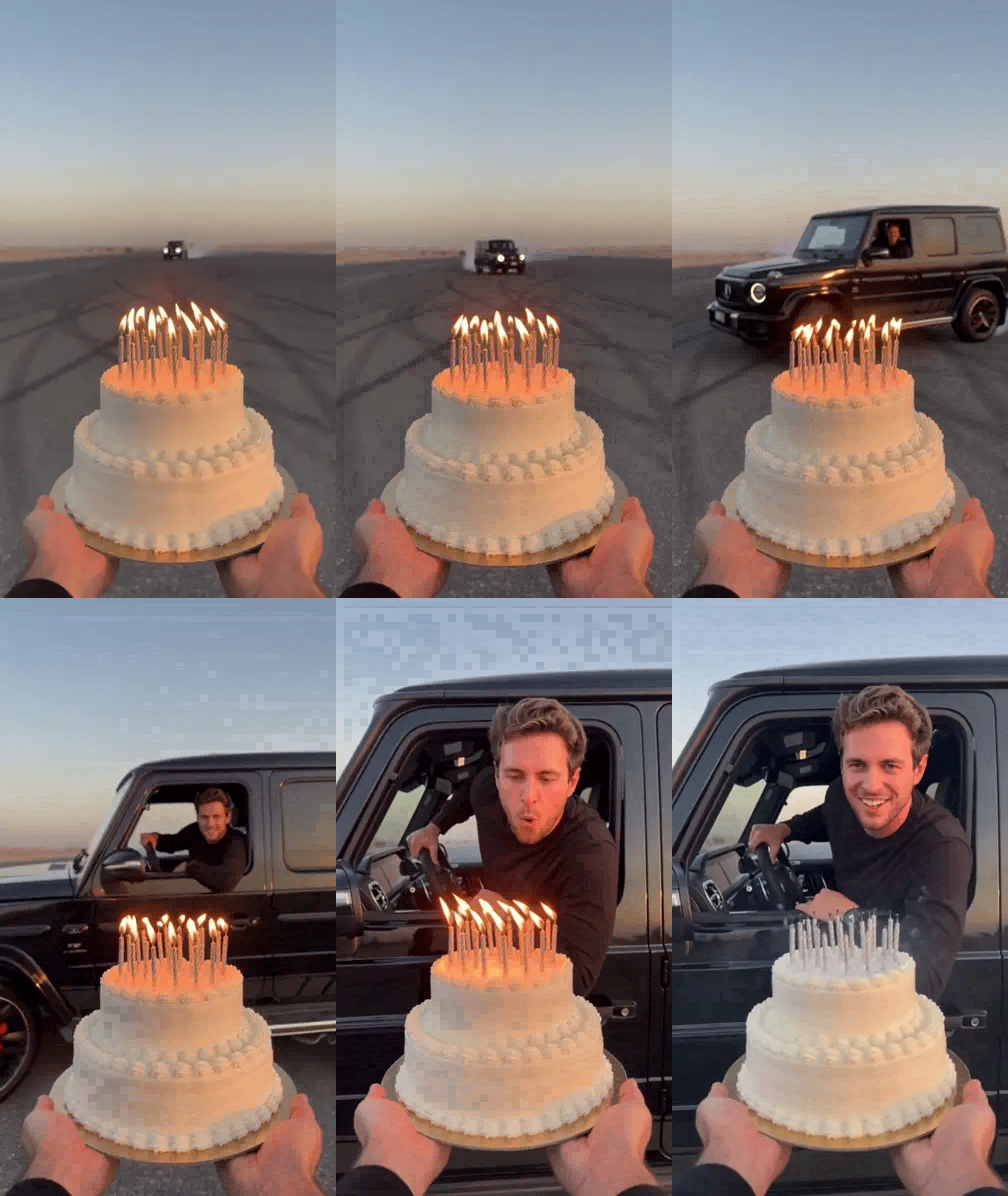
A cake fills the foreground, its candles burning. In the distance, an SUV comes sliding across a desert lot through a cloud of tire smoke. It stops beside the cake. You lean out of the driver's window, bend toward the candles and blow, leaving wisps of white smoke. This AI birthday video turns a quiet birthday wish into an over-the-top entrance.
The ZOOOP Birthday Car template puts the person in your photo behind the wheel. Upload one adult portrait, choose the car color and resolution, then generate a 6-second vertical clip. You do not need a car, a cake or a filming location.
What happens in the clip: a drift, a window and a birthday wish
The camera takes the view of a friend holding the cake with both hands. A white two-tier cake stays in the foreground while the SUV approaches, then slides sideways behind it. The driver stays in the seat, leans their upper body through the open window and bends down to blow toward the candles.
The payoff in this AI birthday video comes from how those movements connect. The window needs to line up with the cake, the person needs to lean toward it, and the flames need to disappear after the breath. Tall, bright flames at the beginning give way to dark wicks and thin smoke at the end.
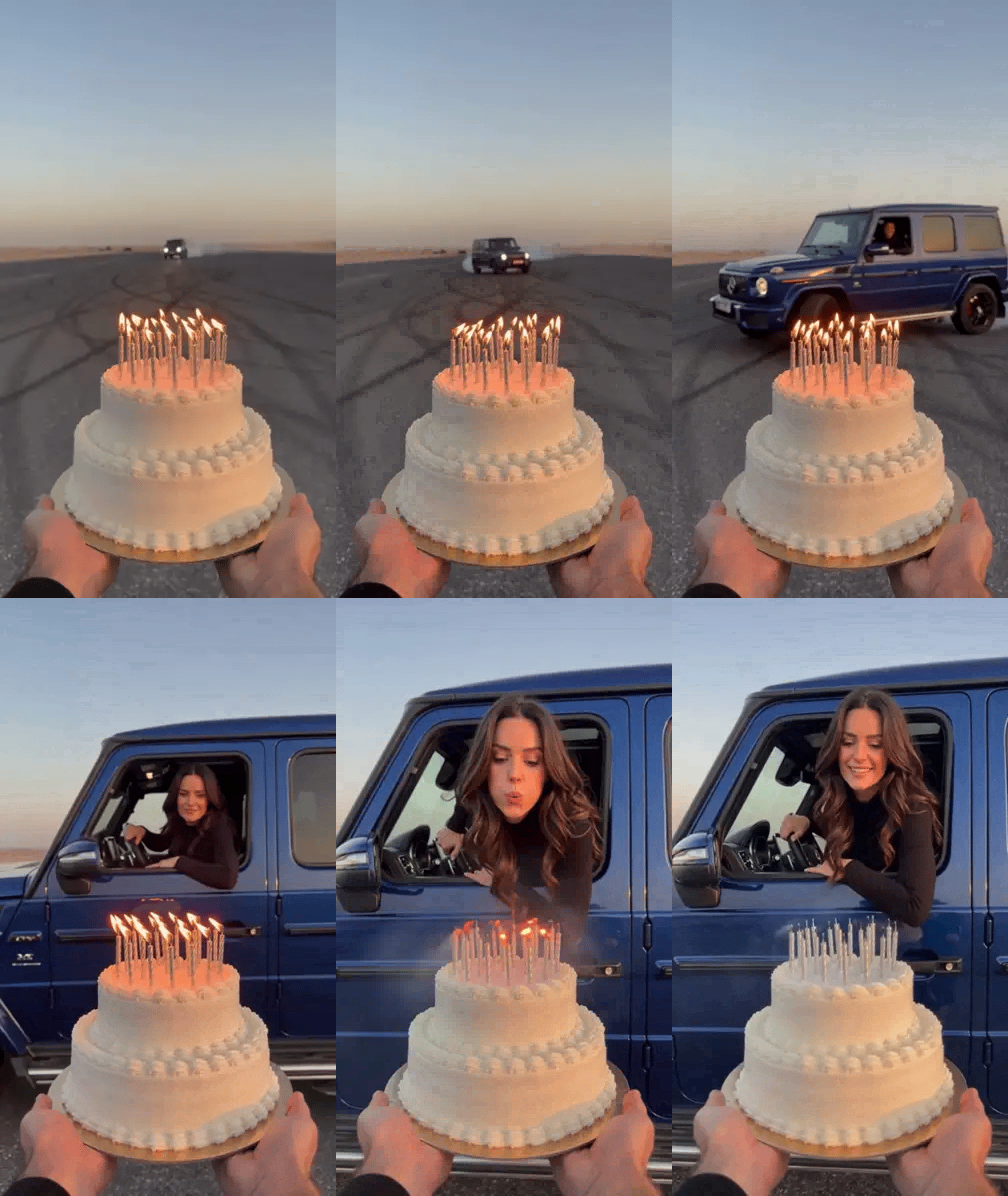
The woman in this example wears a plain black long-sleeved top and drives a deep blue SUV. The sunset, desert lot and white cake form the shared setting. Your uploaded photo supplies the driver's face and hairstyle.
Choose a photo that will work in the final close-up
For an AI birthday video where friends recognize you, start with a sharp solo portrait in even light. A front-facing or slightly angled photo works well. Head-and-shoulders or waist-up framing makes it easier to see the facial features. Keep sunglasses, masks, hair and hands away from the face, and avoid strong backlighting or heavy beauty filters.
Use a photo of one adult. Group pictures, distant figures and blurry screenshots are poor starting points for a close-up at the car window. Use your own picture, or ask a friend for permission before making a clip with their face.
There is no need to dress for the car scene. The photo mainly sets the face and hairstyle; the driver wears a simple black long-sleeved top in the video. Pick the picture for the face and hair you want to keep.
Blue or Black: the same upload works for men and women
The template offers two car colors: Blue and Black. Choose the look you prefer for your AI birthday video. The color is independent of the person: a man can choose the blue SUV, and a woman can choose the black one.
Our examples show a woman in a blue SUV and a man in a black SUV. They share the cake-holding camera angle and the lean out of the window. The person and paint color change. Men use the same photo upload and generation steps; there is no separate male-only entry point.
Generate and download in three steps
- Open the template and upload one clear portrait of one adult.
- Choose Blue or Black for the car and select 480p or 720p.
- Generate your 6-second AI birthday video and download it.
The output uses a vertical 9:16 frame for phone viewing or a birthday greeting montage. Choose a smaller file for a quick message to a friend, or a higher resolution for viewing on a larger screen. The generation button shows the current credit requirement.
What we changed in the examples
The first test already had the drifting entrance and the driver blowing toward the cake, but a few candles stayed lit at the end. We adjusted the visible flames and the blowing action so the opening flames were clearer and all the candles went out, leaving smoke. You can see that change in both finished examples.
Those clips show the effect working. They do not mean every photo will reproduce every detail: facial features, loose hair and the exact moment each candle goes out can vary. Treat the examples as demonstrations of the scene and action rather than a promise that every wick and curl of smoke will repeat.
To make your own AI birthday video, open the Birthday Car template. For more scenes to add to a birthday greeting, browse the template library, or develop another idea with the AI video generator.
Frequently asked questions
Do I need a photo of a car or a cake?
No. Upload one portrait. The car, cake and sunset setting are already part of the template.
Can both men and women use it?
Yes. Upload a clear portrait of one adult, choose a car color and follow the same steps.
Can I use a photo of my own car?
The current template offers a blue or black SUV. It does not accept a vehicle photo to replace the car model.
Does the driver wear the clothes in my photo?
Your photo sets the face and hairstyle. The driver wears a simple black long-sleeved top in the finished clip.
How long is the video, and what is the aspect ratio?
It is 6 seconds long in vertical 9:16 format, with 480p and 720p resolution options.