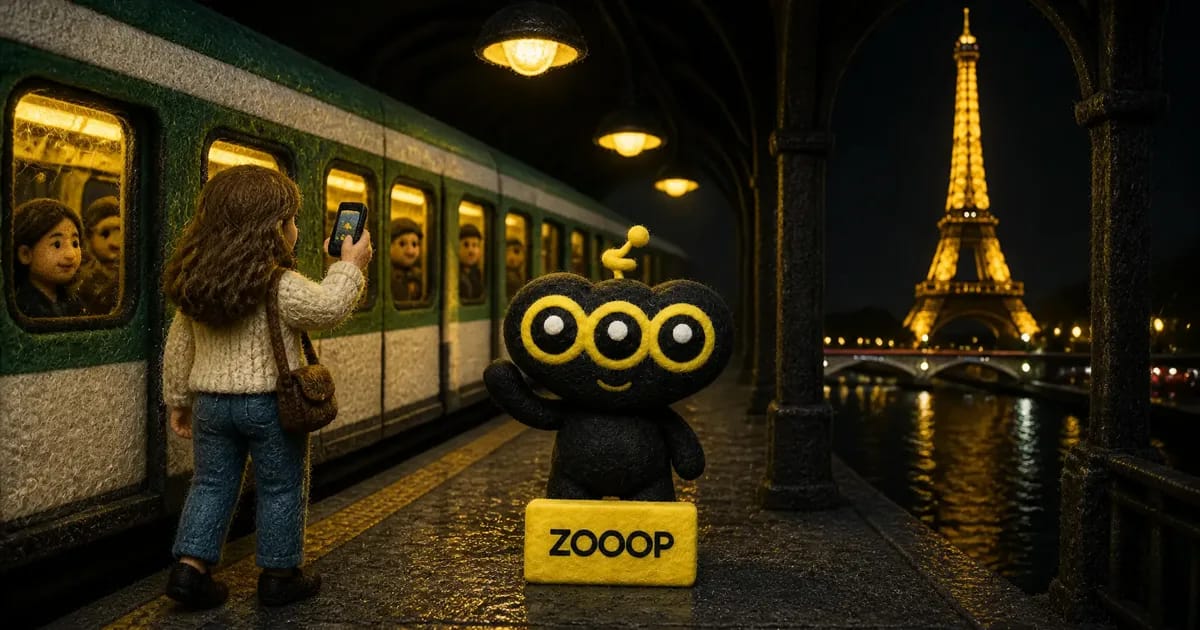
Phone on Train Trend: Star in the Paris Metro Reel With One Photo
You've probably scrolled past this one. A girl walks down a Paris metro platform, half-singing straight into the camera. Then she holds her phone up against the window of a packed train, and a carriage full of commuters stares back at her with no idea what's going on. The train pulls away, she does a little dance in front of the posters, suddenly breaks into a sprint past the Bir-Hakeim sign, runs up the stairs, and the last shot is the Eiffel Tower sparkling across the Seine at night.
That's the phone on train trend. Thirty-two seconds, vertical, with every cut landing right on the beat.
Copying it for real is a lot. You'd need to be in Paris, find a full train, talk a friend into filming the whole run, and then edit it. The Phone on Train Trend template on ZOOOP skips all of that: upload one photo of yourself and you become the lead of the whole Paris metro reel.
What the Paris metro reel actually shows
Break the phone on train trend down and it's five beats:
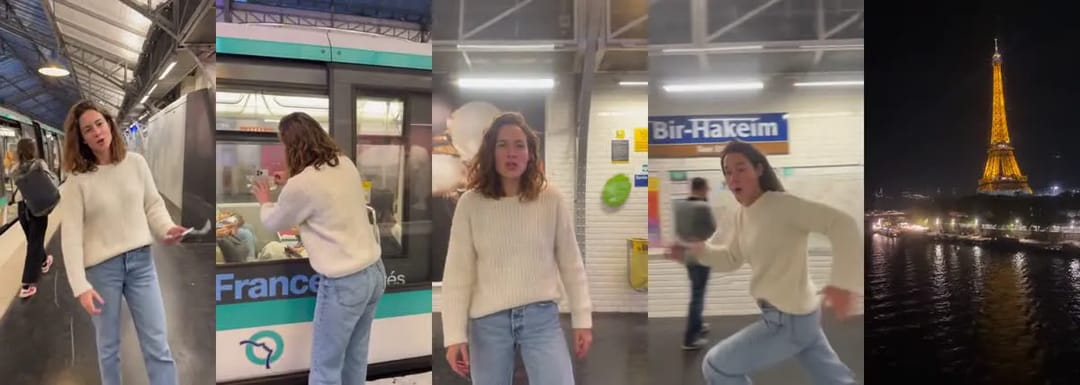
Beat one is the platform monologue, so close to the lens it feels like she's telling you a secret. Beat two is the actual joke: pressing the phone to the window so the people inside can see it. Some of them look at their own phones, some look at her, nobody knows why. Then a short dance once the train has gone, a full-speed run out of the station, and a final beat with no person in it at all, just the street and the tower.
What makes it work is the contrast. The first half is all white tiles and fluorescent light underground. The second half is suddenly outside, it's night, and the tower is lit. Viewers exhale right along with that sprint.
What the result looks like
We tested the phone on train trend template with a very ordinary photo: a woman against a white wall in a chunky cream sweater, straight light-wash jeans and white sneakers. On the left is the upload, on the right two frames from the finished video:
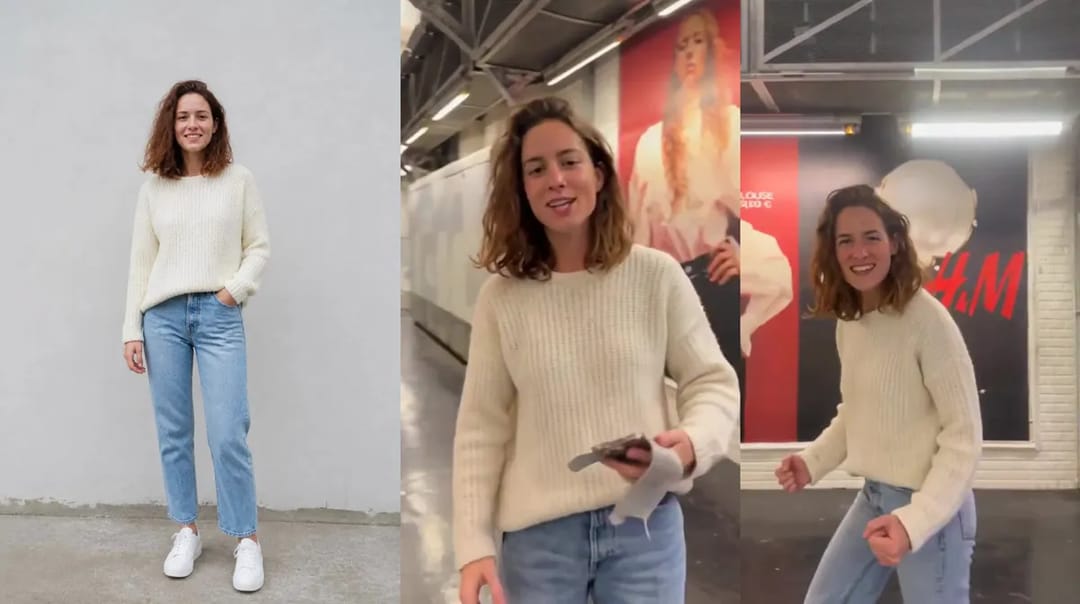
The chunky knit and the color and cut of the jeans carry into every Paris metro shot, from the first line to the final sprint, and it reads as one person the whole way through. Here are the three most famous seconds, the phone at the window:
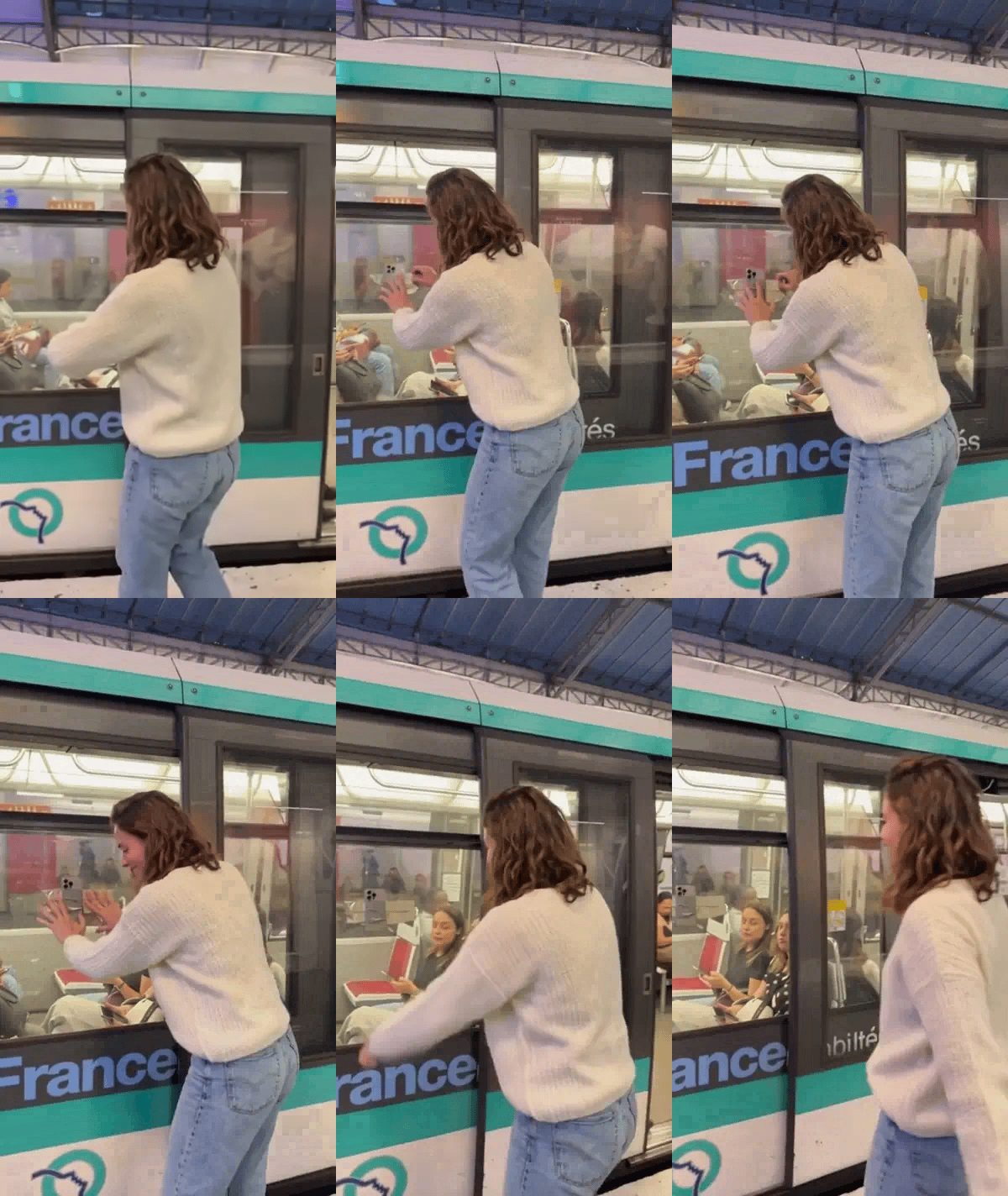
The reflections, the passengers and the green stripe on the train are all still there. The person at the window is just her now.
How to make it in three steps
- Open the Phone on Train Trend template page and upload a photo.
- Pick a resolution. Run 480p first to see whether it looks like you, then make a sharper 720p version once you're happy.
- Hit generate, wait for it to finish, then preview and download it on the page.
There's no prompt to write. The Paris metro platform, the shots, the timing and the tower are all fixed. Because it's a full 32 seconds, it takes a few minutes longer than a short template, so go do something else for a bit.
Picking a photo that looks like you
The phone on train trend shows you in close-up, from behind, in profile and running full-length. The only thing the model has to go on is your one photo, so make it tell the whole story.
- Full body, or at least knees up. Several shots are full-length. If your photo stops at the chest, your lower half is a guess.
- A clear face, front-on or slightly turned. No sunglasses, no hat brim over your eyes, no backlit silhouette.
- One adult per photo. In a group shot the template can't tell who to replace.
- Your outfit is your costume. Whatever you wear in the photo, you wear for the whole video. A light sweater, a trench coat or a denim jacket looks great in the cold Paris metro light. All black tends to melt into the dark corners.
- Standing beats sitting. Seated or lounging photos make your proportions easy to misread.
Where it slips, and how to avoid it
Clothes and build come through reliably. The misses are in the details, and our own test had a few:
Curly hair gets straightened a little. The photo has tight, full curls; the video turned them into loose waves and a shade darker. It still looks like her, but friends would notice. If your hair is your signature, run it once or twice more and keep the closest take.
Profile close-ups are the least faithful. Front-facing shots are steady, but a close-up with the head turned can look slightly off. Left is the turned-head frame, right is a front-on frame from the dance:
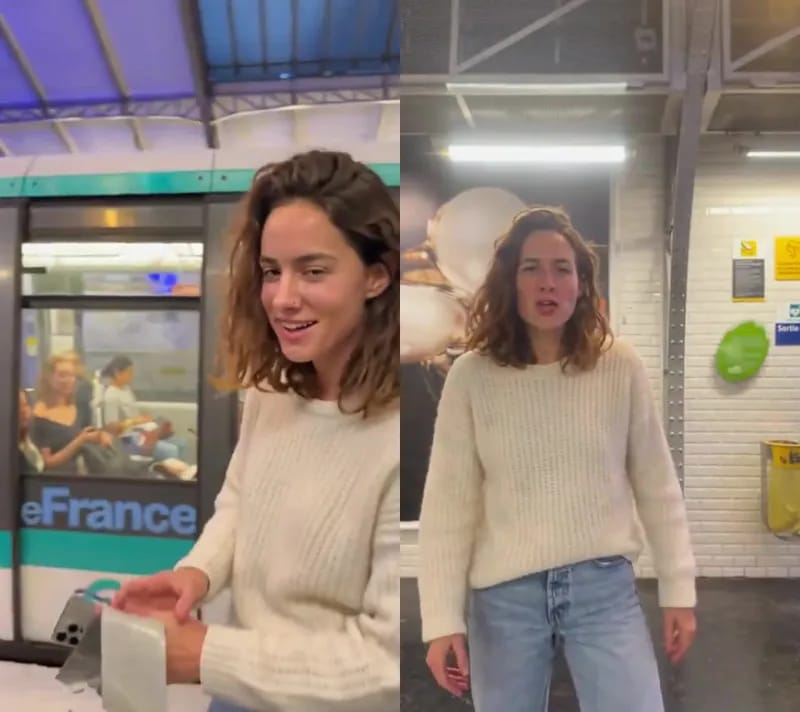
A photo where your face is front-on or slightly turned and clearly lit helps a lot.
Small props in your hand blur. The metro ticket she holds at the start came out as a vague white blob. Props can't come from your photo, so this one you live with.
The last few seconds don't have you in them. The street and the tower are how the original ends. No person on screen there is the trend, not a failed generation.
Before you post
Before you post your phone on train trend video, watch it once end to end and check three spots: does the opening close-up look like you, does your face hold during the phone-at-the-window seconds, and do your clothes keep their color while you run.
Keep the caption short. "Pretending I'm in Paris", "metro main character energy" or "the person on my phone says hi" all beat "made with AI". If the platform asks you to label AI-generated content, label it.
Want a different city or your own shots? Try the same photo in the AI video generator. For more trends you can join with one photo, browse the templates. But if all you want is a Paris metro reel that makes the comments ask when you went to Paris, a standing, clear-faced, full-body photo is all you need to start.