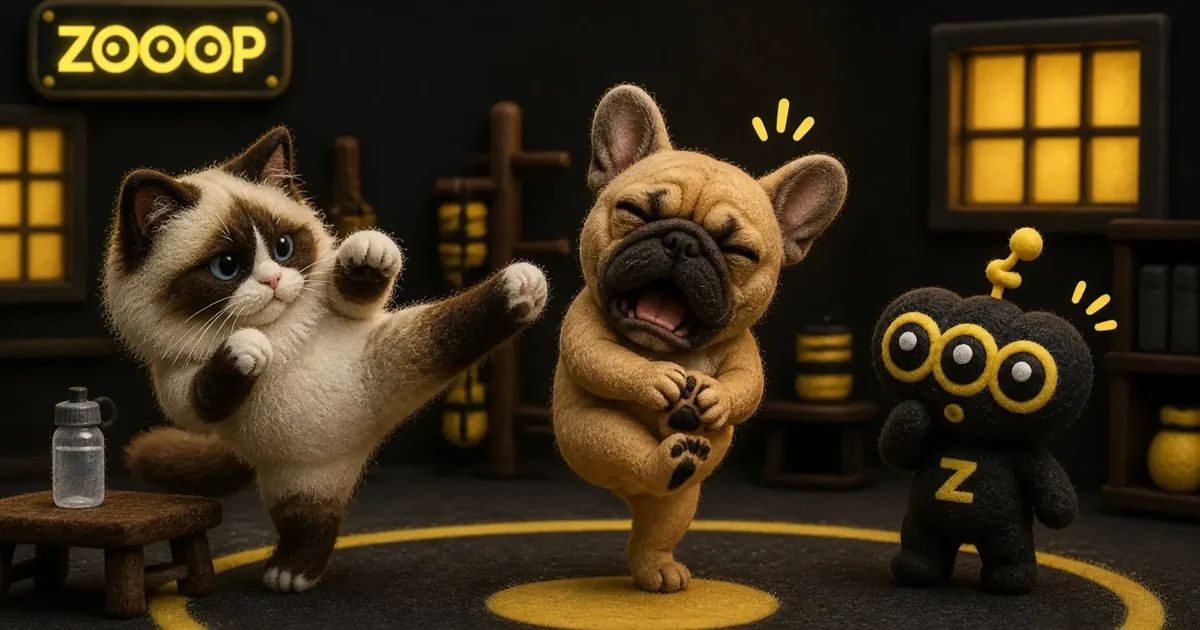
How to Make an AI Kung Fu Cat Video—or a Frenchie Training Fail
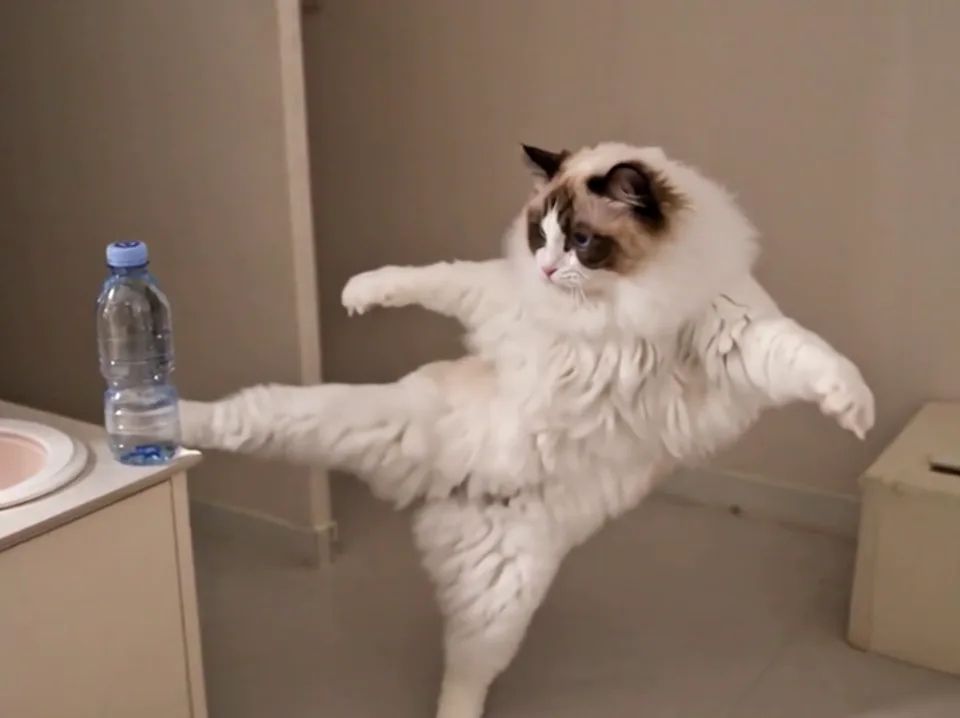
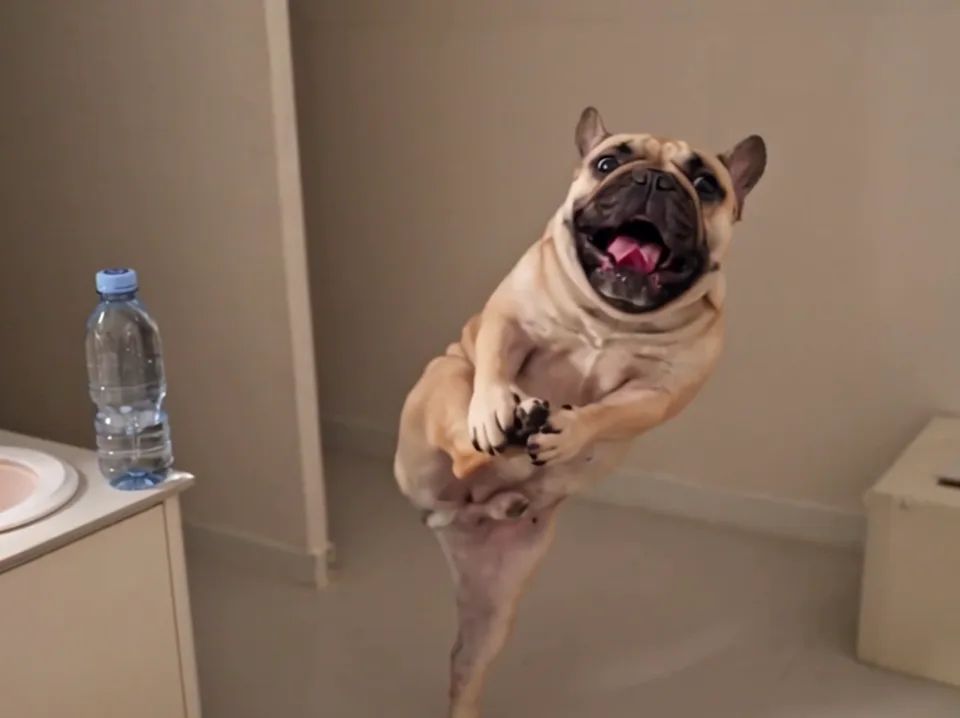
A Ragdoll throws a determined kick beside a table. A French Bulldog strikes a pose, then opens its mouth wide and grabs its own foot. The sudden change from serious fighter to offended little dog is what makes the second clip funny.
The Pet Kung Fu Kicks template on ZOOOP offers both performances. Choose the cat for a sequence of side kicks, or the Frenchie for the reaction afterward. To make an AI kung fu cat video, start with one clear cat photo and select the matching performance. The dog option works with a French Bulldog photo. Your pet doesn't need to perform any of these moves in real life.
Watch both examples before choosing a performance
The Ragdoll's long coat and large tail give its kicks an exaggerated outline. Its darker face markings remain recognizable against the pale fur, so even when the movement gets ambitious, you can still pick out that familiar soft face. Much of the joke comes from how seriously the cat seems to take the exercise.
The Frenchie saves its strongest moment for the last few seconds. Upright ears, a dark muzzle and a broad face make the open-mouth expression easy to read. Once its front paws reach toward the raised hind foot, the determined fighter becomes a very unhappy trainee.
Decide whether you want the kicks or the reaction before picking a photo. An AI kung fu cat video suits the first idea; the Frenchie option suits the little story afterward. These are generated examples, and another run may produce different expressions or timing.
Use a full-body photo rather than a close-up
A close-up of your pet's nose makes a great profile picture, but it gives a kicking scene very little information about the body. Look for a photo with the front paws, hind legs and tail visible. For an AI kung fu cat video, being able to distinguish those parts is more useful than having a beautifully blurred portrait background.
A front or slightly angled view works well for showing both the face and body. Leave space above the ears and around the feet. Also check the contrast: a white cat resting on a white blanket can be surprisingly hard to separate from its surroundings.
You don't need to build a set. An everyday photo with even light and a clear outline is enough to start. Keep just one pet in the frame, with no hand covering its chest or paws. Avoid blankets or bulky outfits that hide the limbs. A plain, readable photo gives the movement a clearer starting point than a heavily filtered one.
What to look for in Ragdoll and Frenchie photos
You can try the cat performance with different breeds. For a Ragdoll, pay attention to the face markings, ears and tail, and make sure the long coat doesn't completely hide the legs. In our example, the darker tail is distinct from the pale body, which helps the silhouette remain readable during turns.
Use a French Bulldog photo for the dog performance. Keep the upright ears, short muzzle and broad chest visible. If you want its stocky shape to come through, avoid a steep overhead angle that compresses the whole body into a small lump.
Fast movement can still change proportions. Short legs in the original photo may stretch during a kick, and a round torso may narrow during a turn. That applies to an AI kung fu cat video as well as the dog version. A clear photo helps establish the subject; it doesn't guarantee identical anatomy in every frame.
Turn the photo into a complete clip
Open the template, upload one clear photo and choose the cat or Frenchie performance. Then select a resolution. The duration and frame shape are already set, so there's no need to plan a series of separate shots. For a first attempt, the lower resolution lets you judge the movement and expression before deciding what to do next.
Watch the whole result before saving it. In an AI kung fu cat video, the highest kick can look great while the movement into or out of it feels awkward. Check whether the face changes suddenly, whether the turn flows naturally and how the animal puts its foot down.
You can browse other pet video templates to compare different performances. If you'd rather describe a different scene yourself, try AI video generation. This template is most useful when you already like the two examples and want to try one with your own pet photo.
Details we checked in these examples
For the Frenchie, we wanted the open mouth and the foot-holding gesture to be readable together. A mouth that's only slightly open can look like panting. Front paws that never reach the raised foot make the reaction harder to understand. In the selected clip, both gestures are visible toward the end.
There are also limits. The legs still stretch during the kicks, and the jump and contact with the table corner aren't particularly clear. We wouldn't present this as a precise demonstration of that action. A caption like “Frenchie kung fu practice went wrong” fits what you can actually see better than promising a perfectly timed impact.
Apply the same scrutiny to your AI kung fu cat video. Look for extra paws, shifting face markings or limbs that stop connecting convincingly. One funny frame doesn't necessarily make the whole clip worth sharing, especially if a distracting detail is visible on either side of it.
Save the version that looks most like your pet
The appeal comes from seeing a familiar face attempt an unfamiliar move. You don't have to choose the highest kick or the biggest expression. You might prefer the version where the ears, coat pattern or quick turn of the head feels most recognizable.
Start with a clear photo, watch the entire performance and save the result you enjoy. The Ragdoll's determined kicks and the Frenchie's foot-holding reaction offer two different kinds of comedy. Pick the one that makes you recognize your pet before you notice the stunt.