AI Lookbook: Turn One Outfit Photo Into a Six-Pose Lookbook Edit
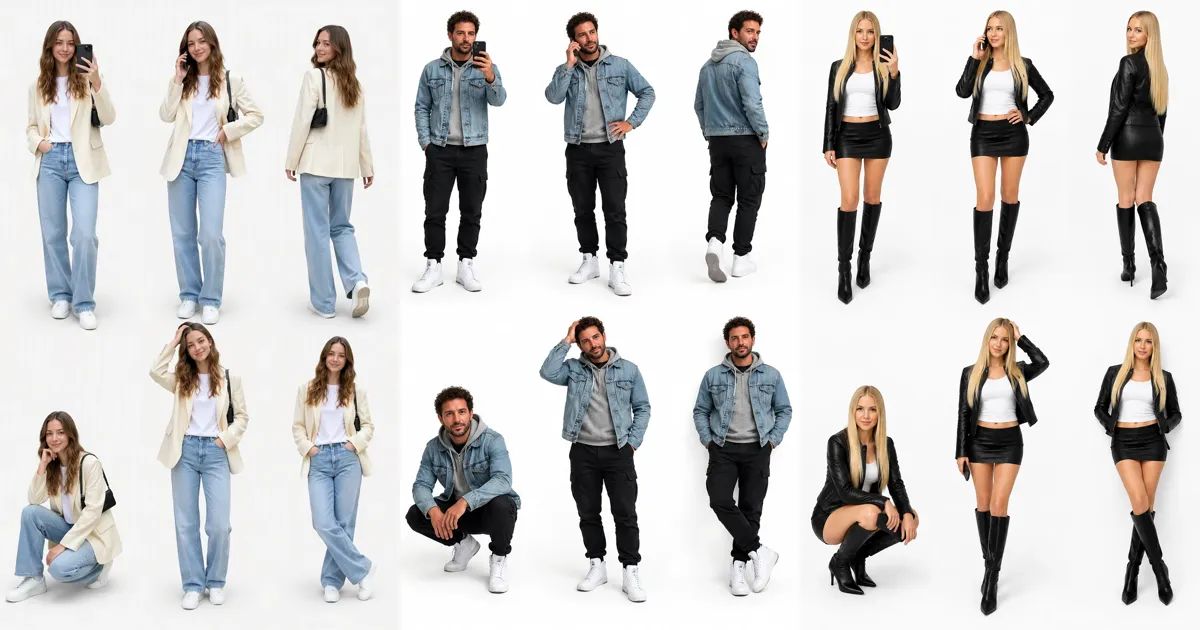
Scroll through outfit posts for a few minutes and you will find one: the same person, in the same clothes, standing six or seven times on a plain white background. One version takes a selfie, one is on a phone call, one glances back over the shoulder mid-stride, one crouches down.
That is the lookbook photo edit, and the tutorials for it are everywhere. Almost all of them go the same way: shoot a dozen photos, cut yourself out of each one, and arrange the cut-outs on a white canvas. This post explains what a lookbook is, how to shoot the photo, and how to skip all of that with an AI lookbook made from a single full-body picture.
What is a lookbook?
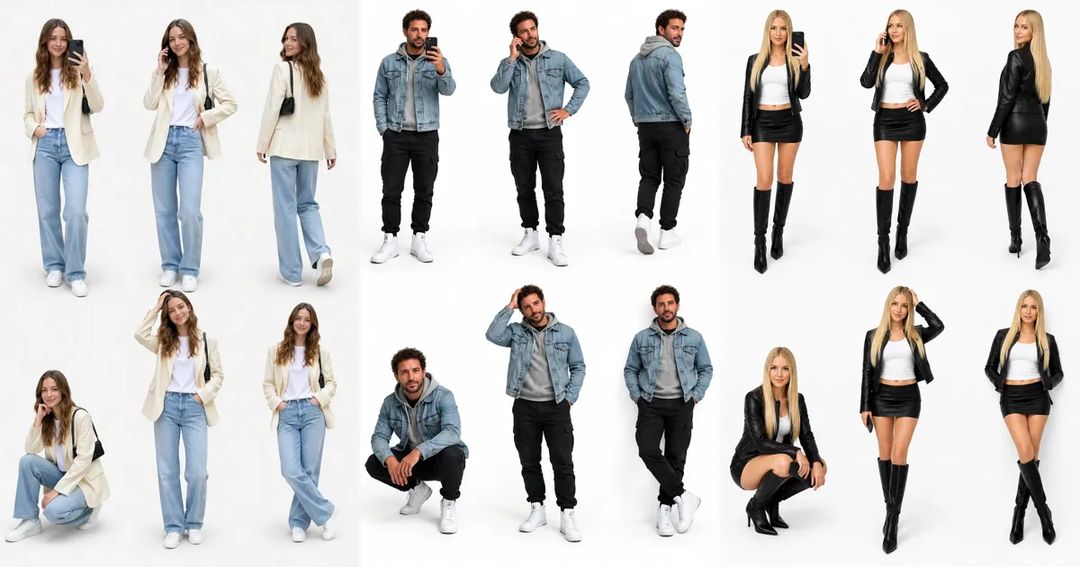
The word comes from fashion brands. When a new collection drops, the brand shoots a small catalogue: a model wears each outfit and is photographed from the front, the side and the back, so buyers and shoppers can see exactly what the clothes look like.
The lookbook photo edit borrows that idea for your own outfit. One picture holds several copies of you, wearing exactly the same thing, each in a different pose, against a clean white or light grey backdrop. You see the whole look from every angle, and it takes up one post instead of a grid.
Part of the appeal is that it looks like a lot of work. Doing it by hand means a white wall, a tripod, a dozen shots and an evening of masking, resizing and lining up figures in a photo editor.
One photo, six poses
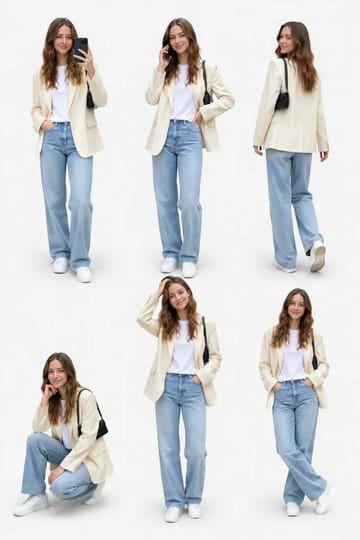
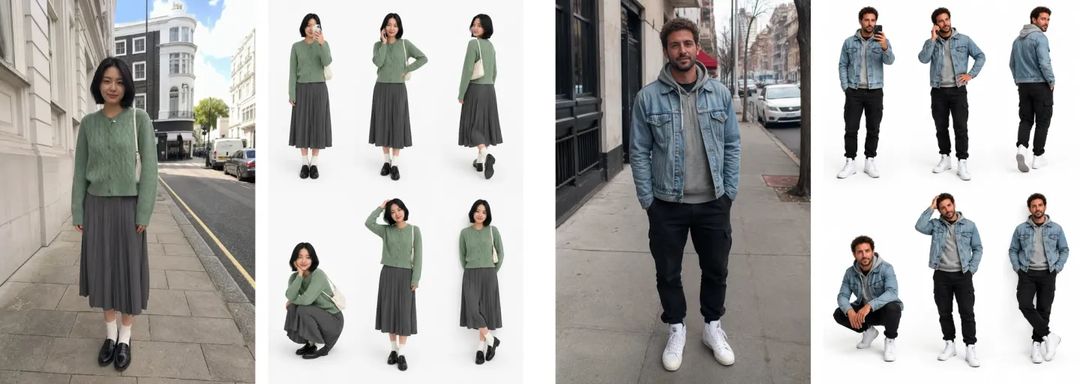
Our AI lookbook template turns that into one step. Upload a full-body photo and you get a portrait collage with six of you, in two rows, on a white studio background:
- taking a phone selfie
- on a phone call with one hand on the hip
- walking away and looking back
- in a relaxed half-squat
- running a hand through the hair
- leaning back with crossed ankles
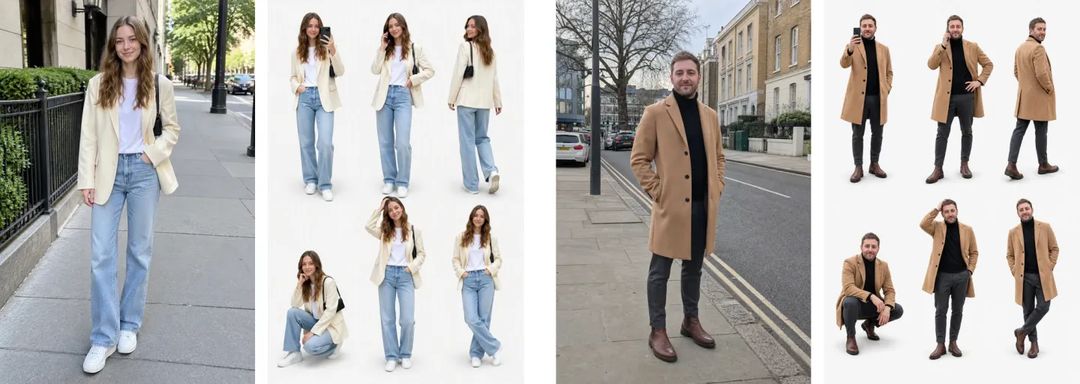
The clothes, shoes, bag and other accessories match your original photo. Your face, hairstyle and build carry over too, so all six figures are clearly the same person.
How to pick the photo
A lookbook is about the outfit, so the one thing that matters is getting the whole outfit in the frame:
- Full body, head to shoes. If the photo cuts off at the knees, the AI has to guess the rest of the outfit, and the guess rarely matches what you were wearing.
- Good light. Daylight by a window or open shade outdoors keeps colours and fabrics accurate.
- One person per photo, and adults only.
- Any natural standing pose. What you were doing in the photo does not matter; the six new poses are set by the template.
The background does not matter either. A street, a bedroom or a fitting-room mirror all end up as white studio.
How to make an AI lookbook on ZOOOP
- Open the AI lookbook template and upload a clear full-body photo.
- The shape is 2:3 portrait by default; you can switch to 3:4, 9:16 or 1:1.
- Pick a resolution, generate, and download.
No white wall, no tripod, no cutting yourself out twelve times.
What we learned building the template
"Six different poses" is not enough. In the first version we only asked for six different poses, and got six near-identical standing poses: hands in pockets, arms down, a slight turn. Neat, but nothing like the lookbook edits people actually post. Once each of the six moves was fixed, with the selfie, the phone call, the look back and the squat, it finally looked right.
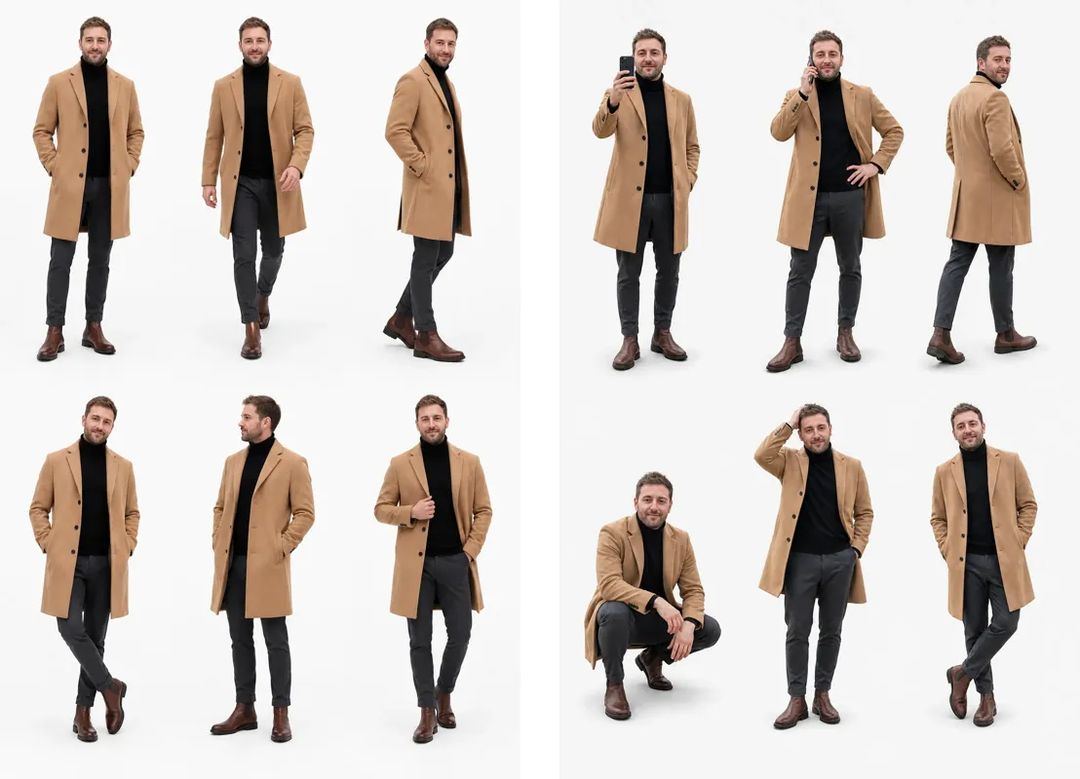
The outfit is harder than the face. Faces held up well. The details that slip are in the clothes: the colour of the bag, the style of the shoes, whether the coat is buttoned. The sharper and more complete the photo, the more consistent the outfit stays across all six poses.
Small details change from run to run. The six moves stay the same, but which hand holds the phone or where the hands rest in the squat will vary. If one comes out awkward, run it again and post the one you like best.
More ideas
Shoot the same spot in different outfits and make a week-of-outfits lookbook series, or make one for each friend and post them together. To bring one of the poses to life, crop it out and turn it into a short clip with the AI video generator. Want to try a different colour or jacket first? Change the photo with the AI image editor, then make the lookbook. More one-photo ideas are in the template library.
Wearing something you love today? Take a full-body photo and make your own AI lookbook with the AI lookbook template.