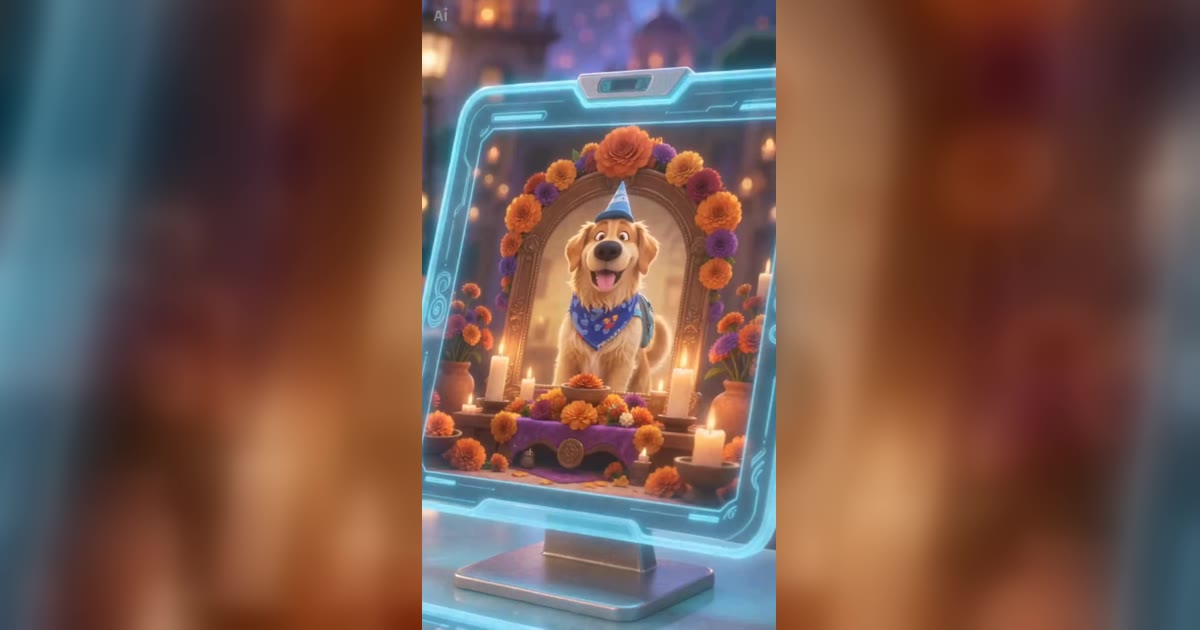
Make a Pet Afterlife Check-In Video from One Cat or Dog Photo
A cat with a little backpack follows a glowing trail of flowers to a reception desk. A skeleton clerk in a blue cap checks the picture on his screen, then gestures toward the city beyond the gate. The cat carries on. In about ten seconds, a small journey has unfolded.
That is the scene in ZOOOP’s Pet Afterlife Check-In template. Upload one photo to make your own cat or dog the star of this pet video. The orange cat and golden retriever below are actual generated examples. They show what to look for when choosing a photo and reviewing the finished clip.
What happens in the pet video
The story takes place at a bright fantasy gateway. Orange petals line the path, crystals frame the entrance and lanterns light up the distant city. Wearing a small cap and bandana, your pet approaches a transparent blue counter. The clerk checks its portrait, smiles and welcomes it through.
The skeleton has a friendly expression, and the scene centres on travel and welcome. You can treat it as an imaginary outing or include it in a tribute to a pet. Whether the journey represents a goodbye is your choice. These two examples simply demonstrate the animation.
The pet video uses a vertical frame and lasts about ten seconds. Fur takes on a soft animated texture, while ears, coat colour and facial shape provide the familiar details that make the character recognizable. It suits a short story or a playful addition to a pet album.
See the orange cat and golden retriever examples
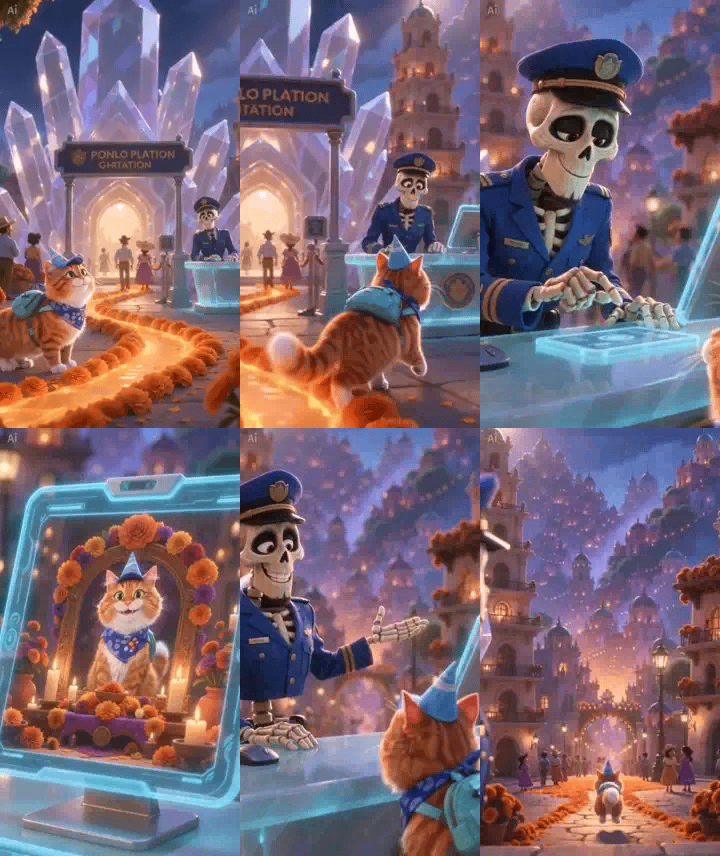
The cat version keeps the orange stripes, white chest and feline silhouette. Its tail and backpack move as it approaches the desk. In the close-up of the screen, the portrait also shows the same orange cat.
The golden retriever looks clearly different: floppy ears, golden fur and a longer muzzle distinguish it from the cat. The screen displays a matching dog portrait, and the final shot keeps the retriever’s body shape as it leaves.
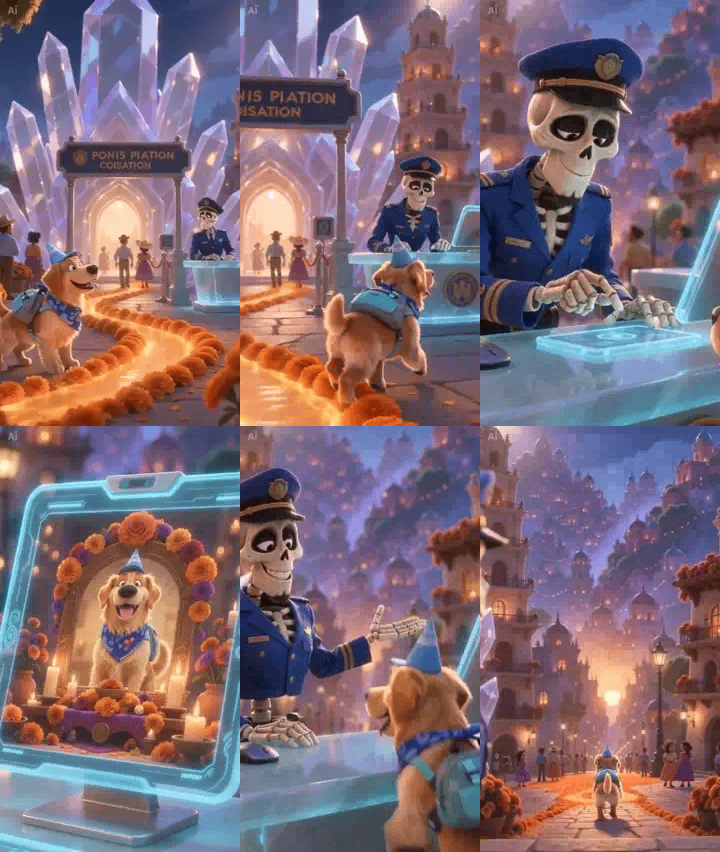
Use these pet video examples as a guide to the composition and story. Individual results can vary. A short-haired cat, a black dog or a pet with a patterned face may look different in animation, so review your own result rather than expecting a frame-by-frame copy.
Choose a photo that looks unmistakably like your pet
A clear, evenly lit photo of one animal is usually more useful than an atmospheric picture taken at night. Keep the eyes, ears and muzzle visible. Familiar details such as a white chest, a forehead marking or the shape of an ear should remain inside the crop.
A full-body photograph provides more information about proportions. If you only have a half-body picture, keep the face and shoulders clear rather than using an extreme close-up of the nose. Two pets in one image, a tight embrace or a blanket covering most of the body can make the subject harder to distinguish.
Before making a pet video, look at the photo as a small thumbnail. Can you still immediately tell who it is? If the coat disappears into shadow or the ears blend into the background, a picture taken near a window may be a better choice. Keep the natural coat colour and avoid filters that change the eyes or facial shape.
Make the little journey in ZOOOP
Open the template, upload one cat or dog photo and choose an available resolution. For a first look at the effect, the lower option can be a sensible starting point. Consider the higher option when you plan to show the clip on a larger screen. Check the amount displayed before generating.
Once the result is ready, watch it all the way through before examining the close-ups. The template already supplies the story; your main jobs are choosing the photo and checking the result. A cover image alone cannot show whether the pet video stays consistent. Look at the front view, profile and rear view to see whether the familiar coat carries through.
For other scenes, browse the ZOOOP template library. Choosing a story you like and then finding a suitable photo is often more helpful than repeatedly using the same blurry screenshot.
Check these four details before sharing
Start with the face. Do the eyes, ears and muzzle still resemble your pet? Animation can simplify fur without making the main character unrecognizable.
Next, pause on the reception screen. Its portrait should match the animal standing at the counter. The orange cat should not turn into a different cat, and the golden retriever should not become another breed in the picture. This detail is easy to miss in a pet video, but it matters to the continuity of the story.
Third, watch the paws and tail during movement. Check for extra legs, sudden changes in shape or a body that briefly becomes human-like. Fourth, inspect small background lettering. The signs in these examples still contain unnatural letter shapes, and a small mark remains in a corner. Treat those details as part of the generated scenery, not as usable titles or captions.
If something looks wrong, first check whether the original photo hides the relevant feature. If it does, try a clearer image. If the photo is already clear, another generation may be needed, followed by another review. Higher resolution does not guarantee a correction to a face, paw or screen portrait.
Add a caption that belongs to your pet
For a travel theme, you might write, “Backpack on. Time for another little adventure.” For a tribute, a familiar nickname or a real habit can feel more personal than a long farewell message.
Mention that the scene was created with AI when sharing it, so viewers understand the imagined setting. A pet video can contain a whole fantasy world; the accompanying words can stay simple.
When your photo is ready, open Pet Afterlife Check-In and let your companion follow the flower path. After generating, pause at the reception screen and take a look at the pet in the portrait.