How to Make a Closing Door Prank AI Video from One Photo
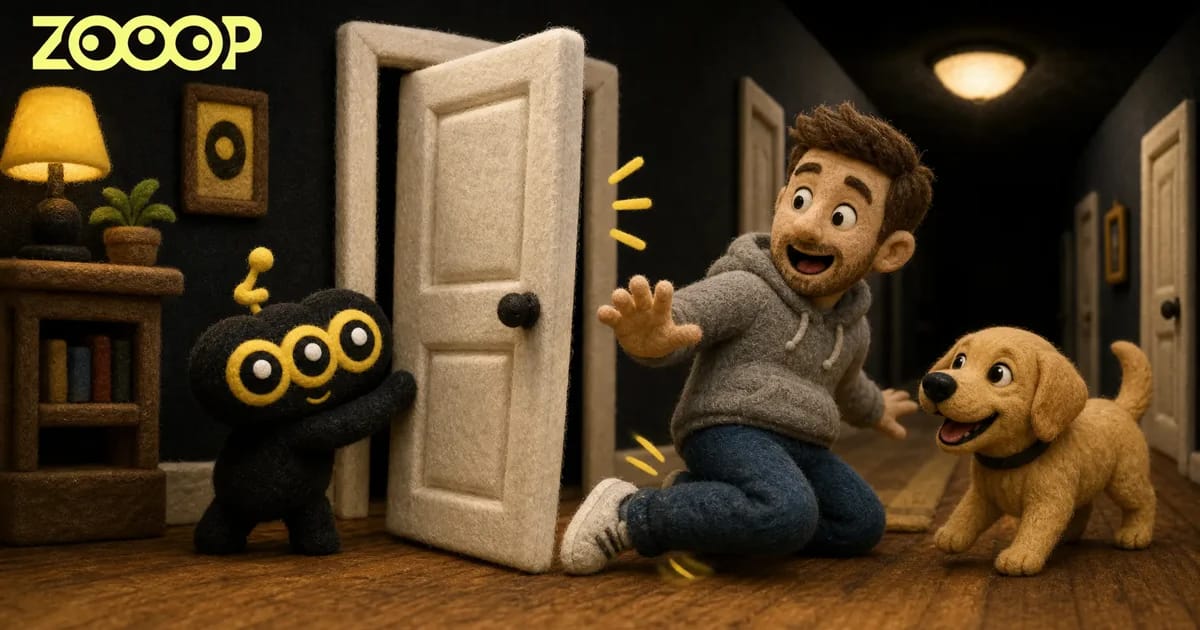
Turn one person or dog photo into a 9-second hallway prank with ZOOOP. See the tested results, choose your runner and make a vertical video without filming.
The door is open and someone is already running down the hallway. Just as they reach it, the person beside the doorway starts pulling it shut. The runner raises an arm, squeezes through the gap and slides onto their knees in front of the camera. Replace the runner with your dog and the ending becomes a scramble of paws, followed by a sit and a look back.
That is the moment behind the closing door prank. ZOOOP’s Closing Door Prank template makes the sequence from one uploaded photo. We tested both the person and dog versions. Each produces a 9-second vertical video, without asking you to run at a real door or find someone to hold it.
What the finished closing door prank looks like
The video begins at the far end of a bright hallway, with a woman holding the door on the left. The runner comes toward the camera. As they approach the white door, it swings inward; they slip through before it closes, slide across the wooden floor and look back toward the doorway.
Our person example used a photo of an adult man in a gray hoodie and blue jeans. The video retained that outfit, with his face and raised-arm reaction visible as he approached the camera. The knee slide also followed the action. His face is small in the opening shot because he starts far away; the clearest view comes later.
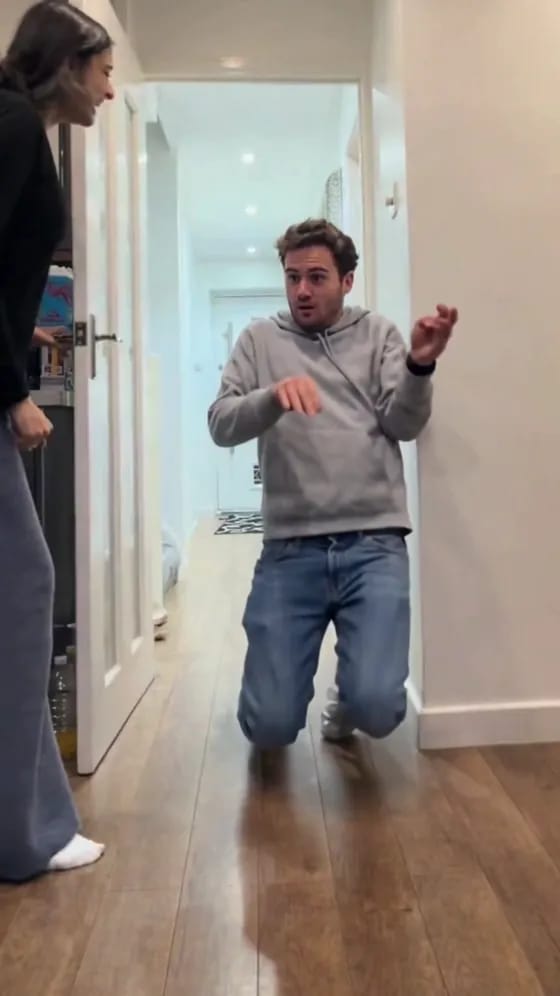
The doorway escape and the finish carry the joke. Your input photo does not need to show a running pose. A clear everyday photo with the body visible can provide the runner’s appearance.
Choose a photo with a clear face and visible body
For a person, use a full-body or knee-up photo. A front-facing image with even lighting and little obstruction helps show the face, hair and clothes. Avoid uploading a group photo, which leaves the intended runner unclear. Use your own picture or a photo of another adult who has agreed to appear.
For the dog version, a full-body photo of one dog is best. Try to show its ears, tail, legs and coat markings. A close-up explains the face but gives less information about the rest of its body. The background does not need to be a hallway, and you do not need to photograph your dog running for this closing door prank.
The uploaded photo supplies the runner each time. The man and golden retriever in the examples demonstrate the result; they are not your only character choices. Bring your own photo.
Make the video in three steps
Open the template and choose your runner: Person for an adult or Dog for a dog. Upload one photo matching that choice. You only need a single image; the woman holding the door does not require a second upload.
Next, choose a resolution. The page offers 480p and 720p, and the generation button displays the required credits. Generate the video, then download it when it is ready. Both versions are 9 seconds long in a vertical 9:16 format.
The closing door prank template already supplies the scene and action, so you do not need to write a prompt. If you later want to explore different scenes, you can use AI video generation. For this particular clip, everything you need is on the template page.
How the dog version changes the ending
The dog version keeps the hallway and route through the doorway, adapting the finish to an animal’s posture. In our test, the golden retriever ran toward the camera on all four paws, passed through the gap and skidded across the wooden floor. It then sat down and looked up toward the woman.
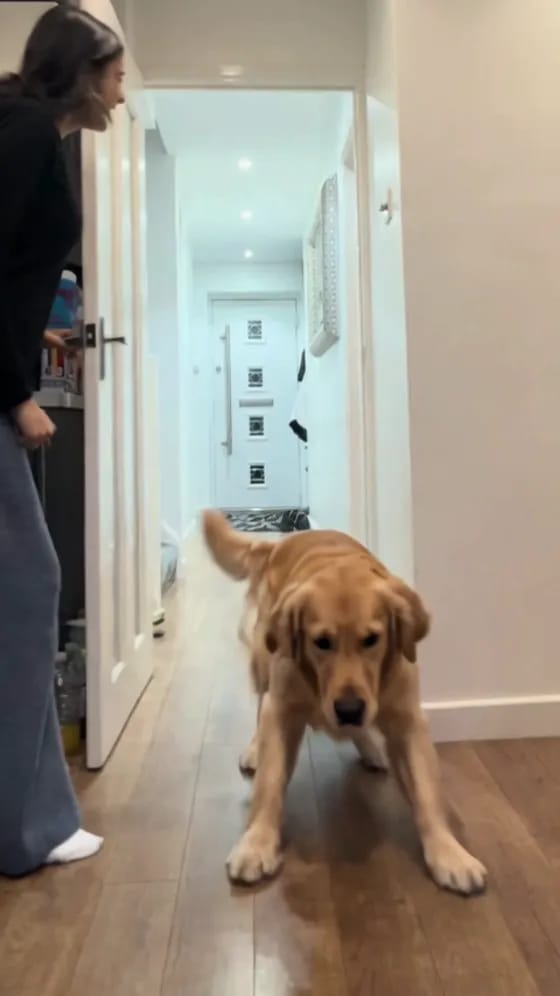
This example kept a canine body instead of putting the retriever in a hoodie or making it slide on human knees. The movement can vary with the photo and each generation. The example shows an actual completed result, rather than a promise that every dog photo will produce an identical pose.
Choose Dog when uploading your dog’s picture, and Person for an adult photo. Matching the mode to the photo gives the template the intended type of runner.
Keep the action together when you share
The closing door prank has a short wait before the sprint, escape and sliding finish. Keeping that build-up lets viewers see the distance first and anticipate the reaction at the door. A small subject at the start and a closer view near the end are part of the framing.
A caption can play on the person’s relationship to you or your dog’s personality: “The sprint when dinner is ready,” for example. Label the video as AI-generated so friends know it is a photo creation. You do not need to recreate the physical prank by having someone or a dog run at a closing door.
For a person version, start with a clear single-adult photo. For a pet reaction clip, choose a full-body dog photo. Open the template to upload and generate, or explore more ideas in the template gallery.
Frequently asked questions
Does the closing door prank need two people’s photos?
No. Upload one person or dog photo to replace the runner. The woman holding the door remains in the scene.
Can I use a photo taken somewhere other than a hallway?
Yes. The template supplies the setting. Focus on a clear face, visible body and clothing; for a dog, try to show its whole body.
Why is the face hard to see at the beginning?
The runner starts at the far end of the hallway and occupies a small part of the frame. Facial details become more visible near the doorway and camera.
How long is the dog version?
Both the person and dog versions are 9 seconds in vertical 9:16 format. Choose 480p or 720p, then download the generated video.