How to Make a Bicep Heart Video from One Photo
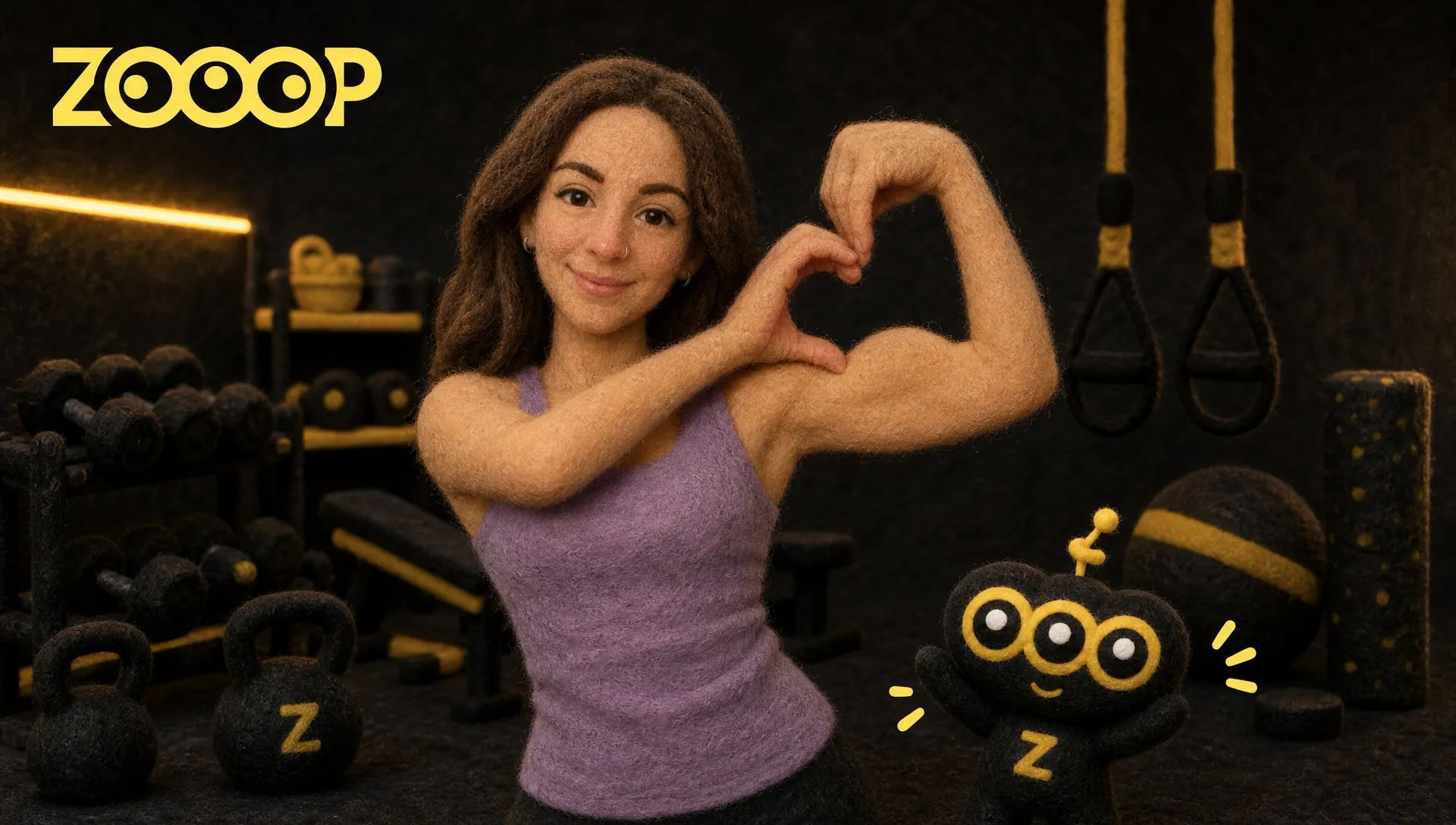
Make a bicep heart video in ZOOOP with one portrait. See the women's and men's sports-tank looks, choose a photo, and generate the pose.
Smile, bend one arm, and bring your opposite hand against the inside of your upper arm: the curves meet in a heart. The bicep heart turns a familiar gym flex into a playful gesture you can send to a friend or use as a small surprise in a short video.
With the ZOOOP Bicep Heart template, upload one portrait to make a seven-second vertical clip. The men's version wears a dark sports tank; the women's version wears a lavender one. Both leave the shoulders and upper arms visible, making the heart easier to see.
What happens during the pose?
The clip opens with the person smiling at the camera, hands held naturally low. One arm crosses the chest while the other bends upward, fist near the head. The crossing hand curves against the inside of the raised upper arm to complete a heart. A small head tilt and a smile finish the pose.
The outline between the upper arm and hand gives the bicep heart its shape. Raising both hands above your head or adding a heart sticker creates a different effect. Here, your expression draws attention first, then the movement carries the viewer's eye toward the heart on your arm.
The women's version: a sports tank and a natural build
The women's example wears a lavender sleeveless sports tank, with exposed shoulders and naturally shaped arms. There are no exaggerated muscles. The underarms are smooth when the arm lifts, giving the look a relaxed, everyday workout feel.
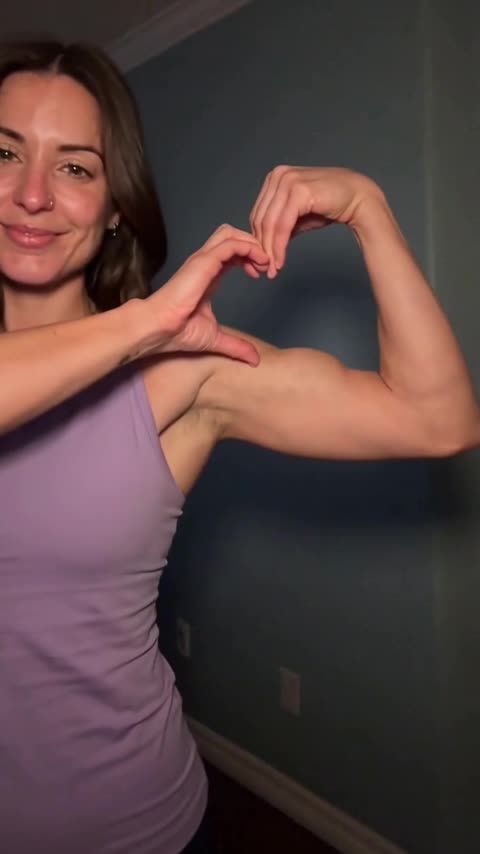
For a softer look, choose a photo with a relaxed expression and an unobstructed face. Loose hair is fine, provided it does not cover the eyes or most of the face. The slight head tilt in the example adds a playful finish. Your uploaded portrait does not need to show the pose already.
The men's version: show the shoulders and arms
The men's example wears a dark sleeveless sports tank with visible shoulder, bicep, and upper-arm definition. When the elbow bends, one arm supplies the outer curve of the heart. The opposite hand completes the inner edge, and the person holds the shape where the camera can see it.
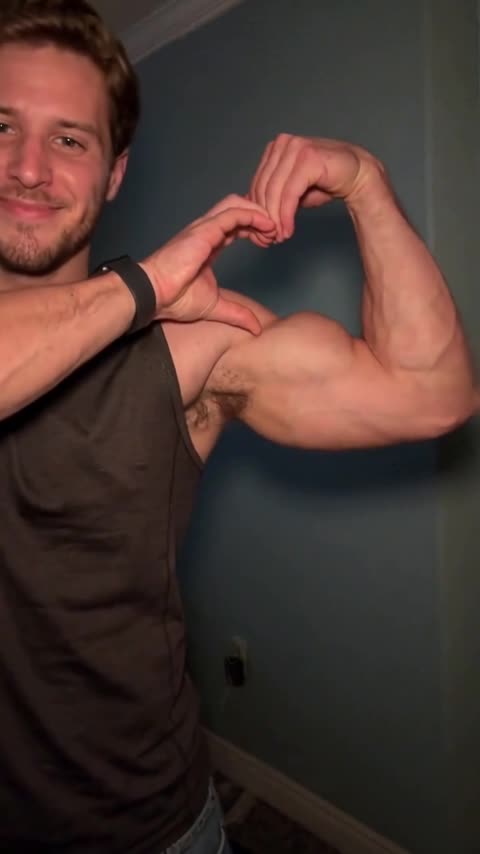
We first tried a hoodie. The motion worked, but the thick sleeve hid the upper-arm shape, so the heart looked more like a gap between clothing and fingers. Switching to a tank made the bicep heart more readable and brought the person into clearer focus.
Choose a photo with the face and both arms visible
The template needs one clear photo of one adult. Use your own portrait or a photo of an adult who has agreed to its use. A visible face, even lighting, and a sharp image matter more than an elaborate background.
A head-to-waist portrait works well, with both shoulders and arms inside the frame. Avoid another person standing in front, crossed arms, bulky coats, or a large bag covering the upper body. Leaving room around the arms gives the bicep heart space rather than squeezing it against the edge.
Your photo supplies the person's identity. The template adjusts the sports tank and physique according to the men's or women's option you choose, so you do not need to take a new portrait in a matching top. The two examples show the available looks; you can upload your own photo.
Generate your bicep heart video in ZOOOP
Open the template, upload one clear portrait, and choose Man or Woman. The men's look emphasizes arm definition, while the women's look keeps a natural, softly toned build. Choose a resolution, press Generate, and download the finished video.
The result is seven seconds long in a vertical 9:16 frame, suitable for viewing on a phone. Choose the resolution for your sharing plans; the page shows the required credits before generation. Your photo does not need a heart gesture, since the smile, arm lift, and final hold happen in the clip.
To explore other movements afterward, browse the template library. For a scene of your own, try the AI video generator. For your first clip, start with either of the two sports-tank looks in the template.
Frequently asked questions
Do I need big muscles?
No. The women's example uses a natural build, while the men's look emphasizes arm definition. The heart comes mainly from the bent arm and the opposite hand working together.
How many photos should I upload?
One photo of one adult. Keep the face clear and try to include both shoulders, both arms, and the upper body down to the waist.
Will the women's version look very muscular?
The women's option uses a natural, softly toned build, a lavender sports tank, and smooth underarms when the arm lifts. The example shows this styling direction.
Why can finger details differ between generations?
Curved fingers touching an upper arm are a fine movement, so fingertip positions and the heart's edge can vary slightly. A sharp portrait and an unobstructed view of the arms help.