Image AI

Image AI

Generate and edit images with GPT Image 2.6, Nano Banana 2.1, Seedream 5.5 and more, then upscale, retouch or restyle them in the same place.

Try AI Image Generator

Image

  • Image Generator
  • Edit Image
  • SVG Generator
  • Meme Generator
  • Image Upscaler
  • Background Remover
  • Object Remover
  • Photo Restorer

Image Models

  • MiniMax H3 ImageNew
  • Grok Imagine Image 2.0New
  • GPT Image 2.6New
  • Seedream 5.5
  • Nano Banana 2.1
  • Nano Banana 2 Lite
  • Muse Image
  • GPT Image 2.5
  • Midjourney V8.2
  • Nano Banana Pro
More Image Models

Photo Effects

  • Virtual Try-On
  • Clothes Changer
  • Hairstyle Changer
  • Headshot Generator
  • Age Changer
  • Style Transfer
  • Portrait Enhancer
  • AI Action Figure
More Image Tools
Video AI

Video AI

Turn text and images into cinematic clips with Seedance 2.5, Gemini Omni 1.2 Flash, MiniMax H3, Kling V4 and Wan 3.0, with native audio.

Try AI Video Generator

Video

  • Video Generator
  • Start / End Frame
  • Motion Control
  • Edit Video
  • Lip Sync
  • Extend Video
  • Video Sound Effects
  • Video Upscaler

Video Models

  • FLUX 3 MaxNew
  • Seedance 2.5 FlashNew
  • Gemini Omni 1.2 FlashNew
  • Kling V4
  • Seedance 2.5
  • MiniMax H3 Max Turbo
  • Vidu Q4
  • MiniMax H3
  • Wan 3.0
  • Grok Imagine V1.5
More Video Models

Video Templates

  • AI Video Maker
  • TikTok AI Video
  • GTA 6 AI
  • Christmas AI Video
  • AI Dance Video
  • AI Funny Video
  • Dog AI Video
  • Cat AI Video
  • AI Pet Video
  • Face Swap Video
More Templates
Audio AI

Audio AI

Lifelike speech, instant voice clones, sound effects and music from ElevenLabs, Gemini, MiniMax and Lyria.

Try Text to Speech

Audio

  • Text to Speech
  • Voice Clone
  • Sound Effect
  • Music Generation
  • Video Sound Effects

Audio Models

  • ElevenLabs V4New
  • Gemini 3.8 Flash TTSNew
  • ElevenLabs Sound Effects V3New
  • Lyria 3 Pro
  • ElevenLabs V3
  • MiniMax Speech 2.8 HD
  • Qwen3-TTS
  • Inworld TTS
  • MiniMax Music 2.6
  • Index TTS 2
More Audio Models
AI Tools

AI Tools

One-click fixes and effects: upscale, remove backgrounds, erase objects, restore old photos, try on outfits and more.

Browse All AI Tools

Image Tools

  • Image Upscaler
  • Background Remover
  • Object Remover
  • Photo Restorer
  • Portrait Enhancer
  • Style Transfer
  • Texture Transform
  • Perspective Changer
  • Meme Generator

Photo Effects

  • Virtual Try-On
  • Clothes Changer
  • Hairstyle Changer
  • Makeup Changer
  • Headshot Generator
  • Age Changer
  • Expression Changer
  • Product Holding
  • City Teleport

Video Tools

  • Video Upscaler
  • Edit Video
  • Extend Video
  • Lip Sync
  • Video Sound Effects
All AI Tools

Trending Templates

The dance, pet and funny videos everyone is making right now. Upload a photo and get a share-ready clip in minutes.

Browse Trending TemplatesTrendingPet Taxi

Template Categories

  • AI Dance
  • AI Pet Video
  • Face Swap Video
  • AI Action Figure
More Templates

Explore

  • TopicsTemplates grouped by theme: pets, dance, holidays.
  • Model LibraryEvery supported AI model — image, video, audio.
  • Infinite CanvasStoryboard, compose, and remix on one shared canvas.
  • BlogAI filmmaking tutorials, model deep-dives, product news.
  • FAQQuick answers to common questions.
  • AboutWho we are, how templates are made, how to reach us.

Developers

  • AI CLIGenerate images & video from your terminal.
  • API DocsREST API for image, video & audio generation.
  • Agent SkillGive Claude Code, Codex or Cursor image & video generation.
AI TemplatesPricing
HomeCanvas
AI Generator
Image GeneratorEdit ImageSVG GeneratorMeme Generator
Text with ReferenceStart/End FrameMotion ControlEdit VideoLip SyncExtend VideoVideo Sound Effects
Text to SpeechVoice CloneSound EffectMusic Generation
Templates
Hot Templates
Tools
AI Tools
Resources
Creations
  1. Home
  2. Templates
  3. AI Funny Video
  4. Leo Cheers AI

Leo Cheers AI

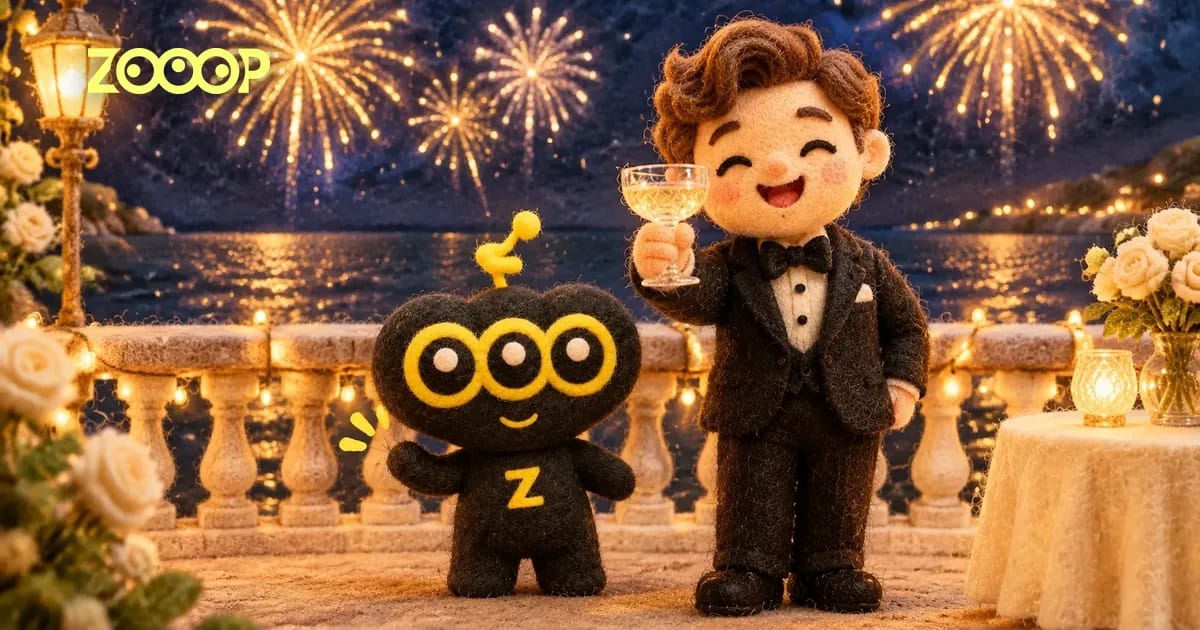
Make a Leo Cheers AI video from one portrait. Turn toward the camera and raise a glass at a seaside gala under gold fireworks.

Leo Cheers AI Video from One Photo

Upload one clear adult portrait and become the host of a seaside gala in a ten-second vertical toast video.

Use cases

Key features

A toast timed for the reveal

The host starts beside the terrace railing, turns to meet the camera, and extends a coupe glass as the night sky fills with fireworks.

A familiar face in period evening wear

The Gatsby-inspired setting adds a black tuxedo or a beaded evening gown. Your portrait guides the host's appearance, including facial features, hair and visible facial hair.

How to use

  1. 01

    Upload one portrait. Choose a clear head-and-shoulders picture of one consenting adult. Use a photo where the whole face is visible.

  2. 02

    Choose a resolution. Select 480p or 720p. Both settings create the same vertical gala toast composition.

  3. 03

    Generate and download. Start the generation. Download the finished video for a group chat, a story or a short vertical post.

Deep dive

Leo Cheers AI turns a single portrait into a fireworks toast at a seaside party inspired by the 1920s. The name comes from the reaction meme based on the toast in the 2013 film The Great Gatsby. A look toward the camera and one raised glass make it an easy reaction to send when someone has news worth celebrating.

What a Leo Cheers AI video looks like

The shot opens at a balustrade with water beyond it and warm lights overhead. The host begins in profile or at a slight angle, with the glass low and nearby guests softly visible. There is time to see the setting before the host notices the viewer. Then the eyes meet the lens, the expression warms, and the coupe comes forward. Fireworks open above the water while the camera moves in for the final look.

Both examples use the same one-photo flow. In the tuxedo clip, the host has copper waves and a short beard, with the shape and color carried over from the uploaded portrait. In the gown clip, the dark bob stays recognizable as the host turns, and the beaded dress catches the terrace light. The fireworks can start just before the glass rises or peak during the toast. The exact timing and the distance the glass comes toward the camera can vary between generations.

Which portrait works for a Gatsby toast video?

Choose a head-and-shoulders image with light across both eyes. The camera will come closer during the toast, so a sharp face matters more than a detailed wall or an elegant background in the photo. A plain shirt is fine since evening wear comes with the gala setting. The two sample inputs were everyday portraits with simple backgrounds, and both produced formal looks.

Keep the outline of the hair and jaw inside the photo. A person wearing sunglasses, with a face cropped at the chin, or standing small among other people gives the template less detail to work with. A recent selfie in window light is often enough. A subtle smile can work well because the clip has room for it to grow as the host turns. Use your own photo or get permission from the adult whose portrait you upload.

When to send the toast

Try it as a birthday greeting, a wedding-weekend message or a little nod to someone who just got a job offer. The vertical frame fits a story, and the steady last look gives the recipient a moment to see who is raising the glass. If you plan to add a name or a date before sharing, put it away from the glass and the host's eyes. Find more portrait-led effects in the AI video templates.

For help choosing a portrait and sending the finished toast, read the Leo Cheers meme video guide.
Guides and trends

Leo Cheers Meme Video from One Photo | Gatsby Toast Guide

Leo Cheers Meme Video from One Photo | Gatsby Toast Guide

Make the Leo Cheers meme video with one adult portrait. See how to choose a photo and create a ten-second Gatsby toast in ZOOOP.

Featured in these topics

More templates like this one

TikTok AI VideoTemplates: 79AI Funny VideoTemplates: 52AI Video MakerTemplates: 127

Frequently asked questions

What is Leo Cheers AI?+

Leo Cheers AI makes a short video in which the person from your photo raises a glass toward the viewer. The gesture comes from the familiar Gatsby toast meme, and the video places your portrait in a new gala scene.

How do I make a Leo Cheers meme video?+

Upload one clear portrait, pick a resolution and select Generate. The template turns the photographed person into the host of the evening and gives you a vertical clip to download.

Which photo works best for the Gatsby toast?+

A front-facing or slightly angled adult portrait in even light is a good starting point. Keep the eyes, hairline and chin visible, and use a crop with a little room around the head.

Can I use a selfie or someone else's photo?+

A well-lit selfie works. Use a photo of yourself or of another adult who has agreed to appear in the video. A photo with one visible person keeps the subject clear.

Can the host wear a tuxedo or a gown?+

The gala includes period evening wear such as a tuxedo or a beaded gown. The supplied examples show both looks, and the outfit is generated automatically from the scene and the portrait.

How long is the video and what is its format?+

The video runs for 10 seconds and uses a 9:16 vertical frame with sound. You can choose 480p or 720p for the same portrait-based toast.

Is Leo Cheers AI free? How many credits does it cost?+

A generation costs 180 credits at 480p or 271 credits at 720p. The Generate button shows the price for your setting before you start the video.

AI ImageImage GeneratorEdit ImageSVG GeneratorMeme Generator

AI VideoText with ReferenceMotion ControlStart/End FrameExtend VideoEdit VideoLip SyncVideo Sound Effects

AI AudioText to SpeechVoice CloneSound EffectMusic Generation

ExploreAll ModelsAll TemplatesAI ToolsGlossaryCompare modelsFree toolsAlternativesAI CLIAPI DocsAgent Skill

CompanyAboutBlogPricingFAQPrivacyTermsReport Infringement

Ask AI about ZOOOP

© 2026 ZOOOP. All rights reserved.