Image AI

Image AI

Generate and edit images with GPT Image 2.5, Nano Banana 2.1, Seedream 5.0 Pro and more, then upscale, retouch or restyle them in the same place.

Try AI Image Generator

Image

  • Image Generator
  • Edit Image
  • SVG Generator
  • Image Upscaler
  • Background Remover
  • Object Remover
  • Photo Restorer

Image Models

  • Nano Banana 2 LiteNew
  • Seedream 5.0 FlashNew
  • Nano Banana 2.1New
  • Muse Image
  • GPT Image 2.5
  • Seedream 5.0 Pro
  • Midjourney V8.2
  • Nano Banana Pro
  • Flux 2 Pro
  • Grok Imagine
More Image Models

Photo Effects

  • Virtual Try-On
  • Clothes Changer
  • Hairstyle Changer
  • Headshot Generator
  • Age Changer
  • Style Transfer
  • Portrait Enhancer
  • AI Action Figure
More Image Tools
Video AI

Video AI

Turn text and images into cinematic clips with Seedance 2.5, Gemini Omni 1.1 Flash, MiniMax H3, Kling V4 and Wan 3.0, with native audio.

Try AI Video Generator

Video

  • Video Generator
  • Start / End Frame
  • Motion Control
  • Edit Video
  • Lip Sync
  • Extend Video
  • Video Sound Effects
  • Video Upscaler

Video Models

  • Kling V4New
  • MiniMax H3 Max TurboNew
  • Gemini Omni 1.1 FlashNew
  • MiniMax H3 Max
  • Vidu Q4
  • Seedance 2.5
  • MiniMax H3
  • Wan 3.0
  • Kling O3
  • Grok Imagine V1.5
More Video Models

Video Templates

  • AI Dance
  • AI Pet Video
  • Face Swap Video
  • Halloween
More Templates
Audio AI

Audio AI

Lifelike speech, instant voice clones, sound effects and music from ElevenLabs, Gemini, MiniMax and Lyria.

Try Text to Speech

Audio

  • Text to Speech
  • Voice Clone
  • Sound Effect
  • Music Generation
  • Video Sound Effects

Audio Models

  • Gemini 3.1 Flash TTSNew
  • Lyria 3 ProNew
  • ElevenLabs V3
  • MiniMax Speech 2.8 HD
  • Qwen3-TTS
  • Inworld TTS
  • MiniMax Music 2.6
  • ElevenLabs Sound Effects
  • Index TTS 2
More Audio Models
AI Tools

AI Tools

One-click fixes and effects: upscale, remove backgrounds, erase objects, restore old photos, try on outfits and more.

Browse All AI Tools

Image Tools

  • Image Upscaler
  • Background Remover
  • Object Remover
  • Photo Restorer
  • Portrait Enhancer
  • Style Transfer
  • Texture Transform
  • Perspective Changer

Photo Effects

  • Virtual Try-On
  • Clothes Changer
  • Hairstyle Changer
  • Makeup Changer
  • Headshot Generator
  • Age Changer
  • Expression Changer
  • Product Holding
  • City Teleport

Video Tools

  • Video Upscaler
  • Edit Video
  • Extend Video
  • Lip Sync
  • Video Sound Effects
All AI Tools

Trending Templates

The dance, pet and Halloween videos everyone is making right now. Upload a photo and get a share-ready clip in minutes.

Browse Trending TemplatesTrendingPet Halloween Costume Parade

Template Categories

  • AI Dance
  • AI Pet Video
  • Face Swap Video
  • Halloween
  • AI Action Figure
More Templates

Explore

  • Model LibraryEvery supported AI model — image, video, audio.
  • Infinite CanvasStoryboard, compose, and remix on one shared canvas.
  • BlogAI filmmaking tutorials, model deep-dives, product news.
  • FAQQuick answers to common questions.

Developers

  • AI CLIGenerate images & video from your terminal.
  • API DocsREST API for image, video & audio generation.
  • Agent SkillGive Claude Code, Codex or Cursor image & video generation.
AI TemplatesPricing
HomeCanvas
AI Generator
Image GeneratorEdit ImageSVG Generator
Text with ReferenceStart/End FrameMotion ControlEdit VideoLip SyncExtend VideoVideo Sound Effects
Text to SpeechVoice CloneSound EffectMusic Generation
Templates
Hot Templates
Tools
AI Tools
Resources
Creations
  1. Home
  2. Templates
  3. AI Pet Video
  4. Pet Orbit Cam

Pet Orbit Cam

One pet photo in, one vertical clip out: the camera starts nose to nose with your cat or dog, pulls back, circles it all the way round in a sunlit living room and comes back to its face.

Pet Orbit Cam: a 360° floor-level orbit around your cat or dog

One pet photo in, one vertical clip out: the camera starts nose to nose with your cat or dog, pulls back, circles it all the way round in a sunlit living room and comes back to its face.

Use cases

Key features

A full orbit at pet height

The camera stays low on the floor, the way you would film your pet with your phone on the ground. It opens on a close-up of the face, pulls back, goes all the way round your pet and pushes in to its face again.

Your pet, in a sunny new room

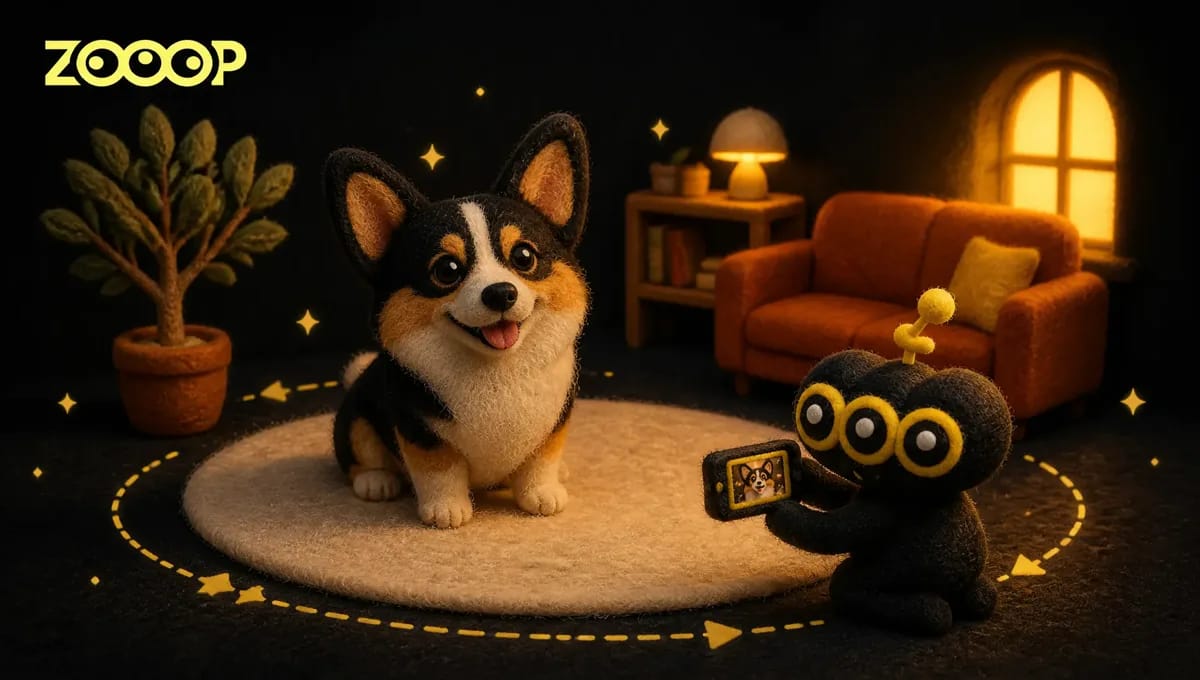
Your pet sits on a round cream rug in a bright living room with a terracotta sofa, an arched window and plants, seen from every side as the camera circles. Its face, fur and markings come from your photo.

How to use

  1. 01

    Upload one clear photo of your cat or dog with the face and body visible.

  2. 02

    Keep 480p or choose 720p.

  3. 03

    Generate the vertical clip, then download it.

Deep dive

Phone-on-the-floor pet videos are everywhere: someone sets the camera on the rug, swings it round their cat or dog and gets a strangely cinematic little portrait out of an ordinary afternoon. The orbit is the hard part. You need a smooth circle at pet height, a pet that sits still, and a room that looks good from every side.

This template does it from a single photo. Upload a picture of your cat or dog and it sits in the middle of a round cream rug in a sunlit living room, while the camera starts at its nose, pulls back, goes all the way round it and comes back to its face.

The result is a 7-second 9:16 vertical clip, ready for Reels, TikTok or Shorts. For the best likeness, use a clear, well-lit photo with one pet in it.

For a full walkthrough, with photo tips and what we noticed while testing, read our guide: How to make an AI dog video with a 360° orbit shot.
Frequently asked questions

What does the clip look like?+

A 7-second 9:16 vertical clip filmed from floor level. It starts on a close-up of your pet's face, pulls back to show it sitting on a rug, makes a full circle around it and ends on its face again.

Does it work with cats and dogs?+

Yes. Cats and dogs of any breed work. Results vary a little from run to run, so if a clip misses, generate again.

Which photo works best?+

One sharp, well-lit photo of one pet, with the face and most of the body in view. A photo taken at your pet's eye level matches the low camera best.

Can I use my own room?+

No. Every clip is set in the same sunlit living room, so you only need a photo of your pet.

How much does it cost?+

180 credits for a 480p clip and 271 credits for 720p.

Guides and trends

How to Make an AI Dog Video: A 360° Floor-Level Orbit Shot From One Photo

How to Make an AI Dog Video: A 360° Floor-Level Orbit Shot From One Photo

No crawling around the rug after your dog. Upload one photo and get an AI dog video that starts nose to nose, circles your dog at floor level and comes back to its face. Photo tips, the three steps, and what we noticed while testing.

AI ImageImage GeneratorEdit ImageSVG Generator

AI VideoText with ReferenceMotion ControlStart/End FrameExtend VideoEdit VideoLip SyncVideo Sound Effects

AI AudioText to SpeechVoice CloneSound EffectMusic Generation

ExploreAll ModelsAll TemplatesAI ToolsGlossaryCompare modelsFree toolsAlternativesAI CLIAPI DocsAgent Skill

CompanyBlogPricingFAQPrivacyTermsReport Infringement

Ask AI about ZOOOP

© 2026 ZOOOP. All rights reserved.