Image AI

Image AI

Generate and edit images with GPT Image 2.6, Nano Banana 2.1, Seedream 5.5 and more, then upscale, retouch or restyle them in the same place.

Try AI Image Generator

Image

  • Image Generator
  • Edit Image
  • SVG Generator
  • Meme Generator
  • Image Upscaler
  • Background Remover
  • Object Remover
  • Photo Restorer

Image Models

  • MiniMax H3 ImageNew
  • Grok Imagine Image 2.0New
  • GPT Image 2.6New
  • Seedream 5.5
  • Nano Banana 2.1
  • Nano Banana 2 Lite
  • Muse Image
  • GPT Image 2.5
  • Midjourney V8.2
  • Nano Banana Pro
More Image Models

Photo Effects

  • Virtual Try-On
  • Clothes Changer
  • Hairstyle Changer
  • Headshot Generator
  • Age Changer
  • Style Transfer
  • Portrait Enhancer
  • AI Action Figure
More Image Tools
Video AI

Video AI

Turn text and images into cinematic clips with Seedance 2.5, Gemini Omni 1.2 Flash, MiniMax H3, Kling V4 and Wan 3.0, with native audio.

Try AI Video Generator

Video

  • Video Generator
  • Start / End Frame
  • Motion Control
  • Edit Video
  • Lip Sync
  • Extend Video
  • Video Sound Effects
  • Video Upscaler

Video Models

  • FLUX 3 MaxNew
  • Seedance 2.5 FlashNew
  • Gemini Omni 1.2 FlashNew
  • Kling V4
  • Seedance 2.5
  • MiniMax H3 Max Turbo
  • Vidu Q4
  • MiniMax H3
  • Wan 3.0
  • Grok Imagine V1.5
More Video Models

Video Templates

  • AI Video Maker
  • TikTok AI Video
  • GTA 6 AI
  • Christmas AI Video
  • AI Dance Video
  • AI Funny Video
  • Dog AI Video
  • Cat AI Video
  • AI Pet Video
  • Face Swap Video
More Templates
Audio AI

Audio AI

Lifelike speech, instant voice clones, sound effects and music from ElevenLabs, Gemini, MiniMax and Lyria.

Try Text to Speech

Audio

  • Text to Speech
  • Voice Clone
  • Sound Effect
  • Music Generation
  • Video Sound Effects

Audio Models

  • ElevenLabs V4New
  • Gemini 3.8 Flash TTSNew
  • ElevenLabs Sound Effects V3New
  • Lyria 3 Pro
  • ElevenLabs V3
  • MiniMax Speech 2.8 HD
  • Qwen3-TTS
  • Inworld TTS
  • MiniMax Music 2.6
  • Index TTS 2
More Audio Models
AI Tools

AI Tools

One-click fixes and effects: upscale, remove backgrounds, erase objects, restore old photos, try on outfits and more.

Browse All AI Tools

Image Tools

  • Image Upscaler
  • Background Remover
  • Object Remover
  • Photo Restorer
  • Portrait Enhancer
  • Style Transfer
  • Texture Transform
  • Perspective Changer
  • Meme Generator

Photo Effects

  • Virtual Try-On
  • Clothes Changer
  • Hairstyle Changer
  • Makeup Changer
  • Headshot Generator
  • Age Changer
  • Expression Changer
  • Product Holding
  • City Teleport

Video Tools

  • Video Upscaler
  • Edit Video
  • Extend Video
  • Lip Sync
  • Video Sound Effects
All AI Tools

Trending Templates

The dance, pet and funny videos everyone is making right now. Upload a photo and get a share-ready clip in minutes.

Browse Trending TemplatesTrendingPet Taxi

Template Categories

  • AI Dance
  • AI Pet Video
  • Face Swap Video
  • AI Action Figure
More Templates

Explore

  • Topics
  • Model Library
  • Infinite Canvas
  • Blog
  • FAQ
  • About

Developers

  • AI CLI
  • API Docs
  • Agent Skill
AI TemplatesPricing
HomeCanvas
AI Generator
Image GeneratorEdit ImageSVG GeneratorMeme Generator
Text with ReferenceStart/End FrameMotion ControlEdit VideoLip SyncExtend VideoVideo Sound Effects
Text to SpeechVoice CloneSound EffectMusic Generation
Templates
Hot Templates
Tools
AI Tools
Resources
Creations
  1. Home
  2. Templates
  3. AI Halloween
  4. Ghost Photobomb

Ghost Photobomb

Upload a photo and a ghost walks past behind you — you only notice at the end. A five-second AI Halloween photobomb from one still image.

Your photo*

Something drifted through your selfie

Upload a photo. A ghost walks past behind you and you only notice at the end.

Use cases

Key features

Spooky, not gory

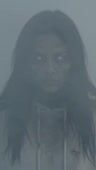
A translucent figure that ripples like smoke — no blood, no injuries, no jump-scare faces. Shareable with anyone.

Your photo stays put

You, your room, your lighting: unchanged. The only thing added is the thing behind you.

How to use

  1. 01

    Upload a selfie or group shot with some room visible behind you.

  2. 02

    Generate — the ghost drifts in from the back and crosses the frame.

  3. 03

    Download and post it before anyone looks too closely.

Deep dive

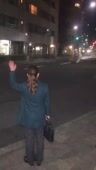
The best photobomb is the one nobody spots until the second watch. Upload an ordinary selfie — the more ordinary the better, a hallway behind you, a lamp on, nothing staged — and it comes back as a five-second clip where something pale drifts in from the back of the room, crosses behind you and is gone. You stay exactly as you were, right up until your eyes flick sideways at the last moment.

It's deliberately kept on the funny side of scary. No blood, no injuries, no faces coming at the camera. That makes it something you can put on any feed in October without a content warning.

Featured in these topics

More templates like this one

AI Funny VideoTemplates: 52AI HalloweenTemplates: 14AI Video MakerTemplates: 127

Frequently asked questions

How scary is it, really?+

Mild. The figure is a pale, smoke-like shape that floats past. There's no blood, no gore and no distorted faces — the prompt rules those out. It plays as a joke, not a horror clip.

What makes a good photo for this?+

One where there's visible space behind you — a hallway, a doorway, a room. The ghost needs somewhere to walk in from. A tight face crop leaves it nowhere to go.

Does the video come out vertical?+

The clip keeps the shape of the photo you upload, so a vertical selfie gives you a vertical clip.

Can there be more than one person in the shot?+

Yes. Group shots work, and the reaction reads better when there's more than one person not noticing.

AI ImageImage GeneratorEdit ImageSVG GeneratorMeme Generator

AI VideoText with ReferenceMotion ControlStart/End FrameExtend VideoEdit VideoLip SyncVideo Sound Effects

AI AudioText to SpeechVoice CloneSound EffectMusic Generation

ExploreAll ModelsAll TemplatesAI ToolsGlossaryCompare modelsFree toolsAlternativesAI CLIAPI DocsAgent Skill

CompanyAboutBlogPricingFAQPrivacyTermsReport Infringement

Ask AI about ZOOOP

© 2026 ZOOOP. All rights reserved.