Image AI

Image AI

Generate and edit images with GPT Image 2.6, Nano Banana 2.1, Seedream 5.5 and more, then upscale, retouch or restyle them in the same place.

Try AI Image Generator

Image

  • Image Generator
  • Edit Image
  • SVG Generator
  • Meme Generator
  • Image Upscaler
  • Background Remover
  • Object Remover
  • Photo Restorer

Image Models

  • MiniMax H3 ImageNew
  • Grok Imagine Image 2.0New
  • GPT Image 2.6New
  • Seedream 5.5
  • Nano Banana 2.1
  • Nano Banana 2 Lite
  • Muse Image
  • GPT Image 2.5
  • Midjourney V8.2
  • Nano Banana Pro
More Image Models

Photo Effects

  • Virtual Try-On
  • Clothes Changer
  • Hairstyle Changer
  • Headshot Generator
  • Age Changer
  • Style Transfer
  • Portrait Enhancer
  • AI Action Figure
More Image Tools
Video AI

Video AI

Turn text and images into cinematic clips with Seedance 2.5, Gemini Omni 1.2 Flash, MiniMax H3, Kling V4 and Wan 3.0, with native audio.

Try AI Video Generator

Video

  • Video Generator
  • Start / End Frame
  • Motion Control
  • Edit Video
  • Lip Sync
  • Extend Video
  • Video Sound Effects
  • Video Upscaler

Video Models

  • FLUX 3 MaxNew
  • Seedance 2.5 FlashNew
  • Gemini Omni 1.2 FlashNew
  • Kling V4
  • Seedance 2.5
  • MiniMax H3 Max Turbo
  • Vidu Q4
  • MiniMax H3
  • Wan 3.0
  • Grok Imagine V1.5
More Video Models

Video Templates

  • AI Video Maker
  • TikTok AI Video
  • GTA 6 AI
  • Christmas AI Video
  • AI Dance Video
  • AI Funny Video
  • Dog AI Video
  • Cat AI Video
  • AI Pet Video
  • Face Swap Video
More Templates
Audio AI

Audio AI

Lifelike speech, instant voice clones, sound effects and music from ElevenLabs, Gemini, MiniMax and Lyria.

Try Text to Speech

Audio

  • Text to Speech
  • Voice Clone
  • Sound Effect
  • Music Generation
  • Video Sound Effects

Audio Models

  • ElevenLabs V4New
  • Gemini 3.8 Flash TTSNew
  • ElevenLabs Sound Effects V3New
  • Lyria 3 Pro
  • ElevenLabs V3
  • MiniMax Speech 2.8 HD
  • Qwen3-TTS
  • Inworld TTS
  • MiniMax Music 2.6
  • Index TTS 2
More Audio Models
AI Tools

AI Tools

One-click fixes and effects: upscale, remove backgrounds, erase objects, restore old photos, try on outfits and more.

Browse All AI Tools

Image Tools

  • Image Upscaler
  • Background Remover
  • Object Remover
  • Photo Restorer
  • Portrait Enhancer
  • Style Transfer
  • Texture Transform
  • Perspective Changer
  • Meme Generator

Photo Effects

  • Virtual Try-On
  • Clothes Changer
  • Hairstyle Changer
  • Makeup Changer
  • Headshot Generator
  • Age Changer
  • Expression Changer
  • Product Holding
  • City Teleport

Video Tools

  • Video Upscaler
  • Edit Video
  • Extend Video
  • Lip Sync
  • Video Sound Effects
All AI Tools

Trending Templates

The dance, pet and funny videos everyone is making right now. Upload a photo and get a share-ready clip in minutes.

Browse Trending TemplatesTrendingChristmas Pet Concert

Template Categories

  • AI Dance
  • AI Pet Video
  • Face Swap Video
  • AI Action Figure
More Templates

Explore

  • TopicsTemplates grouped by theme: pets, dance, holidays.
  • Model LibraryEvery supported AI model — image, video, audio.
  • Infinite CanvasStoryboard, compose, and remix on one shared canvas.
  • BlogAI filmmaking tutorials, model deep-dives, product news.
  • FAQQuick answers to common questions.
  • AboutWho we are, how templates are made, how to reach us.

Developers

  • AI CLIGenerate images & video from your terminal.
  • API DocsREST API for image, video & audio generation.
  • Agent SkillGive Claude Code, Codex or Cursor image & video generation.
AI TemplatesPricing
HomeCanvas
AI Generator
Image GeneratorEdit ImageSVG GeneratorMeme Generator
Text with ReferenceStart/End FrameMotion ControlEdit VideoLip SyncExtend VideoVideo Sound Effects
Text to SpeechVoice CloneSound EffectMusic Generation
Templates
Hot Templates
Tools
AI Tools
Resources
Creations
  1. Home
  2. Templates
  3. GTA 6 AI
  4. GTA 6 PFP

GTA 6 PFP

Make a GTA 6 PFP from one photo of you, your cat or your dog: a square avatar painted like the game's loading screens, ready for Discord, X and Instagram.

GTA 6 PFP maker: turn one photo into a painted GTA profile picture

Upload one photo of yourself, your cat or your dog, pick a background and get a square GTA 6 profile picture painted like the game's loading screens, ready in about a minute.

Use cases

Key features

Four Vice City backgrounds, each with its own outfit

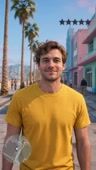
Sunset palms brings an open tropical shirt and gold aviators, Neon night a black satin bomber on a wet street, Police lights a gold chain under red and blue flashes, and Beach day a pastel linen jacket by turquoise water.

A GTA style PFP that still looks like you

Face shape, hairstyle, hair colour, skin tone and small marks such as freckles carry over into ink lines and flat painted shadows. A cat or dog keeps its own face, ears, fur and markings and gets dressed in the same outfit a person would.

How to use

  1. 01

    Upload one photo: a single adult facing the camera, or one cat or dog with its face in clear view. A plain selfie taken against a wall works.

  2. 02

    Pick a background on the card: Sunset palms, Neon night, Police lights or Beach day. Your outfit changes with it.

  3. 03

    Choose 1k, 2k or 3k. Each size gives the same square head-and-shoulders portrait.

  4. 04

    Generate, then download the image and set it as your new profile picture.

Deep dive

A GTA 6 PFP is a profile picture of you painted in the style of Grand Theft Auto VI's loading screens and key art. Rockstar's covers and loading screens have long used that look, hard ink outlines over bright flat colour, and with GTA 6 out on PS5 and Xbox Series X|S since November 19, 2026, plenty of players want their own version next to their name. This template paints one from a single photo, square and ready to upload.

What the GTA 6 PFP maker makes

You get one 1:1 image at 1k, 2k or 3k. The framing is head and shoulders, centred, with your face filling about half the square. You look straight at the viewer with a cool half-smile, the way characters do in the game's promo portraits. Your head and hair sit clear of the edges, so nothing important gets cut when Discord, X, Instagram, TikTok, Steam or WhatsApp crops the picture to a circle.

The style is a crisp cel-shaded digital painting with clean black outlines, confident flat shadows and saturated colour. It is a painting, not a 3D render and not a filtered photo. There is no text, no logo, no weapon and nobody else in the frame, which keeps the picture readable at the tiny size a member list or a comment thread shows it.

GTA 6 avatar backgrounds and outfits

The choice card sets both the scenery and what you wear, so the shirt in your photo is replaced.

  • Sunset palms: an open tropical shirt over a white tank top, gold aviators pushed up on your head, palm silhouettes and a pastel Art Deco hotel under a pink and orange sky.
  • Neon night: a black satin bomber jacket on a rain-wet Vice City street lit in pink and teal neon.
  • Police lights: a white tank top and a thin gold chain, with red and blue lights and a helicopter searchlight cutting through the dark, police cars parked behind you.
  • Beach day: a pastel linen jacket over a white tee, turquoise water, a pastel lifeguard tower and palms at bright midday.

Cats and dogs get dressed too. They stay real animals with their own face, ears, fur colour and markings, but they wear the background's outfit just as a person would. In our samples a French bulldog wore the pastel linen jacket and white tee on Beach day, and a grey tabby cat sat in the black satin bomber with dark sunglasses on Neon night. A GTA 6 avatar of your pet in a bomber jacket is a different joke from one of you, and a lot of people end up making both.

Which photo works best

One adult, facing the camera, in even light. Your face gets redrawn in paint, so the eyes, nose and jawline need to be easy to see. A plain selfie against a white wall is fine, since the background is replaced anyway.

From our own test runs: a man with short dark hair and stubble, a red-haired woman with freckles and wavy hair, a blonde woman with long hair and a man with a short dark fade all came out clearly recognisable, freckles and all. Sunglasses, hats and heavy beauty filters made the likeness noticeably harder to hold. The two night backgrounds, Neon night and Police lights, gave the strongest colours, which matters when the picture is shown at 40 pixels beside a username.

For a pet, choose a shot where the whole face is in frame and nothing covers the eyes. Use your own photo, or a photo of an adult who agreed to it.

More from the GTA 6 collection

Every GTA template lives on the GTA 6 AI page. For something taller to post as a story, the GTA 6 AI selfie puts you in a vertical in-game selfie. To see the painting move, the GTA filter video sweeps your photo into a loading-screen painting and brings it to life. If you would rather write your own, the GTA 6 AI prompts post has ones you can copy and paste.

Featured in these topics

More templates like this one

GTA 6 AITemplates: 16

Frequently asked questions

What is a GTA 6 PFP?+

A GTA 6 PFP is a profile picture drawn in the painted style of Grand Theft Auto VI's loading screens and key art. This template makes one from a single photo of you or your pet, as a square image sized for social and chat apps.

How do I make a GTA 6 PFP from a photo?+

Upload one clear photo, choose one of the four backgrounds and press Generate. You don't write a prompt: the framing, the outfit and the painted style are already set, and the finished square usually arrives in about a minute.

Does it work as a GTA 6 PFP for Discord?+

Yes, and for most other apps too. The image is square and leaves space around your head, so Discord, X, Instagram, TikTok, Steam and WhatsApp can crop it to a circle without cutting off your hair or chin.

Can I make a GTA 6 avatar of my cat or dog?+

Yes. Upload a photo of one cat or dog with its face clearly visible. It stays a real animal with its own face, ears, fur colour and markings, and wears the background's outfit, so a dog on Beach day gets the linen jacket and a cat on Neon night the satin bomber.

What size does the GTA 6 profile picture generator make?+

It is always square, 1:1. You can generate it at 1k, 2k or 3k. 1k is plenty for an avatar; 2k or 3k gives you room to print it or reuse the picture somewhere larger later.

Will my GTA 6 avatar look like me?+

It should be recognisably you, not a pixel copy. In our tests face shape, hairstyle, hair colour and details like freckles carried over well. Sunglasses, hats and heavy filters in the source photo make the likeness weaker, so leave them out.

Can I keep the clothes from my photo?+

No. The outfit comes with the background: a tropical shirt for Sunset palms, a satin bomber for Neon night, a tank top and gold chain for Police lights, and a linen jacket over a tee for Beach day.

Is it free to post my GTA 6 PFP?+

Yes, you can use the picture as your profile photo and share it anywhere. Making it is not free: the cost appears on the Generate button and is charged only once generation starts. It is fan art, so don't present it as official artwork.

How is this different from the other GTA 6 picture templates?+

This one is a tight square portrait meant to read at avatar size. The [GTA 6 loading screen](/templates/image/gta-6-loading-screen) template makes a tall poster with more of the scene, and the [GTA 6 mugshot](/templates/image/gta-6-mugshot) makes a booking photo.

Is ZOOOP connected to Rockstar Games?+

No. ZOOOP is a fan tool and is not affiliated with Rockstar Games or Take-Two Interactive. The picture contains no artwork from the game; it is painted from the photo you upload.

AI ImageImage GeneratorEdit ImageSVG GeneratorMeme Generator

AI VideoText with ReferenceMotion ControlStart/End FrameExtend VideoEdit VideoLip SyncVideo Sound Effects

AI AudioText to SpeechVoice CloneSound EffectMusic Generation

ExploreAll ModelsAll TemplatesAI ToolsGlossaryCompare modelsFree toolsAlternativesAI CLIAPI DocsAgent Skill

CompanyAboutBlogPricingFAQPrivacyTermsReport Infringement

Ask AI about ZOOOP

© 2026 ZOOOP. All rights reserved.