Flying Tesla Roadster AI: Make Your Own Fly-Out-of-Traffic Video From One Photo
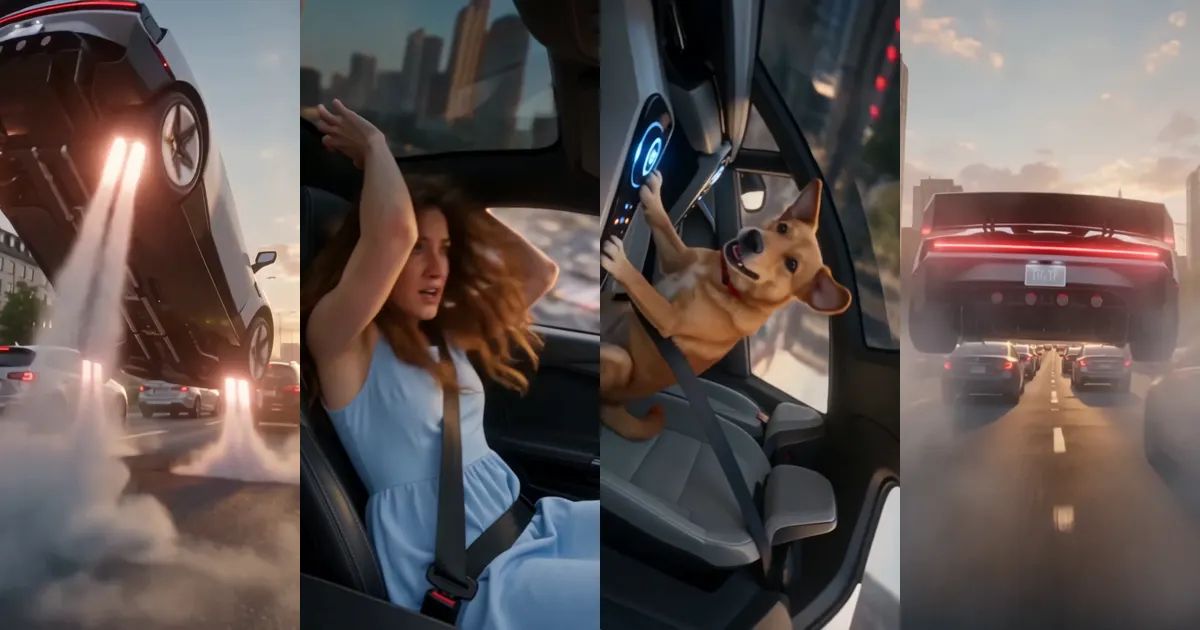
You are stuck in a traffic jam that goes all the way to the horizon. Nobody is moving. You look at the camera, smirk, and press one glowing button on the dashboard. Thrusters fire under the car, it leaps off the road, rolls over in mid-air, and rockets away over everyone else. That is the flying Tesla Roadster clip, and it has been everywhere since the new Roadster was revealed.
This post covers where the trend came from, what happens in those twelve seconds, and how to put yourself, or your dog or cat, in the driver's seat of a flying Tesla Roadster from a single photo.
Where did the flying Tesla Roadster trend come from?
Tesla revealed the new Roadster in October 2026, and one moment stole the show: the white, wedge-shaped car fired a set of air thrusters, lifted off the ground, flipped over and came back down on its wheels. The videos of that flip were watched millions of times within a day.
The internet answered almost immediately with the fantasy every commuter has had at least once. Forget the specs: what people wanted was a flying Tesla Roadster for the morning traffic jam, one button and you are gone. The first fan clips of drivers lifting off over gridlock showed up the very next day, and that is the clip our template recreates.
The clip, shot by shot
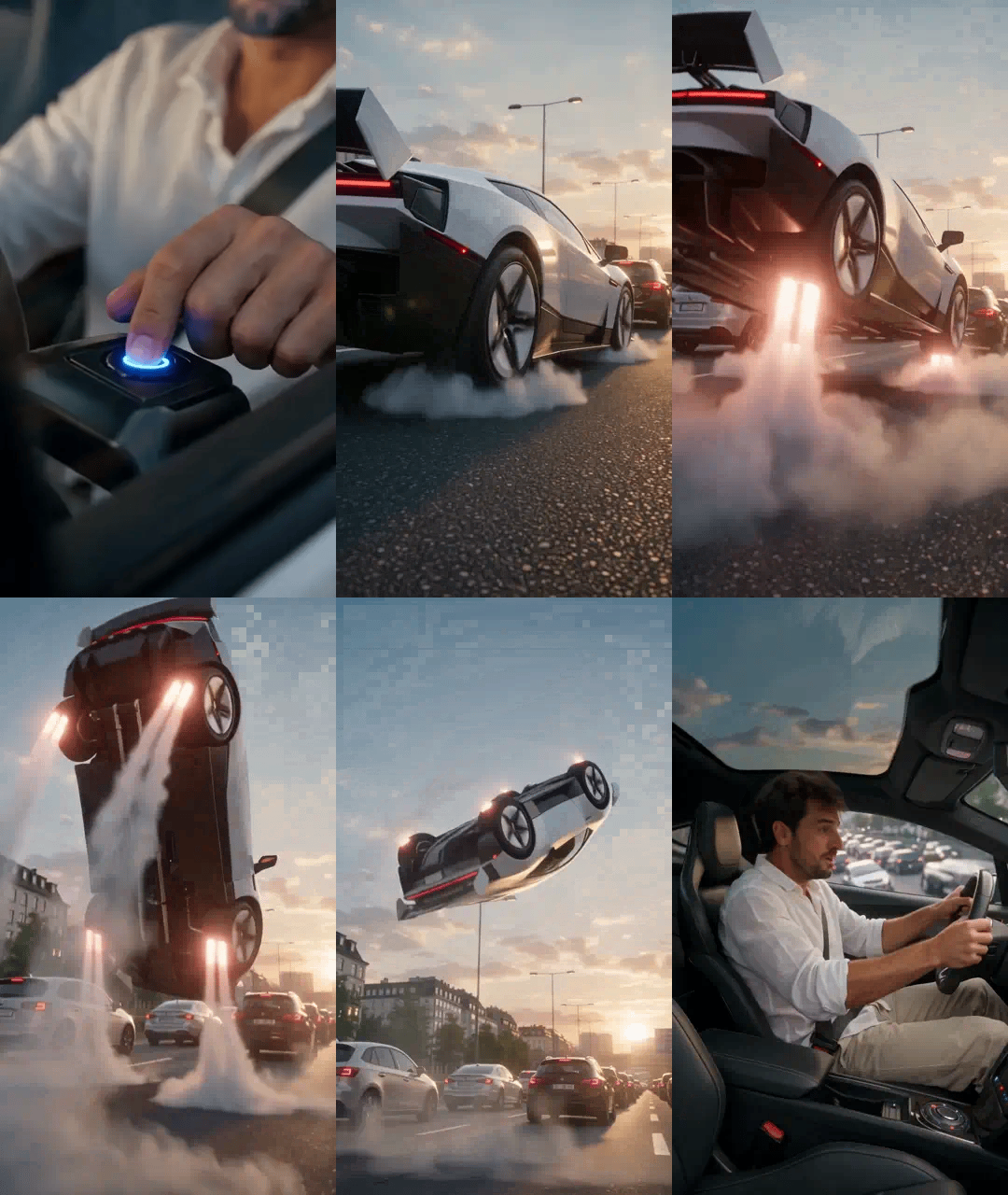
Our Flying Tesla Roadster template is cut like a movie trailer, not filmed in one long take. There are five shots, all in golden-hour light:
- A high, wide shot sweeps over an endless traffic jam and lands on the white Roadster in the middle of it.
- A close-up through the side window: you look at the camera, smirk and press the button.
- A low angle beside the car: thrusters blast white vapor, the car lifts off and does a full barrel roll in the air.
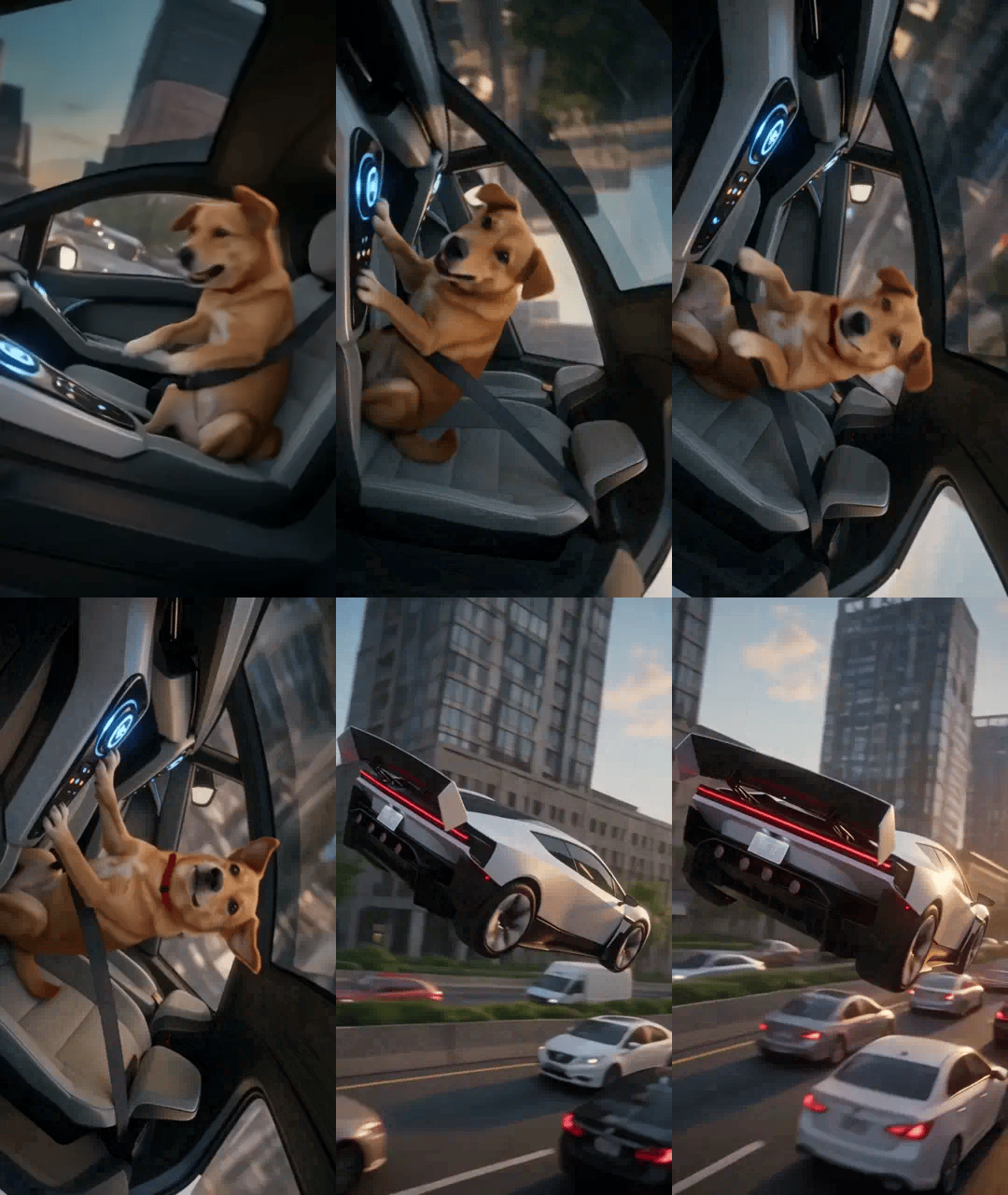
- Inside the cabin, mid-roll: the world spins outside the glass and you get thrown around, held only by your seatbelt.
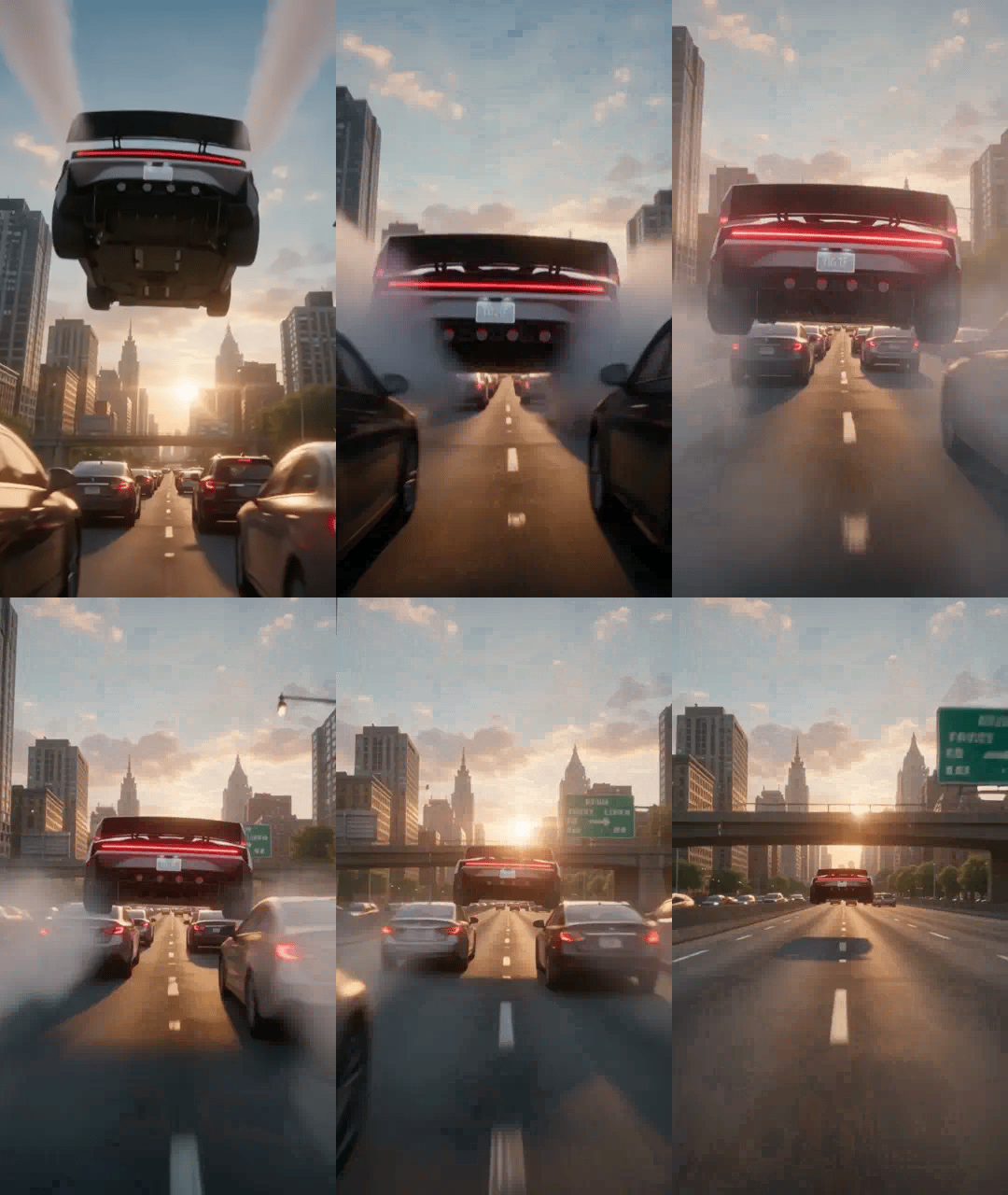
- The thrusters fire at full power and the car rockets away over the stuck traffic, straight into the sunset.
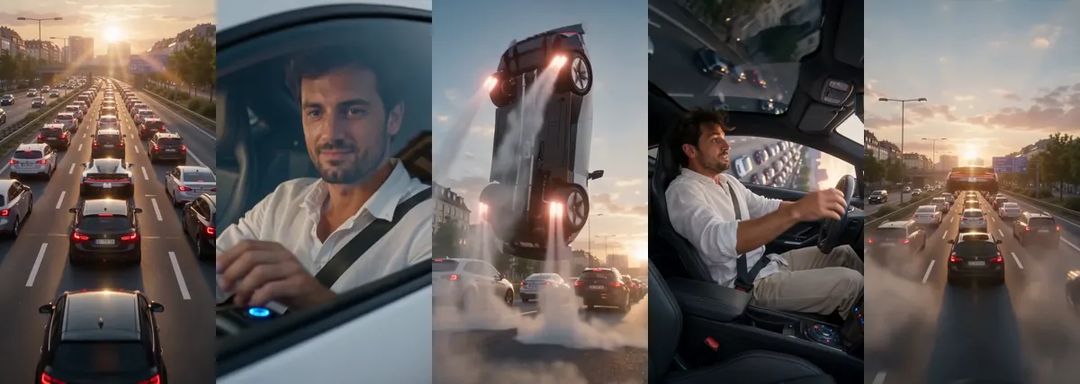
And in motion. The animations in this post are silent and shortened; the real clip runs the full twelve seconds, with sound.
Which photo works best
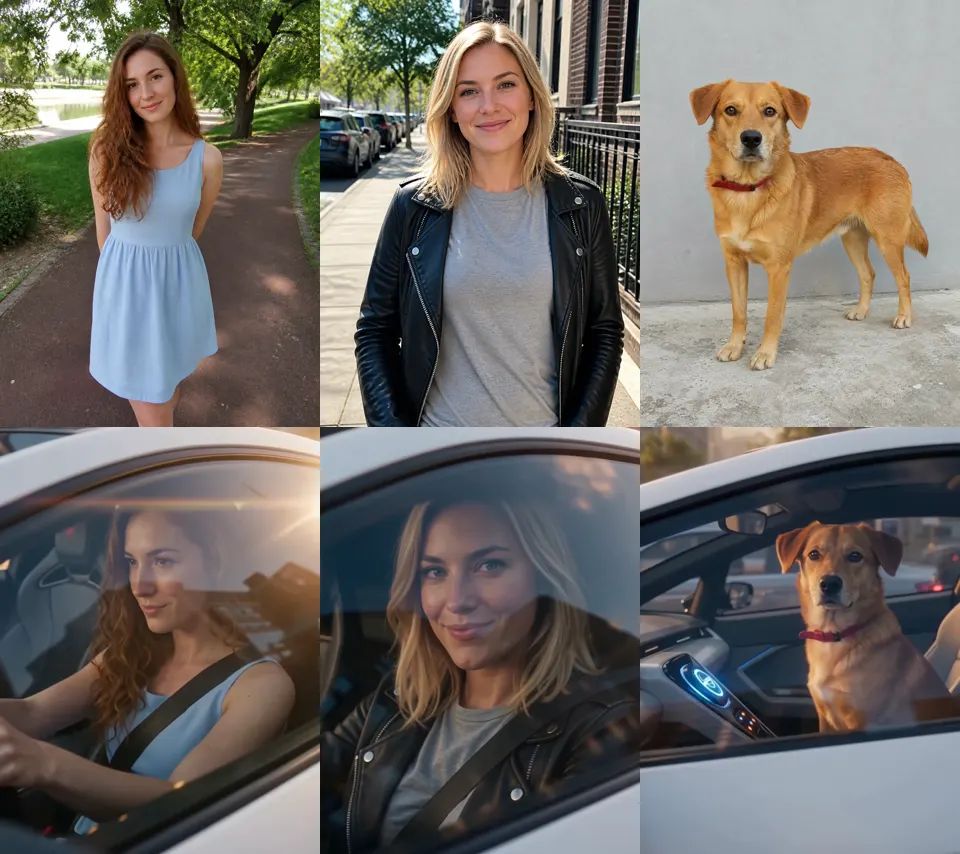
The template needs one photo of one person or one pet. A few things make a big difference:
- A sharp face in good light. The window close-up fills the screen with your face, so a blurry photo gives you a blurry driver.
- Upper body is enough. You spend the whole clip sitting in the car, so a waist-up photo works as well as a full-length one.
- One subject per photo. With two people in the picture, the template cannot tell who should drive.
- What you wear comes along. People keep the clothes from their photo, so a leather jacket or a summer dress ends up in the driver's seat with you.
Pets keep their own face, fur colour and markings, sit upright behind the wheel like a person and press the button with a paw. The background of your photo never comes along: it is always the same traffic jam at sunset.
Dogs are honestly the best drivers here. This one goes fully upside down in the roll and still looks surprisingly calm about it.
How to make your flying Tesla Roadster video with ZOOOP
- Open the Flying Tesla Roadster template and upload one photo of yourself or your pet.
- Keep Person selected, or switch to Pet for a cat or a dog. Keep 480p, or pick 720p if you want it sharper.
- Hit generate and download the clip.
No prompt, no editing. The traffic jam, the car and all five shots are already in place.
What surprised us while building the template
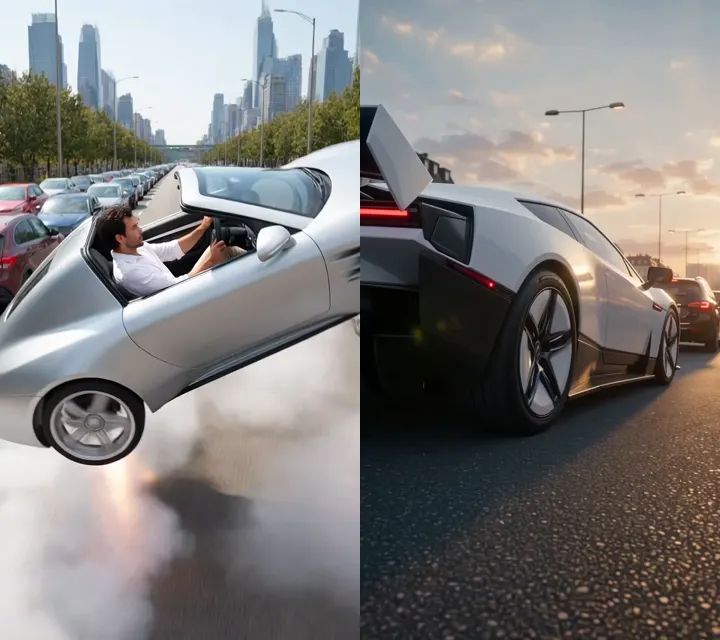
The car kept turning into a different car. Our first tests gave us a generic silver convertible, the kind of sports car that could be from any brand. Nobody would call that a flying Tesla Roadster. We kept going until the car on screen had the shape people actually saw at the reveal: the sharp wedge, the thin light bar across the front, the black lower body and the big rear wing.
One long take was boring. The first versions followed the car in one continuous shot, and it felt like a screensaver. Cutting it into five shots, with a close-up of the button and a shot from inside the rolling cabin, is what made it feel like a blockbuster.
The car flew the wrong way. In one early version the Roadster took off and flew back against the traffic, which looks oddly wrong once you notice it. Now it always flies forward with the traffic, low over the roofs, and gets small fast.
People stay too calm. Even in the middle of a barrel roll, people in our tests mostly held on and looked worried. Pets were the opposite: they flipped completely upside down, ears flying. If you want maximum chaos, use your dog.
More ways to play
Make one of yourself and one of your pet and post them side by side: who escapes the traffic in style. Or send your version to the friend who is always late and blames the traffic. For more clips starring your pet, browse the AI pet video templates. Everything that turns a photo into a video lives in the template library, and if you would rather write your own scene from scratch, start from AI video generation.
This is an unofficial fan template inspired by the Roadster reveal and is not affiliated with Tesla. One photo, one button, no more traffic. Take off with the Flying Tesla Roadster template.