Dogs Dancing AI: Put Your Cats and Dogs in Shades for a Four-Shot Squad Dance
Everyone has seen a cat dance on camera by now. Videos of dogs dancing are everywhere too, but almost all of them have one star. Three different pets lined up in matching black sunglasses, taking turns to steal the shot, is a lot rarer.
We made one with a tuxedo cat, a corgi and a ginger cat, using the ZOOOP Sunset Squad Dance template. You upload three photos and get a 15-second landscape video with the scene, the camera and the moves already worked out. Below we go through our sample shot by shot, then cover how to pick the three photos, who should stand in the middle, and what to look at once it's generated.
How the squad dance goes
The whole dance is four quick shots.
It opens on a close-up of the dancer on the right. In our sample that's the ginger cat, right up against the lens, bobbing side to side with both paws on its head, as if to say "yes, I know how good I look." The other two are already moving behind it.
Shot two cuts to the middle dancer. The corgi leans into the camera with a pout and pumps two thumbs up, while the two cats wave their paws in the back.
In shot three all three bounce toward the camera side by side. Then it cuts wide: the boardwalk opens up, and the squad freestyles in a row until the end.
What makes this kind of dogs dancing clip funny is the contrast. Pets can't dance, standing up on their hind legs is already a bit silly, and doing a dead-serious thumbs up in sunglasses on top of that is too much.
Our sample: a tuxedo cat, a corgi and a ginger cat
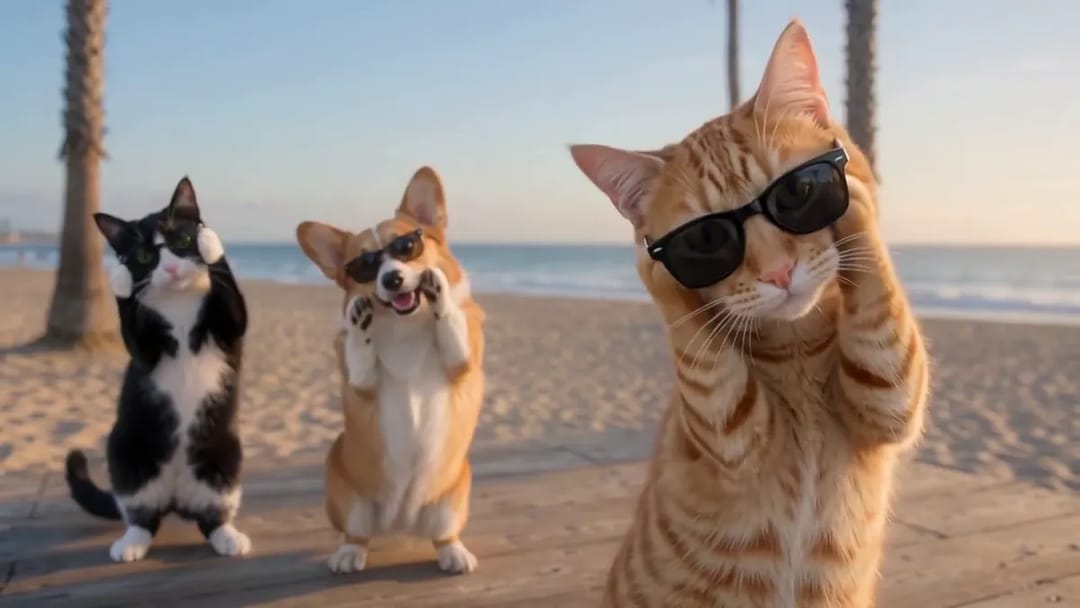
The first shot belongs to the ginger cat. Its stripes, white chin and amber eyes all match its photo, and the sunglasses somehow make it look even more like the boss.
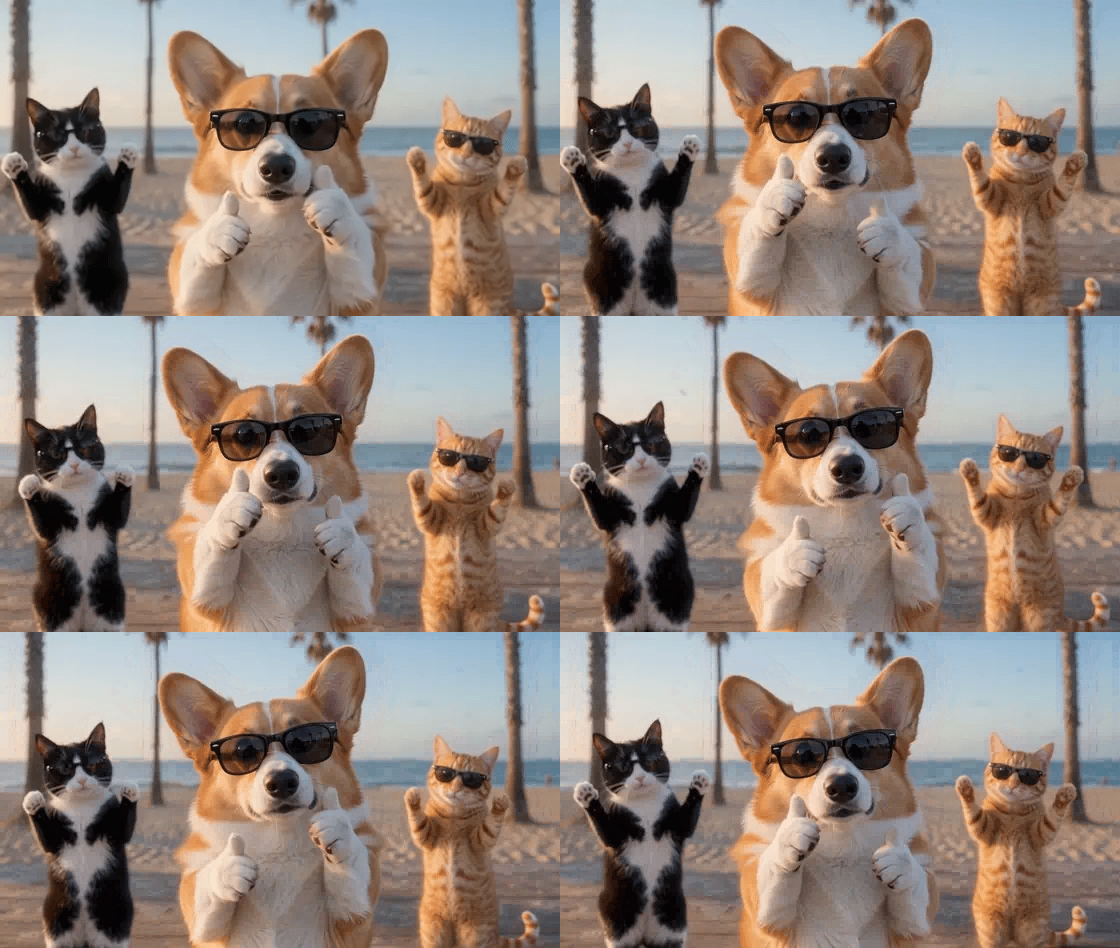
The second shot is our favorite part of this AI dancing cat and dog clip, and of any dogs dancing video we've made so far. The corgi keeps its big ears and red-and-white coat, and its thumbs-up paws land with a little bounce every time.
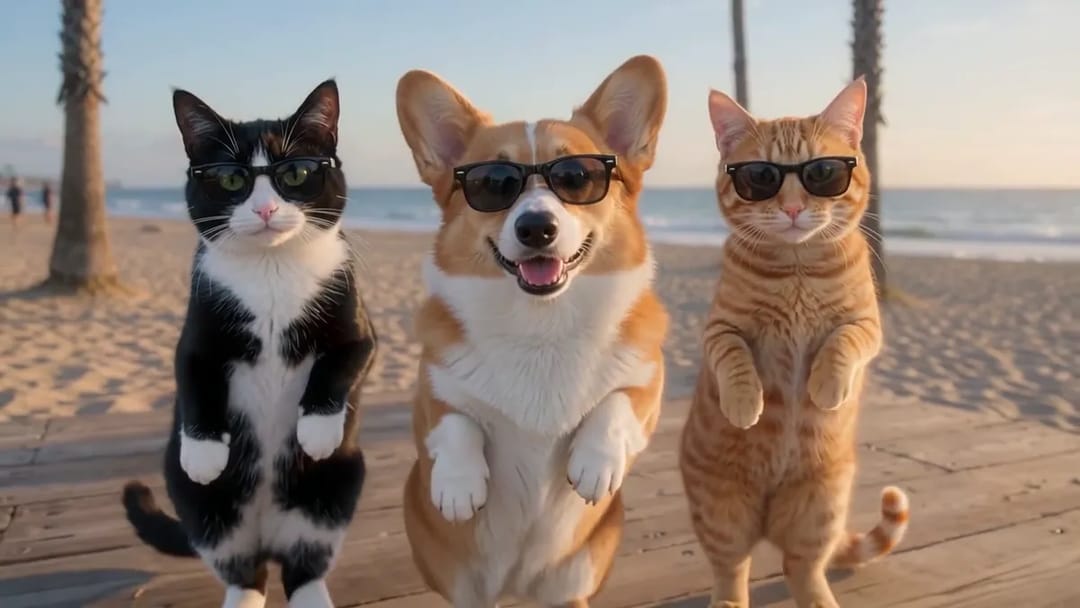
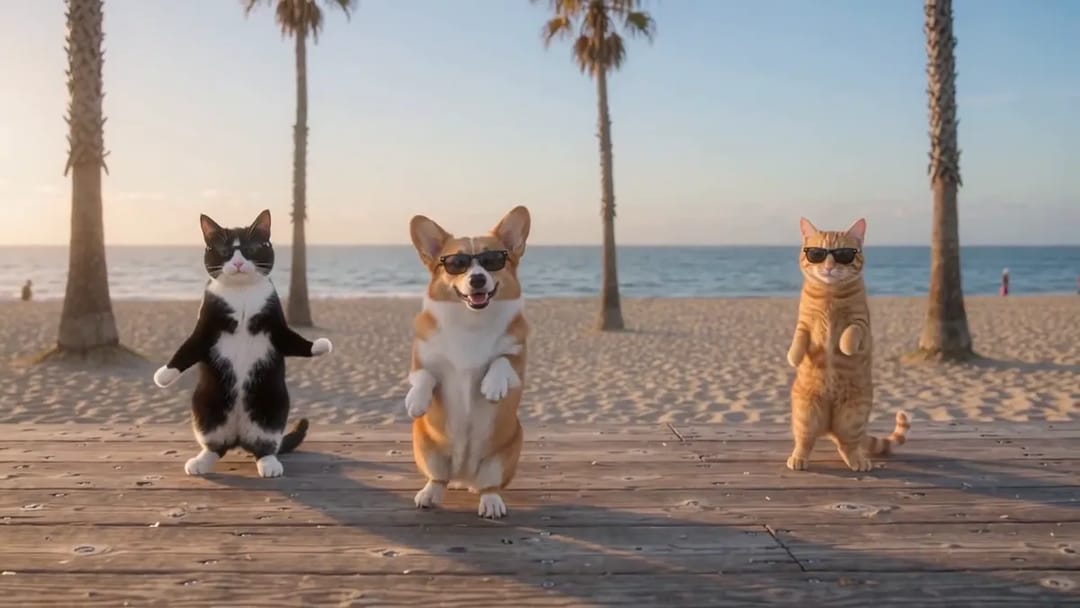
In the wide shot all three are small, but you can still tell who's who at a glance: the tuxedo cat's white belly, the corgi's ears, the ginger cat's long striped tail.
How to pick the three photos
Picking photos is most of the work in a dogs dancing video like this. The template takes exactly three photos: one for the left spot, one for the middle and one for the right. Put one pet in each photo. Cats and dogs both work, and so does a person, so you can dance with your two cats yourself.
A few things help:
- The whole body in view. For the dogs dancing on their hind legs, a full-body photo gives more natural legs and tails.
- Good light. The clearer the fur and markings, the more the result looks like your pet.
- An unblocked face. Skip photos where the face is turned away or buried in a blanket.
You don't need to put sunglasses on your pet, they're added for you. The background doesn't matter either: the sofa or floor in your photo won't show up, everyone ends up on the same seaside boardwalk at sunset.
Who goes in the middle: put your star in photo two
In a squad video of cats and dogs dancing, the three spots don't get the same screen time. The right spot gets the first close-up, the middle spot gets the second, and the left spot mostly dances in the back until shots three and four.
So give the middle spot, photo two, to the pet you most want people to see. The second close-up is the closest and longest, and the thumbs-up suits an expressive dog. We put the corgi there because its open-mouthed grin is the most photogenic thing in the house. The right spot suits a cat with a good face, since the paws-on-head bob is especially cute on cats.
How to make it
Making an AI pet dance video like this takes four steps:
- Open the Sunset Squad Dance template and upload one photo each for the left, middle and right spots.
- Under each photo, choose Pet or Person. For a cat or a dog, choose Pet.
- Keep the default 480p, or choose 720p for a sharper video.
- Click generate, then download your 15-second video.
If you'd rather try a different scene or different moves, write your own prompt in the AI video generator. More ready-made ideas are in the template library.
What to check once it's generated
An AI pet dance video isn't identical every time. With the same three photos, the details of your dogs dancing will vary a little from run to run. Here's what to look at:
Are all three still themselves in the wide shot? In the last shot everyone is small, so that's where things are most likely to drift. In one of our test runs, one of the cats looked like a different dog in the wide shot. The template has been tuned for exactly this since, and in our sample all three are recognizable to the end, but if one of yours doesn't look right, just generate again.
The paws during the thumbs up. When the middle dancer gives a thumbs up, its paw curls into something like a thumb. That comes with the move. It isn't creepy, if anything it's cute.
Look-alike pets. If two of your pets have similar coats, say two ginger cats, don't put them next to each other. One on the left and one on the right is easier to tell apart.
FAQ
I only have two pets. Can I still make a dogs dancing video? The template always has three dancers. Add a photo of yourself as the third and choose Person, and you'll get sunglasses and dance along too.
Is the video landscape or vertical? This AI pet dance video is 15 seconds in 16:9 landscape, which suits YouTube and X. For vertical platforms, crop it in your video editor and center it on the middle dancer.
How many credits does it cost? It depends on the resolution: 480p costs less than 720p. The template page shows the exact numbers.
Three pets, three pairs of sunglasses and a sunset boardwalk: once the photos are picked, your dogs dancing video is a click away. Upload your three on the Sunset Squad Dance template and see who steals the show.