How to Create the Hotel Lobby Viral Video with AI
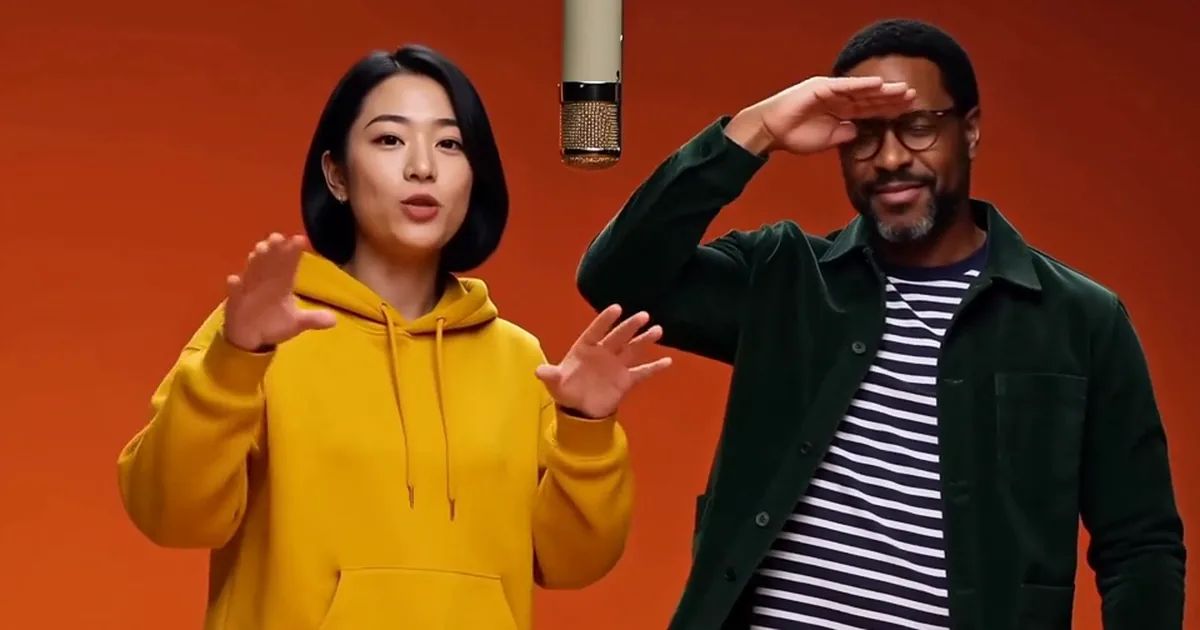
In late September, a two-person performance clip started showing up with new faces in it. Cats first, then athletes, politicians and familiar faces from tech, and within days, everyone's friends. An orange wall, one hanging mic, fifteen seconds of a duet and a handful of gestures. It works no matter who is standing there. That's the Hotel Lobby trend.
This guide shows how to make your own Hotel Lobby video with AI. You don't need an editing app and you don't need to write a prompt. Two photos are enough.
What the Hotel Lobby trend is, and why now
The source is a live performance Quavo and Takeoff recorded for COLORS a few years ago. The set is bare: orange wall, hanging mic, two people. What makes it recognizable is the moves. A point across the booth, a turn away, a finger to the lips, a hand shading the eyes. Whoever replaces the original pair, viewers know exactly which clip they're watching.
It took off fast. We pulled US data from Google Trends: through early September, search interest in "hotel lobby" sat flat. It started climbing on September 22 and peaked on September 25 at roughly ten times its usual level. Over the same days, "hotel lobby ai" went from almost nothing to a steep climb. Most of those people weren't looking for a hotel. They wanted to know how to make the clip with AI.
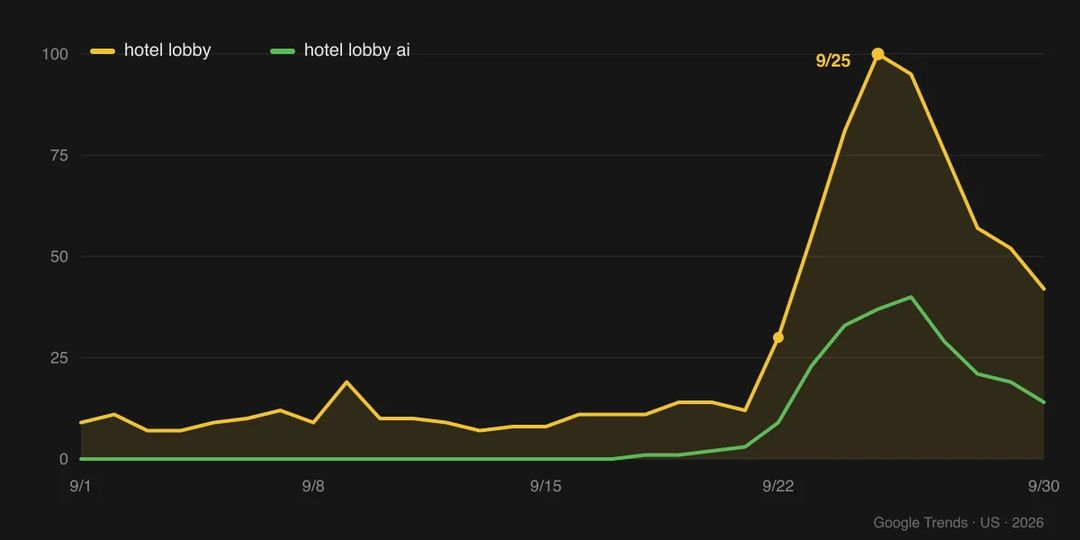
By September 30, interest had already dropped to about 40% of the peak. Memes like this don't last, so if you want in, don't wait.
One more thing worth saying: these videos are fan-made riffs on a meme. They have nothing to do with the artists, their label or the show.
Before you start: picking the two photos
This is the only step that takes any real thought.
Upload order decides who stands where. Photo 1 replaces the person on the left, photo 2 the person on the right. If you want them the other way round, swap the order.
Use full-body or half-body shots if you can. This AI template keeps what each person is wearing in their own photo, so a friend in a yellow hoodie performs in that yellow hoodie. That only works if the model can see the outfit. A tight headshot still works, but everything below the collar turns into a guess.
Clear face, decent light. Front-facing is best. Skip the sunglasses, and don't let hair or a hand cover half the face. Backlit shots and dim night selfies come out noticeably worse.
And one rule that has nothing to do with the tech: only use photos of people who are happy to be in it. Ask your friend first.
Three steps to your Hotel Lobby video
Open the Hotel Lobby AI template. There's exactly one input on the page, and it takes two photos.
- Upload the two photos, left person first.
- Check the order, then hit generate.
- Wait for it to finish, then download.
There's no prompt to write and nothing to set. Length, shape and resolution are fixed: 15 seconds, 4:3, 2K, with sound, the same length and framing as the clip everyone already knows. In our tests a clip took about 20 minutes, so submit it and go do something else.
What the results look like: three AI examples
All three below are the examples on the template page. The animations here are silent. The real clips come with the song, and you can play them in full on the template page.
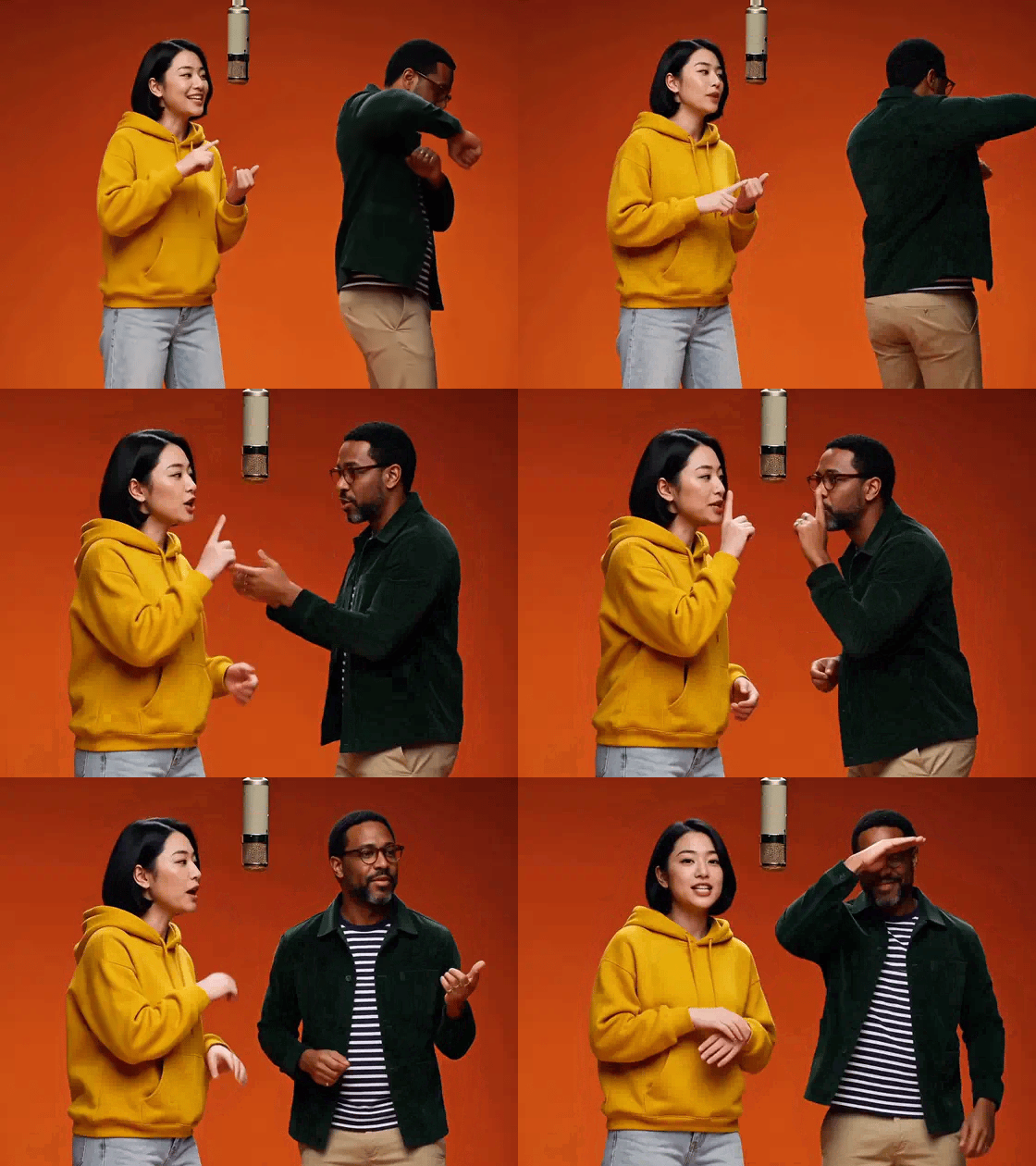
The first is the typical case: two people in everyday clothes. The yellow hoodie, the dark green jacket and the striped tee under it all made it into the performance intact. Nobody got stuffed into the original suits.
The second is two people in suits. Line up the same four moves from all three examples and you can see what the AI is actually doing: the point, the turn, the shush, the hand over the eyes, in the same order every time. Only the people change. The shots, the cuts and the choreography stay exactly where they were.
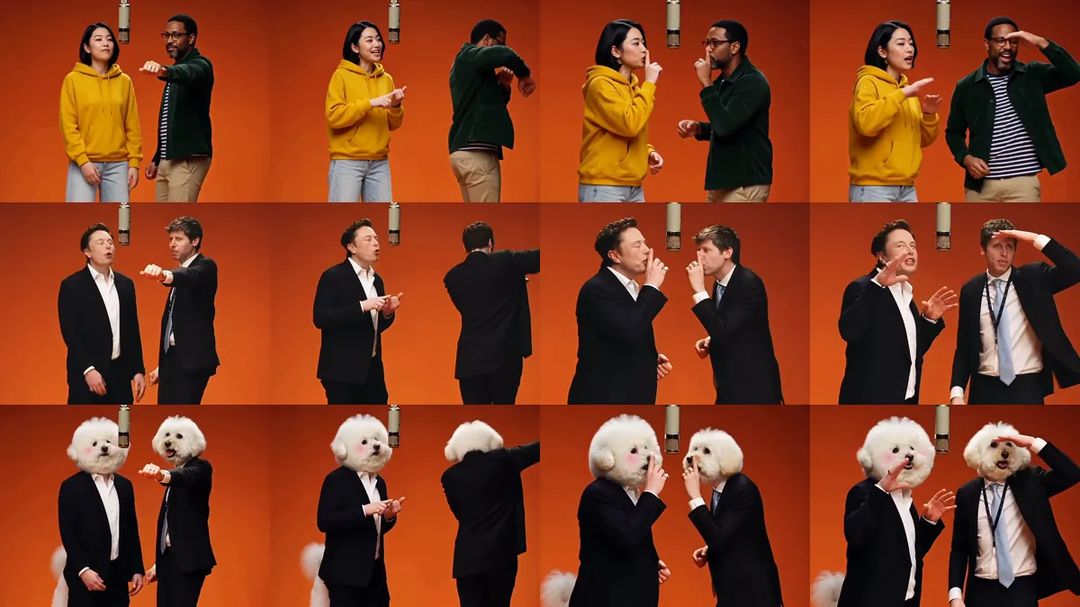
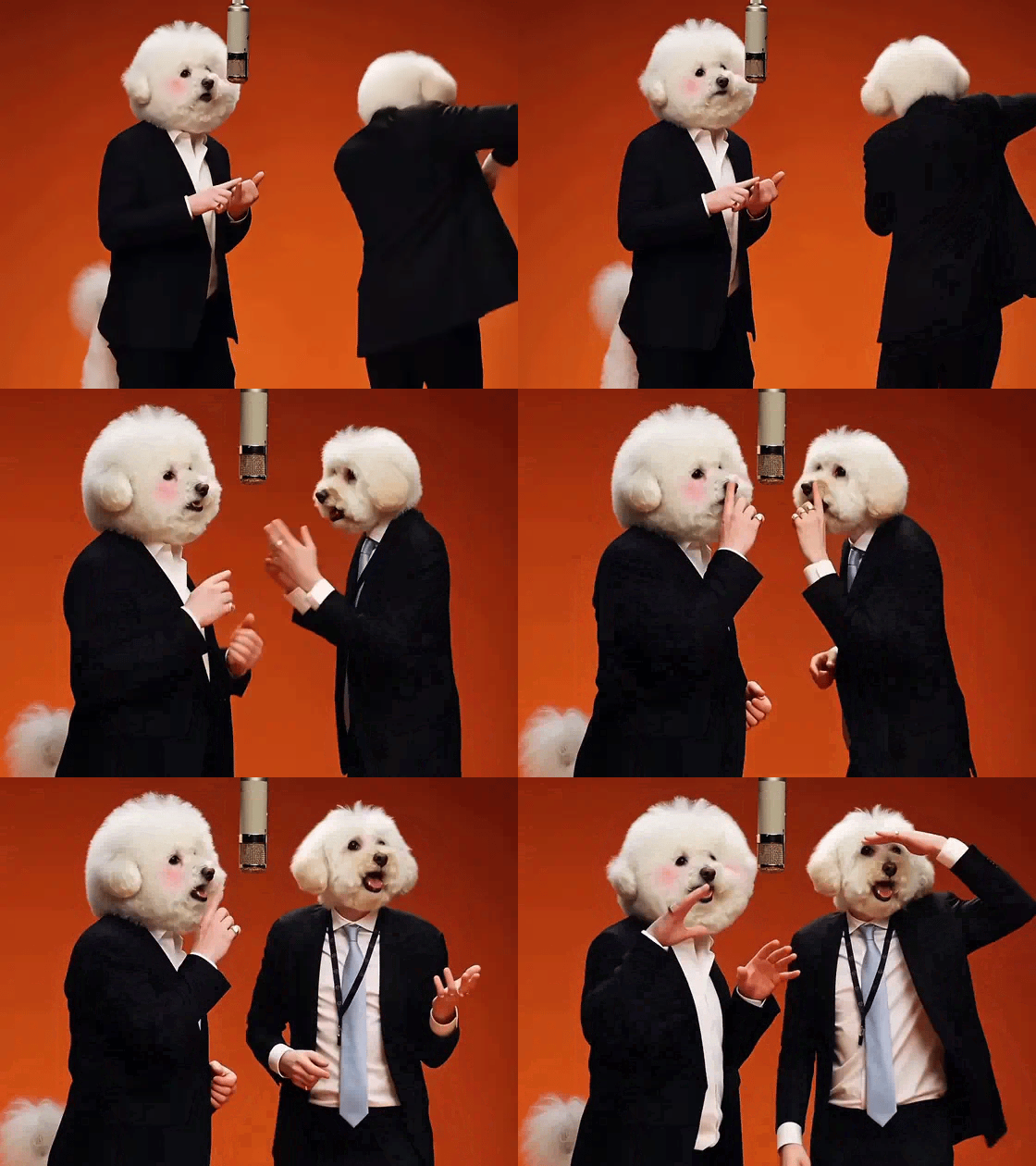
The third is two bichon frises. The faces landed well, and the dogs are weirdly committed to the performance. Look at what they're wearing, though. A dog photo has no outfit to copy, so the model fell back on the original black suits, ties and lanyards. That's the photo advice from earlier, playing out on screen: if you want the outfit kept, the outfit has to be in the photo.
Where it goes wrong
Left and right get swapped. The most common mistake and the easiest fix: flip the upload order and run it again. A second look before you upload saves you a wait.
Headshots get an outfit picked for them. The bichons are the example. If the photo stops at the neck, the model decides what goes below it, and for the bichons that meant the original suits.
The audio is close, not identical. It's the same song and the timing matches the moves, but the soundtrack is generated together with the picture, so a careful listen picks up small differences in tone. Fine for a group chat or a story. Don't expect a clean music file.
It costs more than most video templates. The reason is simple. Most of our video templates make 5-second clips. This one makes a full 15-second 2K clip with sound, and video is priced by the second. Pick your photos carefully up front; it beats trying three times.
Before you post
The clip comes out 4:3, in landscape. It posts fine as-is to group chats, DMs, X or an Instagram feed post.
For vertical slots like TikTok, Reels and Shorts, the platform pads it with bars top and bottom. If you'd rather avoid that, drop it onto a 9:16 canvas in any editing app and use the space above and below for a caption, something like "me and my roommate doing Hotel Lobby". Don't crop it to vertical, though. With one person on each side, trimming the edges leaves you with one and a half people.
After Hotel Lobby: what else to try
If you like dropping people into an existing set of moves, try Motion Control. It moves the motion from any video onto your photo, not just this one. To make someone in a photo say or sing something else, use Lip Sync. And to make something of your own from scratch, there's the AI Video Generator.
More one-click ideas live in the template library, and most of them only need a photo too.
Pick two photos and make yours with the Hotel Lobby AI template while the trend is still warm.