How to Make the Burning Bridges AI Video Starring You, Your Cat or Your Dog
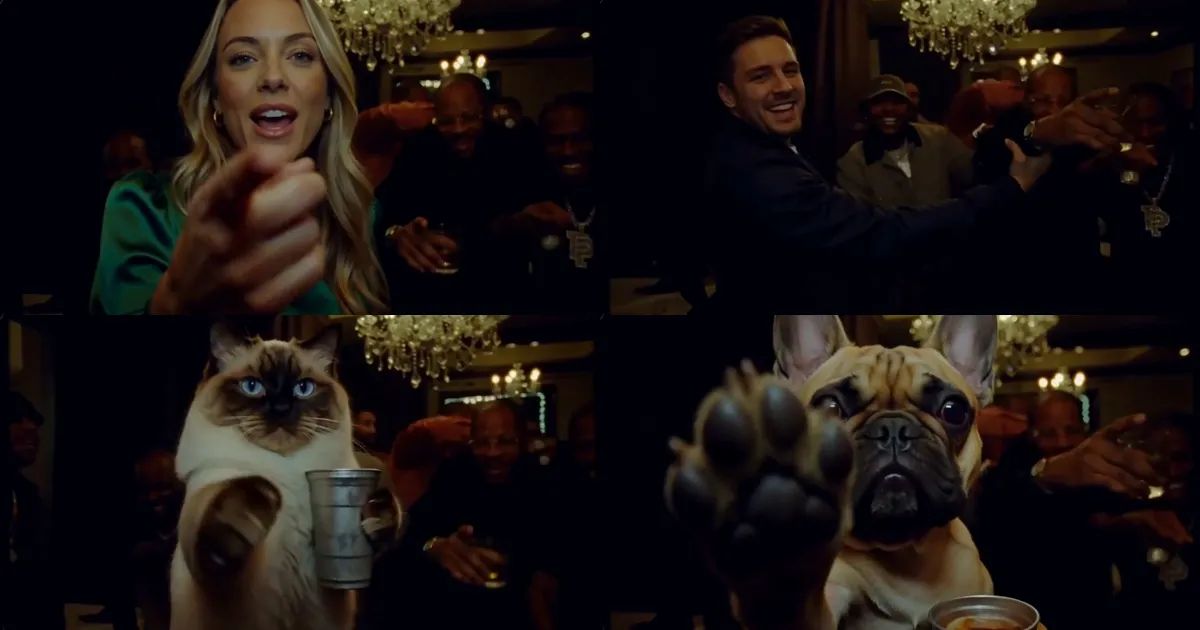
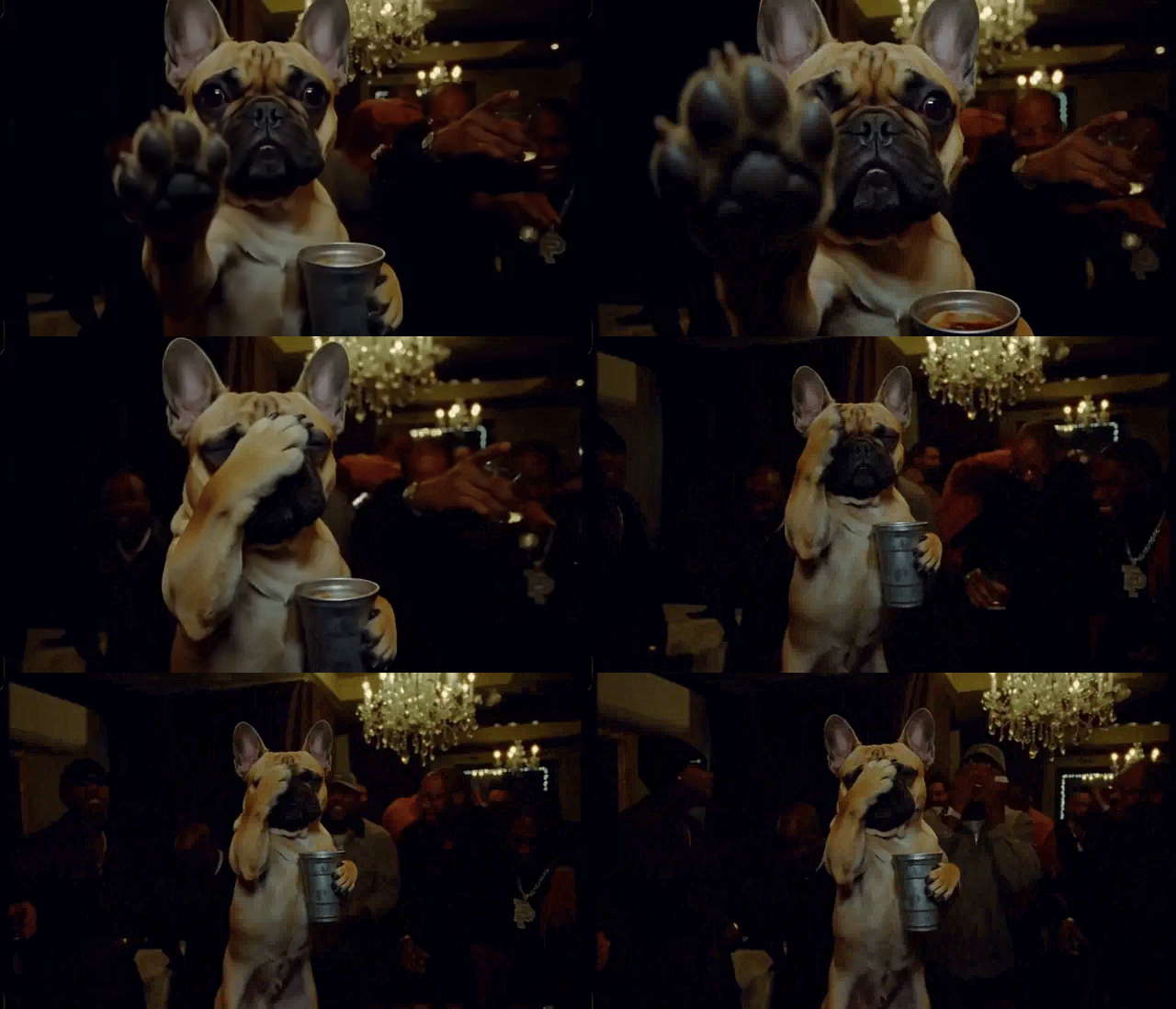
A private room under a crystal chandelier, packed wall to wall, filmed on a shaky phone. The guy in the middle holds a silver metal cup and sings along with everyone, points at himself, spins to point across the room, reaches straight at the lens, then laughs so hard he covers his face. Now swap him for your French bulldog: standing on its hind legs, cup in its paws, raising one paw pad at you.
That is the Burning Bridges AI trend, and it has been all over the place since late September. This post covers where it came from and how to make a Burning Bridges AI video from one photo of you, a friend, your cat or your dog.
What is the Burning Bridges AI trend?
In late September, people started remixing this handheld party clip. The room, the crowd and the camera shake all stay exactly the same; only the person in the middle gets replaced. First it was friends, athletes and cartoon characters, then more and more people dropped their pets in. A cat swaying through a crowd with a drink in its paws needs no caption.
Search caught up fast. In Google Trends' worldwide data, "burning bridges ai" barely registered before October. By October 10 it had grown more than tenfold in a week, and it is still climbing.
The moves in the 15-second clip
Our Burning Bridges AI template follows the original party clip: 15 seconds, 16:9 landscape, the same chandelier room and the same crowd.
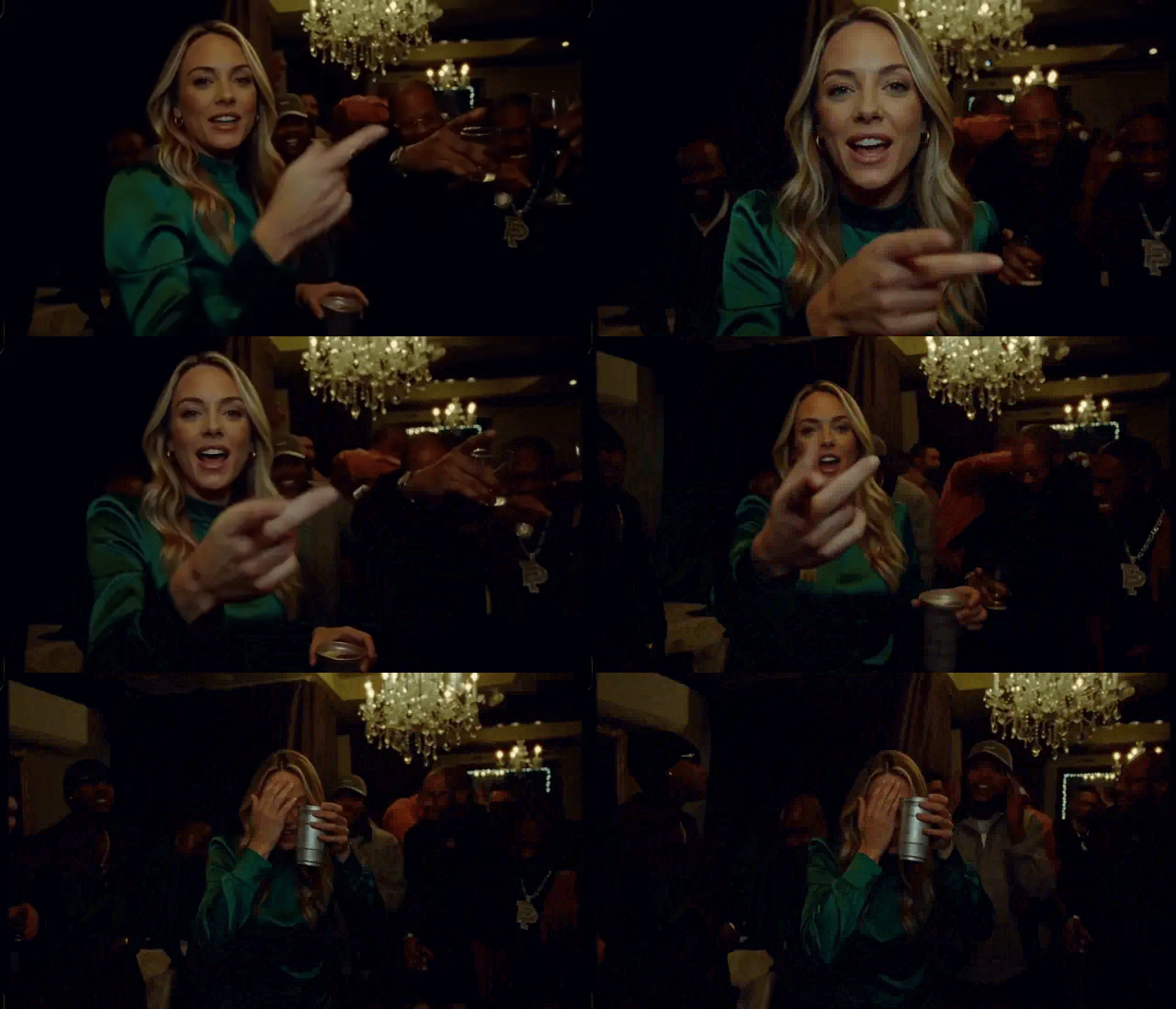
The lead runs through the moves in the original order. Sing along with the cup, point at yourself, turn and point across the room, reach toward the camera, laugh with a hand over your face, wave. Every beat lands where it does in the original, so next to the versions everyone is sharing, yours lines up at a glance.
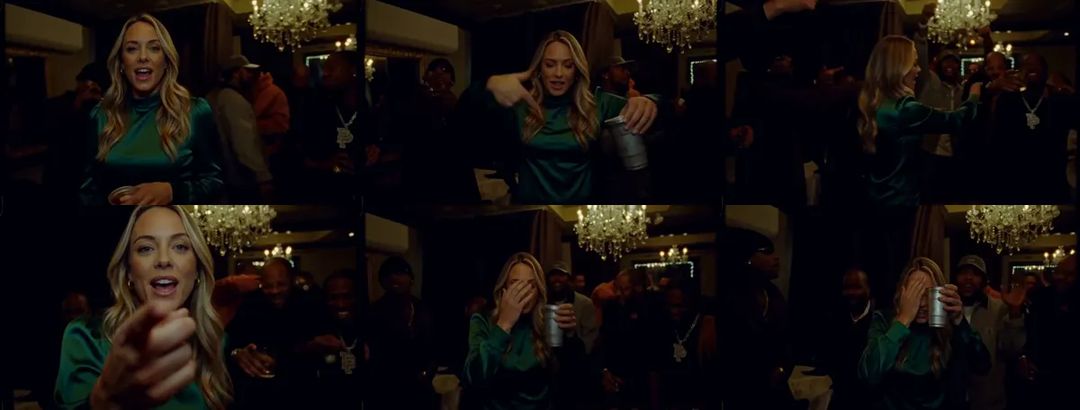
Here is the second half of the person version, from the reach at the camera to the laugh. The GIFs in this post are silent; the real clip has sound.
Person, cat or dog: picking the photo
Before you generate, the template asks who is in your photo: Person, Cat or Dog. Get this one right. It decides whether you get yourself in your own clothes or your pet standing up on its hind legs.
Person. You step into the middle of the room wearing exactly what you wear in the photo. A waist-up or full-body shot works best, because so much of this clip is hands and upper body. With only a headshot, the template has to guess your outfit.
Pet. Your cat or dog stays the same breed, with its own face, fur and markings, standing on its hind legs with the cup in its paws. Use a clear photo, ideally showing the whole animal. Pets vary more from run to run than people do, so if the first one misses, run it again.
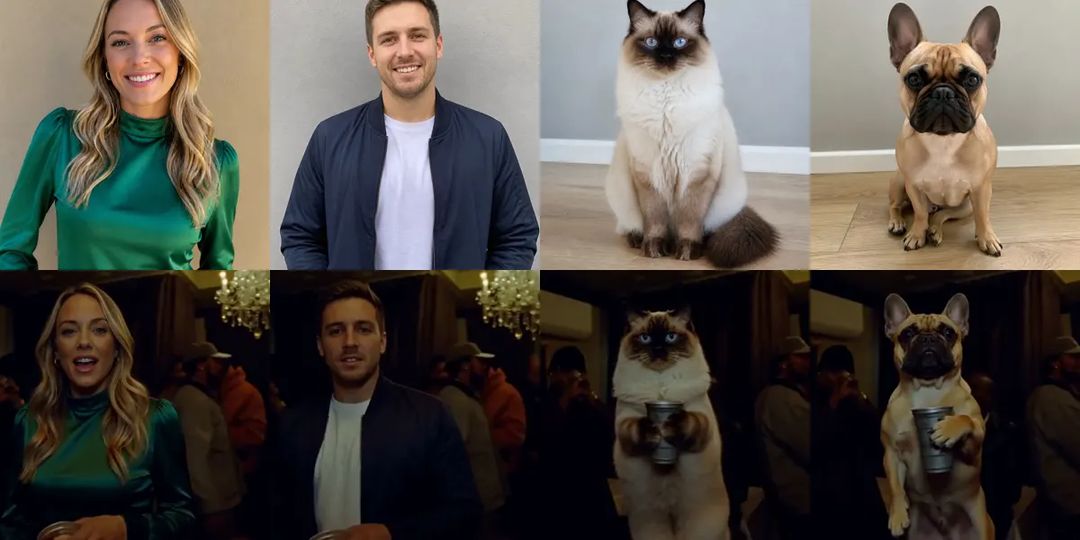
Only use photos of people who are happy to appear. And the result looks like you rather than a copy of you: anyone who knows you will recognize you, but it will not match the photo frame for frame.
How to make a Burning Bridges AI video with ZOOOP
- Open the template page and upload one clear photo.
- Pick Person, Cat or Dog.
- 768p is the default; choose 1440p if you want it sharper.
- Hit generate and wait a few minutes.
No prompt to write. The room, the crowd, the camera shake and the timing of every move are already set.
Here is the French bulldog version. Same reach at the camera, except what comes up is a paw pad.
What went wrong while we built the template
The pet version was much harder than the person version. This one is from a real test run:
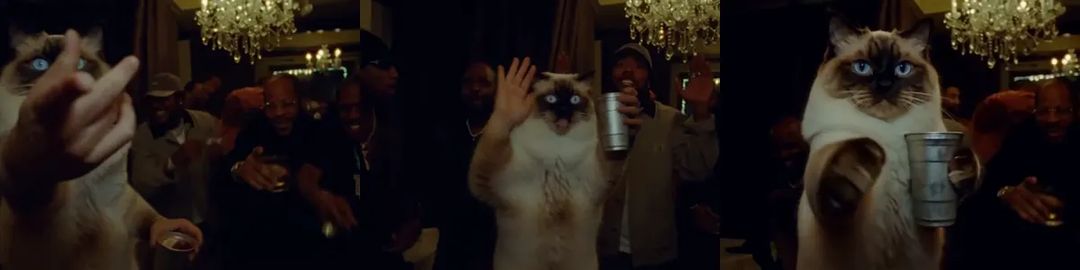
The cat grew human hands. In one test, the ragdoll's face, fur and body were all right. Then came the gestures at the camera and the wave, and out came a human hand, every finger clearly drawn. A cat's head on top of a human hand is funny for about a second and then it gets creepy.
Now, when you pick Cat or Dog, your pet holds the cup, gestures and waves with paws from start to finish; the frame on the right shows what that looks like today. What we have not fully fixed is consistency: run the same pet photo twice and the stance and expression can differ quite a bit. The person version is much steadier.
More ways to play
Get your friends to make one each and cut them into one long party. If you like stepping into a famous scene, Hotel Lobby AI is another classic everyone is swapping into, Storm Dance puts you at the front of a whole crowd, and Gang Gang Dance is for you or your dog in the mood to dance. Everything that turns one photo into a clip lives in the template library, and if you would rather write your own scene, start from AI video generation.
Pick your clearest photo and make your own Burning Bridges AI video with the Burning Bridges AI template.