イメージAI

イメージAI

GPT Image 2.5、Nano Banana 2.1、Seedream 5.0 Proなどで画像を生成・編集し、アップスケール、レタッチ、スタイル変更までひとつの場所で行えます。

AI画像生成を試す

画像

  • 画像ジェネレータ
  • 画像の編集
  • SVGジェネレーター
  • イメージアップスケーラー
  • 背景リムーバー
  • オブジェクトリムーバー
  • 写真の復元

画像モデル

  • Nano Banana 2 LiteNEW
  • Seedream 5.0 FlashNEW
  • Nano Banana 2.1NEW
  • Muse Image
  • GPT Image 2.5
  • Seedream 5.0 Pro
  • Midjourney V8.2
  • Nano Banana Pro
  • Flux 2 Pro
  • Grok Imagine
その他の画像モデル

写真エフェクト

  • バーチャル試着
  • 着せ替え
  • ヘアスタイルチェンジャー
  • プロフィール写真作成
  • 年齢変換
  • スタイルトランスファー
  • ポートレート補正
  • AI フィギュア
その他の画像ツール
ビデオAI

ビデオAI

Seedance 2.5、Gemini Omni 1.1 Flash、MiniMax H3、Kling V4、Wan 3.0で、テキストや画像からネイティブオーディオ付きのシネマティックなクリップを作成できます。

AIビデオ生成を試す

ビデオ

  • ビデオジェネレータ
  • 開始/終了フレーム
  • モーションコントロール
  • ビデオを編集
  • リップシンク
  • ビデオを延長
  • ビデオ効果音
  • ビデオアップスケーラー

ビデオモデル

  • Kling V4NEW
  • MiniMax H3 Max TurboNEW
  • Gemini Omni 1.1 FlashNEW
  • MiniMax H3 Max
  • Vidu Q4
  • Seedance 2.5
  • MiniMax H3
  • Wan 3.0
  • Kling O3
  • Grok Imagine V1.5
その他のビデオモデル

ビデオテンプレート

  • AI ダンス
  • ペット動画
  • 顔交換動画
  • ハロウィン
その他のテンプレート
オーディオAI

オーディオAI

ElevenLabs、Gemini、MiniMax、Lyriaで、リアルな音声、瞬時のボイスクローン、効果音、音楽を生成できます。

テキスト読み上げを試す

オーディオ

  • テキスト読み上げ
  • ボイスクローン
  • サウンドエフェクト
  • 音楽生成
  • ビデオ効果音

オーディオモデル

  • Gemini 3.1 Flash TTSNEW
  • Lyria 3 ProNEW
  • ElevenLabs V3
  • MiniMax Speech 2.8 HD
  • Qwen3-TTS
  • Inworld TTS
  • MiniMax Music 2.6
  • ElevenLabs Sound Effects
  • Index TTS 2
その他のオーディオモデル
AIツール

AIツール

ワンクリックで使える補正とエフェクト。アップスケール、背景削除、オブジェクト消去、古い写真の復元、衣装の試着などに対応しています。

すべてのAIツールを見る

画像ツール

  • イメージアップスケーラー
  • 背景リムーバー
  • オブジェクトリムーバー
  • 写真の復元
  • ポートレート補正
  • スタイルトランスファー
  • テクスチャ変換
  • パース変換

写真エフェクト

  • バーチャル試着
  • 着せ替え
  • ヘアスタイルチェンジャー
  • メイクチェンジャー
  • プロフィール写真作成
  • 年齢変換
  • 表情チェンジャー
  • 商品手持ち写真
  • シティテレポート

ビデオツール

  • ビデオアップスケーラー
  • ビデオを編集
  • ビデオを延長
  • リップシンク
  • ビデオ効果音
すべてのAIツール

人気テンプレート

今みんなが作っているダンス、ペット、ハロウィンの動画。写真を1枚アップロードするだけで、数分でシェアできるクリップが完成します。

人気テンプレートを見る人気Zombie Love Story

テンプレートカテゴリー

  • AI ダンス
  • ペット動画
  • 顔交換動画
  • ハロウィン
  • AI フィギュア
その他のテンプレート

探索

  • モデルライブラリすべてのサポートされているAIモデル-画像、ビデオ、オーディオ。
  • インフィニット・キャンバス1つの共有キャンバスでストーリーボード、作曲、リミックスを行います。
  • ブログAI映画制作のチュートリアル、モデルの深いダイブ、製品ニュース。
  • よくある質問(FAQ)一般的な質問に対する迅速な回答。

開発者向け

  • AI CLIターミナルから画像や動画を生成。
  • APIドキュメント画像、ビデオ、オーディオ生成のためのREST API。
  • エージェントスキルクロード・コード、コーデックス、またはカーソル画像とビデオ生成を提供してください。
AIテンプレート料金
ホームキャンバス
AIジェネレータ
画像ジェネレータ画像の編集SVGジェネレーター
参照付きテキスト開始/終了フレームモーションコントロールビデオを編集リップシンクビデオを延長ビデオ効果音
テキスト読み上げボイスクローンサウンドエフェクト音楽生成
テンプレート
人気テンプレート
ツール
AIツール
リソース
作品
  1. ホーム
  2. テンプレート
  3. ハロウィン
  4. Rainy Clown Photo

Rainy Clown Photo

Upload a person, cat or dog photo for a cinematic portrait beside a horror clown. A red balloon, rain and wet street reflections set the Halloween mood.

Rainy Clown Photo

You or your pet, a red balloon, and an unsettling guest on a rain-soaked street.

ユースケース

主な特徴

One person or pet photo

Create the scene with your own portrait or a photo of your cat or dog. Pets keep a natural animal body and seated pose.

A cinematic Halloween mood

Cool night lighting, a warm porch light and glossy puddle reflections set the atmosphere.

使い方

  1. 01

    Upload one clear photo of one adult, cat or dog.

  2. 02

    Choose 9:16, 3:4 or 1:1 and your output resolution.

  3. 03

    Generate the photo, review the result and download it.

ディープダイブ

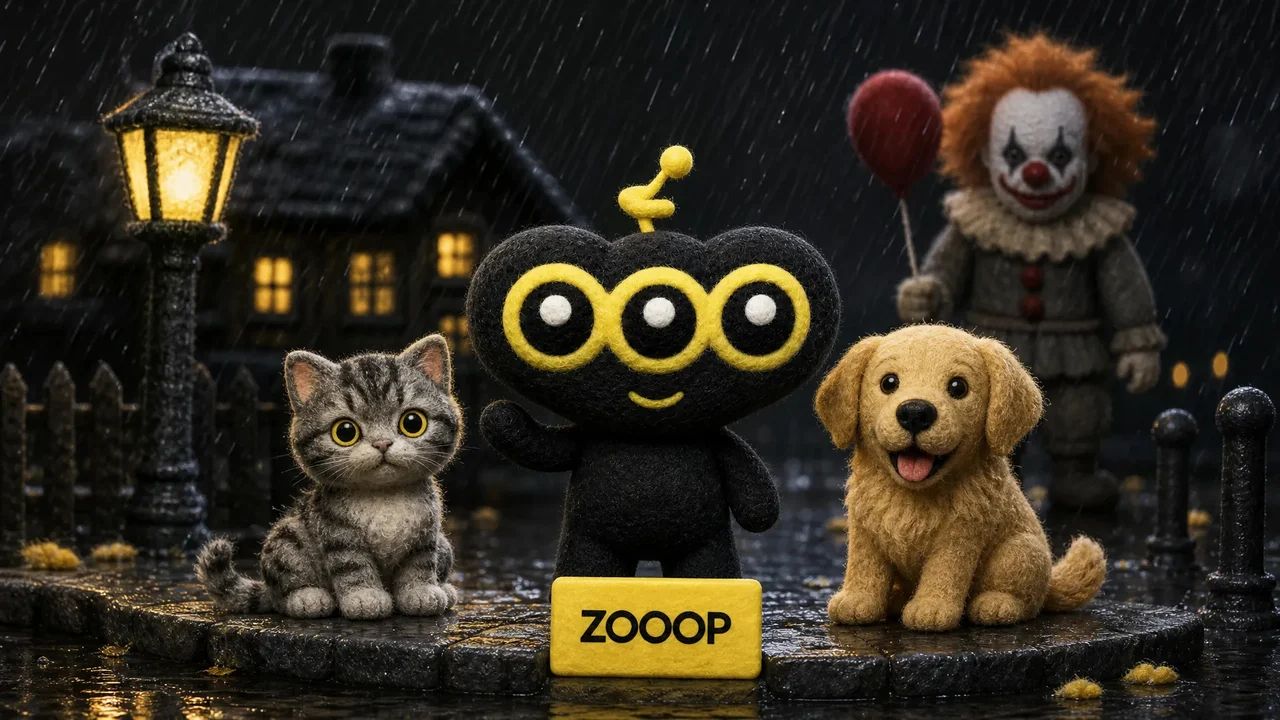
A quiet suburban street, a red balloon and an unexpected guest beside you. Rainy Clown Photo turns one portrait into a cinematic Halloween scene: a person sits on the curb while a sinister clown crouches behind them, with cool streetlights and warm house lights reflected in the wet road.

You can also upload a cat or dog. Pets stay on their own four paws with natural fur and animal proportions, sitting calmly beside the clown. The red balloon is tied to a small weight beside them.

The composition takes its cues from the rainy Pennywise photo trend. It uses your uploaded subject as a reference while creating a new pose and setting. Fine rain and an eerie grin give the image its horror mood; the scene is designed without blood, injuries or violence.

Start with a sharp photo of one adult, cat or dog with an unobstructed face. The default 9:16 layout leaves room for the balloon and puddle reflections. You can also choose a 3:4 portrait or a square image. Facial details and framing can vary between generations. This is an AI-created fan-style scene and does not imply an official film collaboration.
よくある質問

Which photo works best?+

Use a clear, well-lit photo of one adult, cat or dog, facing the camera with the face unobstructed. Avoid group photos and heavy filters.

Will the result look exactly like my original photo?+

The model uses the face, fur and markings as references, but creates a new pose and environment. Likeness and small details may vary. Human clothing is restyled; pets keep their natural fur.

Is the scene graphic?+

It is designed as an eerie posed Halloween photo, without blood, injuries, weapons or an attack.

Is this an official movie photo?+

No. It is an AI-generated fan-style scene, not an official film still or collaboration.

Can I use my cat or dog?+

Yes. Upload one clear pet photo. The pet stays a real cat or dog, seated naturally beside the clown, with the balloon tied nearby.

How many credits does one photo cost?+

1K costs 11 credits, 2K costs 17 credits and 3K costs 26 credits per generated photo. The default is 2K. These prices cover one uploaded person or pet photo and any offered aspect ratio.

ガイドとトレンド

PennywiseとのAIツーショットの作り方:自分や愛猫・愛犬を雨の夜の街へ

PennywiseとのAIツーショットの作り方:自分や愛猫・愛犬を雨の夜の街へ

人物やペットの写真1枚から、雨の夜にPennywiseと並ぶ写真を作成。実際の生成例4点を見ながら、写真の選び方、縦横比、仕上がりの確認ポイントを紹介します。

AIイメージ画像ジェネレータ画像の編集SVGジェネレーター

AIビデオ参照付きテキストモーションコントロール開始/終了フレームビデオを延長ビデオを編集リップシンクビデオ効果音

AIオーディオテキスト読み上げボイスクローンサウンドエフェクト音楽生成

探索すべてのモデルすべてのテンプレートAI ツール用語集モデルを比較する無料ツール代替ツールAI CLIAPIドキュメントエージェントスキル

会社ブログ料金よくある質問(FAQ)プライバシー利用規約権利侵害の報告

© 2026 ZOOOP. すべての権利は保護されています。