Dame Hombro AI: The Viral Freestyle Face-Off and How to Make Your Own
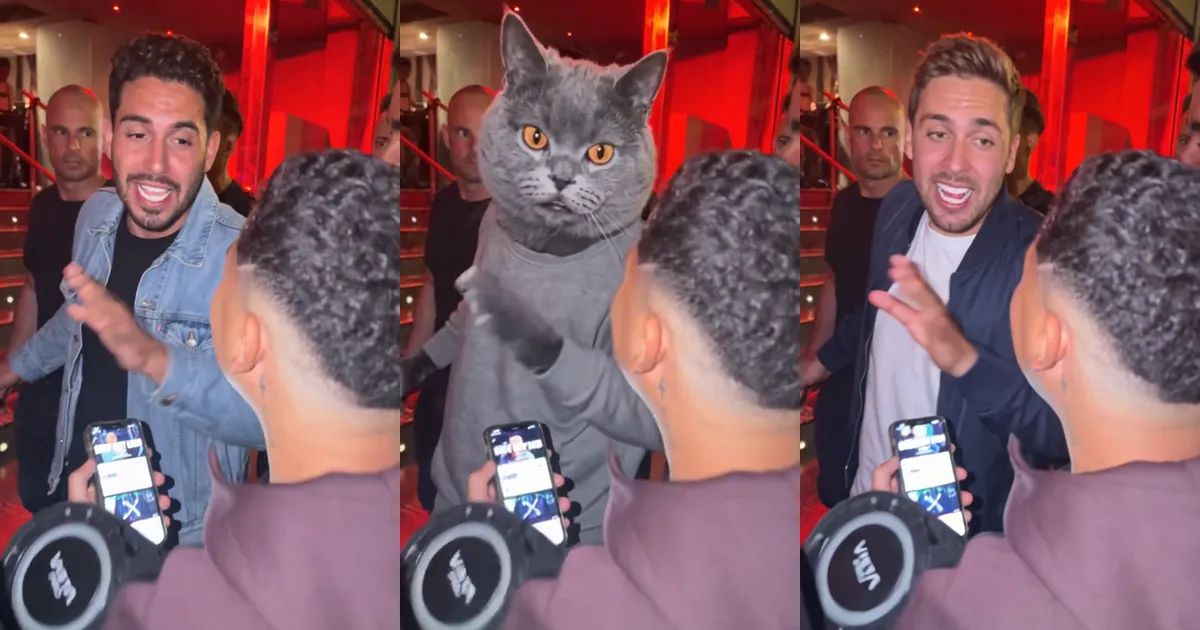
A red-lit entrance, packed with bodyguards and people holding up their phones. Someone pushes in through the crowd, and before they get two steps further, a guy with a portable speaker on his shoulder plants himself in front of them and starts to freestyle, right in their face. They stop. They look at him. And then they fire straight back, one hand chopping the air, until the whole entrance is cheering.
That is the moment behind the Dame Hombro AI trend. The original clip went around in early October, and the AI versions followed within days: same entrance, same freestyler, same crowd, but a new person answering back. This post covers what the trend is, how the 14 seconds play out, and how to make your own Dame Hombro AI video with yourself, a friend, or your cat.
What is the Dame Hombro AI trend?
The clip is one shaky handheld shot. Nobody planned it, which is exactly why it works: the freestyler does not wait for an invitation, and the person walking in does not back down. The AI versions keep every second of that and swap in someone new for the one answering back.
Searches for "dame hombro" jumped about eighteen times in a single week in October, and "dame hombro ai" started climbing right behind it. People are not looking for an explainer so much as for a way to put their own face, or their best friend's, in that spot.
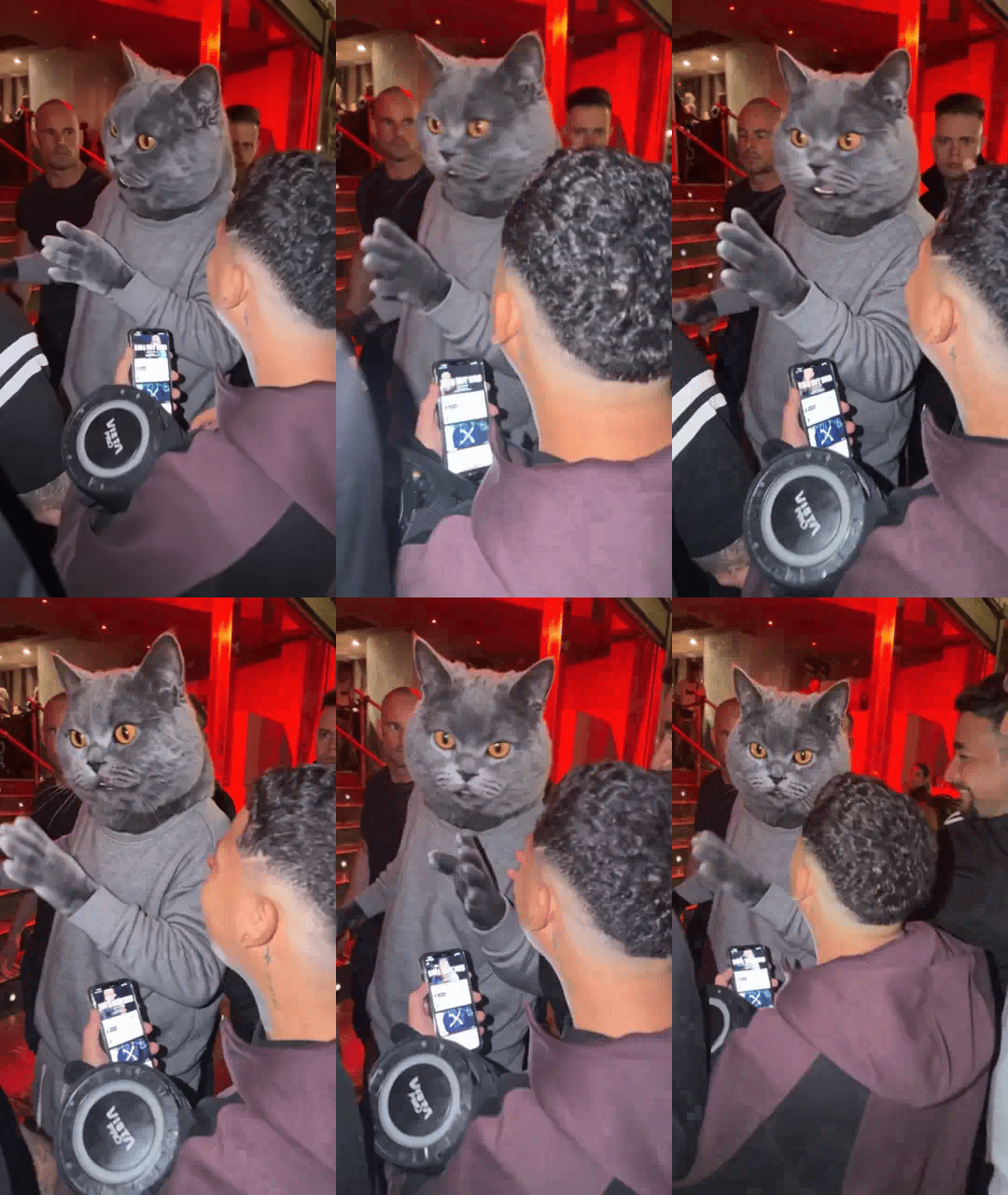
The pet version has a following of its own. A cat with a deadpan face, standing upright in a grey sweatsuit and trading lines with the freestyler, turns out to be very hard to scroll past.
The clip, moment by moment
Our Dame Hombro AI template follows the stretch everyone copies: 14 seconds, 9:16 vertical, one continuous shot with no cuts.
- The walk-in (first 2 seconds): you push in through the crowd at the entrance, bodyguards in black all around.
- The face-off (to about 5.5 seconds): you step past the security guy and stop face to face with the freestyler, one hand up.
- The answer (about 5 seconds): the long middle. You fire back at him, chopping the air with one hand and nodding along while he keeps going.
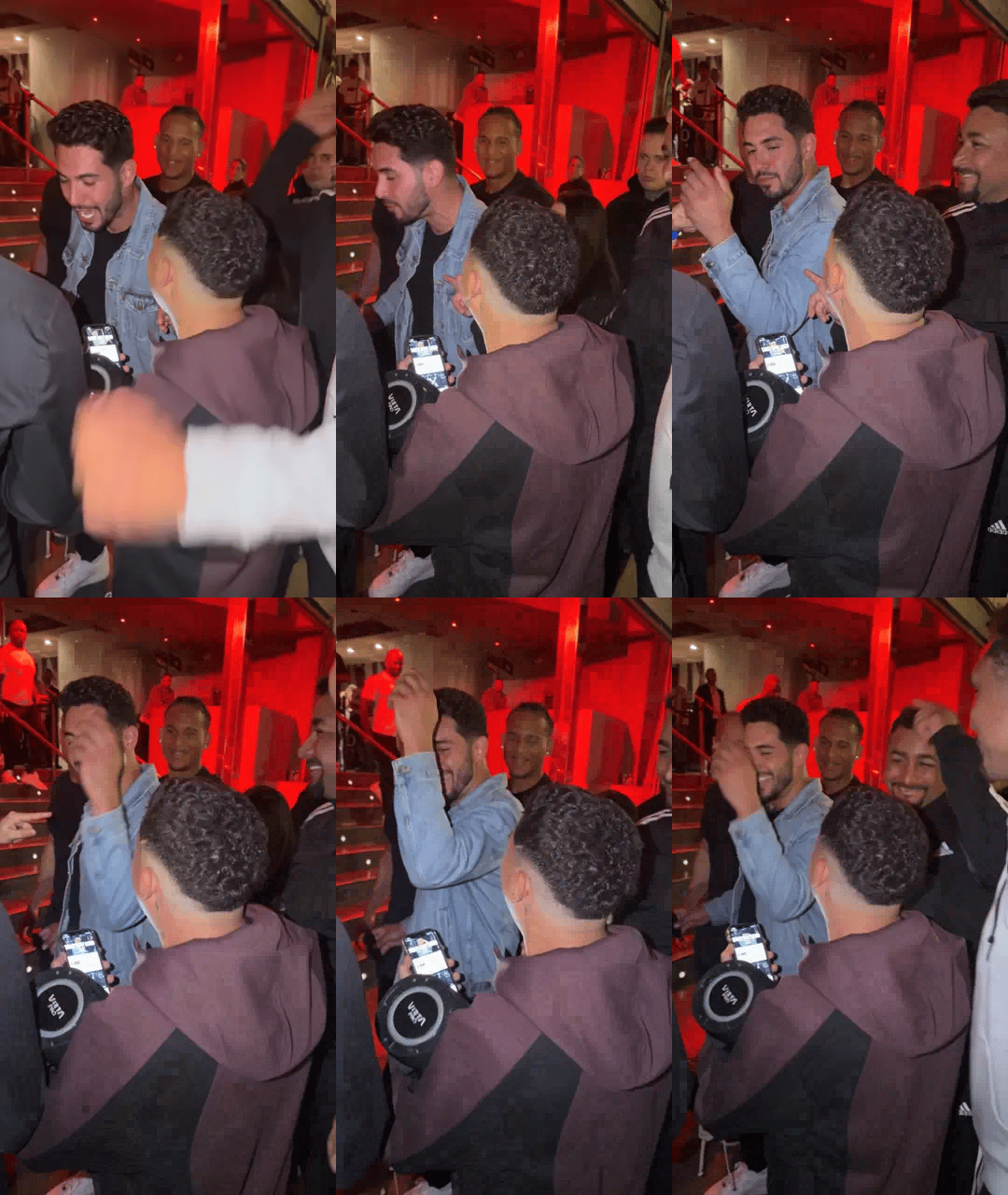
- The finish (last 3 to 4 seconds): people around you point and cheer, and you throw an arm up and put a hand on your head like you cannot believe it either.
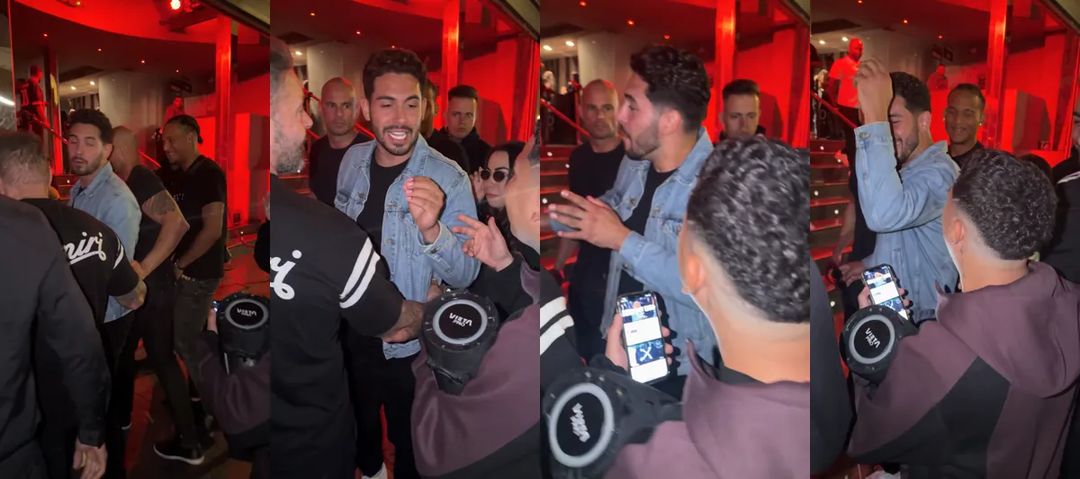
This is the finish, the part people replay. The animations in this post are silent; the real clip has sound.
Picking your photo
The template takes one photo, and you tell it whether that photo is a person or a pet.
- Pick a clear, front-facing photo. The face matters most in the face-off and the answer, when you are close to the camera.
- Your outfit comes along. Whatever you wear in the photo is what you wear in the clip, so a jacket you like is a good idea.
- One subject per photo. In a group photo the template cannot tell who to use.
- Pets: one animal, face clearly visible. Cats and dogs both work.
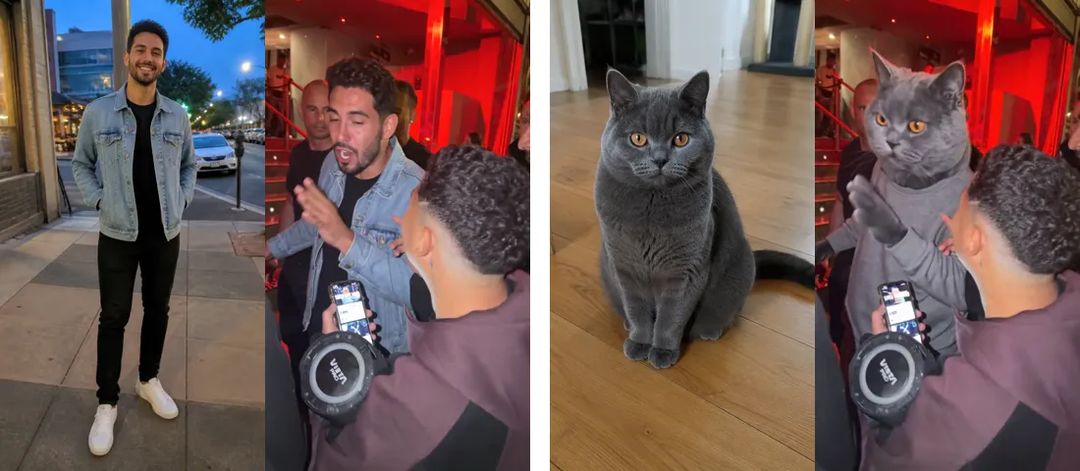
Only use photos of people who are happy to appear, adults only. The result looks like you rather than a copy of you: friends will recognize you right away, but it will not match the photo frame for frame.
How to make a Dame Hombro AI video with ZOOOP
- Open the template page and upload one photo.
- Pick Person or Pet.
- 480p is the default; pick 720p if you want it sharper.
- Hit generate and wait a few minutes.
No prompt and no editing. The entrance, the freestyler, the crowd and the timing are already in place.
And here is the cat version. Set the photo to Pet, and your cat steps up as an upright character in a grey sweatsuit, paws going the whole time.
What surprised us while building the template
The first two seconds are supposed to be messy. You are half hidden behind bodyguards while you push in, and that is how the original looks too. The face-off is where your face really shows, so that is the part your photo needs to carry.
Clothes carry over almost exactly. The denim jacket stays a denim jacket, a navy bomber stays a navy bomber with the same white T-shirt underneath. If you want a different look in the clip, change the photo, not the template.
We built the pet version the way people share it. The AI cat version people keep reposting is not a real cat at knee height; it is a cat's head on an upright body in a grey sweatsuit. A real cat down at floor level would disappear behind the crowd and the speaker, so Pet mode keeps your animal's face, ears and fur on that upright character. Our British Shorthair even did the hand-chopping with its paws.
Pets vary more than people. That has been true in every template we have built. If your pet's face or markings come out a little off, run it again before you change the photo.
More ways to play
Make one of yourself, then one of the friend who never backs down from anything, and see whose answer lands harder. For more clips where you take someone's place in a real moment, browse the face swap video templates, like the party in Burning Bridges or the white-studio duo in Alors On Danse AI. Everything that turns a photo into a clip lives in the template library, and if you would rather write your own scene, start from AI video generation.
Pick your boldest photo and make your own Dame Hombro AI video with the Dame Hombro AI template. He raps first, you answer.