Alors on Danse AI: The White-Studio Duo Trend and How to Make Your Own
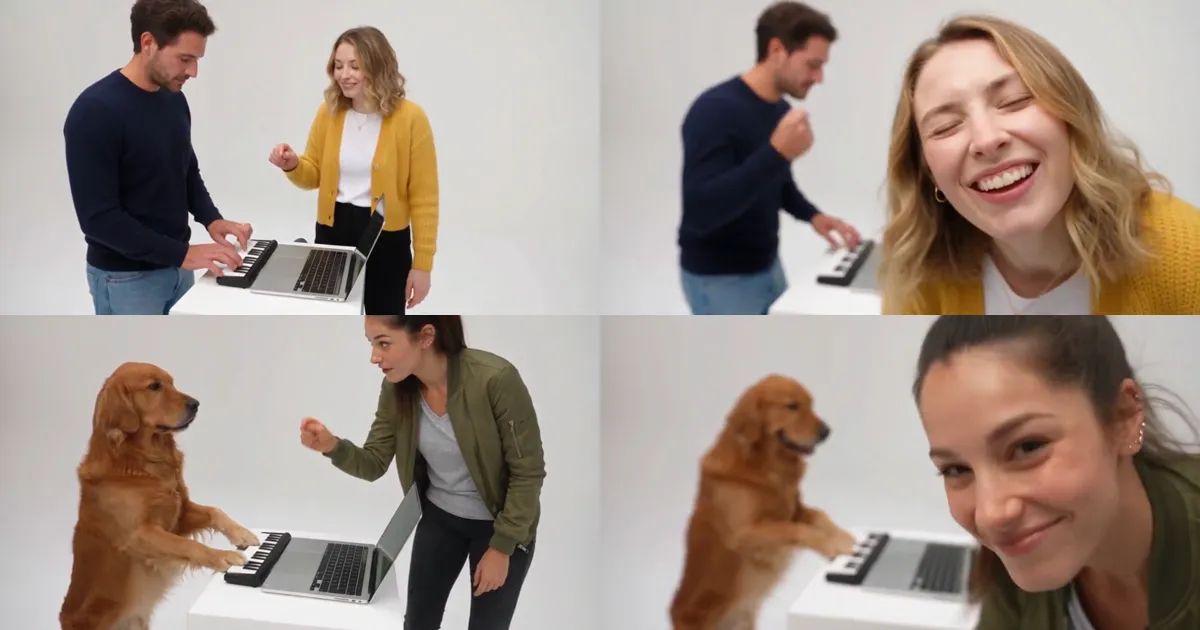
Two people at a small white table in an empty white studio. One of them taps out a beat on a tiny keyboard next to a laptop, dead serious. The other one cannot stand still: points at the keys, points at the screen, points at everything, snaps, laughs. Then they crouch down and push their face right into the camera. In the last few seconds the two of them jog toward the lens while it pulls back, until they are two small figures in an endless white room.
That is the Alors on Danse AI trend, and in October it went from nowhere to everywhere. This post covers what it is, how the 30-second clip goes, and how to make your own Alors on Danse AI video with a friend, your partner, or your dog.
What is the Alors on Danse AI trend?
The scene comes from an old comedy sketch filmed in a bright white studio. The AI version keeps every second of it and swaps in two new people. It caught on first across Europe in early October, and searches for "alors on danse ai" went up about eighteen times in a single week.
Part of the appeal is how little it asks of you. There is no dance to learn and no costume to buy. One person only has to look busy at a keyboard, and the other only has to be the friend who cannot sit still. Everyone has that friend, which is exactly why people keep tagging each other in the comments.
Most people search for it as "alors on danse ai" or "alors on danse trend", and what they want is the same clip with their own faces in it.
The clip, shot by shot
Our Alors On Danse AI template follows the version everyone copies: 30 seconds, 16:9 landscape, four shots.
- The setup (first 3 seconds): the keyboard player taps away while the partner leans over the laptop and points at the keys.
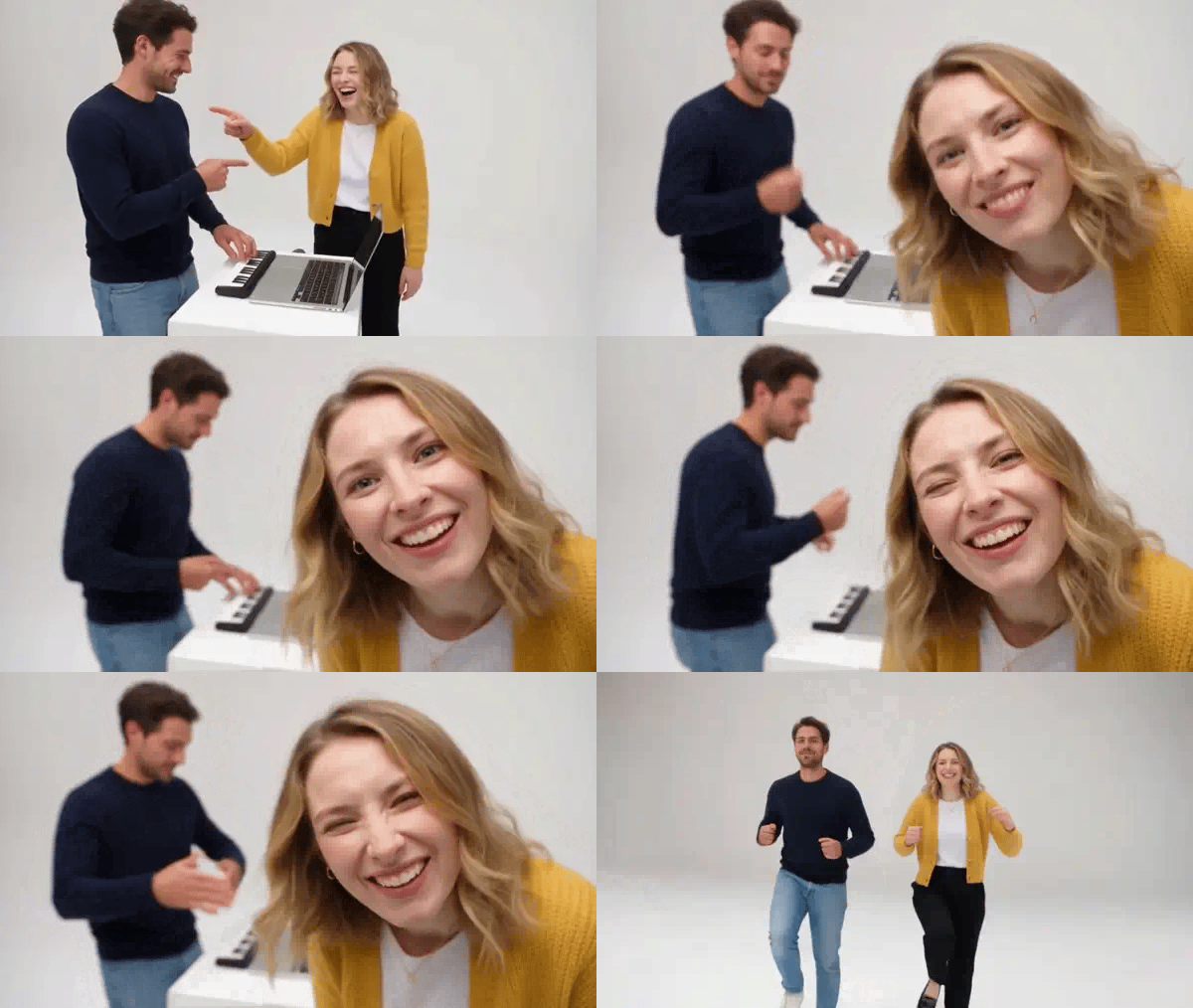
- The groove (about 16 seconds): same framing, the long middle. The keyboard player keeps at it; the partner snaps, waves, points at the screen and at the keyboard player, and near the end the two point at each other.
- The lean-in (about 6 seconds): the partner crouches and pushes their face into the lens until it fills half the frame, grinning, while the keyboard player keeps playing behind them.
- The jog (last 5 seconds): wide shot, the two jog side by side toward the camera as it pulls far back into the white.
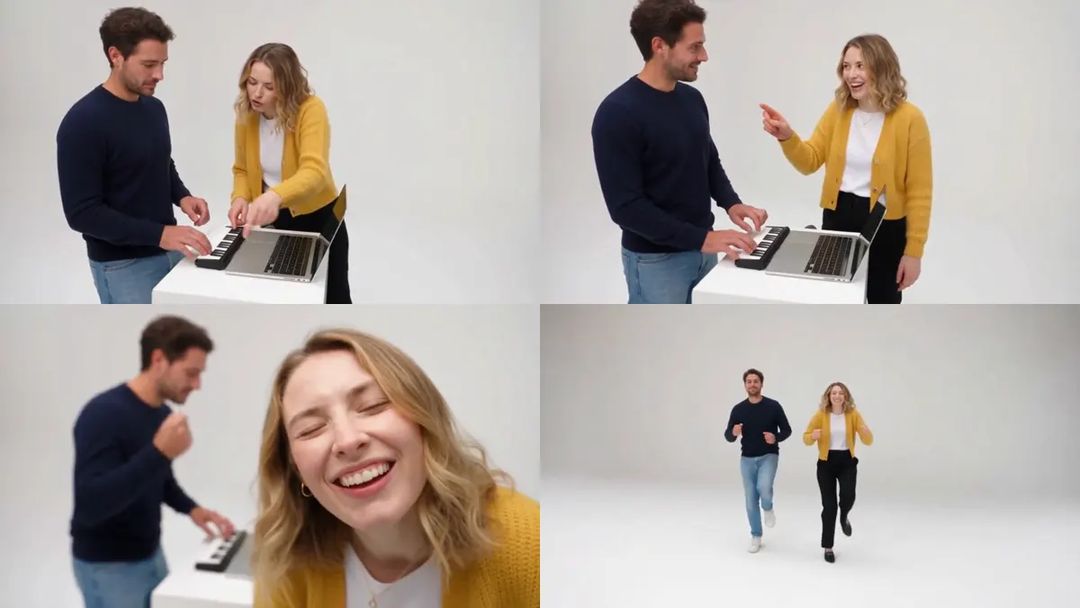
Here is the lean-in, the moment everyone waits for. The animations in this post are silent; the real clip has sound.
Picking the two photos
The template takes exactly two photos, and the order matters:
- Photo 1 plays the keyboard. It is on screen for all 30 seconds but never in close-up, so any clear photo works. This is also the spot for a pet.
- Photo 2 is the partner, the one who grooves, points and gets the big close-up. Put your most expressive friend here, and use a sharp, well-lit photo where their face is easy to see.
- Full-body photos work best. Everyone is seen head to toe in the final jog, and the outfits come from the photos.
- One subject per photo. In a group photo the template cannot tell who to use.
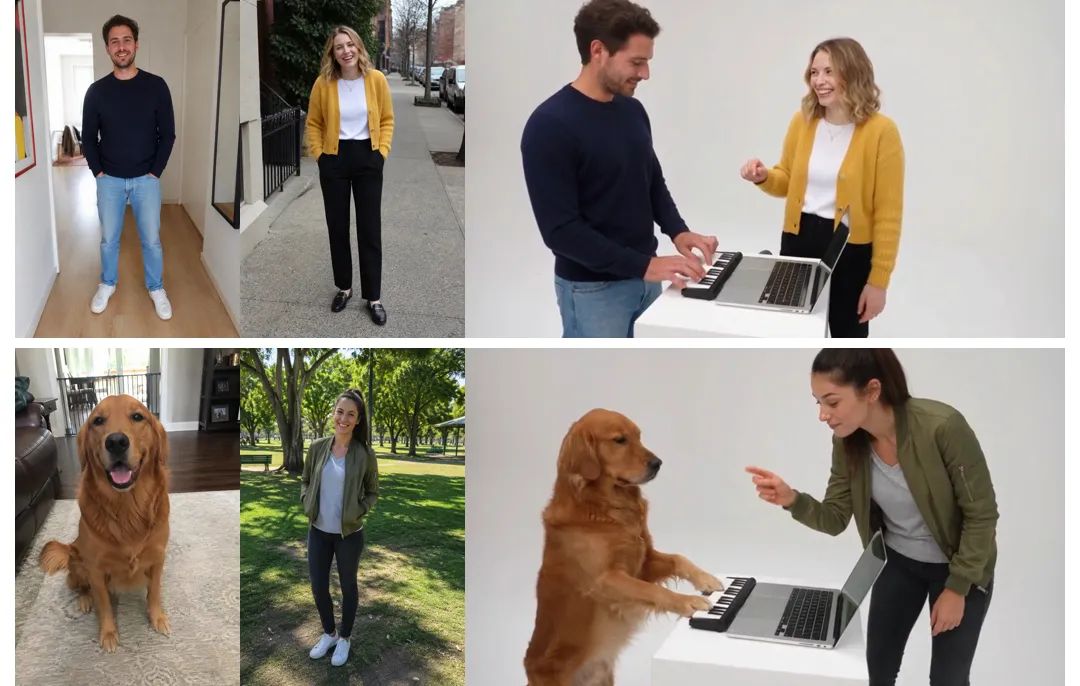
Only use photos of people who are happy to appear, adults only. The result looks like you rather than a copy of you: friends will recognize you right away, but it will not match the photo frame for frame.
How to make an Alors on Danse AI video with ZOOOP
- Open the template page and upload photo 1 (the keyboard player) and photo 2 (the partner).
- Set photo 1 to Person or Pet.
- 480p is the default; pick 720p if you want it sharper.
- Hit generate. It usually takes about ten minutes.
No prompt and no editing. The studio, the four shots, the camera and the timing are already in place.
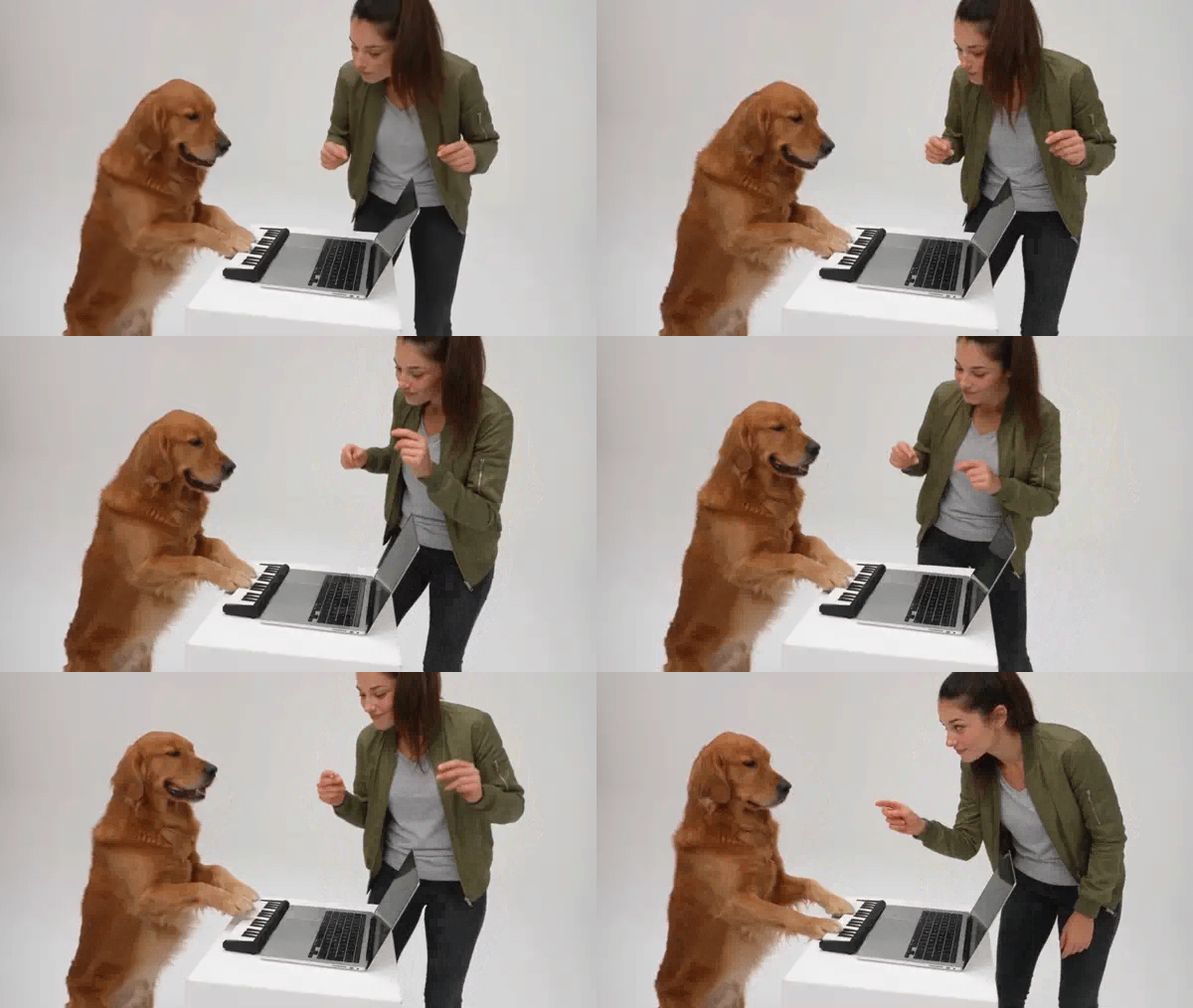
And here is the dog version. Set photo 1 to Pet and your dog gets the keyboard.
What surprised us while building the template
The close-up is the whole joke. Six seconds of one face filling the screen is a lot. If photo 2 is blurry or the face is small, that is the part that suffers, so spend your effort on that photo.
Pets play the keyboard, not the close-up. We tried a dog in the partner's spot first, and it never looked right: the clip kept wanting a person there, and the dog ended up as an extra standing off to the side. At the keyboard it is a different story. A golden retriever with both paws on the keys and a straight face is the funniest version we made, and at the end it runs alongside on all fours.
Outfits come from your photos. In an early test the partner's photo stopped at the waist, so her trousers in the final jog were pure guesswork. With full-body photos everyone runs off in their own clothes.
Pets vary more than people. That has been true in every template we have built. If a pet's face or fur comes out a little off, run it again before you change the photo.
More ways to play
Make one with your best friend, then one with your partner, and see who wins the close-up. If your pets want a dance of their own, try the Smalltown Boy Cat Dance, and for a solo party clip, Burning Bridges. Everything that turns a photo into a clip lives in the template library, and if you would rather write your own scene, start from AI video generation.
Grab the friend who points at everything and make your own Alors on Danse AI video with the Alors On Danse AI template. One of you plays, the other leans in.