圖像 AI

圖像 AI

用 GPT Image 2.5、Nano Banana 2.1、Seedream 5.0 Pro 等模型生成與編輯圖片,放大、修圖、換風格也能在同一處完成。

試試 AI 生圖

圖像

  • 圖像生成
  • 圖像編輯
  • SVG 生成
  • 圖像超分
  • 背景去除
  • 物體擦除
  • 老照片修復

圖像模型

  • Nano Banana 2 Lite新
  • Seedream 5.0 Flash新
  • Nano Banana 2.1新
  • Muse Image
  • GPT Image 2.5
  • Seedream 5.0 Pro
  • Midjourney V8.2
  • Nano Banana Pro
  • Flux 2 Pro
  • Grok Imagine
更多圖像模型

照片特效

  • 虛擬試穿
  • AI 換裝
  • 髮型更換
  • 職業頭像
  • 年齡變換
  • 風格遷移
  • 人像增強
  • AI 公仔
更多圖像工具
影片 AI

影片 AI

用 Seedance 2.5、Gemini Omni 1.1 Flash、MiniMax H3、Kling V4、Wan 3.0,把文字和圖片變成帶原生音訊的電影感影片。

試試 AI 影片生成

影片

  • 影片生成
  • 首尾幀
  • 動作控制
  • 影片編輯
  • 對口型
  • 影片續寫
  • 影片音效
  • 影片超分

影片模型

  • Kling V4新
  • MiniMax H3 Max Turbo新
  • Gemini Omni 1.1 Flash新
  • MiniMax H3 Max
  • Vidu Q4
  • Seedance 2.5
  • MiniMax H3
  • Wan 3.0
  • Kling O3
  • Grok Imagine V1.5
更多影片模型

影片模板

  • AI 跳舞
  • 寵物影片
  • 換臉影片
  • 萬聖節
更多模板
音訊 AI

音訊 AI

由 ElevenLabs、Gemini、MiniMax、Lyria 驅動的擬真人聲、秒級音色克隆、音效與音樂。

試試文字轉語音

音訊

  • 文字轉語音
  • 音色克隆
  • 音效
  • 音樂生成
  • 影片音效

音訊模型

  • Gemini 3.1 Flash TTS新
  • Lyria 3 Pro新
  • ElevenLabs V3
  • MiniMax Speech 2.8 HD
  • Qwen3-TTS
  • Inworld TTS
  • MiniMax Music 2.6
  • ElevenLabs Sound Effects
  • Index TTS 2
更多音訊模型
AI 工具

AI 工具

一鍵放大、去背、擦除物體、修復老照片、虛擬試穿等單點工具。

瀏覽全部 AI 工具

圖像工具

  • 圖像超分
  • 背景去除
  • 物體擦除
  • 老照片修復
  • 人像增強
  • 風格遷移
  • 材質替換
  • 視角變換

照片特效

  • 虛擬試穿
  • AI 換裝
  • 髮型更換
  • 妝容更換
  • 職業頭像
  • 年齡變換
  • 表情更換
  • 產品手持圖
  • 城市穿越

影片工具

  • 影片超分
  • 影片編輯
  • 影片續寫
  • 對口型
  • 影片音效
全部 AI 工具

熱門模板

大家正在做的跳舞、萌寵、萬聖節影片。上傳一張照片,幾分鐘就能拿到可以直接分享的短片。

瀏覽熱門模板熱門Zombie Love Story

模板分類

  • AI 跳舞
  • 寵物影片
  • 換臉影片
  • 萬聖節
  • AI 公仔
更多模板

探索

  • 模型庫已支援的所有 AI 模型——圖像、影片、音訊。
  • 無限畫布在同一塊畫布上分鏡、合成、二次創作。
  • 部落格AI 創作教程、模型深度評測、產品動態。
  • 常見問題常見問題速查,一處答清楚。

開發者

  • AI CLI在終端機裡生成圖片和影片。
  • API 文件圖像、影片與音訊生成的 REST API。
  • Agent 技能讓 Claude Code、Codex、Cursor 直接生成圖片和影片。
AI 模板定價
首頁畫布
AI 生成器
圖像生成器圖片編輯SVG 向量圖
文字配參考首尾幀運動控制影片編輯口型同步影片延長影片音效
文字轉語音語音克隆音效生成音樂生成
模板
熱門模板
工具
AI 工具
資源
我的作品
  1. 首頁
  2. 模板
  3. 萬聖節
  4. Rainy Clown Photo

Rainy Clown Photo

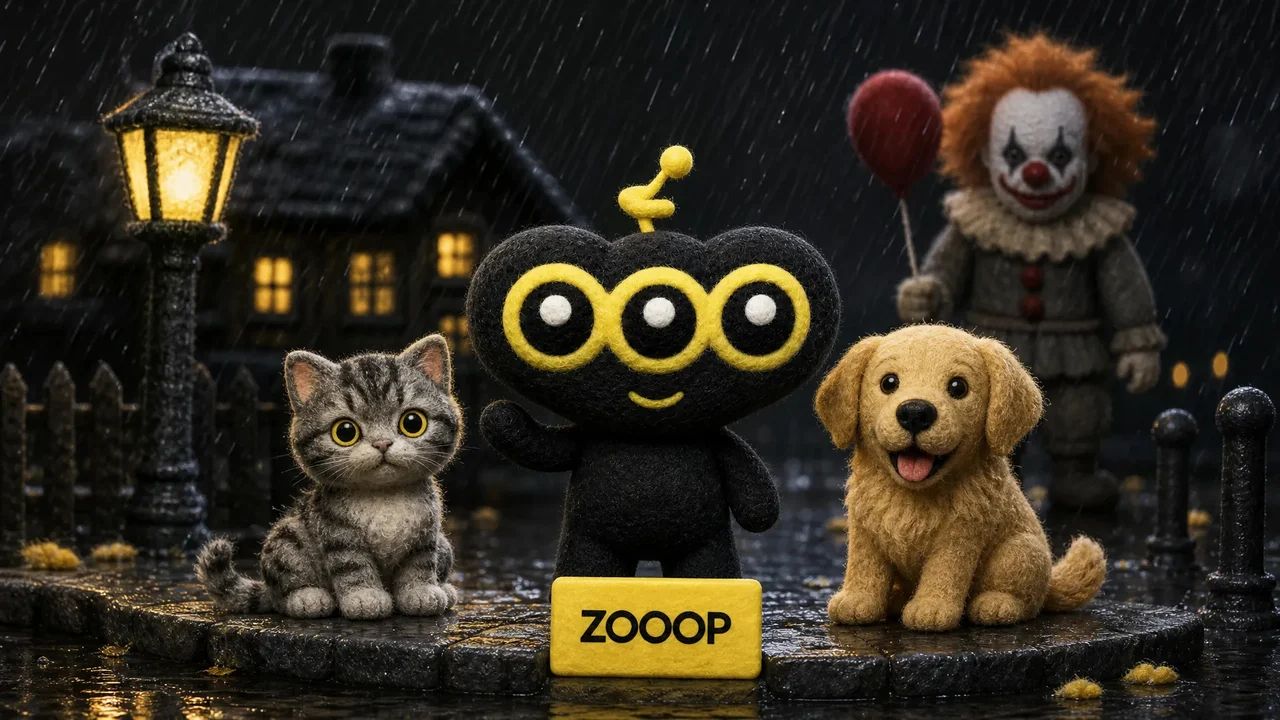
Upload a person, cat or dog photo for a cinematic portrait beside a horror clown. A red balloon, rain and wet street reflections set the Halloween mood.

Rainy Clown Photo

You or your pet, a red balloon, and an unsettling guest on a rain-soaked street.

使用場景

核心能力

One person or pet photo

Create the scene with your own portrait or a photo of your cat or dog. Pets keep a natural animal body and seated pose.

A cinematic Halloween mood

Cool night lighting, a warm porch light and glossy puddle reflections set the atmosphere.

如何使用

  1. 01

    Upload one clear photo of one adult, cat or dog.

  2. 02

    Choose 9:16, 3:4 or 1:1 and your output resolution.

  3. 03

    Generate the photo, review the result and download it.

深入瞭解

A quiet suburban street, a red balloon and an unexpected guest beside you. Rainy Clown Photo turns one portrait into a cinematic Halloween scene: a person sits on the curb while a sinister clown crouches behind them, with cool streetlights and warm house lights reflected in the wet road.

You can also upload a cat or dog. Pets stay on their own four paws with natural fur and animal proportions, sitting calmly beside the clown. The red balloon is tied to a small weight beside them.

The composition takes its cues from the rainy Pennywise photo trend. It uses your uploaded subject as a reference while creating a new pose and setting. Fine rain and an eerie grin give the image its horror mood; the scene is designed without blood, injuries or violence.

Start with a sharp photo of one adult, cat or dog with an unobstructed face. The default 9:16 layout leaves room for the balloon and puddle reflections. You can also choose a 3:4 portrait or a square image. Facial details and framing can vary between generations. This is an AI-created fan-style scene and does not imply an official film collaboration.
常見問題

Which photo works best?+

Use a clear, well-lit photo of one adult, cat or dog, facing the camera with the face unobstructed. Avoid group photos and heavy filters.

Will the result look exactly like my original photo?+

The model uses the face, fur and markings as references, but creates a new pose and environment. Likeness and small details may vary. Human clothing is restyled; pets keep their natural fur.

Is the scene graphic?+

It is designed as an eerie posed Halloween photo, without blood, injuries, weapons or an attack.

Is this an official movie photo?+

No. It is an AI-generated fan-style scene, not an official film still or collaboration.

Can I use my cat or dog?+

Yes. Upload one clear pet photo. The pet stays a real cat or dog, seated naturally beside the clown, with the balloon tied nearby.

How many credits does one photo cost?+

1K costs 11 credits, 2K costs 17 credits and 3K costs 26 credits per generated photo. The default is 2K. These prices cover one uploaded person or pet photo and any offered aspect ratio.

教學與熱門話題

雨夜小丑合照怎麼做?用 ZOOOP 給自己和貓狗拍一張萬聖節寫真

雨夜小丑合照怎麼做?用 ZOOOP 給自己和貓狗拍一張萬聖節寫真

一張人物或寵物照片,生成與恐怖小丑坐在雨夜街頭的合照。結合兩張人物、一張貓和一張狗的實際成片,講清選圖、畫幅和檢查細節。

AI 圖像圖像生成器圖片編輯SVG 向量圖

AI 影片文字配參考運動控制首尾幀影片延長影片編輯口型同步影片音效

AI 音訊文字轉語音語音克隆音效生成音樂生成

探索全部模型全部模板AI 工具術語庫模型對比免費工具替代方案AI CLIAPI 文件Agent 技能

公司部落格購買積分常見問題隱私政策服務條款侵權檢舉

© 2026 ZOOOP. 保留所有權利。