How to Make the Dougie Clone Dance From One Photo
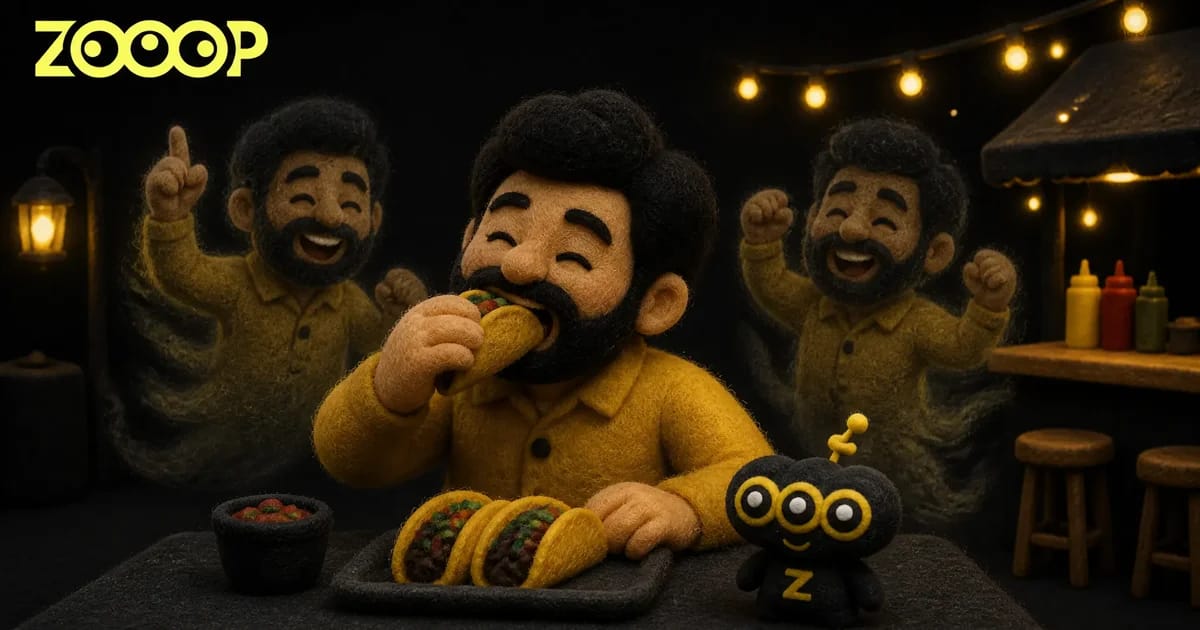
Turn a single adult portrait into a 12-second vertical Dougie clip. See the taco shop example and learn what makes a clear source photo.
The diner is halfway through a taco when someone rises behind his shoulder. Look closer and it is the same guy, already dancing. Soon there are copies on both sides of the table, but the seated one barely looks up. The Dougie Clone Dance template puts the person from one photo in both roles.
What happens in the taco shop
The camera stays at table height. The first bite draws your eye to the tray, then a faint silhouette comes up behind the diner's shoulder. The doubles spread out, sway their shoulders and raise their fists. The diner occasionally bobs his head, still holding the taco.
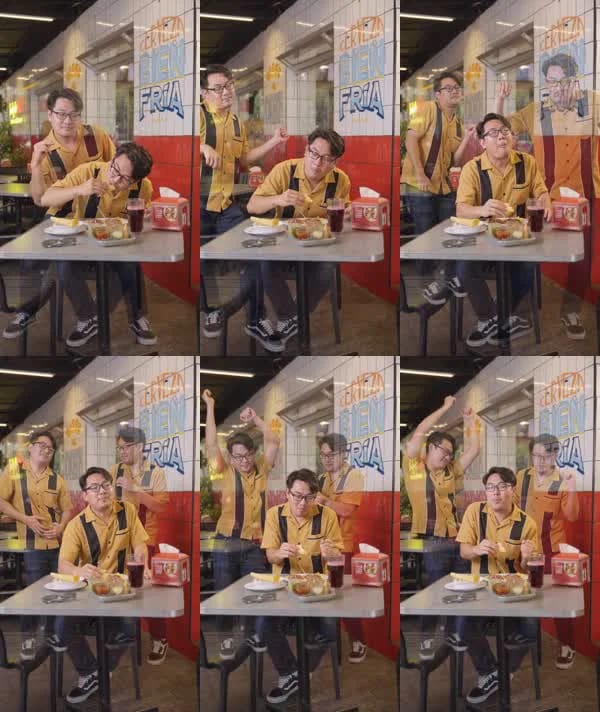
The joke works because all of that happens in the same shot. The diner has a solid outline and the wall shows through the dancers. Even when two of them lift their arms at once, there is room in the frame for the table and the copies.
Pick a photo with a face and an outfit you can see
Use one well-lit photo of yourself or an adult who has agreed to be in the clip. A waist-up portrait gives the template a clear face, neckline and sleeves. A full-body photo also shows the trousers and shoes. Front-facing works well, and a slight turn is fine if you can still make out both eyes and the jawline.
The man in our Dougie clone dance example wears a mustard bowling shirt and rectangular glasses. Those details make him easy to recognize even when the dancers overlap. Your equivalent could be a jacket with a distinctive collar, a bright sweater or a clearly visible hairstyle. Try looking at the photo as a thumbnail. If you can still recognize the person and their outfit at that size, you have a good starting point.
Upload one photo and make the video
Open Dougie Clone Dance, select Upload and add your photo. Keep the default 480p or choose 720p. The Generate button shows the credit cost for that run. Once the clip is ready, download it or find it later in My Creations.
Both resolutions produce the same 12-second vertical format. Use 480p for a quick clip to watch on your phone. Choose 720p when you want to see more detail in faces and clothing or plan to crop the frame.
Look at the outlines when the dancers overlap
The copy near the bright tiled wall looks fainter than the diner in front. In the finished clip, the left dancer's yellow shirt stays easy to spot when he raises his arm, while the dancer on the right almost blends into the wall. The change in opacity helps separate the layers.
If your Dougie clone dance comes back with doubles that look like different people, try a more evenly lit portrait. Heavy shadows, hair across the eyes and a second person in the photo all make the face harder to read. If you want a different routine, the AI dance templates have other camera angles and moves.
Frequently asked questions
How many photos do I upload?
Upload one clear photo of an adult. The seated diner and the dancing doubles all use that photo.
Do I need to film myself dancing?
A single photo is enough. The template provides the taco shop setting, the fixed camera angle and the choreography.
Is the video portrait or landscape?
It is a 12-second vertical 9:16 clip. Choose either 480p or 720p.