AI Product Photography From One Phone Snapshot: What Worked and What Broke
There is an unbranded amber glass spray bottle on my desk, the kind you decant fragrance into. I took one photo of it with my phone and wanted to find out whether that single frame was enough to produce a set of AI product photos good enough for a listing page, plus a short AI product video.
No studio, no softbox, nobody hired. Here is the whole run, including the two parts that did not work.
What a phone snapshot is actually missing
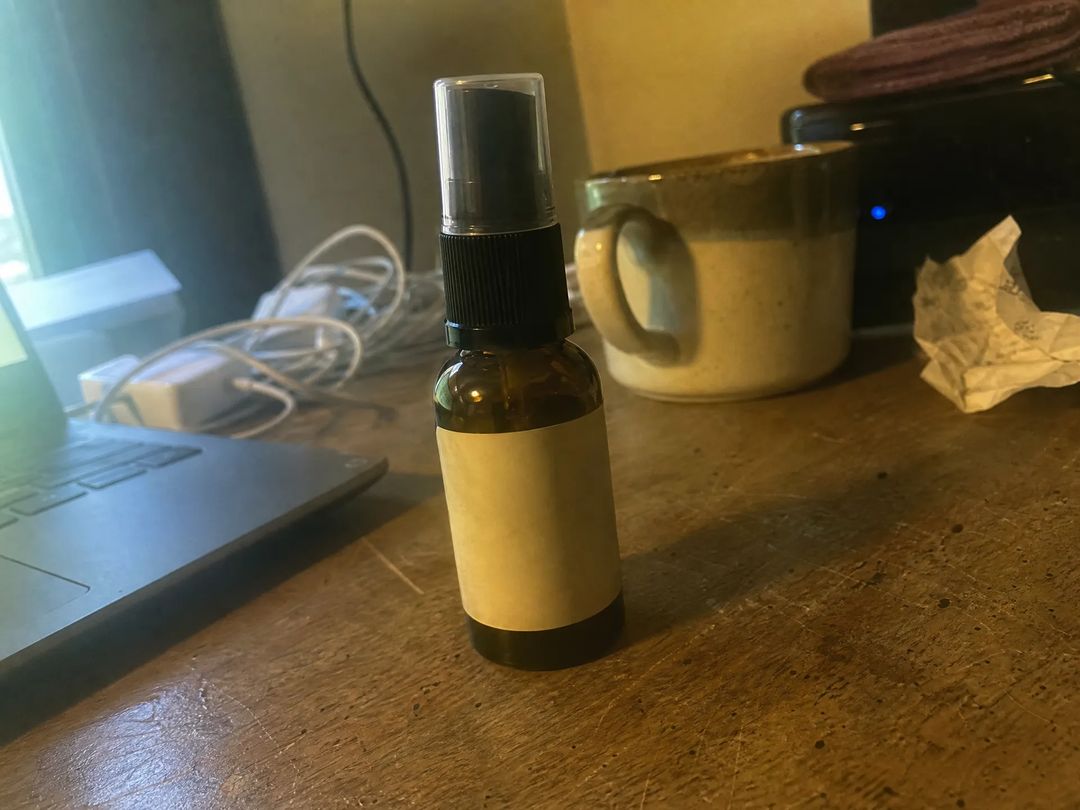
A wooden desk, a knotted charging cable, half a cold coffee, one hard shadow from the ceiling light, and a yellow-green cast over everything. This is what most small sellers are actually starting from.
What it's missing isn't sharpness. It's three other things: the background is busy, the light has no direction, and the framing won't match the other photos in the listing. Those three happen to be exactly what AI product photography is currently good at.
The bar for the source photo is low: the whole object visible, not blurry, not buried in shadow. Meet those three and a phone snapshot is enough.
Step one isn't generating anything, it's cutting the object out
The conclusion first — background removal was the least troublesome part of the run.
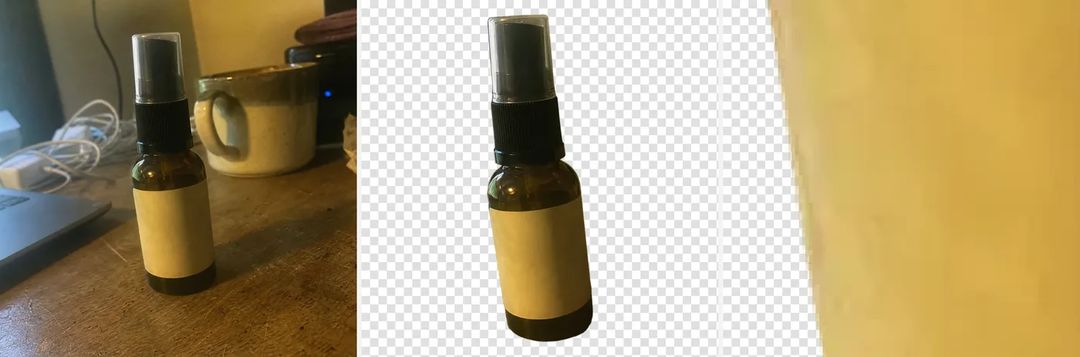
Original on the left, the cut-out in the middle, and the glass edge blown up to visible pixels on the right. The clear over-cap survived intact and the edge came back with no white halo and no fringing — glass and transparent plastic are usually where cut-outs fall apart, and this went through on the first pass. That step ran through background removal.
Zooming in did expose something else, though. The yellow-green cast from the original came along untouched. Cutting out separates the subject from the background; it does not correct color. So this transparent-background file isn't a finished AI product photo — it's the reference every later one is built from.
Lighting beats scenery: write the light, not the place
With a reference in hand, I used AI image generation to produce the four scenes listing pages ask for most.
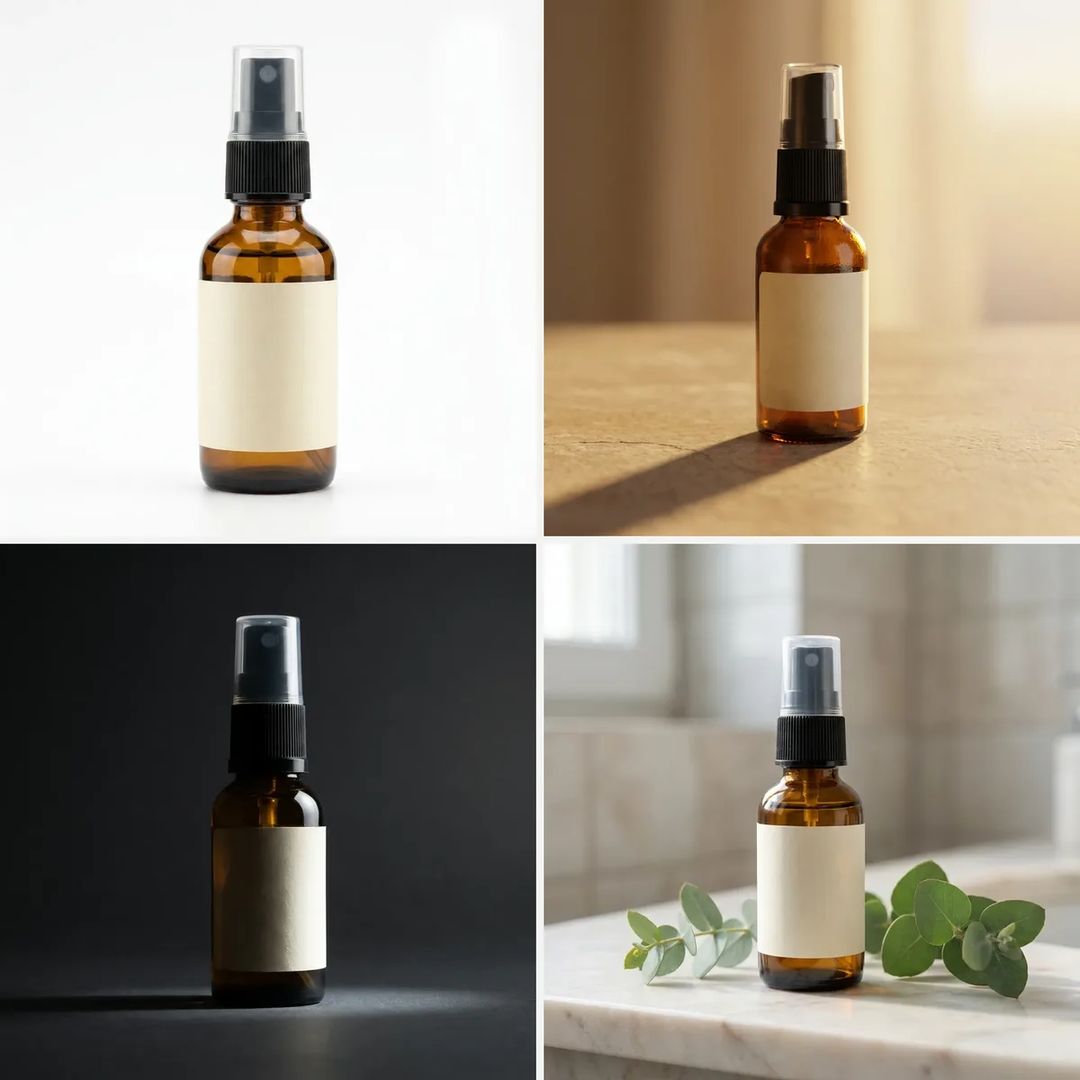
Top left is the plain white hero shot — flat light, a fill card on the right, a small contact shadow under the base. Top right puts it on beige stone under low warm backlight, so the shadow runs long and a gold rim rides the right edge of the glass. Bottom left is a dark ground with a single hard light, the left half dropped into shadow. Bottom right is the lifestyle route: marble counter, a few eucalyptus sprigs.
The single most useful thing I learned: write the scene and the light together. "On a stone surface" gets you a surface and a flat wash of nothing. "Warm low backlight from the upper right, shadow stretching left, a gold rim on the right edge of the glass" gets you the photo above. Direction, hardness and color temperature move an AI product photo far more than what you put in the background.
Light direction isn't always obeyed, either. I tried one more on black acrylic and asked for light from the left with the shadow falling right. The mirror reflection came out beautifully; the bright patch on the floor stayed on the left and the shadow was barely there. That one got dropped.
Putting a hand in the frame
Every listing needs one "how big is it in your hand" shot, and a hand is where AI product photos usually give themselves away — fused fingers, an extra one, a knuckle bending backwards.
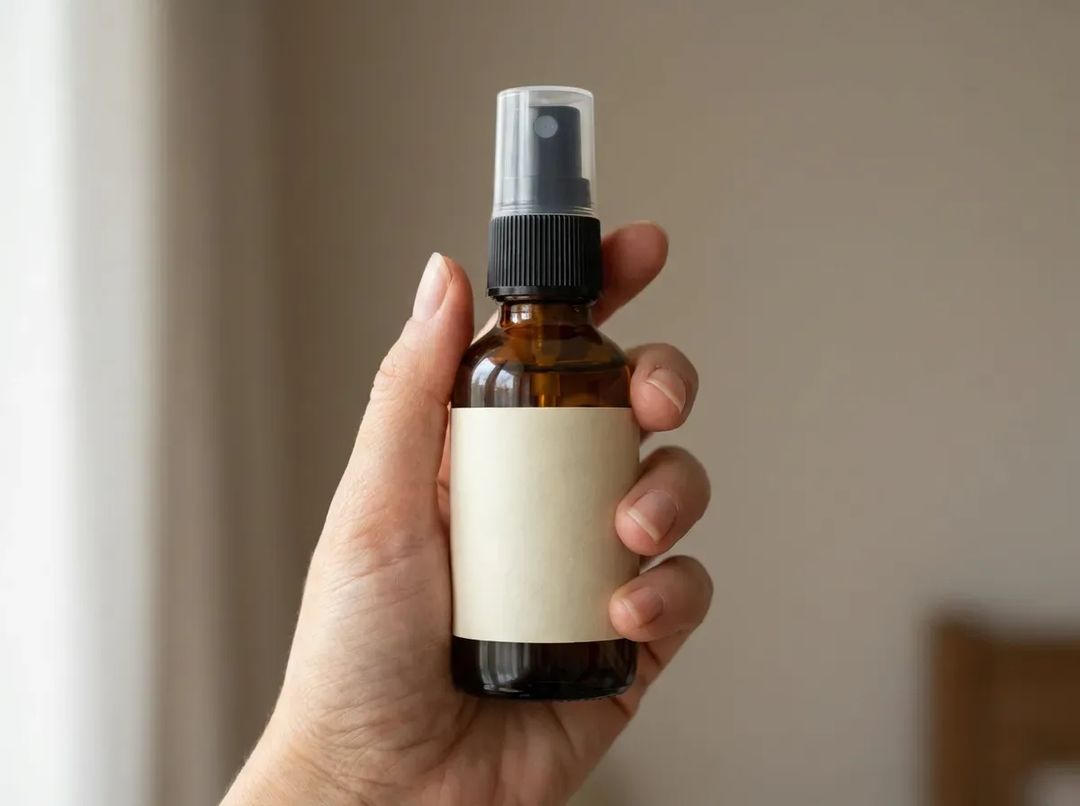
I zoomed in and counted: five fingers, joints bending the right way, nails the same length, even the crease of skin at the web of the thumb. First try, no reruns.
What broke: the text was fine, the cap wasn't
Image models can't render legible text. I have been treating that as settled fact, so I checked it.
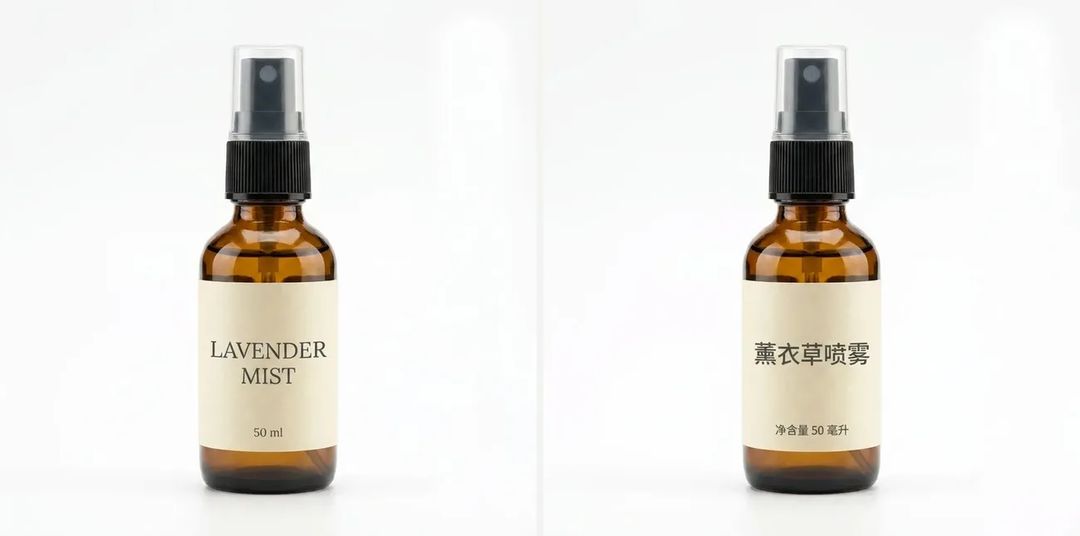
"LAVENDER MIST / 50 ml" came back spelled correctly. Swapping in Chinese — 薰衣草喷雾 / 净含量 50 毫升 — produced nine characters with not one stroke wrong. At short-label length, that piece of received wisdom has expired.
The thing that actually broke was something I nearly missed.

Far left is the cap in the original: square-shouldered, straight-sided, flat on top. The four to its right are the finished shots. Every cap turned domed, no two of them the same height or width, and the nozzle inside changed shape each time.
The model held the big things well — glass color, label position, background, lighting. It's the structural detail that drifts a little further with every redraw. For a real product that matters: a buyer whose parcel doesn't match the hero image leaves a one-star review.
The fix is crude but it works. Pick the shot whose cap is closest to the real object, lock it as the single reference, and regenerate the rest of the AI product photos from that one instead of starting each from scratch.
From a still to a 10-second product video
I picked the stone-surface frame and sent it through first & last frame to video for a 10-second AI product video.
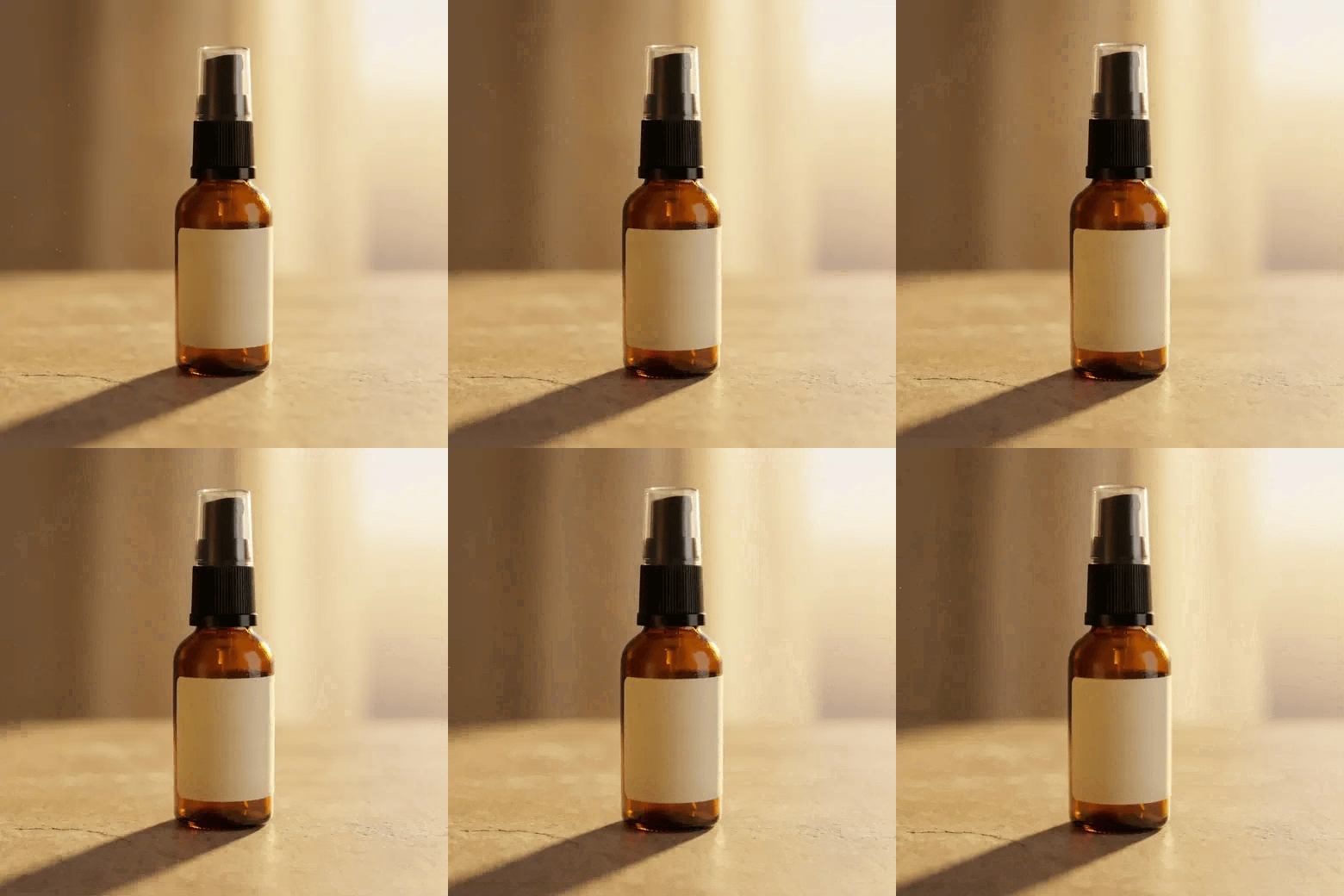
My prompt asked for two things: a very slow push-in, and the side light sweeping right to left so the shadow shortens. Only the first happened. The push is rock steady — bottle shape, label proportions and glass color never wobble across two hundred–odd frames — but the light is essentially frozen and the shadow is the same length at the end as at the start.
I'll take that trade. The worst failure mode in an AI product video is the subject deforming while the camera moves, and a well-behaved camera is cheap insurance. If you need more angles, run a few more AI product videos off the same locked frame and cut them together.
What it cost in time
Forty minutes and change from snapshot to finished files, more than half of that waiting on generations and picking between them. Reruns happened twice: the black acrylic shot missed the light direction, missed it again on the retry, and got abandoned; the cap drift only surfaced after everything was done, which wrote off a full round of four background shots. Locking a reference first would have saved that round.
Worth noting that exactly one step in this whole process needed taste — choosing which frame becomes the reference. Everything else was repetition.
If you have a product you can't photograph well, your starting point does not need to be better than my snapshot. AI image generation handles the stills, AI video generation handles the clip, and when you want to lay a dozen AI product photos and a few videos side by side to judge them, drag the lot onto the Generative Canvas — which one to keep and which to rerun becomes obvious at a glance.