이미지 AI

이미지 AI

GPT Image 2.5, Nano Banana 2.1, Seedream 5.0 Pro 등으로 이미지를 생성하고 편집한 뒤, 업스케일, 리터칭, 스타일 변경까지 한곳에서 끝낼 수 있습니다.

AI 이미지 생성기 사용해 보기

이미지

  • 이미지 생성기
  • 이미지 편집
  • SVG 생성기
  • 이미지 업스케일러
  • 배경 리무버
  • 개체 리무버
  • 사진 복원기

이미지 모델

  • Nano Banana 2 LiteNEW
  • Seedream 5.0 FlashNEW
  • Nano Banana 2.1NEW
  • Muse Image
  • GPT Image 2.5
  • Seedream 5.0 Pro
  • Midjourney V8.2
  • Nano Banana Pro
  • Flux 2 Pro
  • Grok Imagine
이미지 모델 더 보기

사진 효과

  • 가상 피팅
  • 옷 갈아입히기
  • 헤어스타일 변경
  • 헤드샷 생성기
  • 나이 변경
  • 스타일 전이
  • 인물 사진 보정
  • AI 피규어
이미지 도구 더 보기
비디오 AI

비디오 AI

Seedance 2.5, Gemini Omni 1.1 Flash, MiniMax H3, Kling V4, Wan 3.0으로 텍스트와 이미지를 네이티브 오디오가 담긴 시네마틱 영상으로 만들어 보세요.

AI 비디오 생성기 사용해 보기

비디오

  • 비디오 생성기
  • 시작/종료 프레임
  • 모션 컨트롤
  • 비디오 편집
  • 립싱크
  • 비디오 확장
  • 비디오 사운드 효과
  • 비디오 업스케일러

비디오 모델

  • Kling V4NEW
  • MiniMax H3 Max TurboNEW
  • Gemini Omni 1.1 FlashNEW
  • MiniMax H3 Max
  • Vidu Q4
  • Seedance 2.5
  • MiniMax H3
  • Wan 3.0
  • Kling O3
  • Grok Imagine V1.5
비디오 모델 더 보기

비디오 템플릿

  • AI 댄스
  • 반려동물 영상
  • 얼굴 바꾸기
  • 할로윈
템플릿 더 보기
오디오 AI

오디오 AI

ElevenLabs, Gemini, MiniMax, Lyria로 실감 나는 음성, 즉석 음성 복제, 음향 효과, 음악을 만들어 보세요.

텍스트 음성 변환 사용해 보기

오디오

  • 텍스트 음성 변환
  • 음성 복제
  • 음향 효과
  • 음악 생성
  • 비디오 사운드 효과

오디오 모델

  • Gemini 3.1 Flash TTSNEW
  • Lyria 3 ProNEW
  • ElevenLabs V3
  • MiniMax Speech 2.8 HD
  • Qwen3-TTS
  • Inworld TTS
  • MiniMax Music 2.6
  • ElevenLabs Sound Effects
  • Index TTS 2
오디오 모델 더 보기
AI 도구

AI 도구

원클릭 보정과 효과: 업스케일, 배경 제거, 개체 지우기, 오래된 사진 복원, 의상 가상 피팅 등.

모든 AI 도구 보기

이미지 도구

  • 이미지 업스케일러
  • 배경 리무버
  • 개체 리무버
  • 사진 복원기
  • 인물 사진 보정
  • 스타일 전이
  • 텍스처 변환
  • 원근 변경

사진 효과

  • 가상 피팅
  • 옷 갈아입히기
  • 헤어스타일 변경
  • 메이크업 변경
  • 헤드샷 생성기
  • 나이 변경
  • 표정 변경
  • 제품 들고 있는 사진
  • 시티 텔레포트

비디오 도구

  • 비디오 업스케일러
  • 비디오 편집
  • 비디오 확장
  • 립싱크
  • 비디오 사운드 효과
모든 AI 도구

인기 템플릿

지금 모두가 만들고 있는 댄스, 반려동물, 할로윈 영상. 사진 한 장만 올리면 몇 분 만에 바로 공유할 수 있는 클립이 완성됩니다.

인기 템플릿 보기인기Zombie Love Story

템플릿 카테고리

  • AI 댄스
  • 반려동물 영상
  • 얼굴 바꾸기
  • 할로윈
  • AI 피규어
템플릿 더 보기

탐색

  • 모델 라이브러리지원되는 모든 AI 모델 - 이미지, 비디오, 오디오.
  • 무한 캔버스하나의 공유 캔버스에 스토리보드, 작곡 및 리믹스.
  • 블로그AI 영화 제작 튜토리얼, 모델 딥 다이브, 제품 뉴스.
  • FAQ일반적인 질문에 대한 빠른 답변.

개발자

  • AI CLI터미널에서 이미지와 비디오를 생성하세요.
  • API 문서이미지, 비디오 및 오디오 생성을 위한 REST API입니다.
  • 에이전트 스킬클로드 코드, 코덱스 또는 커서 이미지 및 비디오 생성을 제공합니다.
AI 템플릿가격
홈캔버스
AI 생성기
이미지 생성기이미지 편집SVG 생성기
참조가 있는 텍스트시작/끝 프레임모션 컨트롤비디오 편집립싱크비디오 확장비디오 사운드 효과
텍스트 음성 변환음성 복제음향 효과음악 생성
템플릿
인기 템플릿
도구
AI 도구
리소스
작품
  1. 홈
  2. 템플릿
  3. 할로윈
  4. Rainy Clown Photo

Rainy Clown Photo

Upload a person, cat or dog photo for a cinematic portrait beside a horror clown. A red balloon, rain and wet street reflections set the Halloween mood.

Rainy Clown Photo

You or your pet, a red balloon, and an unsettling guest on a rain-soaked street.

사용 사례

주요 기능

One person or pet photo

Create the scene with your own portrait or a photo of your cat or dog. Pets keep a natural animal body and seated pose.

A cinematic Halloween mood

Cool night lighting, a warm porch light and glossy puddle reflections set the atmosphere.

사용방법

  1. 01

    Upload one clear photo of one adult, cat or dog.

  2. 02

    Choose 9:16, 3:4 or 1:1 and your output resolution.

  3. 03

    Generate the photo, review the result and download it.

딥 다이브

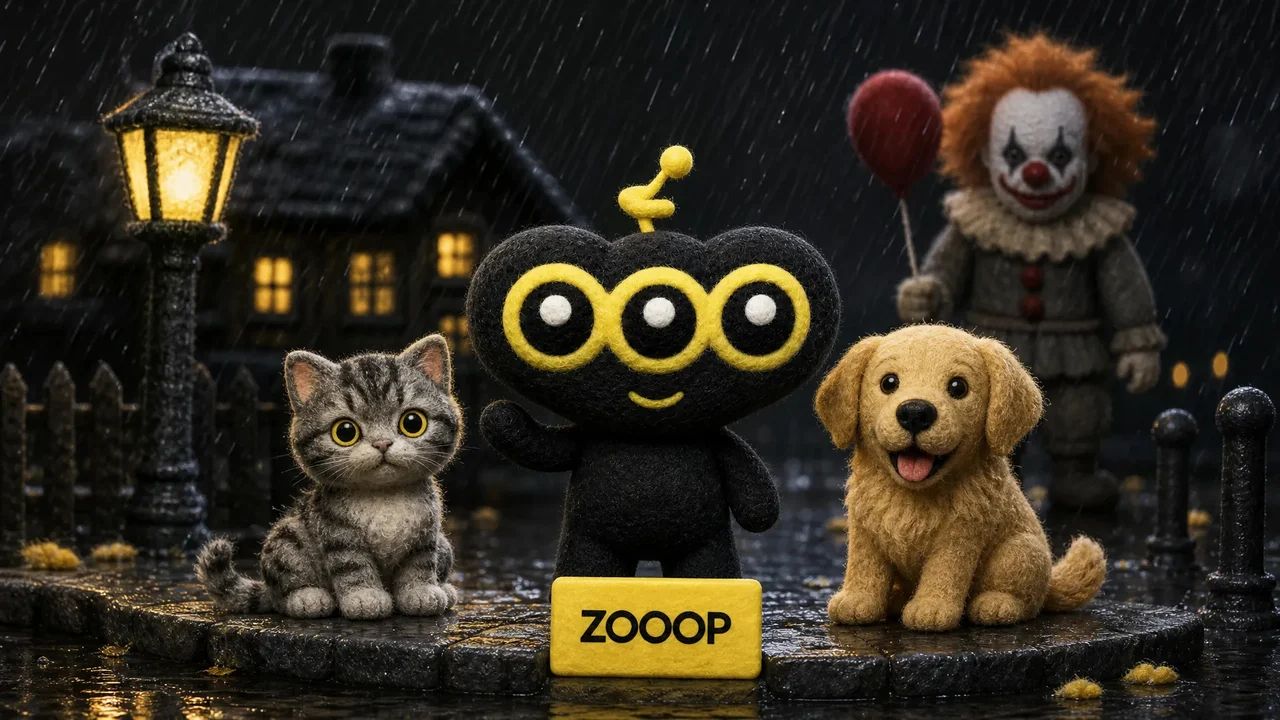
A quiet suburban street, a red balloon and an unexpected guest beside you. Rainy Clown Photo turns one portrait into a cinematic Halloween scene: a person sits on the curb while a sinister clown crouches behind them, with cool streetlights and warm house lights reflected in the wet road.

You can also upload a cat or dog. Pets stay on their own four paws with natural fur and animal proportions, sitting calmly beside the clown. The red balloon is tied to a small weight beside them.

The composition takes its cues from the rainy Pennywise photo trend. It uses your uploaded subject as a reference while creating a new pose and setting. Fine rain and an eerie grin give the image its horror mood; the scene is designed without blood, injuries or violence.

Start with a sharp photo of one adult, cat or dog with an unobstructed face. The default 9:16 layout leaves room for the balloon and puddle reflections. You can also choose a 3:4 portrait or a square image. Facial details and framing can vary between generations. This is an AI-created fan-style scene and does not imply an official film collaboration.
자주 묻는 질문

Which photo works best?+

Use a clear, well-lit photo of one adult, cat or dog, facing the camera with the face unobstructed. Avoid group photos and heavy filters.

Will the result look exactly like my original photo?+

The model uses the face, fur and markings as references, but creates a new pose and environment. Likeness and small details may vary. Human clothing is restyled; pets keep their natural fur.

Is the scene graphic?+

It is designed as an eerie posed Halloween photo, without blood, injuries, weapons or an attack.

Is this an official movie photo?+

No. It is an AI-generated fan-style scene, not an official film still or collaboration.

Can I use my cat or dog?+

Yes. Upload one clear pet photo. The pet stays a real cat or dog, seated naturally beside the clown, with the balloon tied nearby.

How many credits does one photo cost?+

1K costs 11 credits, 2K costs 17 credits and 3K costs 26 credits per generated photo. The default is 2K. These prices cover one uploaded person or pet photo and any offered aspect ratio.

가이드와 트렌드

나와 반려묘·반려견이 Pennywise와 함께 찍은 AI 사진 만들기

나와 반려묘·반려견이 Pennywise와 함께 찍은 AI 사진 만들기

인물이나 반려동물 사진 한 장으로 비 오는 밤 Pennywise와 함께한 사진을 만들어 보세요. 실제 결과물 네 장을 통해 사진 선택, 화면 비율, 확인할 부분을 알아봅니다.

AI 이미지이미지 생성기이미지 편집SVG 생성기

AI 비디오참조가 있는 텍스트모션 컨트롤시작/끝 프레임비디오 확장비디오 편집립싱크비디오 사운드 효과

AI 오디오텍스트 음성 변환음성 복제음향 효과음악 생성

탐색모든 모델모든 템플릿AI 도구용어집모델 비교무료 도구대안AI CLIAPI 문서에이전트 스킬

회사블로그가격FAQ프라이버시이용약관권리 침해 신고

© 2026 ZOOOP. 모든 권리 보유.