Popstar AI Video: One Selfie, and You're the Star of the Mansion Walk
The party ended a few hours ago. Red plastic cups are still lying around a wood-panelled mansion, and a few guests who never left are slumped in the room at the back. You're in a loose green-and-lilac patterned silk shirt, open over a white tank top, with several strands of pearls around your neck. You grab a bottle of champagne, turn around and walk backwards toward the camera, mouthing every word straight down the lens. A bald, bearded bodyguard appears over your shoulder and follows you all the way to the glass doors.
That is the Popstar mansion walk, and people everywhere are recreating it. This post covers why it caught on, what happens in those 12 seconds, and how to make a Popstar AI video starring yourself from a single selfie.
Why is the Popstar mansion walk everywhere?
The Popstar video is pure pop-star fantasy: a mansion, champagne always in hand, a bodyguard wherever you go. Its best-known moment is one continuous handheld shot. The star backs down a warm wood-panelled hallway, mouthing along to the camera and swinging their arms, all swagger, with security never more than a step behind.
People have been copying that shot ever since, walking backwards down their own hallways or putting their dog in a patterned shirt. Most of us, though, have neither the hallway nor the bodyguard.
Our Popstar template supplies both. Upload one selfie and you put on the green silk shirt and the pearls, pick up the champagne and walk the whole route through the mansion, and you get a Popstar AI video of your own.
What happens in the 12 seconds
Every Popstar AI video uses the same setting: a big wood-panelled house, warm yellow light, a little messy after the party. One continuous shot, 12 seconds, vertical.
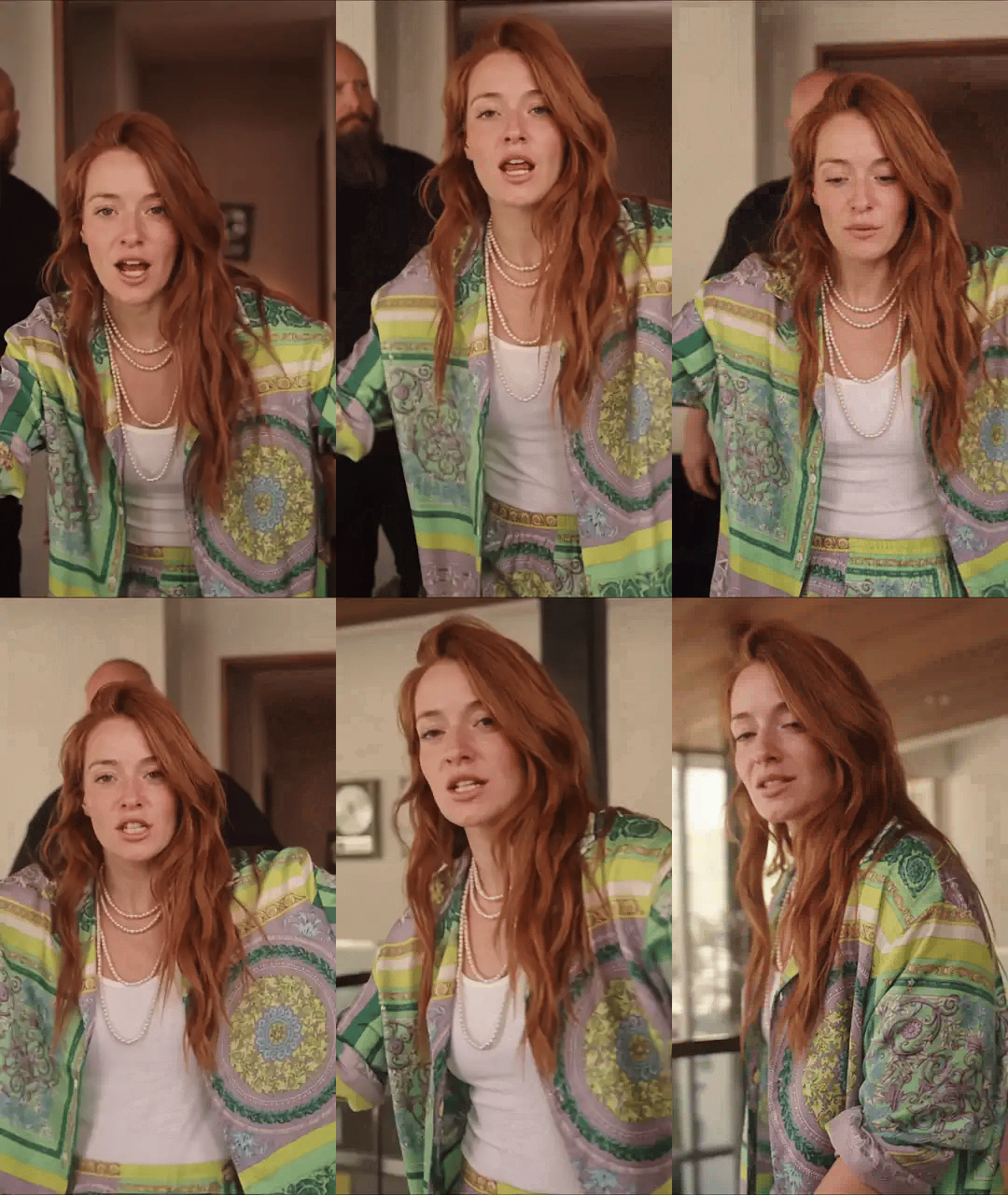
Here's roughly how it goes. In the first second you turn around in a dim room, champagne bottle in hand. From second two to five you walk backwards down the hallway, arms swinging wide, mouthing along to the camera the whole way. Around second six the bald, bearded bodyguard shows up behind you, looking around as he follows. At second nine you suddenly lean right into the lens and your face fills the frame. In the last two seconds you step into a sunlit living room with floor-to-ceiling glass, a balcony and green trees outside, and glance back at the camera to finish.
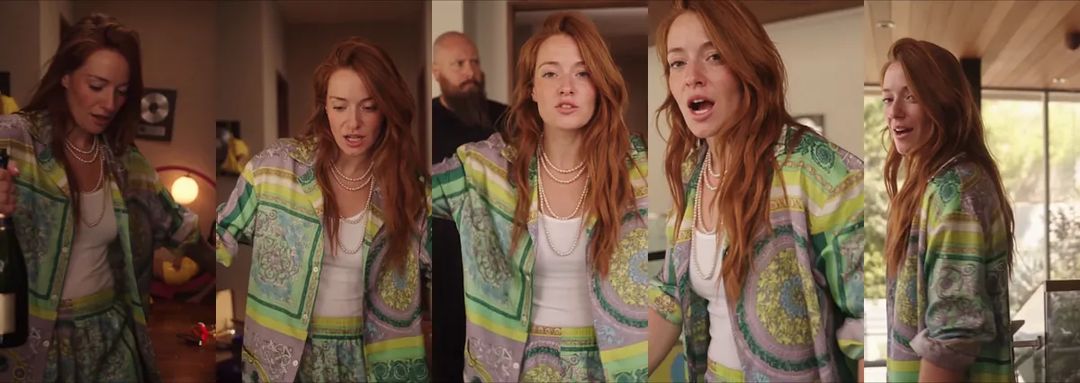
And in motion. The animations in this post are silent and shortened; the real clip runs the full twelve seconds.
Which photo works best: a selfie beats a full-body shot
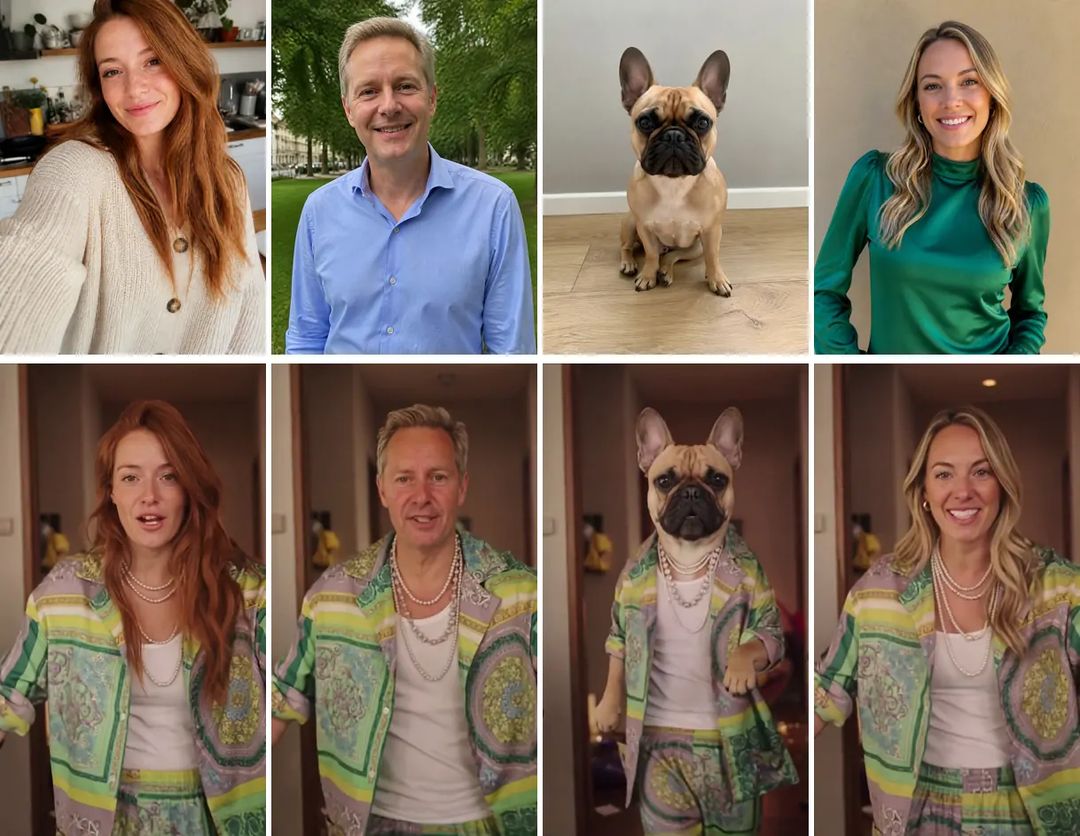
A Popstar AI video needs just one photo. Unlike most of our templates, this one works best with a selfie or a head-and-shoulders shot, not a full-body photo:
- A big, sharp face. At second nine your face is right up against the lens, so the bigger and sharper it is in your photo, the more the result looks like you.
- Skip the full-body shot. In a full-body photo the face is too small, and the Popstar AI video you get tends to star someone who only sort of looks like you.
- One person per photo. With two people in the photo, the template can't tell who's supposed to do the walk.
- Any outfit is fine. The silk shirt, white tank top and pearls are always the same, so whatever you're wearing in the photo gets swapped out.
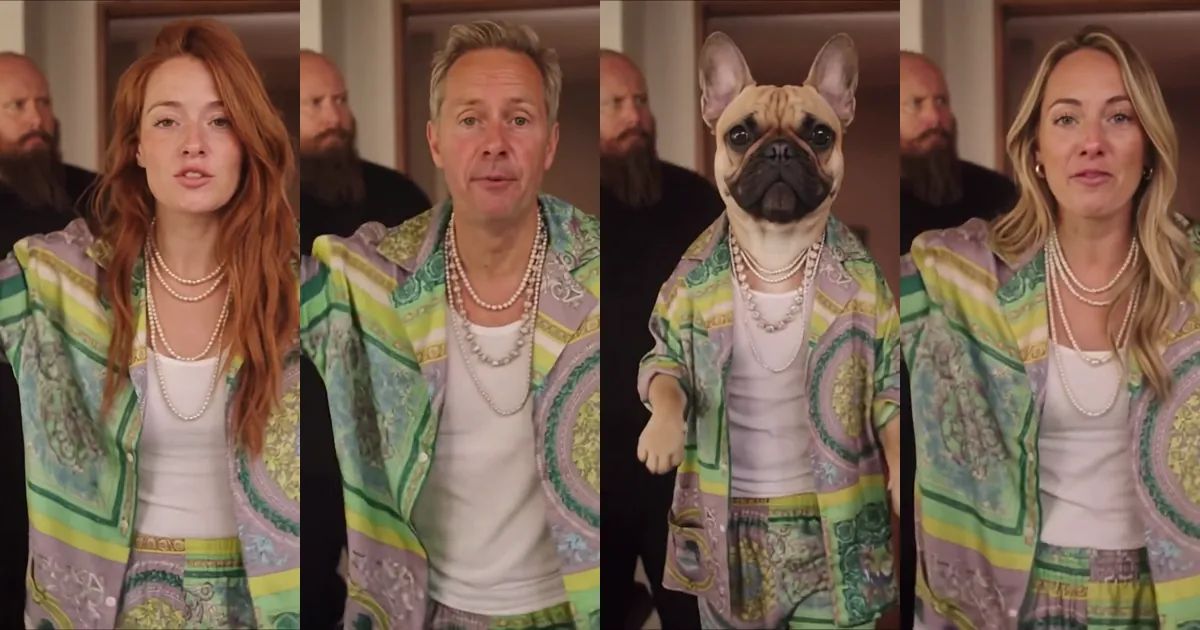
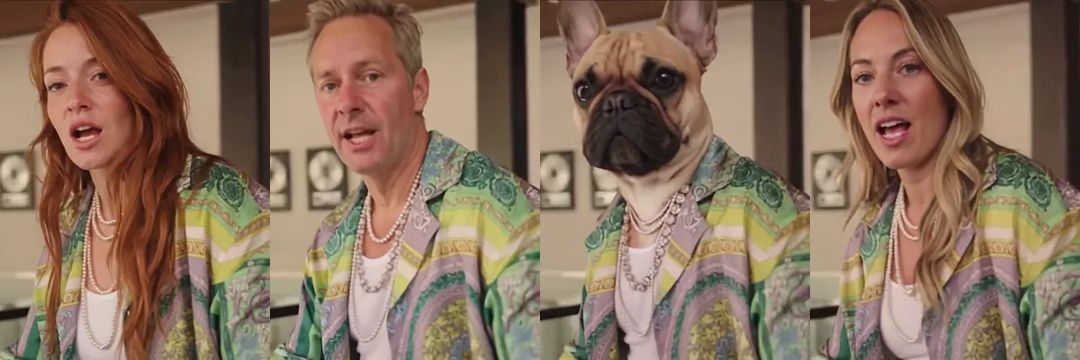
Your face, hair and skin tone stay, and the clothes all become the pop-star look. A few things do slip through: the blonde woman below wore gold hoop earrings in her photo, and she's still wearing them in the clip.
Pick "Pet" and let a French bulldog be the star
Want your pet to be the star? Switch from "Person" to "Pet" and upload a photo of your cat, dog or any other furry friend.
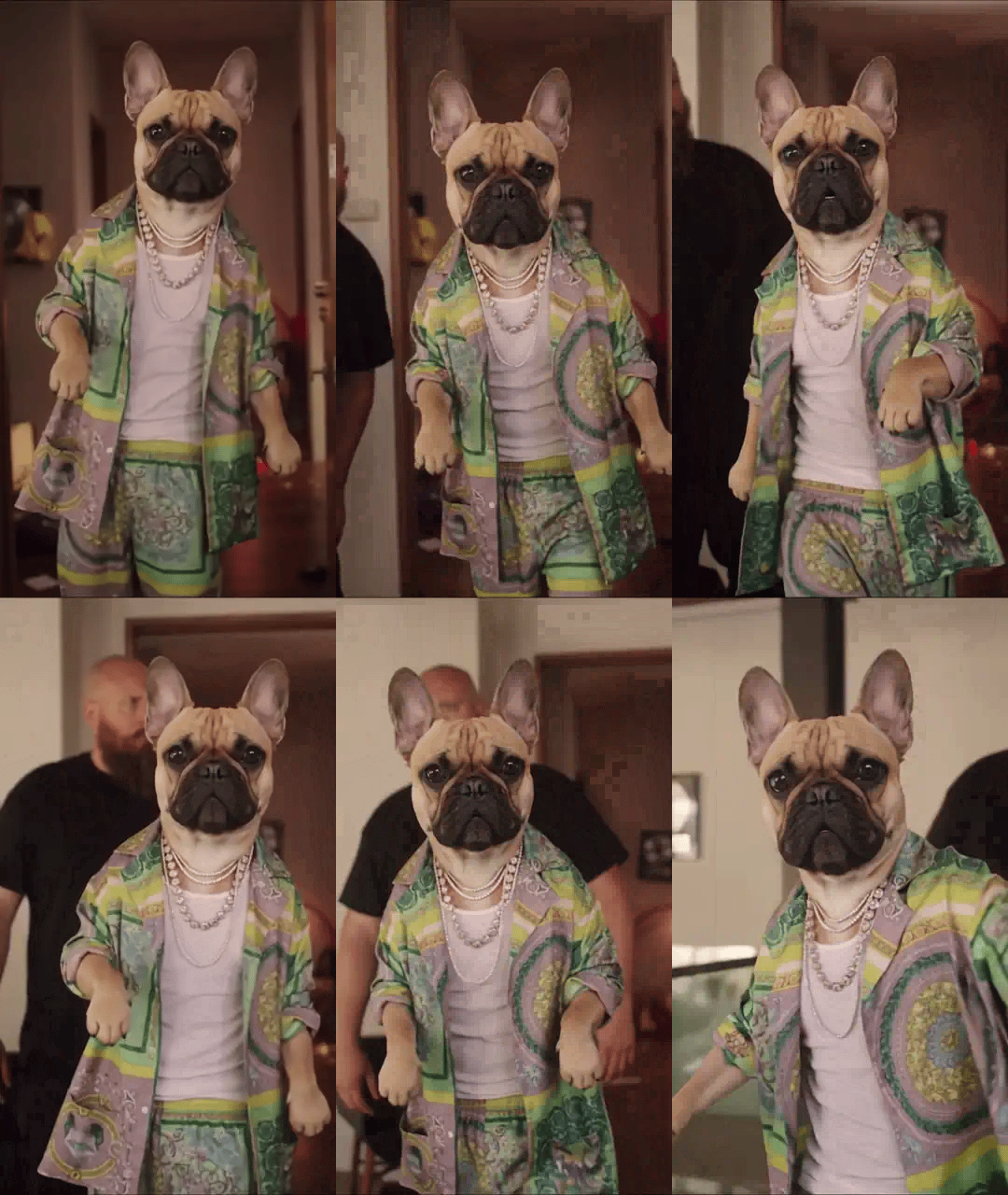
In the pet version of the Popstar AI video, your pet keeps its own face, fur colour and markings, stands up on its hind legs, wears the same silk shirt and pearls and swings two furry front paws the whole way, with the bodyguard right behind.
Our French bulldog gave us a bonus. People keep mouthing along through the whole walk; the bulldog barely opens its mouth and just stares into the camera with a completely straight face, like a star who can't be bothered. Honestly, the deadpan is funnier than the lip-sync.
Make your Popstar AI video with ZOOOP
- Open the Popstar template and upload a selfie or head-and-shoulders photo of yourself (or a photo of your pet).
- Keep "Person" for a person, or pick "Pet" if the photo shows a pet. Keep 480p, or pick 720p if you want it sharper.
- Hit generate and download the clip.
No prompt, no editing. The mansion, the hallway, the champagne, the bodyguard and every step are already set up.
What surprised us while building the template
Second nine decides the likeness. For the first few seconds you're a little way from the camera. By second nine your face is almost touching the lens, and every feature, every freckle, is right there. Put four Popstar AI videos side by side and this is the frame that shows whose photo was the right pick.
The bodyguard is always the same guy. Only the star changes. The bald, bearded bodyguard in the black T-shirt is identical in every clip and shows up at the same moment, busy following you and looking around, never stealing the scene. Because he never changes, the moment you step in, it's obvious who the star is.
The champagne only makes a cameo. The bottle is in your hand for the first second, then it's out of the shot, and you can't read its label. Don't expect it to stay in frame; it's an opening prop.
Pets walk it a little differently every time. People come out looking much the same from run to run. Pets vary more: now and then the face isn't quite right, or a paw swing looks a bit odd. If you don't like one, generate it again; the second one is usually the keeper.
More ways to play
Get a friend to make a Popstar AI video too and compare whose star swagger is bigger. Or make one of yourself, then one of your cat or dog, and post the two stars together. For more ways to put yourself in the lead, browse our face swap video templates, and the pet ones all live in AI pet video templates. If you want your photo to say your own lines straight to the camera, try lip sync. Every photo-to-video idea is in the template library, and if you'd rather write your own scene from scratch, start with AI video generation.
One selfie, one silk shirt, one bodyguard who never leaves your side. Make your Popstar AI video with the Popstar template, and send it to the friend who has never had a bodyguard in their life.