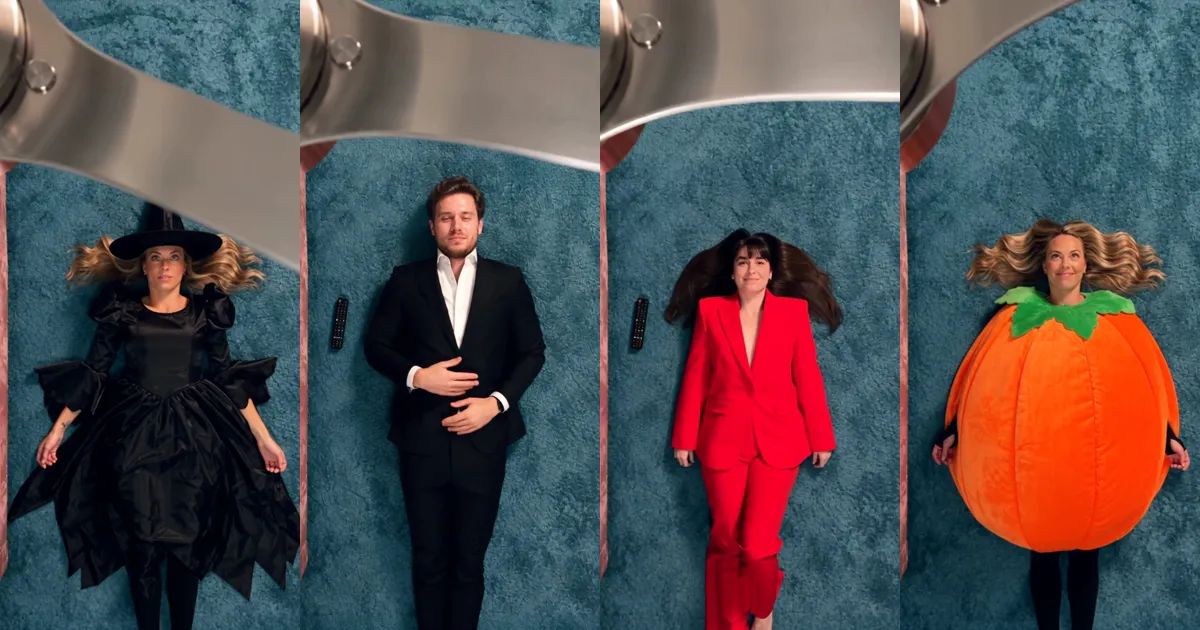
Ceiling Fan Outfit Change: The Fan Transition Trend and How to Make Yours From One Photo
The phone is on the ceiling, looking straight down. Someone is lying on the rug, looking back up at it. A fan blade sweeps across the lens, and once it has passed they are wearing something else. Then the next blade comes round, and it happens again.
That is the ceiling fan outfit change, the fan transition that has been everywhere this autumn. This post covers what it is, how the 12 seconds play out, and how to make your own ceiling fan outfit change from a single photo.
What is the ceiling fan outfit change?
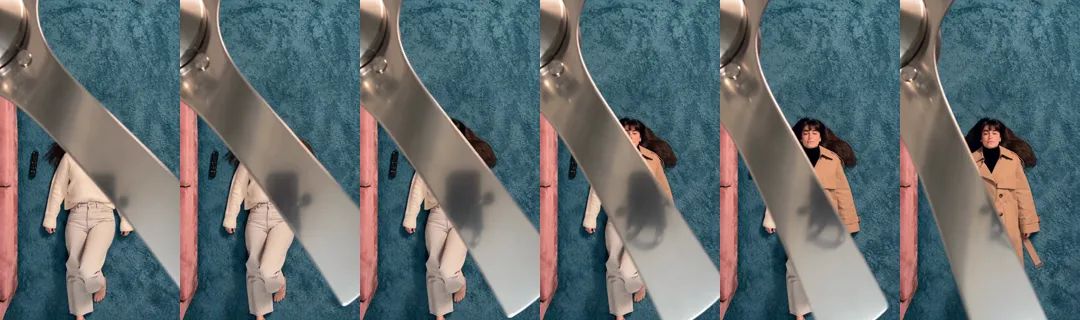
It is an outfit transition where the ceiling fan does the editing. The camera sits above the fan and points at the floor, and every time a blade crosses the frame it works like a wipe: one outfit disappears under the blade's edge, and the next one comes out on the other side.
Outfit-change videos are nothing new. The angle is. A normal outfit change needs a cut, a jump or a hand over the lens. Here the cut is built into the room, and it comes back every second or so, which is why one clip can run through four looks without feeling chopped up.
Doing it for real is another story. You need a phone fixed to the ceiling, a pile of clothes and a lot of takes to make every change land exactly behind a blade. One of the most-watched clips of the trend is someone trying it for real, without realizing the viral versions were made with AI. It did not go to plan, and it got millions of views anyway.
The 12 seconds, look by look
Our Ceiling Fan Outfit Change template builds the classic version: 12 seconds, 9:16 vertical, one fixed top-down shot of a teal shag carpet, the edge of a pink velvet sofa and a brushed-steel fan turning slowly overhead.
You lie on the carpet and look up at the camera. The fan does the rest: four looks, three changes, each one under a passing blade.
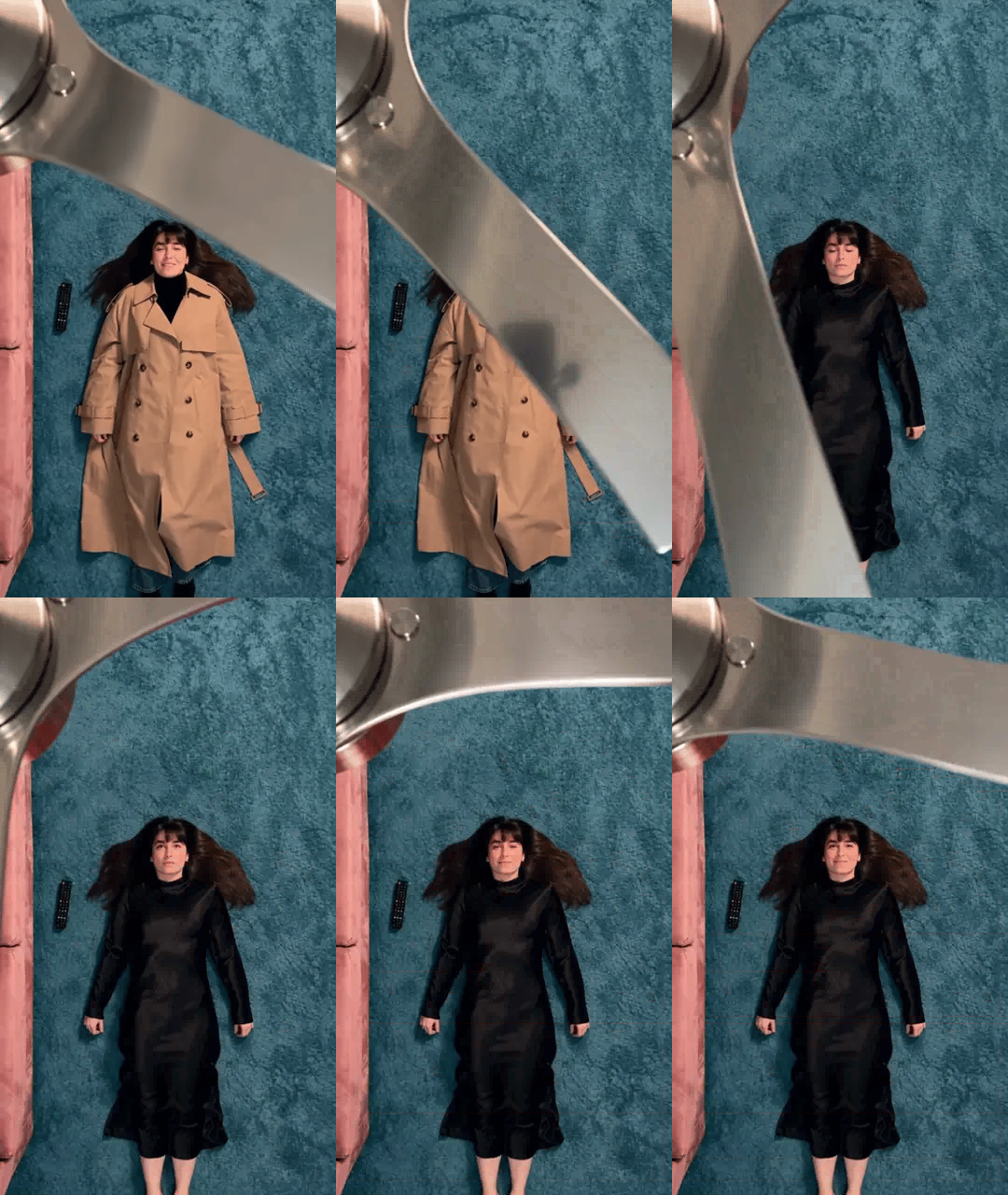
Here is a single change, frame by frame. The edge of the blade is the line between the old outfit and the new one.
And in motion. The animations in this post are silent; the real clip has sound.
Choosing an outfit set and a photo
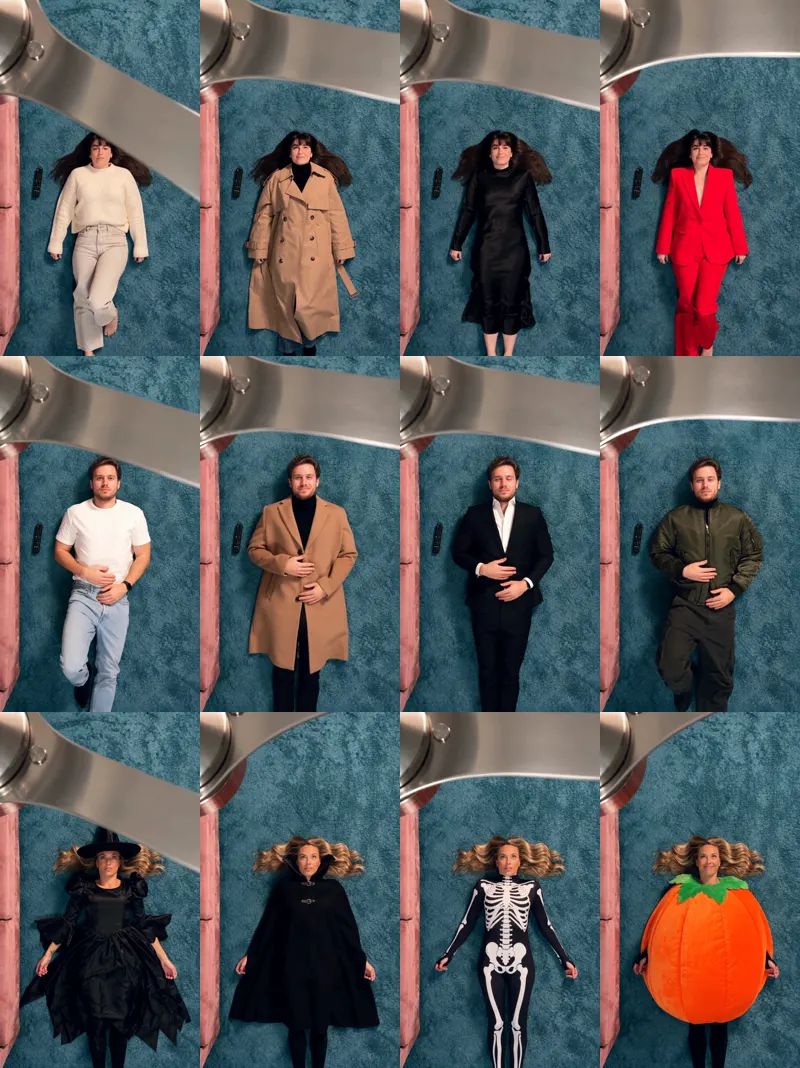
There are three outfit sets, with four looks each:
- Women's: white knit sweater and light jeans, camel trench coat, black satin dress, red suit.
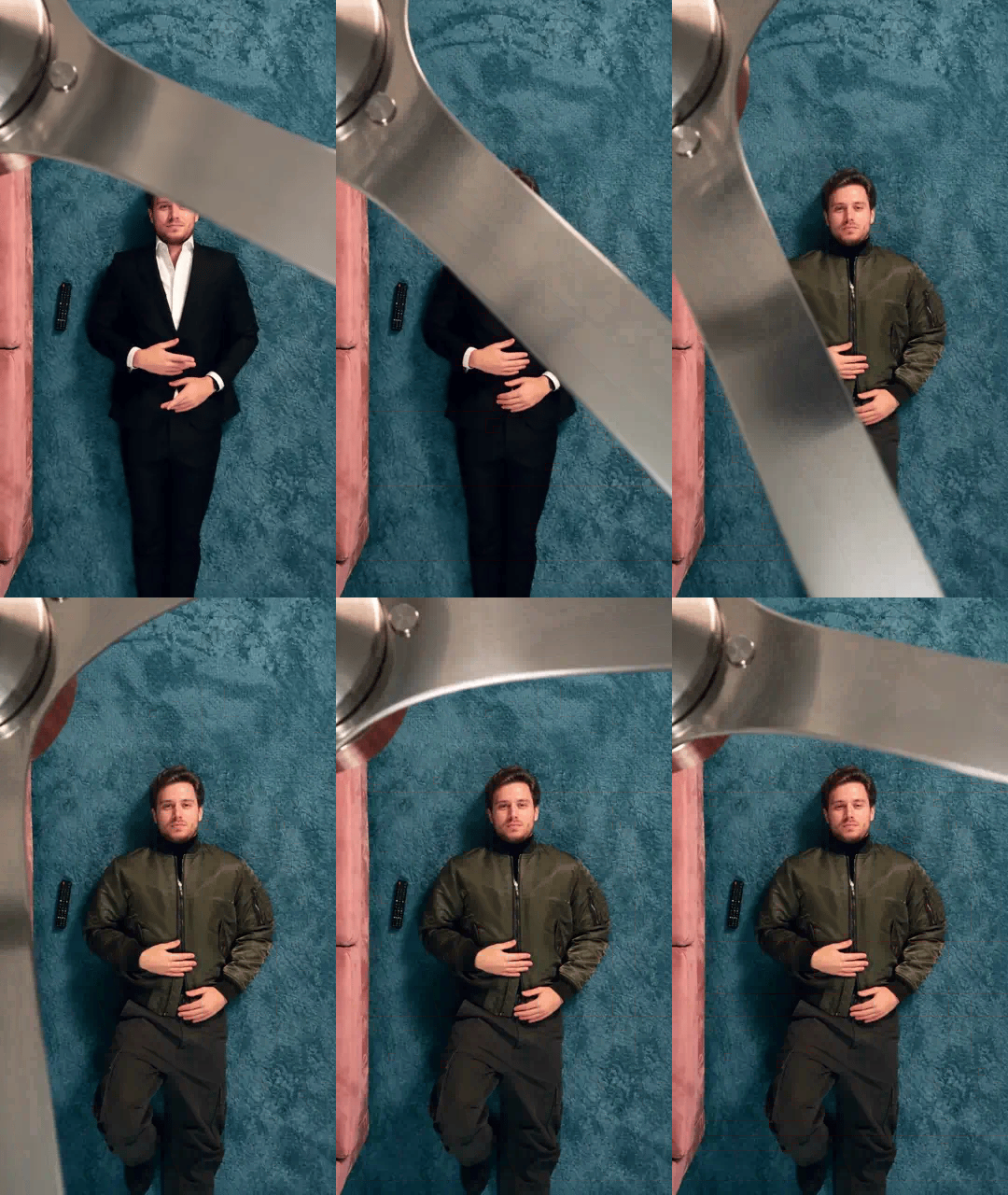
- Men's: white tee and light jeans, camel overcoat over a black turtleneck, black suit with a white shirt, olive vintage jacket with cargo pants.
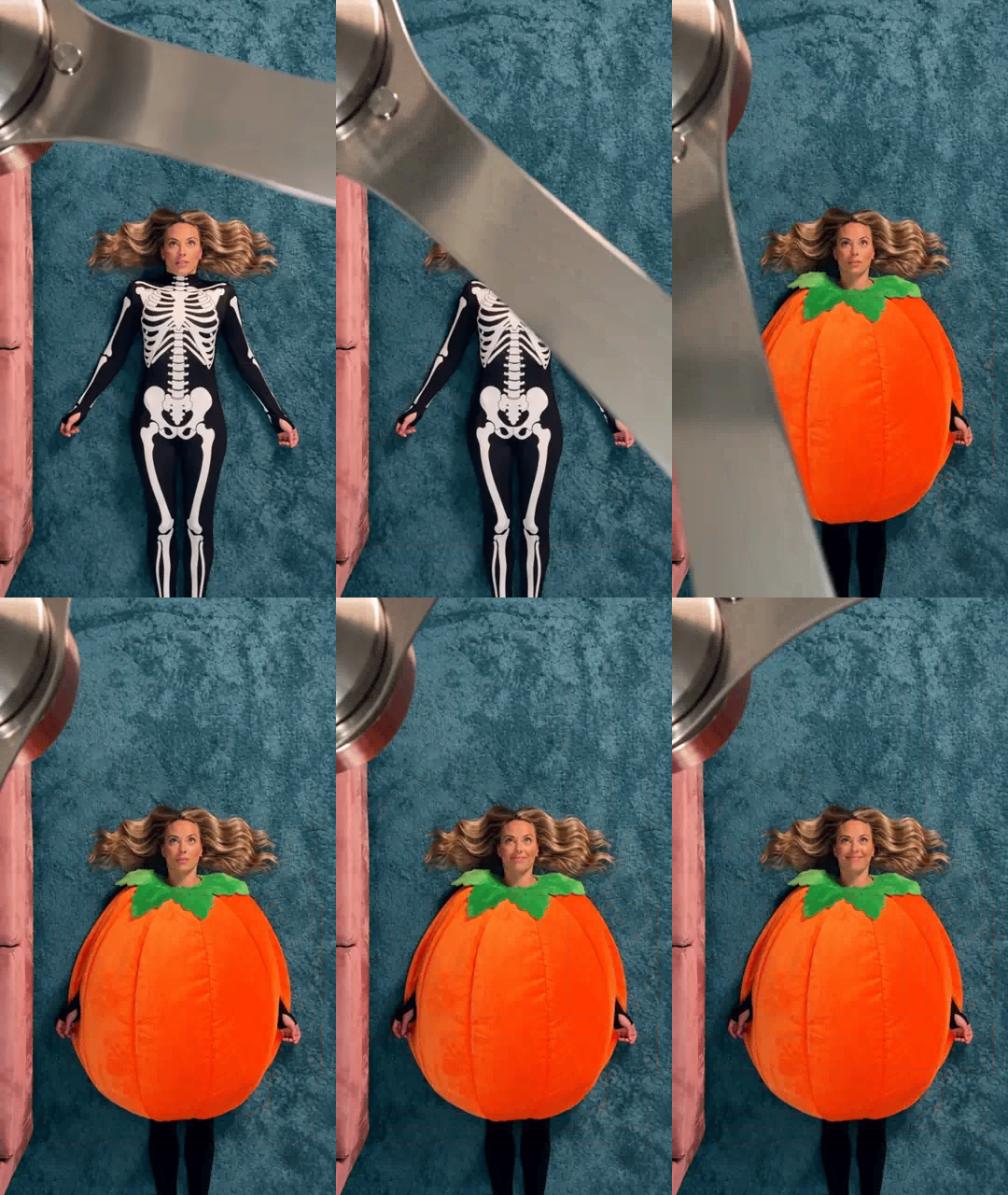
- Halloween: witch, high-collared vampire cape, skeleton jumpsuit, round orange pumpkin suit.
The Halloween set is the one to post this month. Here it is going from the skeleton jumpsuit to the pumpkin.
The clothes come from the set, not from your photo, so what you are wearing in the picture does not matter much. Your face and hair do. A clear, well-lit photo works best, and a full-body one is better still, because the clip shows you head to toe. Keep it to one person per photo; in a group photo the template cannot tell who to use.

The background of your photo stays behind. Whatever street or room you were standing in, the clip always happens in the same room under the same fan. Only use photos of people who are happy to appear, adults only. The result looks like you rather than a copy of you: friends will know it is you, but it will not match the photo pixel for pixel.
How to make a ceiling fan outfit change with ZOOOP
- Open the template page and upload one photo.
- Pick an outfit set: Women's, Men's or Halloween.
- 480p is the default; pick 720p if you want it sharper. Then hit generate.
No prompt, no editing and no ladder. The room, the fan and the timing are already in place.
Here is the men's set, from the black suit to the last look.
What surprised us while building the template
The blade has to do the work. In our early tries the outfit sometimes changed in a single frame while no blade was anywhere near the person. It looked like a glitch, not a transition. The version we shipped only changes clothes behind the edge of a blade, so every change reads as a wipe, the way the trend does it.
One room, every time. We fixed the scene: same carpet, same corner of the sofa, same fan. A ceiling fan outfit change is recognizable by its room as much as by its move, and a fixed room keeps everyone's clip looking like part of the same trend.
Expect a calmer face. Lying down and looking up, people tend to come out a little more serious than in their photo. A photo with a soft smile works better than a big grin.
People only, for now. We tried cats and dogs. The outfits looked stuck on rather than worn, so this template is for people. If you want your pet in a Halloween costume, the Ramalama Costume Walk has a Pet mode.
More ways to play
Make one with the women's or men's set and one with the Halloween set, then post them back to back. Or make one each with a friend and argue about who wore the last look better. For more costume ideas, browse the Halloween templates. Everything that turns a photo into a clip lives in the template library, and if you would rather write your own scene from scratch, start from AI video generation.
Lie down, look up and let the fan do the editing: make your ceiling fan outfit change with the Ceiling Fan Outfit Change template.