Bottle Kick Challenge: Make a Funny Cat or Dog Video From One Photo
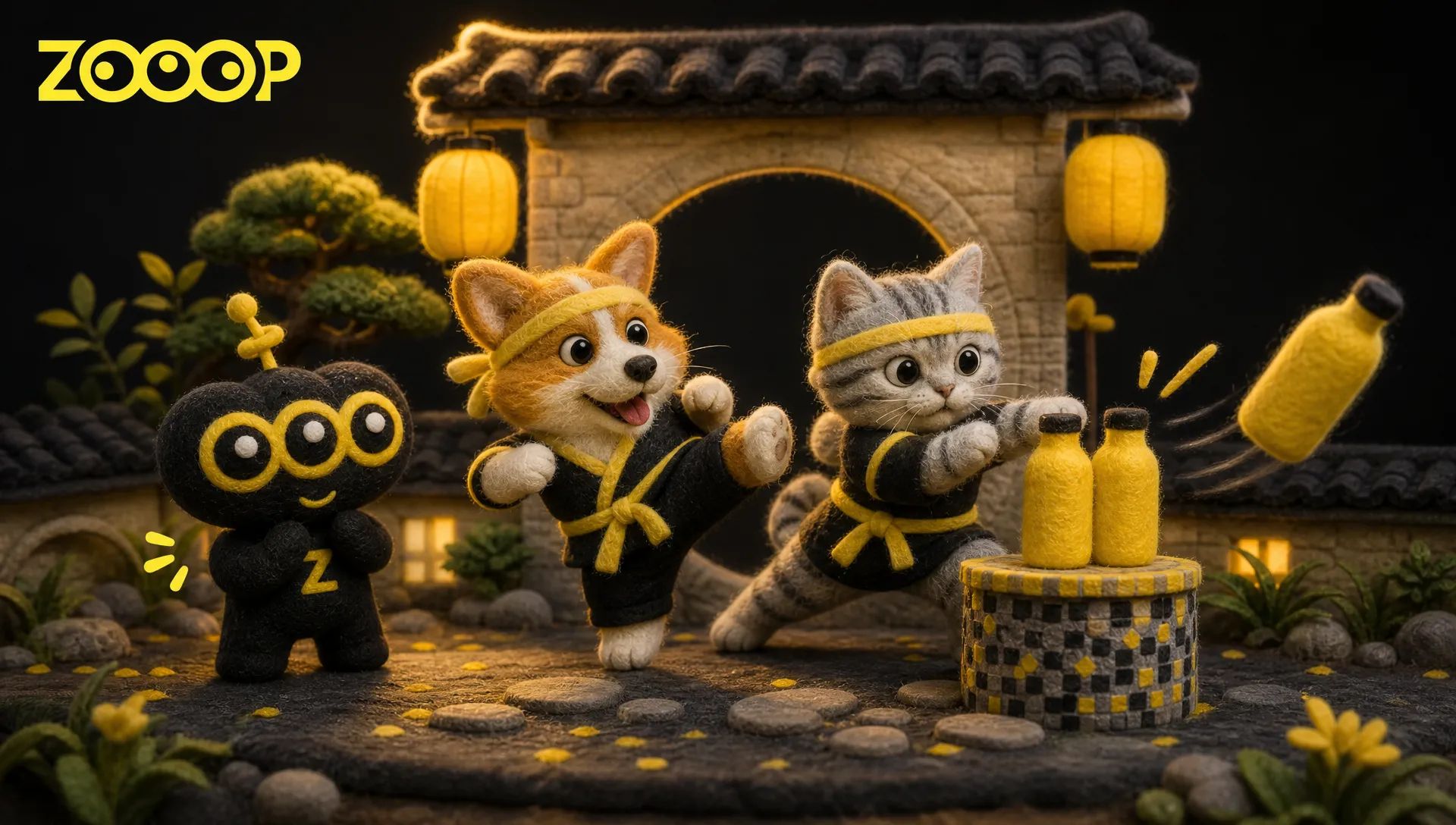
Turn one pet photo into a 10-second bottle kick challenge video with ZOOOP. See the corgi and Munchkin examples, choose a useful full-body photo, and generate a clip you can download.
A corgi stands beside two stacked yellow bottles, front paws raised and expression completely serious. It tries a few slow kicks, as though measuring the distance, then suddenly sends the bottles flying off their pedestal. Give the same role to a round-faced, short-legged cat and the earnest preparation becomes even funnier.
That is the appeal of the bottle kick challenge. With ZOOOP’s Bottle Kick Challenge template, one uploaded photo makes your own cat or dog the lead. The result is a 10-second vertical video with the scene and action already arranged. You do not need to write a prompt or teach your pet to kick a real bottle.
The bottle kick challenge saves its joke for the last kick
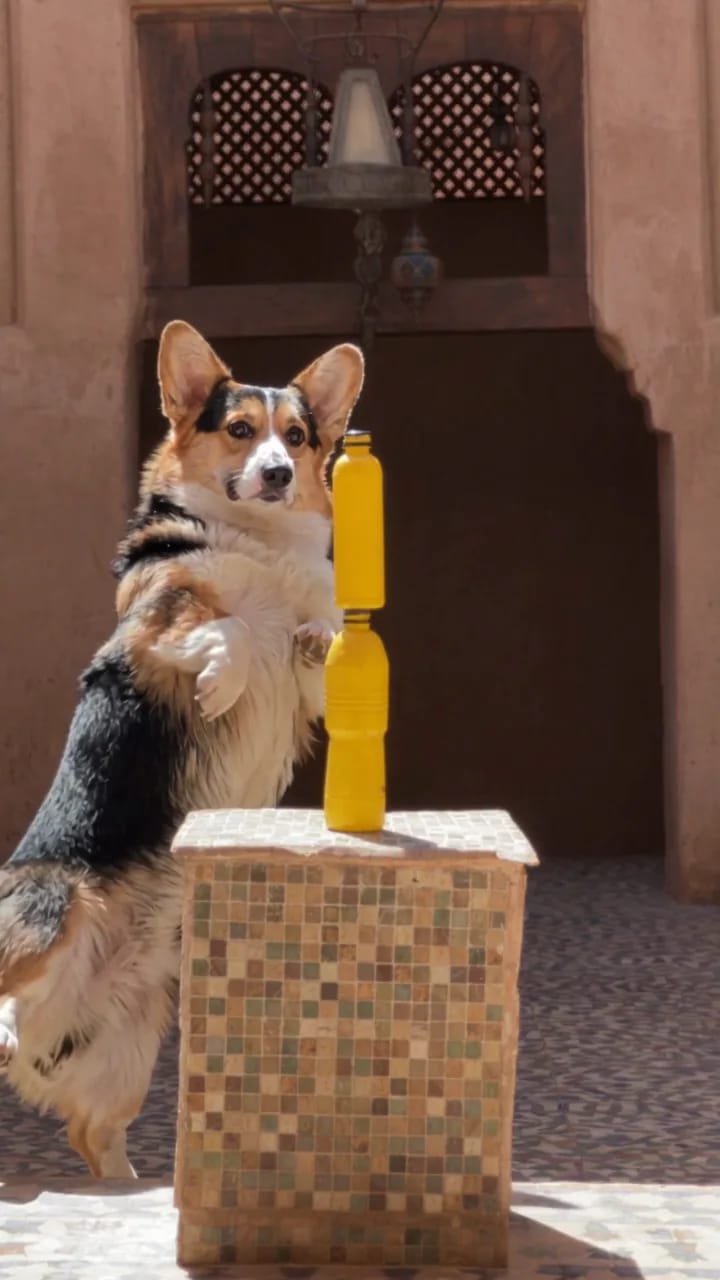
The scene is a sunny courtyard with a mosaic pedestal and two yellow bottles stacked on top. Your pet stands beside them, adopts a fighting stance and makes a few slow practice kicks. The more serious the preparation looks, the better the contrast when the bottles finally fly.
There are no complicated scene changes. Attention stays on the animal and the bottles throughout. It works as a standalone short video or something to send a friend with a caption that suits your pet, such as “Short legs. Thorough preparation.” Keeping the build-up and the final kick together tells the joke more clearly than showing only the bottles leaving the frame.
What the corgi and short-legged cat examples show
The dog example uses a tricolor corgi. You can see its black saddle, tan cheeks, white chest and short legs in the scene. It stands upright beside the pedestal, raises its front paws, rehearses and then delivers the final kick. Its determined attention to the bottles is a large part of the joke.
The cat example features a silver tabby Munchkin. Its round face, silver-grey stripes and feline paws make it easy to distinguish from the corgi. The bottle kick challenge keeps the same courtyard and two-bottle composition, with the cat also knocking the bottles away at the end.
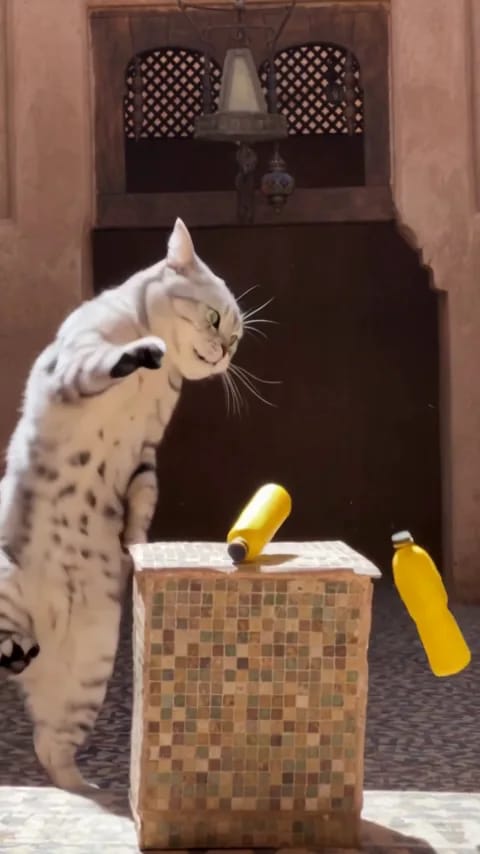
Both examples come from completed generations. An upright body can look longer than it does in the source photo, and leg proportions may change during fast movement. This is a playful AI performance rather than a recording of a real pet doing a trick. Expressions and the details of each kick can vary between generations.
Choose a photo that shows the face, coat and paws
For the bottle kick challenge, start with a clear full-body photo of one pet. A front view or slight three-quarter angle can work. What matters is that the eyes, ears, coat markings and paws are not heavily obscured. An everyday photo in even light against a simple background is enough; you do not need to recreate the courtyard for the picture.
A close-up face portrait may be adorable, but it gives less information about the body and legs. Thick clothing, being held in someone’s arms or hiding behind a table can conceal the features this scene needs. Leave a little room around the ears, tail and feet so the paws are not cropped out.
The corgi and Munchkin are examples, not the only characters available. Upload your own cat or dog photo to choose the lead. Your pet does not need to be standing upright or holding a kicking pose in the original image.
Make a bottle kick challenge video in three steps
Open the template and choose the animal type that matches your photo: Dog / 狗狗 for a dog or Cat / 猫咪 for a cat. Then upload one photo. Each generation needs exactly one image; the bottles and courtyard do not need separate pictures. The Generate button cannot start a generation without an uploaded image.
Next, choose the resolution. The page offers 480p and 720p, and the Generate button shows the current credit requirement. Both options produce a 10-second video in a vertical 9:16 frame, so choose according to where you plan to use it.
Finally, generate the clip and download it when it is ready. This bottle kick challenge does not need an additional action description. If you later want to create a different scene, continue in AI video generation.
Keep the serious preparation when you share it
The rhythm is preparation, practice and the final kick. Those early seconds give the ending room to land, so there is no need to remove them all just to reach the action faster. When sharing in a vertical format, keep the pedestal and bottles visible so viewers can understand the challenge.
A short caption based on your pet’s personality is enough. Label the video as AI-created so friends know it was made from a photo. The effect comes from uploading an image; there is no need to set up bottles for a real cat or dog or train it to kick.
Once you have a clear full-body photo of one pet, open the template to generate your clip. For more cat and dog ideas, browse the AI pet video templates.
Frequently asked questions
How many photos does the bottle kick challenge need?
Each generation requires one photo of a single cat or dog. A full-body image with a clear face, coat and paws works best.
Can I use a pet other than a corgi or Munchkin?
Yes. Those breeds are only the examples. Upload your own cat or dog photo and choose the matching animal type.
Does my pet need to stand upright in the photo?
No. A natural photo of your pet standing on all four paws can work. Clear body proportions, coat details and visible paws matter more than the pose.
How long is the video, and how do I save it?
Both animal modes make a 10-second vertical video in 480p or 720p. Download it as soon as generation finishes.