Bild-KI

Bild-KI

Erstellen und bearbeiten Sie Bilder mit GPT Image 2.5, Nano Banana 2.1, Seedream 5.0 Pro und mehr, und skalieren, retuschieren oder gestalten Sie sie anschließend am selben Ort um.

KI-Bildgenerator testen

Bild

  • Bildgenerator
  • Bild bearbeiten
  • SVG-Generator
  • Bild-Upscaler
  • Hintergrund-Entferner
  • Objekt-Entferner
  • Foto-Restaurator

Bildmodelle

  • Nano Banana 2 LiteNeu
  • Seedream 5.0 FlashNeu
  • Nano Banana 2.1Neu
  • Muse Image
  • GPT Image 2.5
  • Seedream 5.0 Pro
  • Midjourney V8.2
  • Nano Banana Pro
  • Flux 2 Pro
  • Grok Imagine
Weitere Bildmodelle

Fotoeffekte

  • Virtuelle Anprobe
  • Kleidungswechsler
  • Frisurenveränderer
  • Bewerbungsfoto-Generator
  • Altersveränderung
  • Stiltransfer
  • Porträt-Verbesserer
  • KI-Actionfigur
Weitere Bild-Tools
Video-KI

Video-KI

Verwandeln Sie Text und Bilder mit Seedance 2.5, Gemini Omni 1.1 Flash, MiniMax H3, Kling V4 und Wan 3.0 in filmreife Clips mit nativem Audio.

KI-Videogenerator testen

Video

  • Video-Generator
  • Start- / Endbild
  • Bewegungssteuerung
  • Video bearbeiten
  • Lippensynchronisation
  • Video erweitern
  • Video-Soundeffekte
  • Video-Upscaler

Videomodelle

  • Kling V4Neu
  • MiniMax H3 Max TurboNeu
  • Gemini Omni 1.1 FlashNeu
  • MiniMax H3 Max
  • Vidu Q4
  • Seedance 2.5
  • MiniMax H3
  • Wan 3.0
  • Kling O3
  • Grok Imagine V1.5
Weitere Videomodelle

Videovorlagen

  • KI-Tanz
  • KI-Haustiervideo
  • Face-Swap-Video
  • Halloween
Weitere Vorlagen
Audio-KI

Audio-KI

Lebensechte Sprachausgabe, sofortiges Stimmenklonen, Soundeffekte und Musik von ElevenLabs, Gemini, MiniMax und Lyria.

Text zu Sprache testen

Audio

  • Text zu Sprache
  • Stimmklon
  • Soundeffekt
  • Musikgenerierung
  • Video-Soundeffekte

Audiomodelle

  • Gemini 3.1 Flash TTSNeu
  • Lyria 3 ProNeu
  • ElevenLabs V3
  • MiniMax Speech 2.8 HD
  • Qwen3-TTS
  • Inworld TTS
  • MiniMax Music 2.6
  • ElevenLabs Sound Effects
  • Index TTS 2
Weitere Audiomodelle
KI-Tools

KI-Tools

Korrekturen und Effekte mit einem Klick: hochskalieren, Hintergründe entfernen, Objekte löschen, alte Fotos restaurieren, Outfits anprobieren und mehr.

Alle KI-Tools ansehen

Bild-Tools

  • Bild-Upscaler
  • Hintergrund-Entferner
  • Objekt-Entferner
  • Foto-Restaurator
  • Porträt-Verbesserer
  • Stiltransfer
  • Textur-Transformation
  • Perspektivwechsler

Fotoeffekte

  • Virtuelle Anprobe
  • Kleidungswechsler
  • Frisurenveränderer
  • Make-up-Wechsler
  • Bewerbungsfoto-Generator
  • Altersveränderung
  • Mimik-Wechsler
  • Produktfoto in der Hand
  • Städteteleport

Video-Tools

  • Video-Upscaler
  • Video bearbeiten
  • Video erweitern
  • Lippensynchronisation
  • Video-Soundeffekte
Alle KI-Tools

Angesagte Vorlagen

Die Tanz-, Haustier- und Halloween-Videos, die gerade alle machen. Laden Sie ein Foto hoch und erhalten Sie in wenigen Minuten einen Clip zum Teilen.

Angesagte Vorlagen ansehenAngesagtZombie Love Story

Vorlagenkategorien

  • KI-Tanz
  • KI-Haustiervideo
  • Face-Swap-Video
  • Halloween
  • KI-Actionfigur
Weitere Vorlagen

Entdecken

  • ModellbibliothekJedes unterstützte KI-Modell - Bild, Video, Audio.
  • Unendliche LeinwandStoryboard, komponieren und remixen auf einer gemeinsamen Leinwand.
  • BlogKI-Tutorials zum Filmemachen, Model Deep-Dives, Produktnachrichten.
  • FAQSchnelle Antworten auf häufige Fragen.

Entwickler

  • AI CLIBilder und Videos im Terminal generieren.
  • API-DokuREST-API für Bild-, Video- und Audiogenerierung.
  • Agent-SkillGeben Sie Claude Code, Codex oder Cursor Bild- und Videogenerierung.
KI-VorlagenPreise
StartseiteLeinwand
KI-Generator
BildgeneratorBild bearbeitenSVG-Generator
Text mit ReferenzStart- / EndbildBewegungssteuerungVideo bearbeitenLippensynchronisationVideo erweiternVideo-Soundeffekte
Text zu SpracheStimmklonSoundeffektMusikgenerierung
Vorlagen
Beliebte Vorlagen
Werkzeuge
KI-Tools
Ressourcen
Kreationen
  1. Startseite
  2. Vorlagen
  3. Halloween
  4. Rainy Clown Photo

Rainy Clown Photo

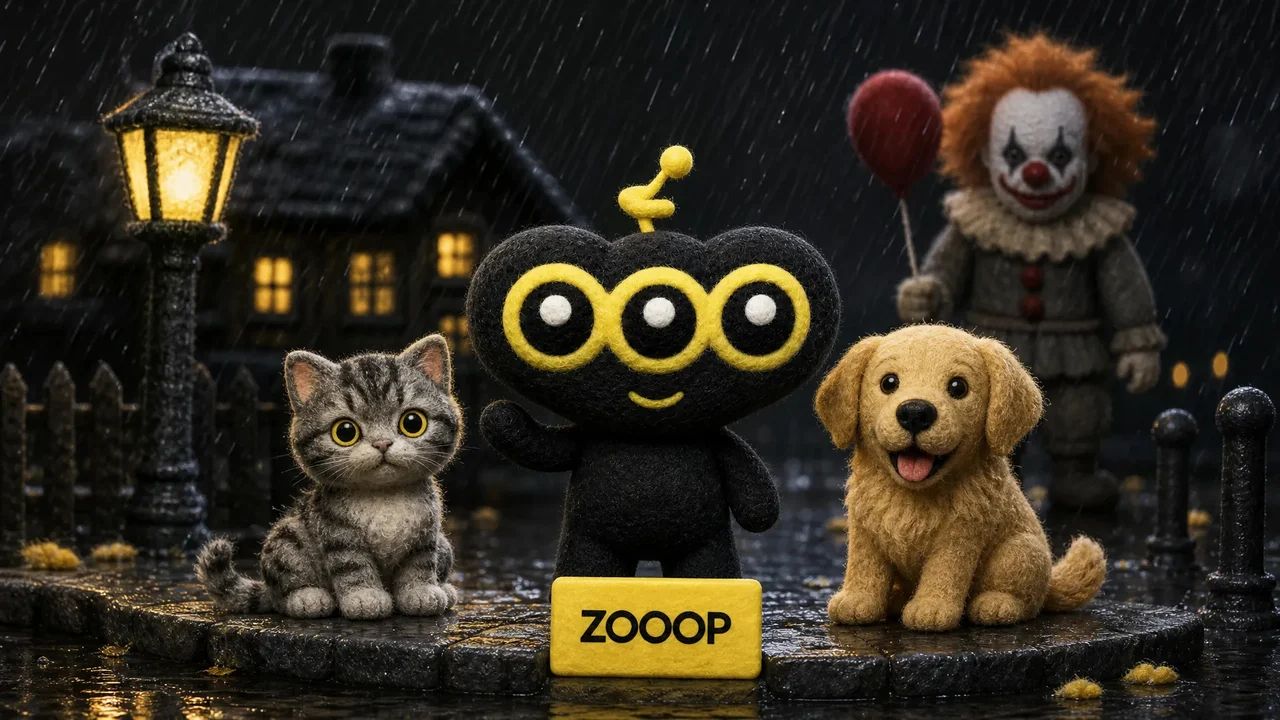
Upload a person, cat or dog photo for a cinematic portrait beside a horror clown. A red balloon, rain and wet street reflections set the Halloween mood.

Rainy Clown Photo

You or your pet, a red balloon, and an unsettling guest on a rain-soaked street.

Anwendungsfälle

Hauptmerkmale

One person or pet photo

Create the scene with your own portrait or a photo of your cat or dog. Pets keep a natural animal body and seated pose.

A cinematic Halloween mood

Cool night lighting, a warm porch light and glossy puddle reflections set the atmosphere.

Anleitung

  1. 01

    Upload one clear photo of one adult, cat or dog.

  2. 02

    Choose 9:16, 3:4 or 1:1 and your output resolution.

  3. 03

    Generate the photo, review the result and download it.

Im Detail

A quiet suburban street, a red balloon and an unexpected guest beside you. Rainy Clown Photo turns one portrait into a cinematic Halloween scene: a person sits on the curb while a sinister clown crouches behind them, with cool streetlights and warm house lights reflected in the wet road.

You can also upload a cat or dog. Pets stay on their own four paws with natural fur and animal proportions, sitting calmly beside the clown. The red balloon is tied to a small weight beside them.

The composition takes its cues from the rainy Pennywise photo trend. It uses your uploaded subject as a reference while creating a new pose and setting. Fine rain and an eerie grin give the image its horror mood; the scene is designed without blood, injuries or violence.

Start with a sharp photo of one adult, cat or dog with an unobstructed face. The default 9:16 layout leaves room for the balloon and puddle reflections. You can also choose a 3:4 portrait or a square image. Facial details and framing can vary between generations. This is an AI-created fan-style scene and does not imply an official film collaboration.
Häufig gestellte Fragen

Which photo works best?+

Use a clear, well-lit photo of one adult, cat or dog, facing the camera with the face unobstructed. Avoid group photos and heavy filters.

Will the result look exactly like my original photo?+

The model uses the face, fur and markings as references, but creates a new pose and environment. Likeness and small details may vary. Human clothing is restyled; pets keep their natural fur.

Is the scene graphic?+

It is designed as an eerie posed Halloween photo, without blood, injuries, weapons or an attack.

Is this an official movie photo?+

No. It is an AI-generated fan-style scene, not an official film still or collaboration.

Can I use my cat or dog?+

Yes. Upload one clear pet photo. The pet stays a real cat or dog, seated naturally beside the clown, with the balloon tied nearby.

How many credits does one photo cost?+

1K costs 11 credits, 2K costs 17 credits and 3K costs 26 credits per generated photo. The default is 2K. These prices cover one uploaded person or pet photo and any offered aspect ratio.

Anleitungen und Trends

So erstellen Sie ein KI-Foto mit Pennywise: von sich, Ihrer Katze oder Ihrem Hund

So erstellen Sie ein KI-Foto mit Pennywise: von sich, Ihrer Katze oder Ihrem Hund

Erstellen Sie mit Pennywise ein Foto für eine regnerische Nacht aus einem Porträt- oder Haustierbild. Sehen Sie sich vier reale Ergebnisse an und erfahren Sie, welches Bild sich eignet, welches Format Sie wählen können und worauf Sie achten sollten.

KI-BildBildgeneratorBild bearbeitenSVG-Generator

KI-VideoText mit ReferenzBewegungssteuerungStart- / EndbildVideo erweiternVideo bearbeitenLippensynchronisationVideo-Soundeffekte

KI-AudioText zu SpracheStimmklonSoundeffektMusikgenerierung

EntdeckenAlle ModelleAlle VorlagenKI-ToolsGlossarModelle vergleichenKostenlose WerkzeugeAlternativenAI CLIAPI-DokuAgent-Skill

UnternehmenBlogPreiseFAQDatenschutzBedingungenRechtsverletzung melden

© 2026 ZOOOP. Alle Rechte vorbehalten.