Draft fast, finish in 4K
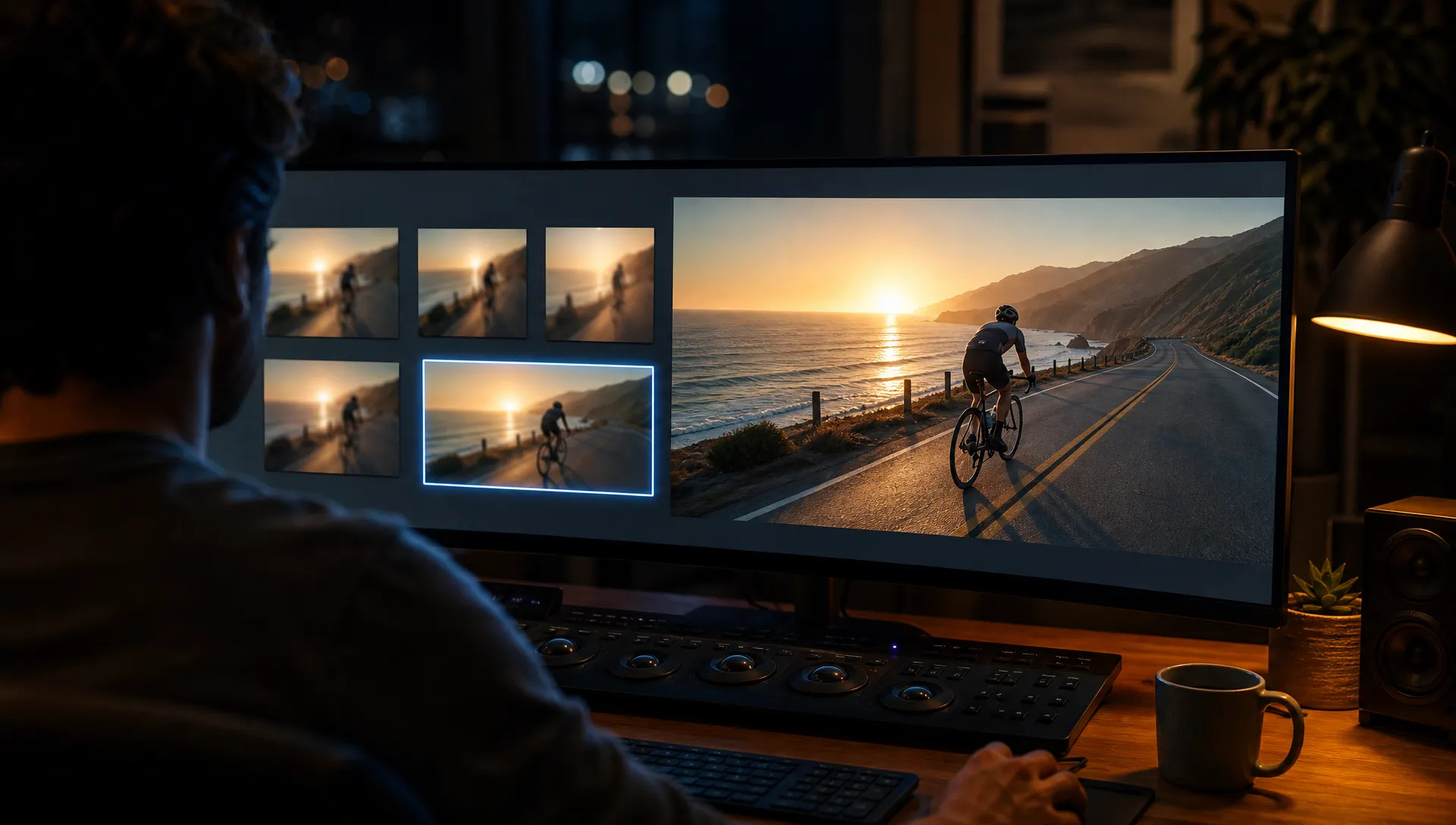
Test five versions of a shot at 360p, keep the one that works, and re-render it at 1080p or 4K for the client cut.

Google's newest video model: text, image, reference, edit and extend in one model, with native audio from 360p drafts up to 4K.
Zapłać raz za kredyty - używaj ich w każdym modelu na ZOOOP. · Doładuj, kiedy potrzebujesz, bez miesięcznego spalania.
Powered by Google's API on ZOOOP
Generate from text or a start frame, steer with references, rewrite an existing clip with a sentence, or continue a shot. Five jobs that usually need five different models share one prompt style and one look.
Dialogue, sound effects and ambience are generated in the same pass as the picture, so lips, footsteps and room tone land in sync. Steer it in the prompt ("no dialogue", "no music") when you only want a bed of ambience.
Add up to 10 reference images of a character, product or location, plus up to three video clips of 3 seconds each for motion or framing. Faces, outfits and packaging stay consistent across the shot.
Iterate on composition at 360p, the fast draft tier, then re-render the keeper at 720p, or at 1080p or 4K (upscaled from the native frames) for delivery.
Test five versions of a shot at 360p, keep the one that works, and re-render it at 1080p or 4K for the client cut.
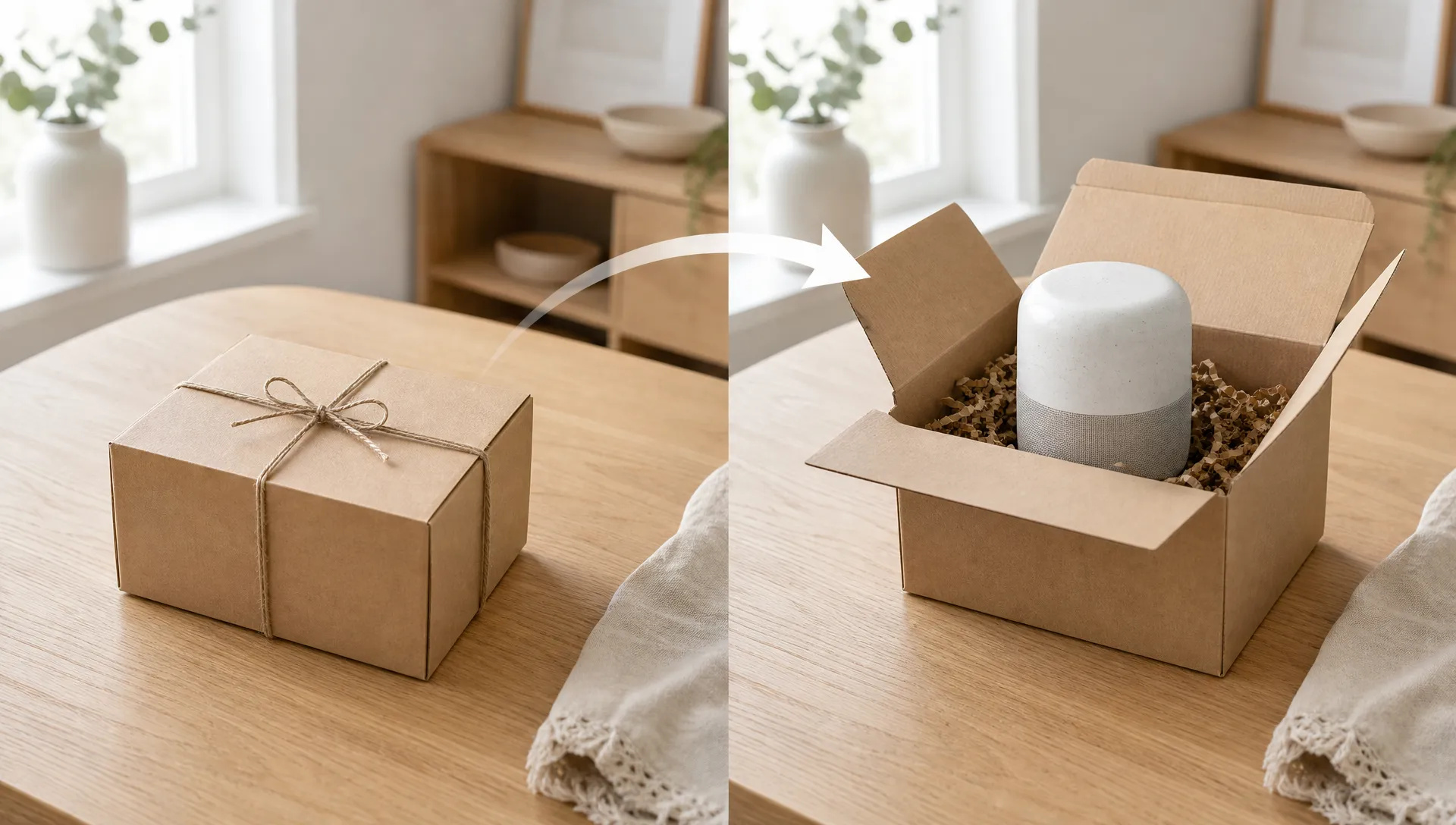
Give a first frame and a last frame (a closed box and the opened product, a sketch and the finished room) and let the model animate everything in between.
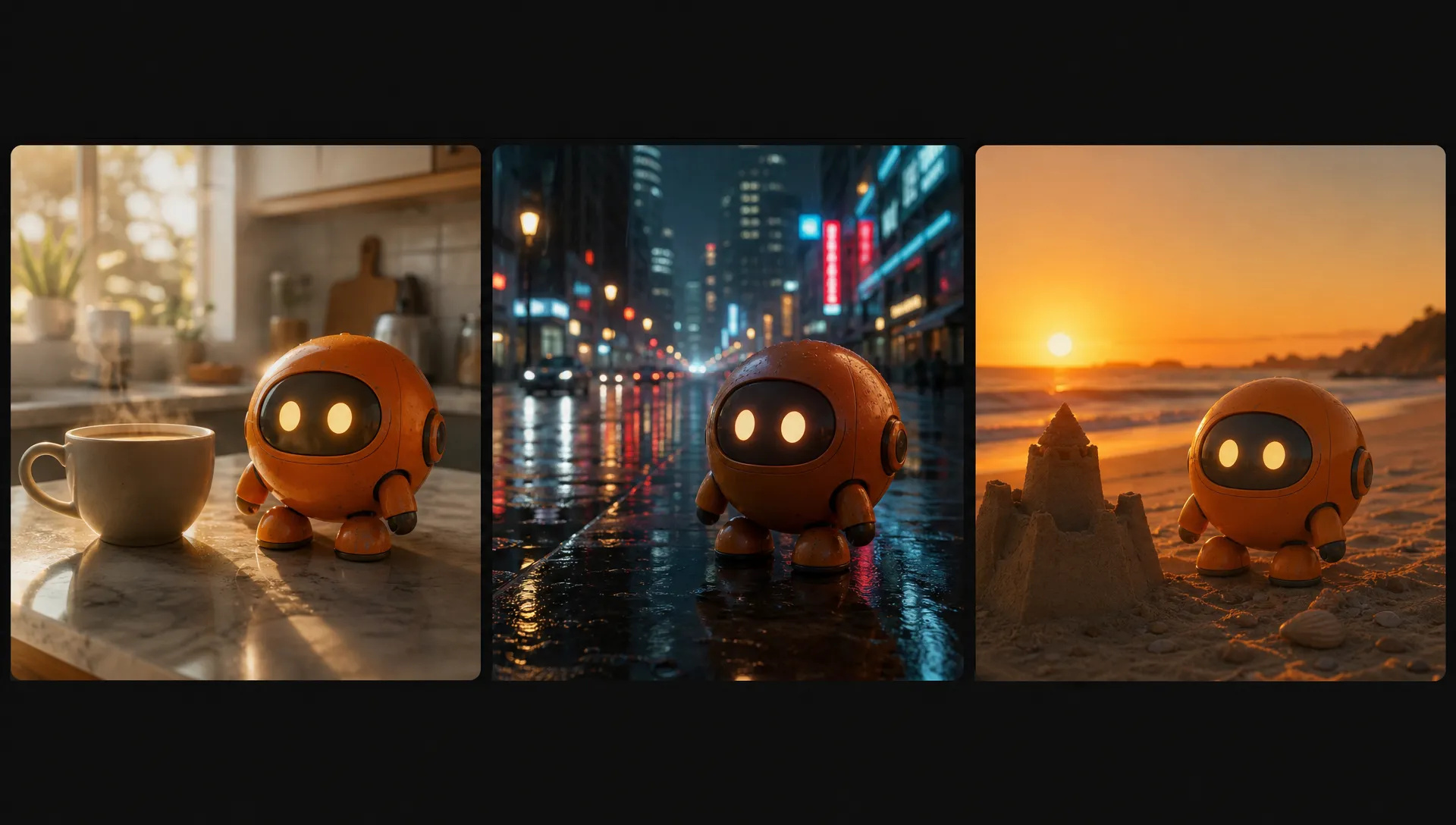
Upload a mascot, a model or a bottle from several angles and place it in new scenes without the face or label drifting between shots.
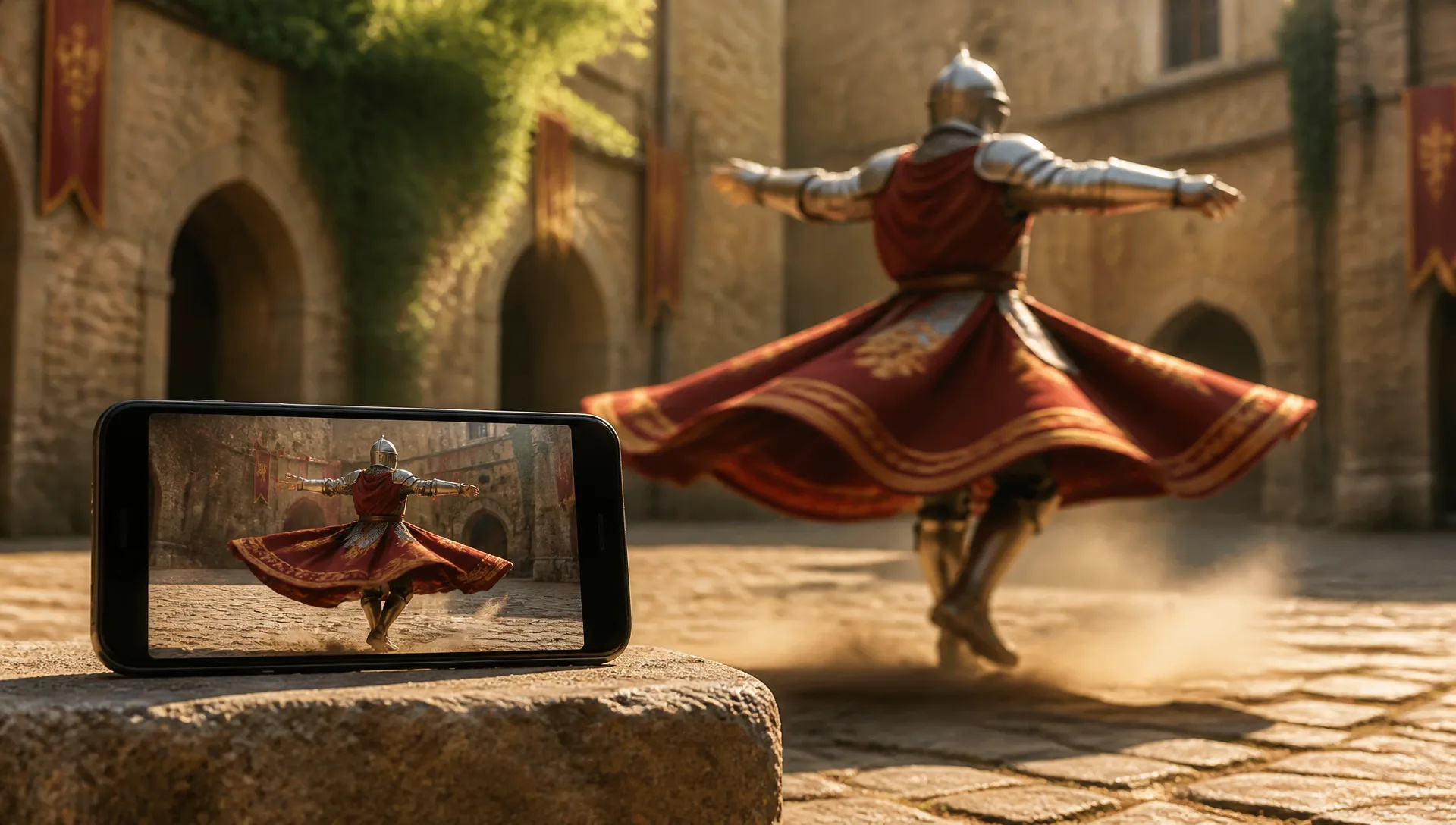
Add a 3-second reference clip of a camera move or a gesture and have your character perform it in a different setting.
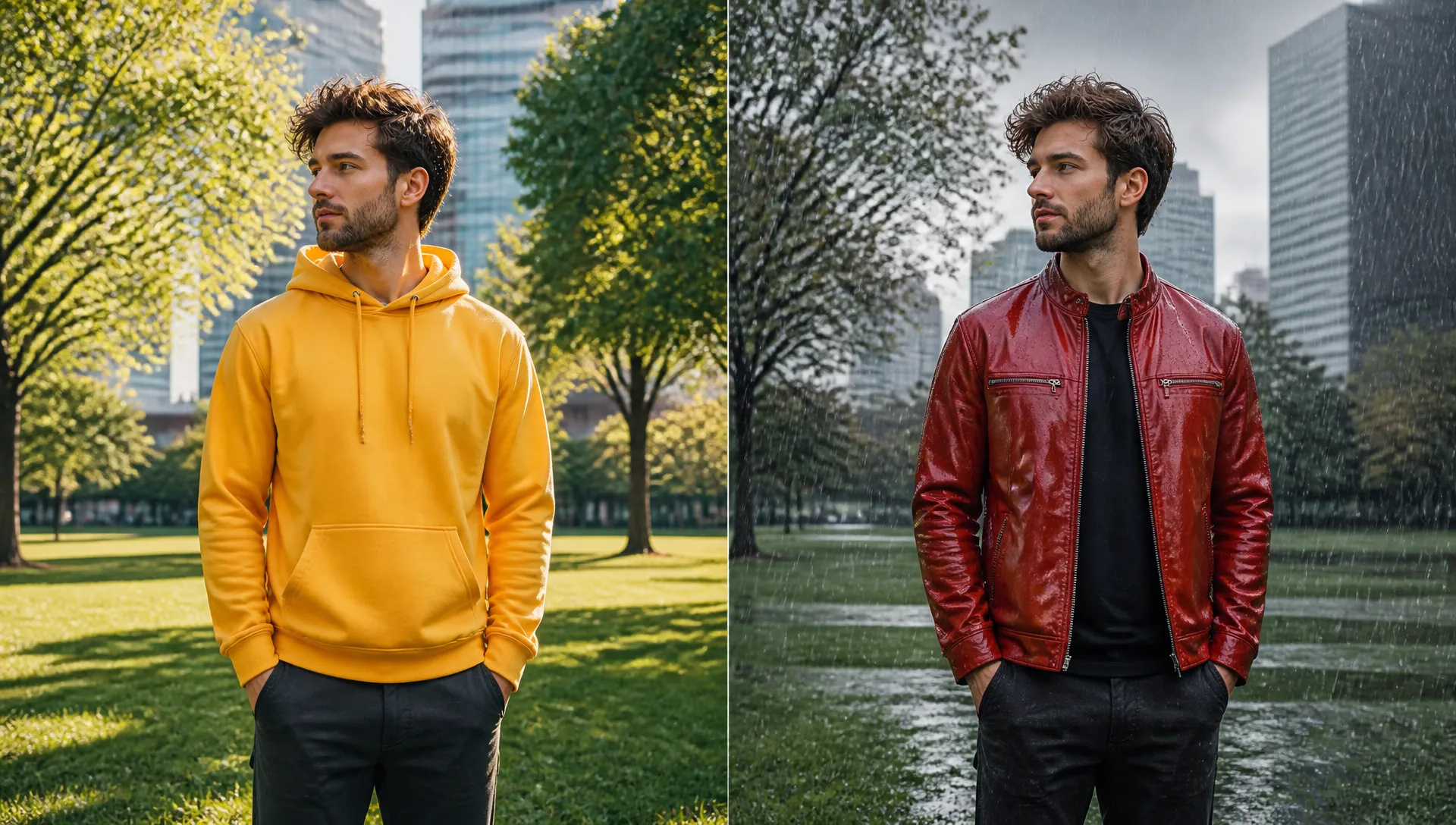
Change an outfit, the weather or the time of day in a clip of up to 10 seconds while the person, framing and timing stay the same.
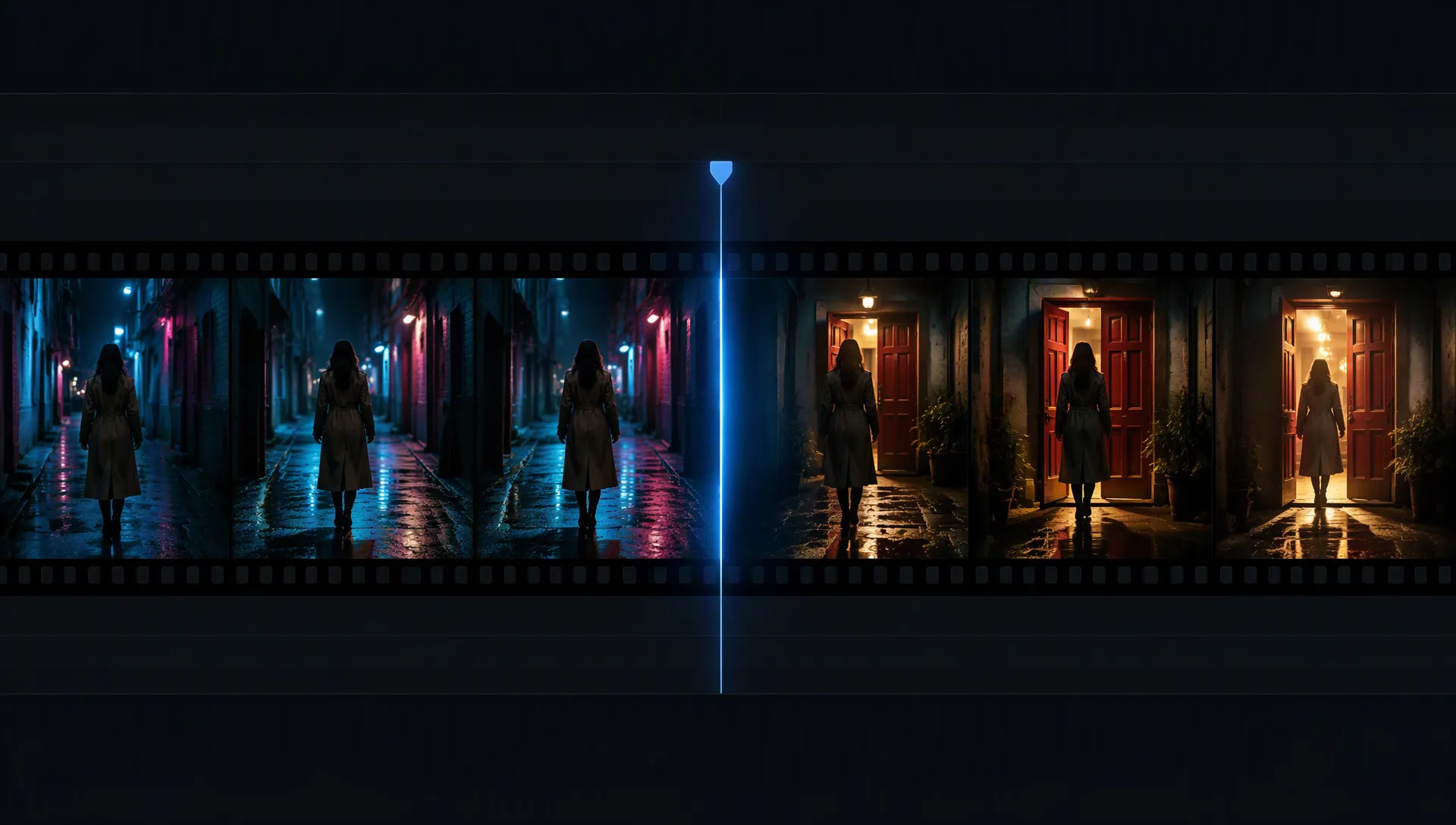
Add 3 to 10 seconds to the end of a clip: the walk continues, the door opens, the camera keeps drifting, with matching sound.
Gemini Omni 1.1 Flash is the all-rounder: one model for creating, editing and extending clips with sound. Switch when a shot needs something it does not do.
Open Gemini Omni 1.1 Flash from this page and pick a mode: text or reference, start frame, edit, or extend.
Describe the shot, ideally in English, including camera moves and any sound you want or don't want.
Choose duration (3 to 10 seconds), aspect ratio (16:9 or 9:16) and resolution (360p to 4K).
Generate, then refine the prompt or move a 360p draft up to a higher resolution.
Gemini Omni 1.1 Flash is Google's answer to a problem every video workflow runs into: the model that generates a shot usually can't fix it afterwards. You render a clip, the jacket is the wrong color or the take ends a second too early, and you are back to prompting from scratch with a different model and a different look. Omni puts creation, editing and extension in one model with one visual language, and it generates sound in the same pass as the picture. Google released it on August 27, 2026 and lists it as the replacement for the Veo 3.1 family.
The first flagship capability is multimodal references. Alongside the prompt you can add up to 10 images (a character from several angles, a product, a location) and up to three video clips of 3 seconds each. Images lock identity: faces, outfits and labels hold steady across the shot. Short clips carry motion and framing: a camera dolly, a hand gesture, the pace of a walk. In our tests, two product photos plus a 2.5-second park clip produced the two products rolling across that same lawn, in the same light.
The second is editing with a sentence. Upload a clip of up to 10 seconds and describe the change: a yellow hoodie becomes a red leather jacket, a sunny street turns to rain, day becomes dusk. The person, framing and timing stay the same, and the output keeps the source's length and orientation. Extend works the same way from the other end: it adds 3 to 10 seconds to a clip so a walk continues or a door finally opens, with matching sound.
The third is the draft-to-finish ladder. 360p is a fast draft tier meant for finding the composition. Once a version works, render it again at 720p, the native top tier, or at 1080p or 4K, which are upscaled from the native frames, for delivery.
Where it's weaker: clips are 3 to 10 seconds and only 16:9 or 9:16. For longer single takes or square framing, Wan V3.0 goes to 30 seconds and offers 1:1 and 4:3. Audio is always on; you can steer it, not disable it. Google's safety filters are strict, and photos of some recognizable people are refused, so for putting a specific person into an existing clip MiniMax H3 is the better tool. For edits of clips longer than 10 seconds, use Seedance V2.5.
A reasonable mental model: make Gemini Omni 1.1 Flash the default for clips with sound that you may want to revise, because the same model can edit and extend what it made. Reach for MiniMax H3 to swap a person into existing footage, Wan V3.0 for long or square takes, and Seedance V2.5 for multi-shot sequences.
It is Google's multimodal video model, released on August 27, 2026. One model covers text-to-video, image-to-video with an optional last frame, reference-driven video, editing an existing clip, and extending a clip, all with native audio.
Yes. Google lists Gemini Omni 1.1 Flash as the replacement for the Veo 3.1, Veo 3.1 Fast and Veo 3.1 Lite previews, which are scheduled to shut down in October 2026. On ZOOOP it covers everything those models did and adds editing and extension.
Each generation is 3 to 10 seconds. Extend mode adds another 3 to 10 seconds to a clip of up to 10 seconds, and the canvas lets you assemble several clips into a longer piece.
Audio is always generated. You can steer it in the prompt, for example "no dialogue" or "no background music", or mute the clip afterwards.
No. Gemini Omni 1.1 Flash generates natively at 360p and 720p; 1080p and 4K are upscaled from those frames. Use 360p to explore and a higher tier for the final render.
Edit and extend accept source clips of up to 10 seconds, and reference clips are capped at 3 seconds each (their audio is ignored). Google's safety filters apply to prompts and outputs, and photos of some recognizable people are refused. Every output carries Google's invisible SynthID watermark.























Rozszerzenie wideoWideo z pierwszej i ostatniej klatkiTekst i odniesienie do wideoEdycja wideo
Wideo z pierwszej i ostatniej klatkiTekst i odniesienie do wideoEdycja wideo
Wideo z pierwszej i ostatniej klatkiTekst i odniesienie do wideoEdycja wideo
Wideo z pierwszej i ostatniej klatkiTekst i odniesienie do wideoEdycja wideo
Rozszerzenie wideoWideo z pierwszej i ostatniej klatkiTekst i odniesienie do wideo
Wideo z pierwszej i ostatniej klatkiTekst i odniesienie do wideoEdycja wideo
Gemini Omni 1.1 Flash
Prompt*
Reference Images
Reference Videos
Współczynnik proporcji*
Rozdzielczość*
Czas trwania*
Twoje pokolenia pojawią się tutaj po zalogowaniu.
Założenie konta jest bezpłatne.