Reference-anchored video
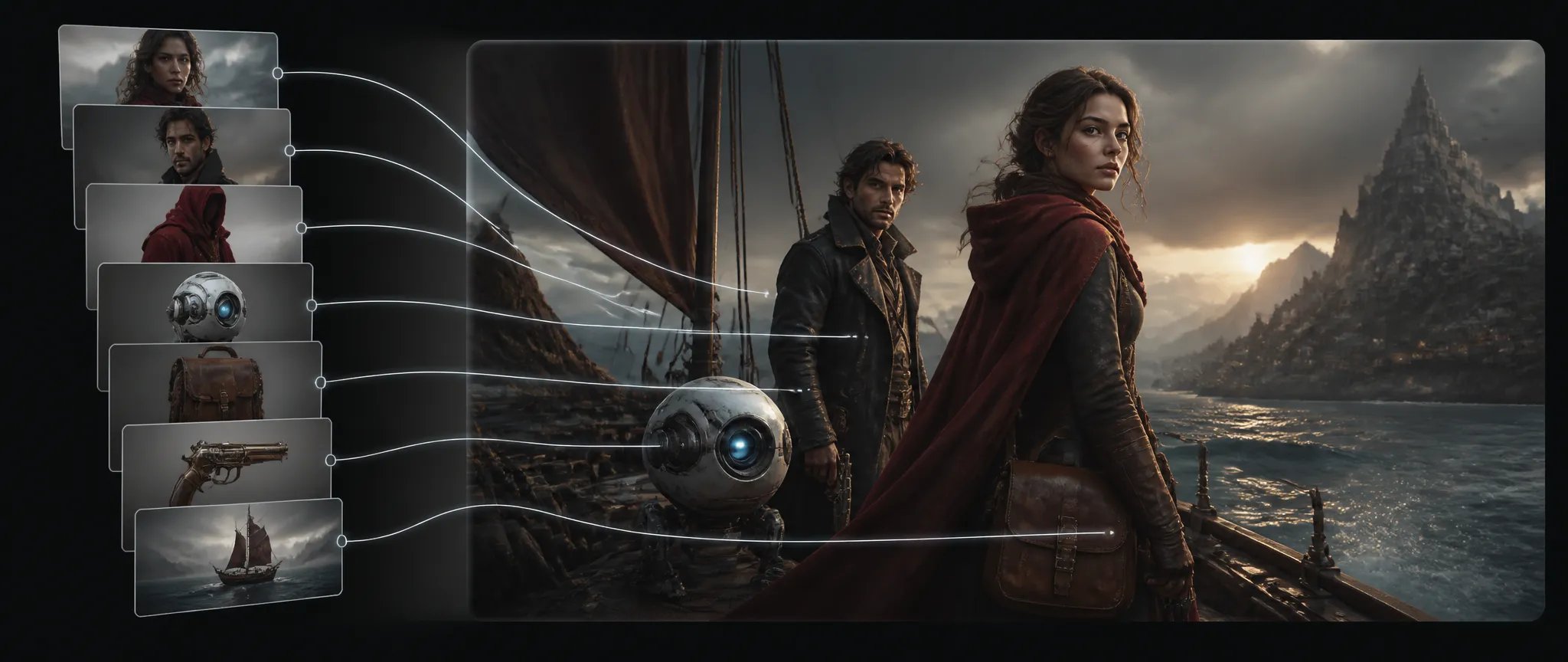
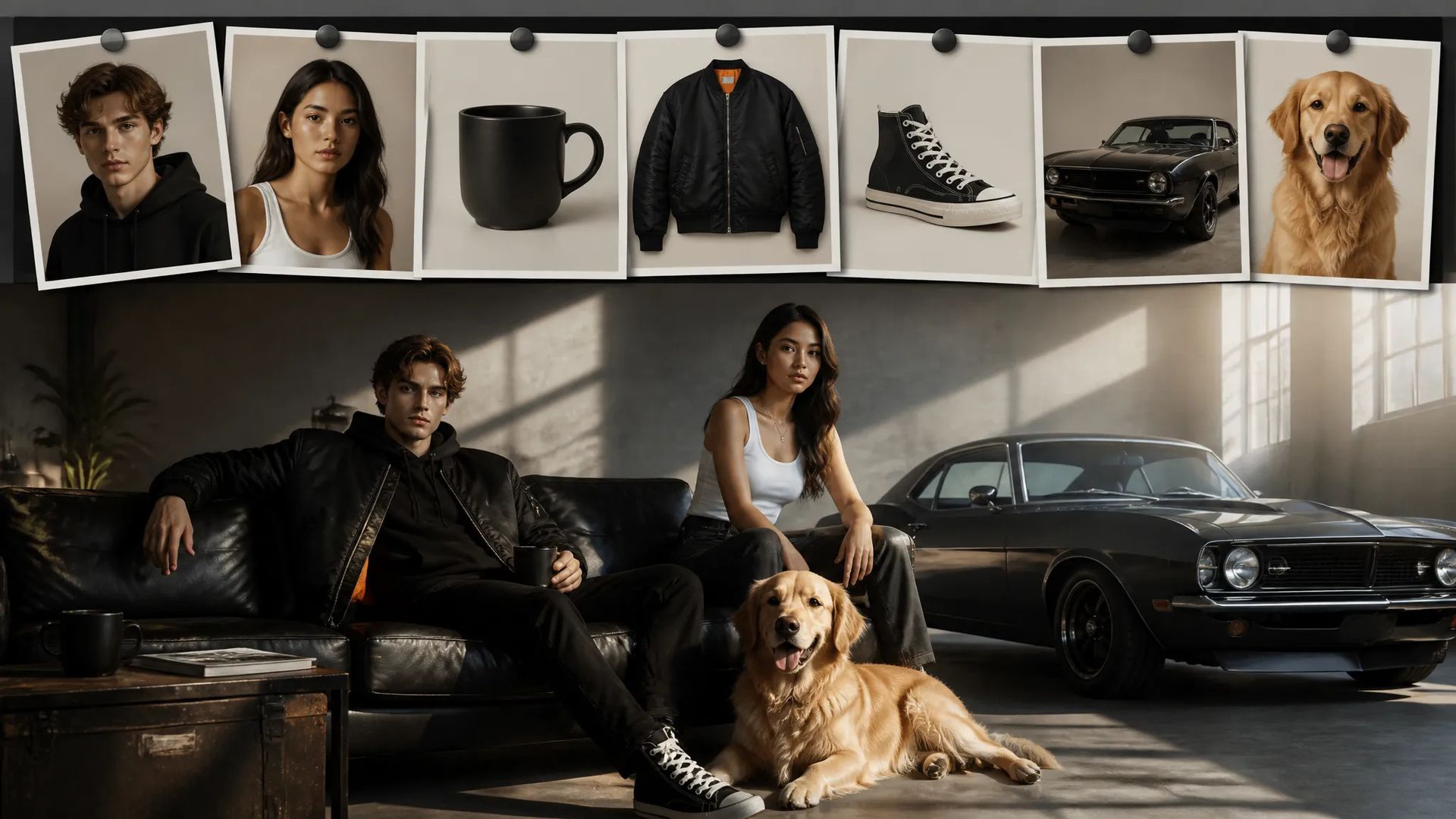
Feed up to 7 references to keep characters and products in the shot.

Vidu Q2 Pro — reference-driven text-to-video with up to 7 references and movement control.
Zapłać raz za kredyty - używaj ich w każdym modelu na ZOOOP. · Doładuj, kiedy potrzebujesz, bez miesięcznego spalania.
Powered by Vidu AI's API on ZOOOP
Vidu Q2 Pro takes up to 7 reference images to anchor subjects and style — the prior-generation Vidu reference workflow.
Set movement to auto, small, medium, or large to control how much motion the shot has.
Output at 720p or 1080p across five aspect ratios.
Clips from 2 to 8 seconds, with 5 seconds as the default.
Feed up to 7 references to keep characters and products in the shot.
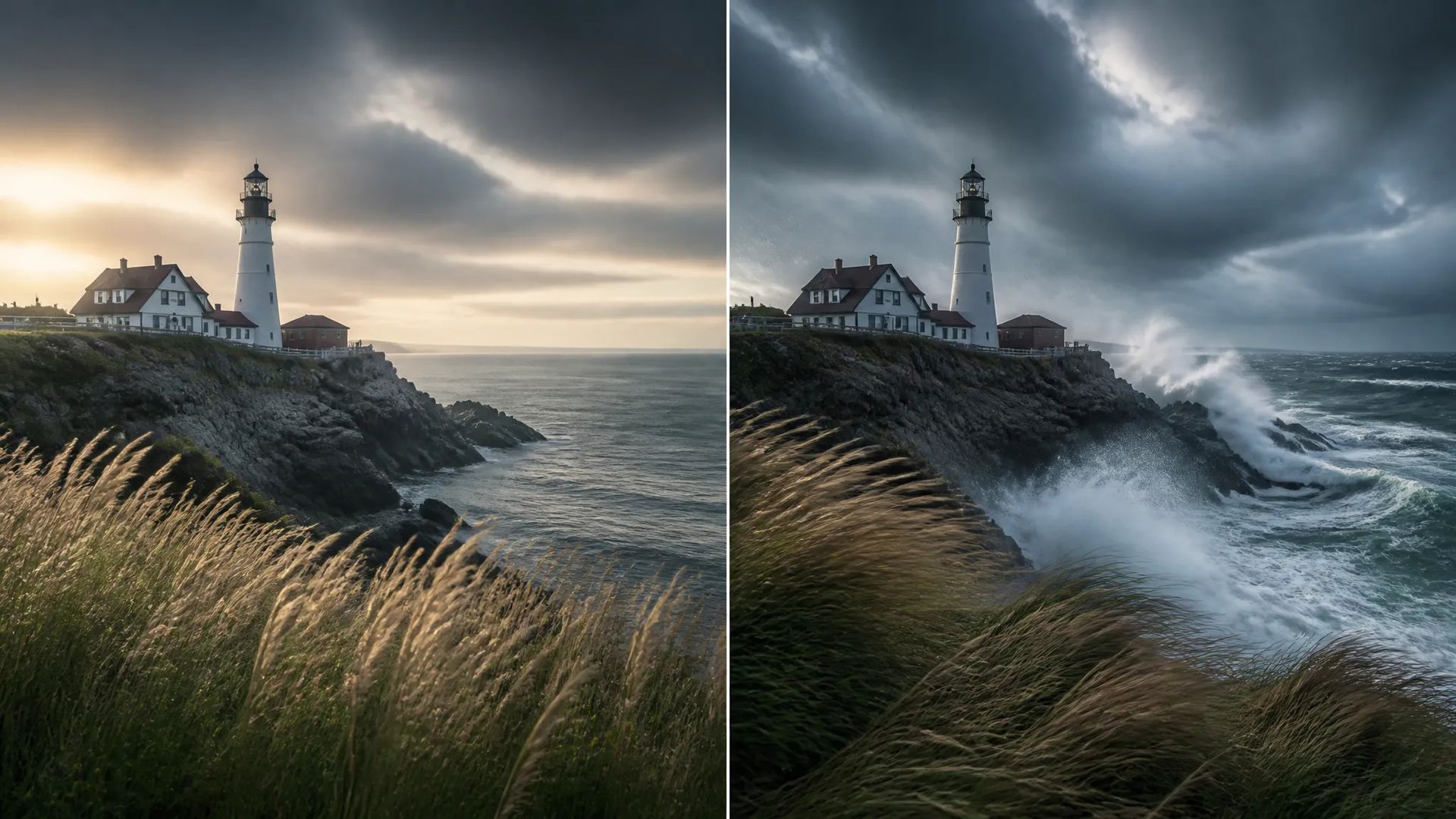
Set small movement for subtle scenes or large for dynamic action.

Reference a product and animate it with controlled movement for ads.

9:16 output for feed- and story-ready clips.
Pick the right video model. Your credits work everywhere on ZOOOP.
Open Vidu Q2 Pro from this page or pick it in the Video Generator.
Write the prompt and add up to 7 reference images.
Pick aspect ratio, resolution (up to 1080p), duration (2–8s), and movement amplitude.
Generate, then download or send the clip to your canvas.
Vidu Q2 Pro is the reference-driven tier of the prior Vidu generation: it takes up to 7 reference images to anchor characters, products, and style in the generated shot. Like the rest of Vidu's line, the point is keeping your subjects on screen rather than letting a prompt invent something close — useful for character scenes and product motion where the subject has to stay recognizable.
A distinctive control is movement amplitude — auto, small, medium, or large — which sets how much motion the shot carries. Small suits subtle, contained scenes; large drives dynamic action. Output runs at 720p or 1080p across five aspect ratios, with clips from 2 to 8 seconds.
Where it sits in the Vidu line: Vidu Q3 is the newer generation with native audio and up to 16-second clips; Vidu Q3 Turbo is the faster Q3 text-to-video tier; Vidu Q2 Turbo is this generation's image-to-video. For a different look, Kling V3 is the general flagship. Vidu Q2 Pro's sweet spot is reference-anchored video with movement control.
A reasonable mental model: default to Vidu Q2 Pro when you need referenced subjects plus movement control and 8 seconds is enough, and step up to Vidu Q3 for longer shots and native audio.
Up to 7 — to anchor characters, products, and style in the generated shot.
A control for how much motion the shot has — auto, small, medium, or large. Use small for subtle scenes, large for dynamic action.
Vidu Q2 Pro is the prior Vidu generation with up to 7 references and movement control, clips up to 8 seconds. Vidu Q3 is the newer generation with native audio and up to 16 seconds. Step up to Q3 for longer shots and audio.
720p or 1080p, across five aspect ratios.























Wideo z pierwszej i ostatniej klatkiTekst i odniesienie do wideo
Wideo z pierwszej i ostatniej klatkiTekst i odniesienie do wideo
Wideo z pierwszej i ostatniej klatkiTekst i odniesienie do wideo
Wideo z pierwszej i ostatniej klatkiTekst i odniesienie do wideo
Wideo z pierwszej i ostatniej klatkiTekst i odniesienie do wideo
Wideo z pierwszej i ostatniej klatkiTekst i odniesienie do wideo
Vidu Q2 Pro
Prompt*
Obrazy
Współczynnik proporcji*
Rozdzielczość*
Czas trwania*
Move Range*
Twoje pokolenia pojawią się tutaj po zalogowaniu.
Założenie konta jest bezpłatne.