

Lengthen a clip
Continue a short generation or recorded clip into a longer shot without re-generating from scratch.

Lightricks' LTX-2.3 video extension — continue an existing clip with more frames, up to 20 seconds.
Pay once for credits — use them across every model on ZOOOP. · Пополняйте, когда вам нужно, без ежемесячного сжигания.
Powered by Lightricks's API on ZOOOP
Provide an existing clip and LTX-2.3 continues it — appending new frames after the last one for a longer shot.
Extend a clip out to as long as 20 seconds in one pass.
Add a prompt to steer where the extended motion goes, or let it continue naturally.
The efficient LTX generation, applied to extending footage you already have.
Continue a short generation or recorded clip into a longer shot without re-generating from scratch.

Carry a motion or camera move past where the original clip ended.
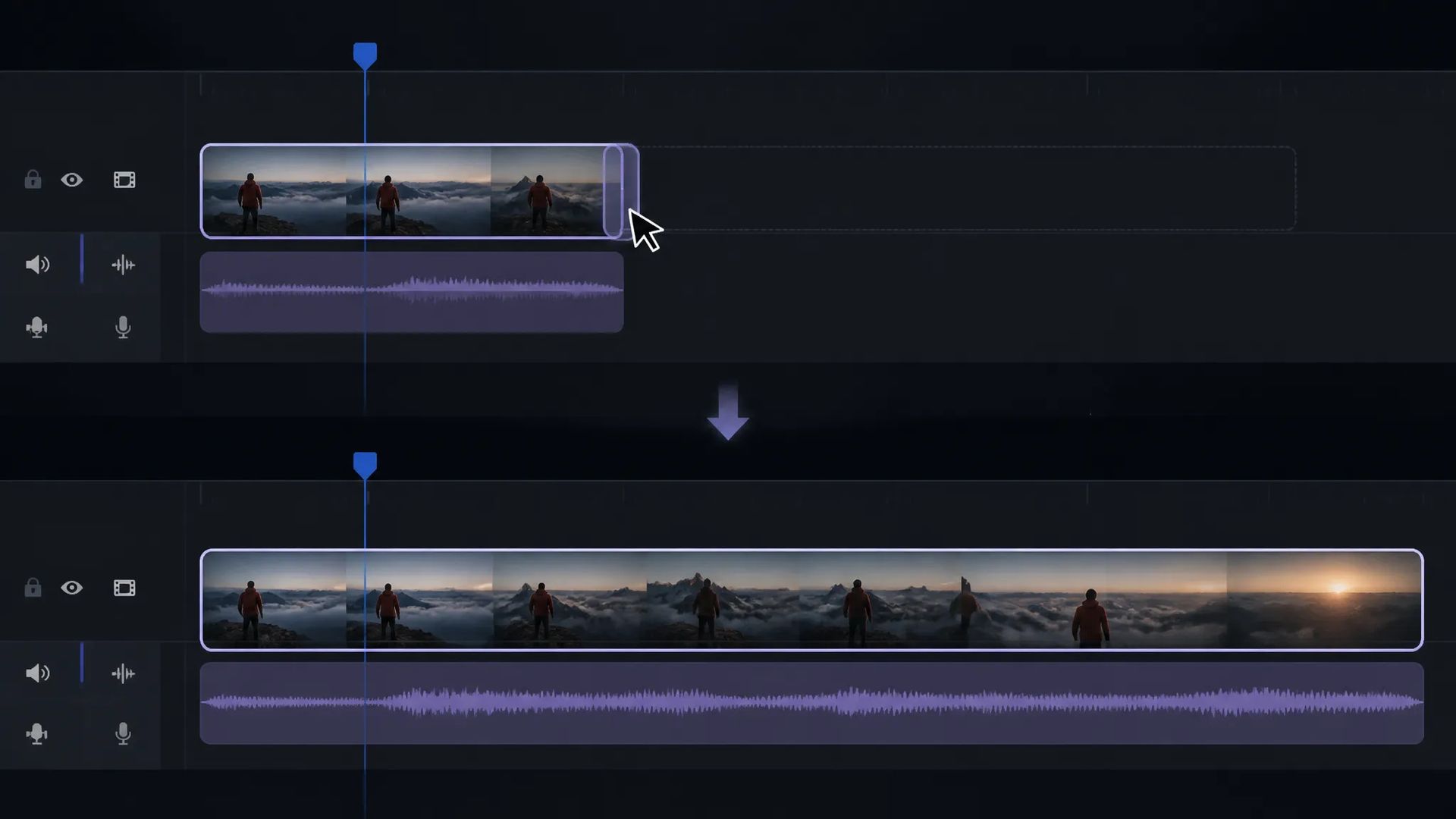
Stretch a short clip to fit a longer edit slot.

Guide the extension with a prompt to direct where the shot goes next.
Pick the right video model. Your credits work everywhere on ZOOOP.
Open LTX-2.3 Extend from this page or pick it in the Video tools.
Upload the video clip to extend and add a prompt for the continuation.
Set the duration (up to 20s).
Generate, then download or send the clip to your canvas.
LTX-2.3 Extend is a video extension tool: provide an existing clip and it continues it, appending new frames after the last one to make a longer shot. Rather than re-generating a scene from scratch and trying to match the original, you hand it the footage you have and it carries the motion forward — useful when a short generation or recorded clip needs to fill a longer slot in an edit.
Extensions can run up to 20 seconds in a single pass, and an optional prompt steers where the continuation goes — carry an action past its original end, or let the shot evolve in a new direction. It draws on the efficient Lightricks LTX lineage.
Where it sits: the LTX-2.3 first-last-frame tiers animate a still image into a new clip with native 4K and keyframes; LTX-2.3 Fast is the cheaper of those. For image-to-video in other lines, Wan V2.6 Flash is an option. LTX-2.3 Extend's lane is lengthening footage you already have.
A reasonable mental model: default to LTX-2.3 Extend when you have a clip and need it longer, and use the LTX-2.3 image-to-video tiers when you're starting from a still.
It continues an existing video clip — appending new frames after the last one to make a longer shot. Provide a clip and an optional prompt to steer the continuation.
Up to 20 seconds in one pass.
LTX-2.3 Extend continues an existing video. The LTX-2.3 first-last-frame tiers animate a still image into a new clip. Pick Extend when you already have footage to lengthen.
Yes — add a prompt to direct where the extended motion goes, or let it continue naturally.























LTX-2.3 Extend
Prompt
Video*
Длительность*
Ваши поколения появятся здесь, как только вы войдете в систему.
Создание аккаунта бесплатное.