छवि एआई

छवि एआई

GPT Image 2.5, Nano Banana 2.1, Seedream 5.0 Pro और कई अन्य मॉडल से छवियाँ बनाएँ और संपादित करें, फिर उसी जगह उन्हें अपस्केल करें, रीटच करें या नया स्टाइल दें।

एआई छवि जेनरेटर आज़माएँ

छवि

  • छवि जेनरेटर
  • छवि संपादित करें
  • एसवीजी जेनरेटर
  • छवि अपस्केलर
  • पृष्ठभूमि हटानेवाला
  • ऑब्जेक्ट रिमूवर
  • फोटो रिस्टोरर

छवि मॉडल

  • Nano Banana 2 Liteनया
  • Seedream 5.0 Flashनया
  • Nano Banana 2.1नया
  • Muse Image
  • GPT Image 2.5
  • Seedream 5.0 Pro
  • Midjourney V8.2
  • Nano Banana Pro
  • Flux 2 Pro
  • Grok Imagine
और छवि मॉडल

फ़ोटो इफ़ेक्ट

  • वर्चुअल ट्राई-ऑन
  • कपड़े बदलें
  • हेयरस्टाइल बदलें
  • प्रोफ़ेशनल प्रोफ़ाइल फ़ोटो
  • उम्र बदलें
  • स्टाइल ट्रांसफ़र
  • पोर्ट्रेट निखारें
  • AI एक्शन फ़िगर
और छवि उपकरण
वीडियो एआई

वीडियो एआई

Seedance 2.5, Gemini Omni 1.1 Flash, MiniMax H3, Kling V4 और Wan 3.0 से टेक्स्ट और छवियों को नेटिव ऑडियो वाली सिनेमैटिक क्लिप में बदलें।

एआई वीडियो जेनरेटर आज़माएँ

वीडियो

  • वीडियो जेनरेटर
  • प्रारंभ / अंत फ़्रेम
  • मोशन कंट्रोल
  • वीडियो संपादित करें
  • लिप सिंक
  • वीडियो बढ़ाएं
  • वीडियो ध्वनि प्रभाव
  • वीडियो अपस्केलर

वीडियो मॉडल

  • Kling V4नया
  • MiniMax H3 Max Turboनया
  • Gemini Omni 1.1 Flashनया
  • MiniMax H3 Max
  • Vidu Q4
  • Seedance 2.5
  • MiniMax H3
  • Wan 3.0
  • Kling O3
  • Grok Imagine V1.5
और वीडियो मॉडल

वीडियो टेम्पलेट

  • AI डांस
  • पालतू जानवर वीडियो
  • फ़ेस स्वैप वीडियो
  • हैलोवीन
और टेम्पलेट
ऑडियो एआई

ऑडियो एआई

ElevenLabs, Gemini, MiniMax और Lyria से असली जैसी आवाज़, तुरंत वॉयस क्लोन, साउंड इफ़ेक्ट और संगीत।

टेक्स्ट टू स्पीच आज़माएँ

ऑडियो

  • टेक्स्ट टू स्पीच
  • वॉयस क्लोन
  • ध्वनि प्रभाव
  • संगीत जनरेशन
  • वीडियो ध्वनि प्रभाव

ऑडियो मॉडल

  • Gemini 3.1 Flash TTSनया
  • Lyria 3 Proनया
  • ElevenLabs V3
  • MiniMax Speech 2.8 HD
  • Qwen3-TTS
  • Inworld TTS
  • MiniMax Music 2.6
  • ElevenLabs Sound Effects
  • Index TTS 2
और ऑडियो मॉडल
एआई उपकरण

एआई उपकरण

एक क्लिक में सुधार और इफ़ेक्ट: अपस्केल करें, बैकग्राउंड हटाएँ, ऑब्जेक्ट मिटाएँ, पुरानी फ़ोटो ठीक करें, कपड़े ट्राई करें और भी बहुत कुछ।

सभी एआई उपकरण देखें

छवि उपकरण

  • छवि अपस्केलर
  • पृष्ठभूमि हटानेवाला
  • ऑब्जेक्ट रिमूवर
  • फोटो रिस्टोरर
  • पोर्ट्रेट निखारें
  • स्टाइल ट्रांसफ़र
  • टेक्सचर बदलें
  • कैमरा एंगल बदलें

फ़ोटो इफ़ेक्ट

  • वर्चुअल ट्राई-ऑन
  • कपड़े बदलें
  • हेयरस्टाइल बदलें
  • मेकअप बदलें
  • प्रोफ़ेशनल प्रोफ़ाइल फ़ोटो
  • उम्र बदलें
  • चेहरे का भाव बदलें
  • हाथ में प्रोडक्ट फ़ोटो
  • मशहूर शहरों में पहुँचें

वीडियो उपकरण

  • वीडियो अपस्केलर
  • वीडियो संपादित करें
  • वीडियो बढ़ाएं
  • लिप सिंक
  • वीडियो ध्वनि प्रभाव
सभी एआई उपकरण

ट्रेंडिंग टेम्पलेट

डांस, पालतू जानवरों और हैलोवीन वाले वीडियो, जो इस समय हर कोई बना रहा है। एक फ़ोटो अपलोड करें और कुछ ही मिनटों में शेयर करने लायक क्लिप पाएँ।

ट्रेंडिंग टेम्पलेट देखेंट्रेंडिंगZombie Love Story

टेम्पलेट श्रेणियाँ

  • AI डांस
  • पालतू जानवर वीडियो
  • फ़ेस स्वैप वीडियो
  • हैलोवीन
  • AI एक्शन फ़िगर
और टेम्पलेट

एक्सप्लोर करें

  • मॉडल लाइब्रेरीहर समर्थित एआई नमूना - छवि, वीडियो, ऑडियो।
  • अनंत कैनवसएक साझा कैनवास पर स्टोरीबोर्ड, रचना और रीमिक्स।
  • ब्लॉगएआई फिल्म निर्माण ट्यूटोरियल, नमूना डीप-डाइव्स, उत्पाद समाचार।
  • अक्सर पूछे जाने वाले प्रश्नसामान्य प्रश्नों के त्वरित उत्तर।

डेवलपर्स

  • एआई CLIटर्मिनल से इमेज और वीडियो बनाएँ।
  • एपीआई डॉक्सछवि, वीडियो और ऑडियो पीढ़ी के लिए RAPI।
  • एजेंट कौशलक्लाउड कोड, कोडेक्स या कर्सर छवि और वीडियो पीढ़ी दें।
एआई टेम्पलेटमूल्य निर्धारण
होमकैनवस
एआई जेनरेटर
छवि जेनरेटरछवि संपादित करेंएसवीजी जेनरेटर
संदर्भ के साथ पाठप्रारंभ / अंत फ़्रेममोशन कंट्रोलवीडियो संपादित करेंलिप सिंकवीडियो बढ़ाएंवीडियो ध्वनि प्रभाव
टेक्स्ट टू स्पीचवॉयस क्लोनध्वनि प्रभावसंगीत जनरेशन
टेम्पलेट
लोकप्रिय टेम्पलेट
उपकरण
एआई उपकरण
संसाधन
रचनाएँ
  1. होम
  2. टेम्पलेट
  3. हैलोवीन
  4. Rainy Clown Photo

Rainy Clown Photo

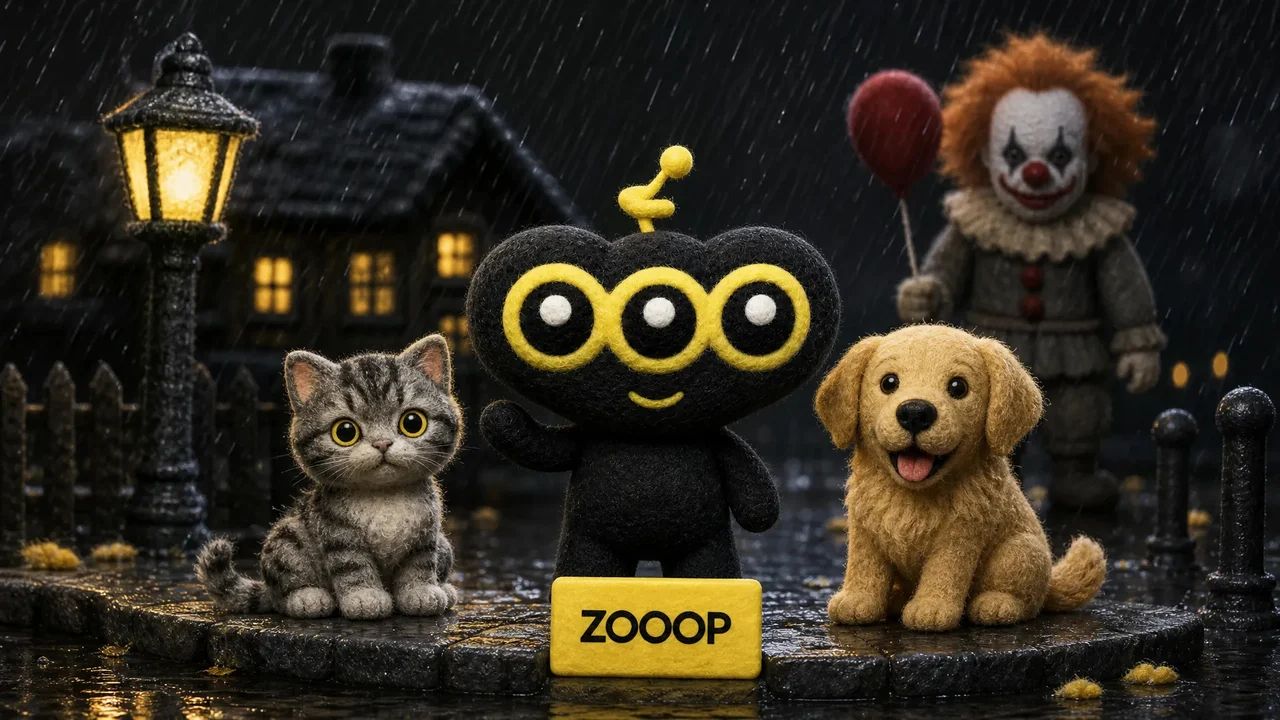
Upload a person, cat or dog photo for a cinematic portrait beside a horror clown. A red balloon, rain and wet street reflections set the Halloween mood.

Rainy Clown Photo

You or your pet, a red balloon, and an unsettling guest on a rain-soaked street.

उपयोग के उदाहरण

मुख्य विशेषताएं

One person or pet photo

Create the scene with your own portrait or a photo of your cat or dog. Pets keep a natural animal body and seated pose.

A cinematic Halloween mood

Cool night lighting, a warm porch light and glossy puddle reflections set the atmosphere.

उपयोग कैसे करें

  1. 01

    Upload one clear photo of one adult, cat or dog.

  2. 02

    Choose 9:16, 3:4 or 1:1 and your output resolution.

  3. 03

    Generate the photo, review the result and download it.

विस्तार से जानें

A quiet suburban street, a red balloon and an unexpected guest beside you. Rainy Clown Photo turns one portrait into a cinematic Halloween scene: a person sits on the curb while a sinister clown crouches behind them, with cool streetlights and warm house lights reflected in the wet road.

You can also upload a cat or dog. Pets stay on their own four paws with natural fur and animal proportions, sitting calmly beside the clown. The red balloon is tied to a small weight beside them.

The composition takes its cues from the rainy Pennywise photo trend. It uses your uploaded subject as a reference while creating a new pose and setting. Fine rain and an eerie grin give the image its horror mood; the scene is designed without blood, injuries or violence.

Start with a sharp photo of one adult, cat or dog with an unobstructed face. The default 9:16 layout leaves room for the balloon and puddle reflections. You can also choose a 3:4 portrait or a square image. Facial details and framing can vary between generations. This is an AI-created fan-style scene and does not imply an official film collaboration.
अक्सर पूछे जाने वाले प्रश्न

Which photo works best?+

Use a clear, well-lit photo of one adult, cat or dog, facing the camera with the face unobstructed. Avoid group photos and heavy filters.

Will the result look exactly like my original photo?+

The model uses the face, fur and markings as references, but creates a new pose and environment. Likeness and small details may vary. Human clothing is restyled; pets keep their natural fur.

Is the scene graphic?+

It is designed as an eerie posed Halloween photo, without blood, injuries, weapons or an attack.

Is this an official movie photo?+

No. It is an AI-generated fan-style scene, not an official film still or collaboration.

Can I use my cat or dog?+

Yes. Upload one clear pet photo. The pet stays a real cat or dog, seated naturally beside the clown, with the balloon tied nearby.

How many credits does one photo cost?+

1K costs 11 credits, 2K costs 17 credits and 3K costs 26 credits per generated photo. The default is 2K. These prices cover one uploaded person or pet photo and any offered aspect ratio.

गाइड और ट्रेंड

AI से Pennywise के साथ अपनी, अपनी बिल्ली या अपने कुत्ते की फोटो कैसे बनाएं

AI से Pennywise के साथ अपनी, अपनी बिल्ली या अपने कुत्ते की फोटो कैसे बनाएं

एक पोर्ट्रेट या पालतू जानवर की तस्वीर से Pennywise के साथ एक बरसात की रात की तस्वीर बनाएं। चार वास्तविक परिणाम देखें और जानें कि क्या अपलोड करना है, कौन सा प्रारूप चुनना है, और क्या जांचना है।

एआई छविछवि जेनरेटरछवि संपादित करेंएसवीजी जेनरेटर

एआई वीडियोसंदर्भ के साथ पाठमोशन कंट्रोलप्रारंभ / अंत फ़्रेमवीडियो बढ़ाएंवीडियो संपादित करेंलिप सिंकवीडियो ध्वनि प्रभाव

एआई ऑडियोटेक्स्ट टू स्पीचवॉयस क्लोनध्वनि प्रभावसंगीत जनरेशन

एक्सप्लोर करेंसभी मॉडलसभी टेम्पलेटएआई टूल्सशब्दावलीमॉडल की तुलना करेंमुफ्त उपकरणविकल्पएआई CLIएपीआई डॉक्सएजेंट कौशल

कंपनीब्लॉगमूल्य निर्धारणअक्सर पूछे जाने वाले प्रश्नगोपनीयताशर्तेंउल्लंघन की रिपोर्ट करें

© 2026 ZOOOP. सभी अधिकार सुरक्षित।